Idle
This setting allows you to define a period of inactivity after which the POS on the Sales Screen will automatically enter Idle Mode. This helps prevent unwanted interactions or accidental inputs when the terminal is not in use.
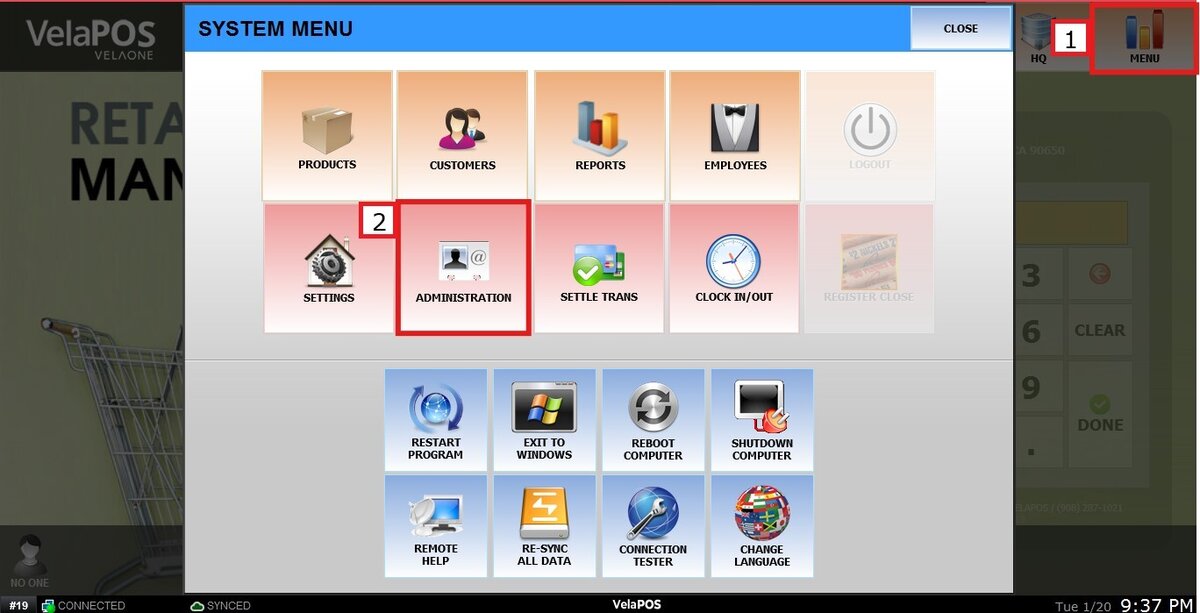
Main Screen> MENU > ADMINISTRATION > SECURITY > IDLE
Go to MENU and press ADMINISTRATION
In the SECURITY section, navigate to IDLE and click on the drop-down menu from IDLE AUTO LOCK SETTING, select the desired idle timeout time.
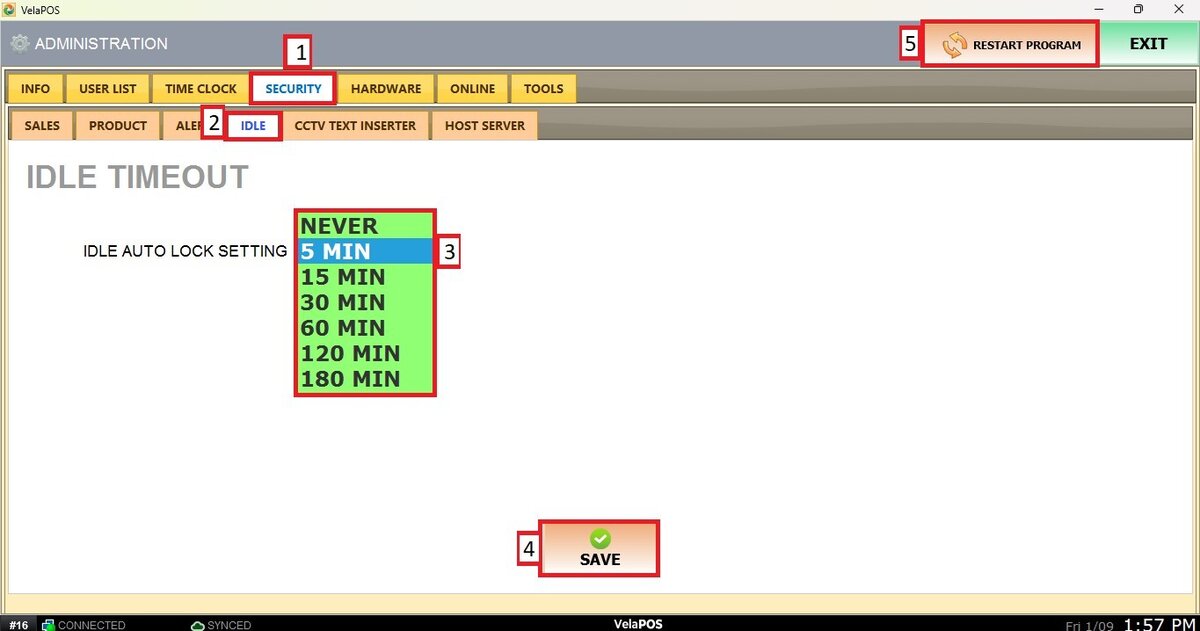
Press on SAVE and RESTART PROGRAM to apply the changes.
Result:
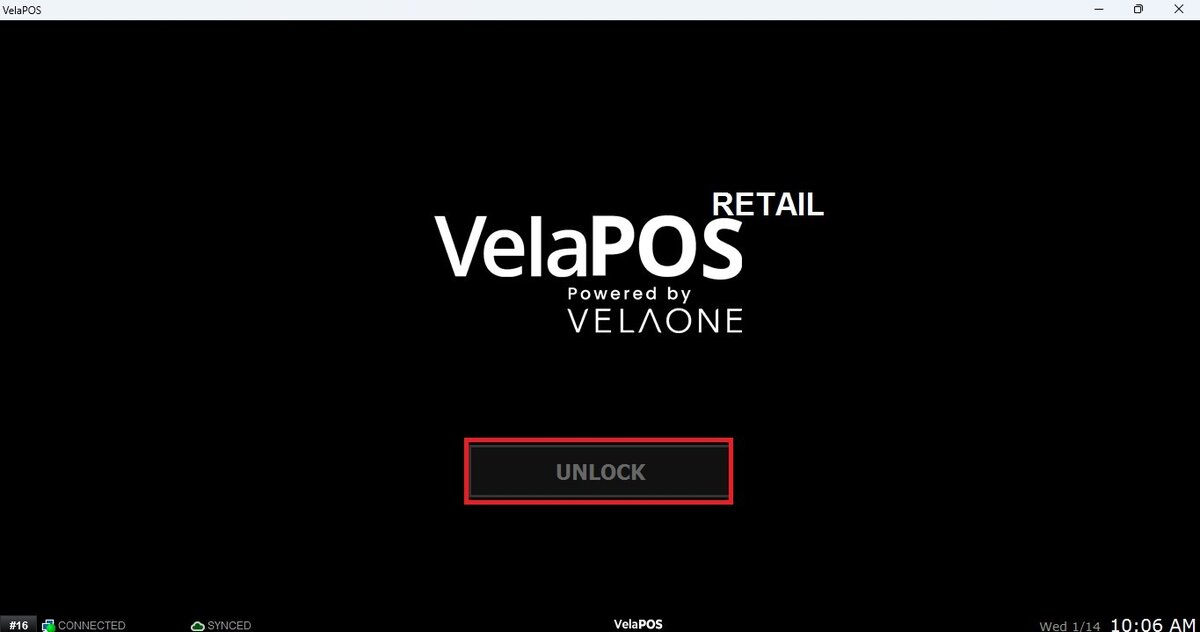
After the POS remains inactive for the configured amount of time, it will automatically switch to the Idle screen shown below.To return to the sales screen, press on UNLOCK.
See Security Settings KB to configure the type of IDLE lock