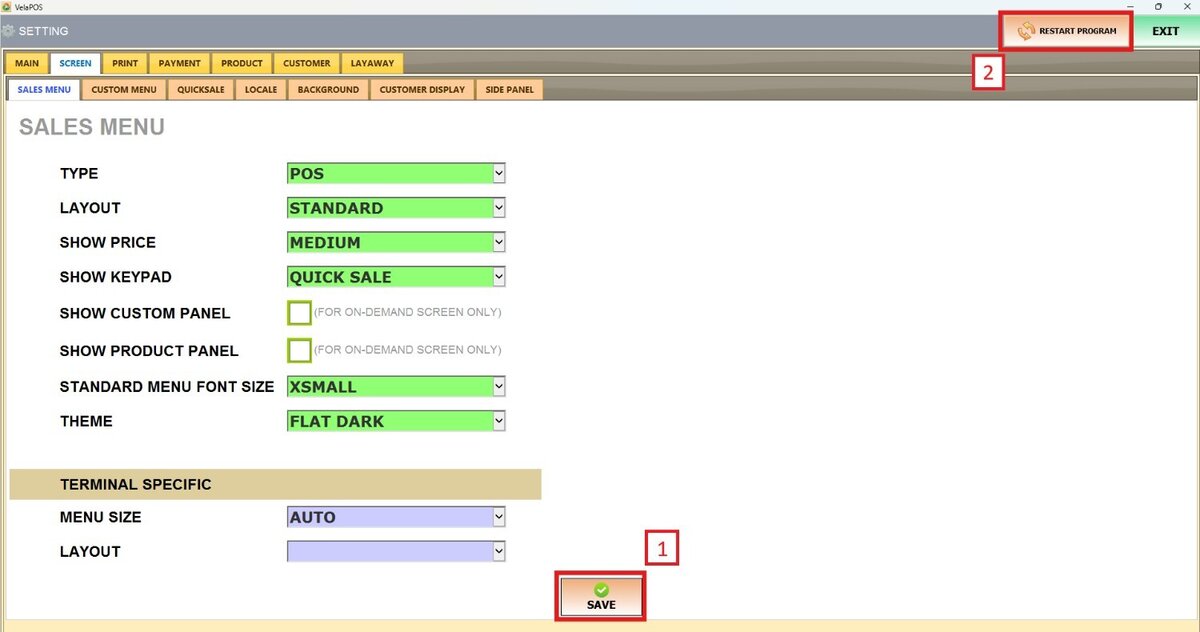
Show Keypad
The POS system includes a Keypad feature that allows users to quickly search for and add products directly from the Sales Screen.
Main Screen> MENU> SETTINGS> SCREEN > SALES MENU
Go to MENU and press SETTINGS.

Under the SCREEN tab, select SALES MENU and navigate to the SHOW KEYPAD section.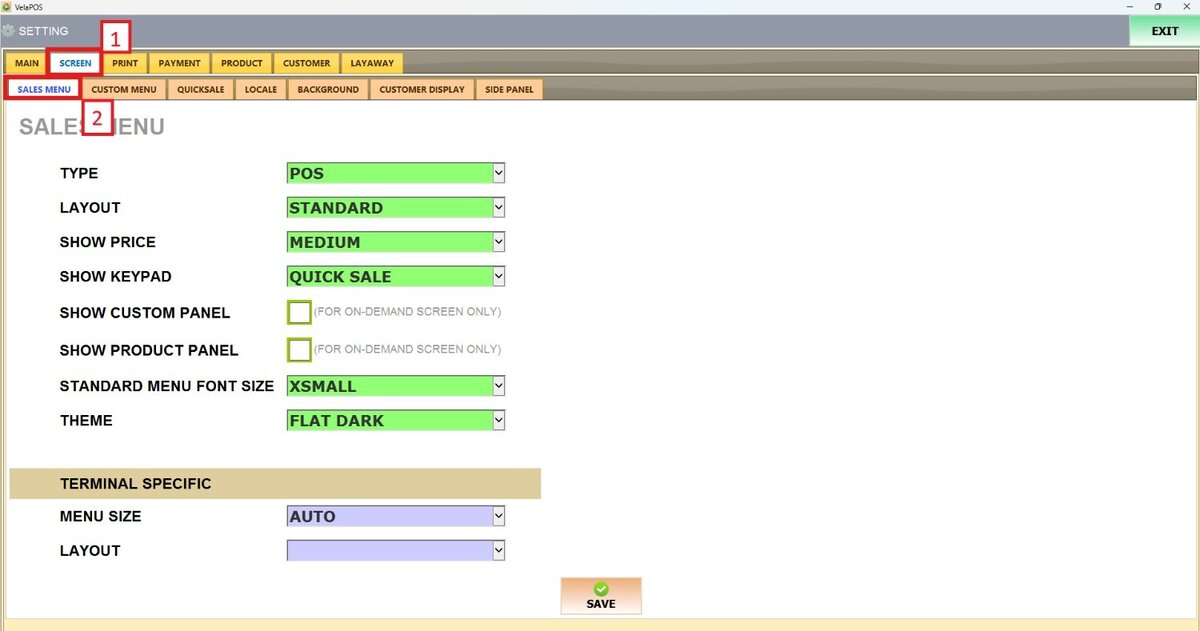
On SHOW KEYPAD, there are 4 options to choose from: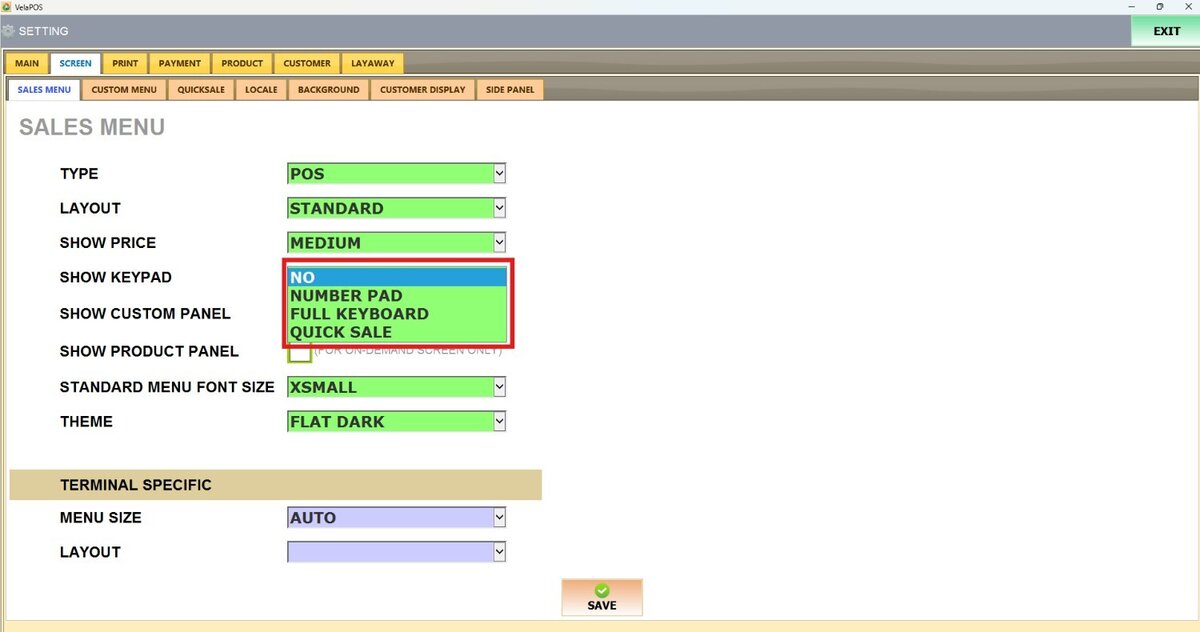
1. NO: The keypad is disabled and will not appear on the Sales Screen.
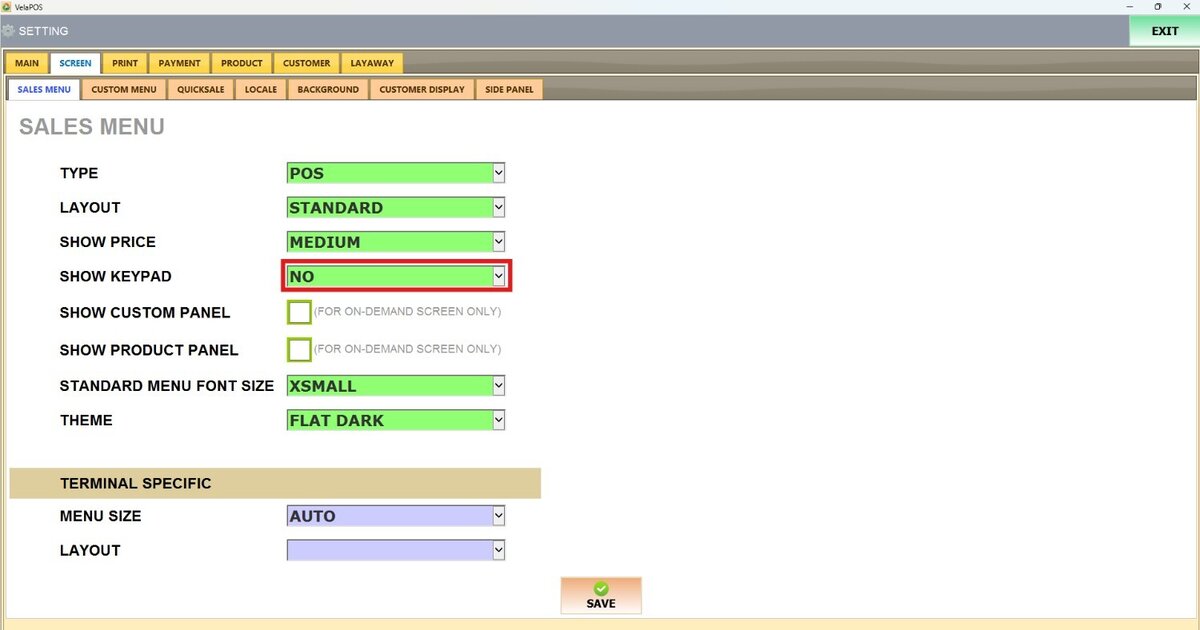
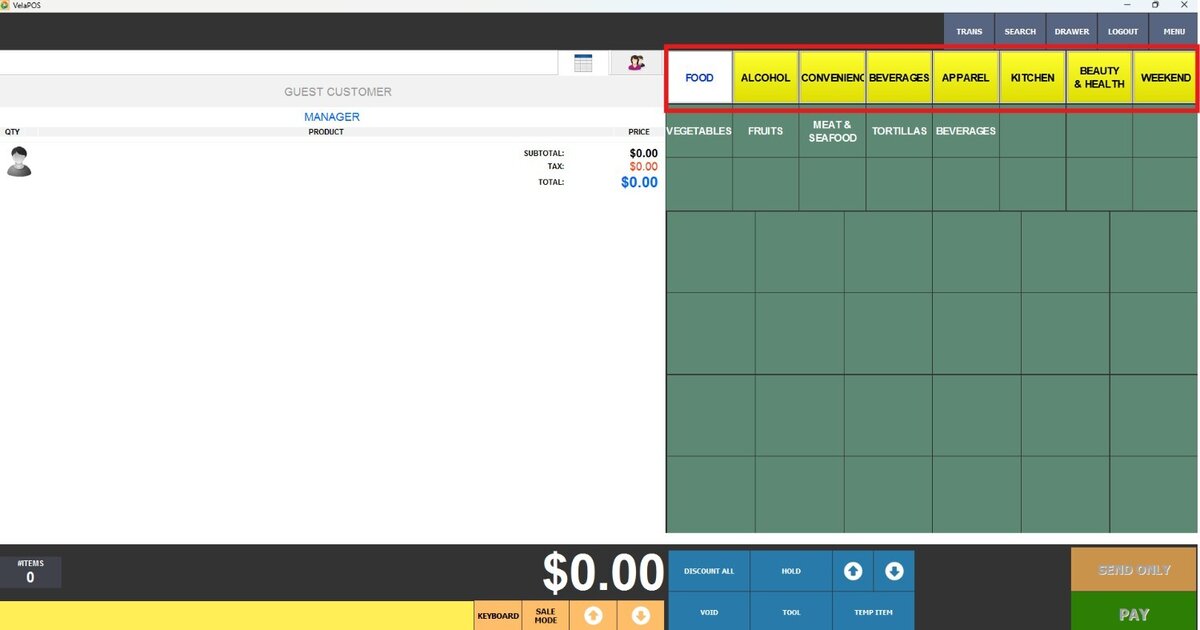
2. NUMBER PAD: Displays a numeric keypad only.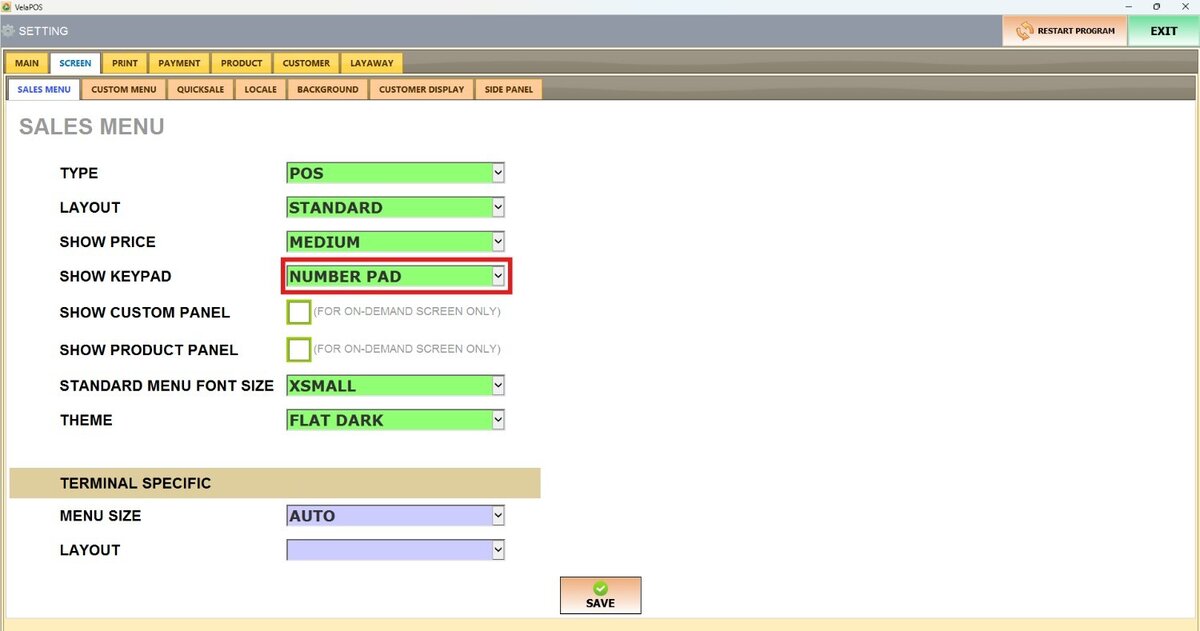

3. FULL KEYBOARD: Displays a complete keyboard layout with letters and numbers.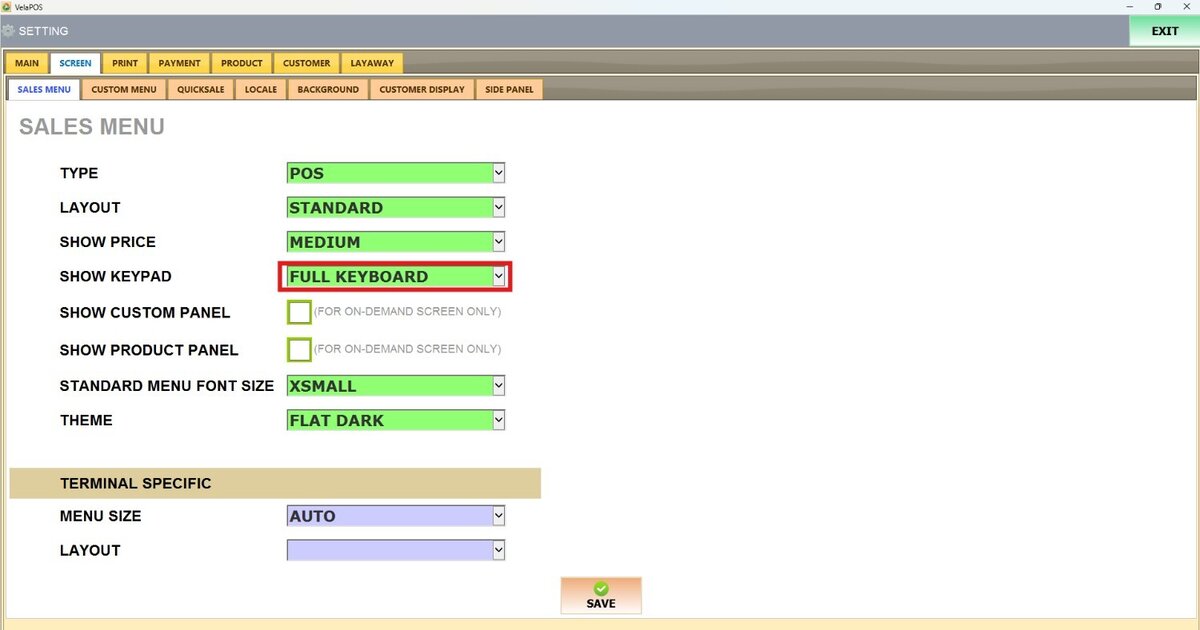
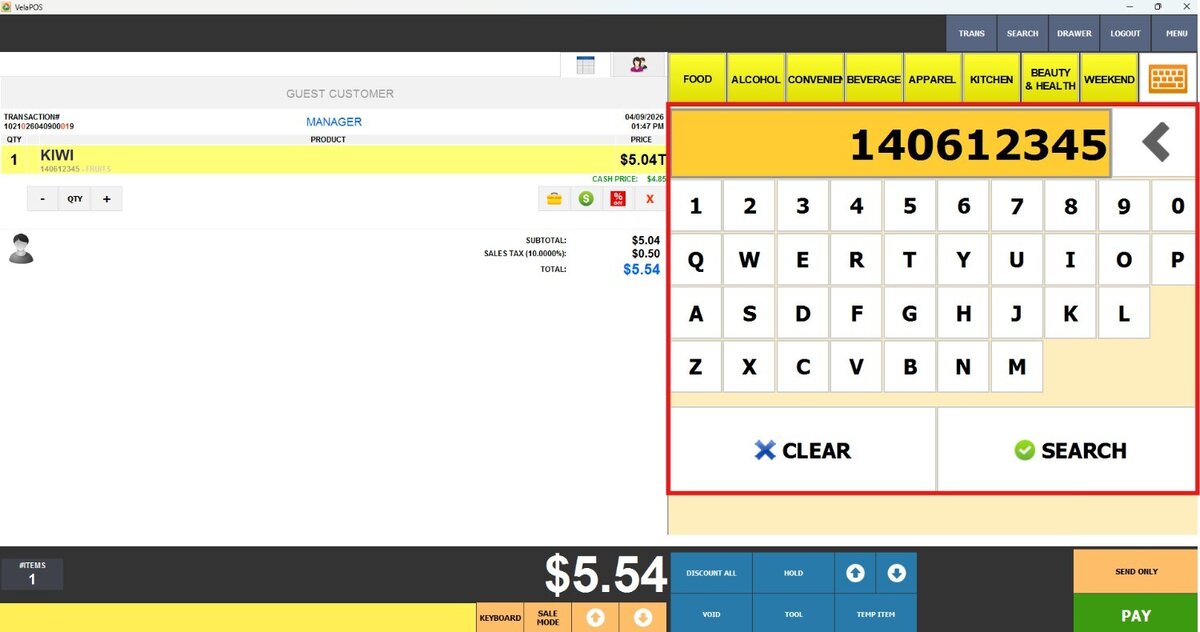
4. QUICK SALE: Enables a keypad designed for fast item entry during transactions.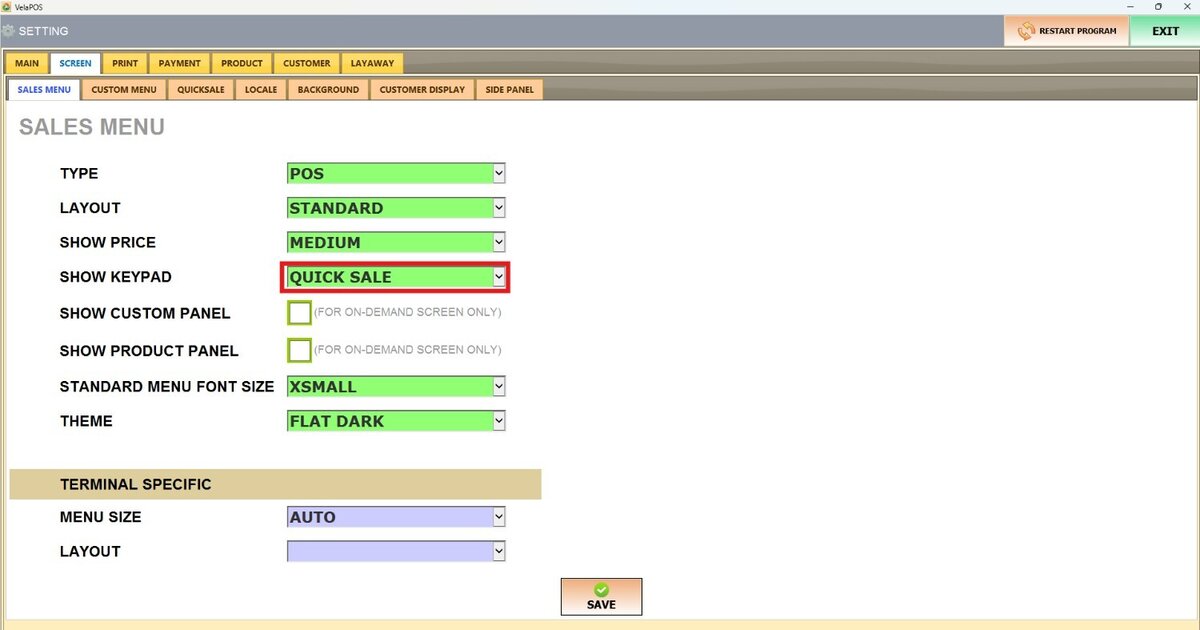
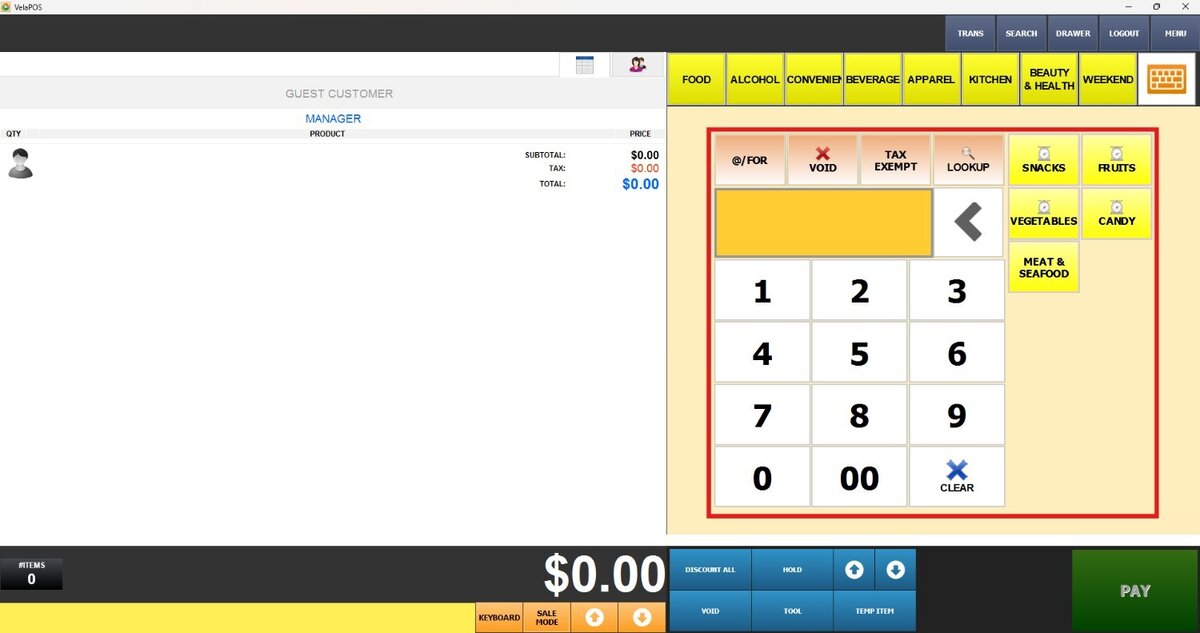
To learn how to use the Quick Sale feature, refer to the Quicksale guide.
Once configured, press SAVE and RESTART THE PROGRAM to apply the changes.