Menu
In this tab, you can configure how a category is priced and customized when only categories are used. With this tab you can define the pricing method, set the base price, and assign optional modifiers for each category.
Main Screen> MENU> PRODUCTS> CATEGORY> MENU tab.
On the Main Screen, go to MENU and press on PRODUCTS.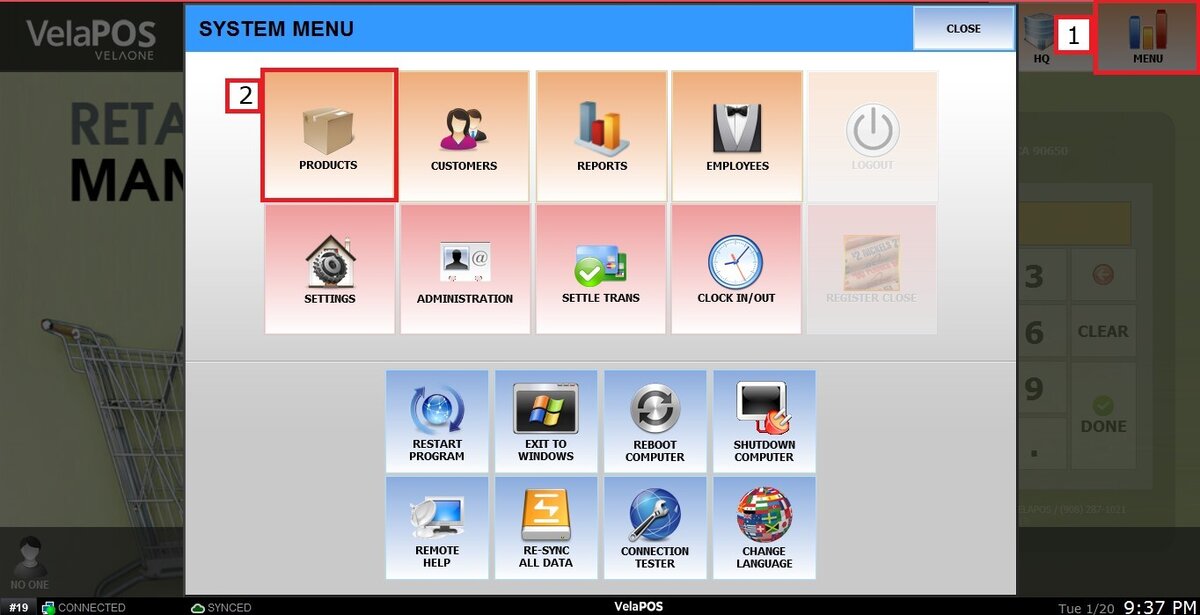
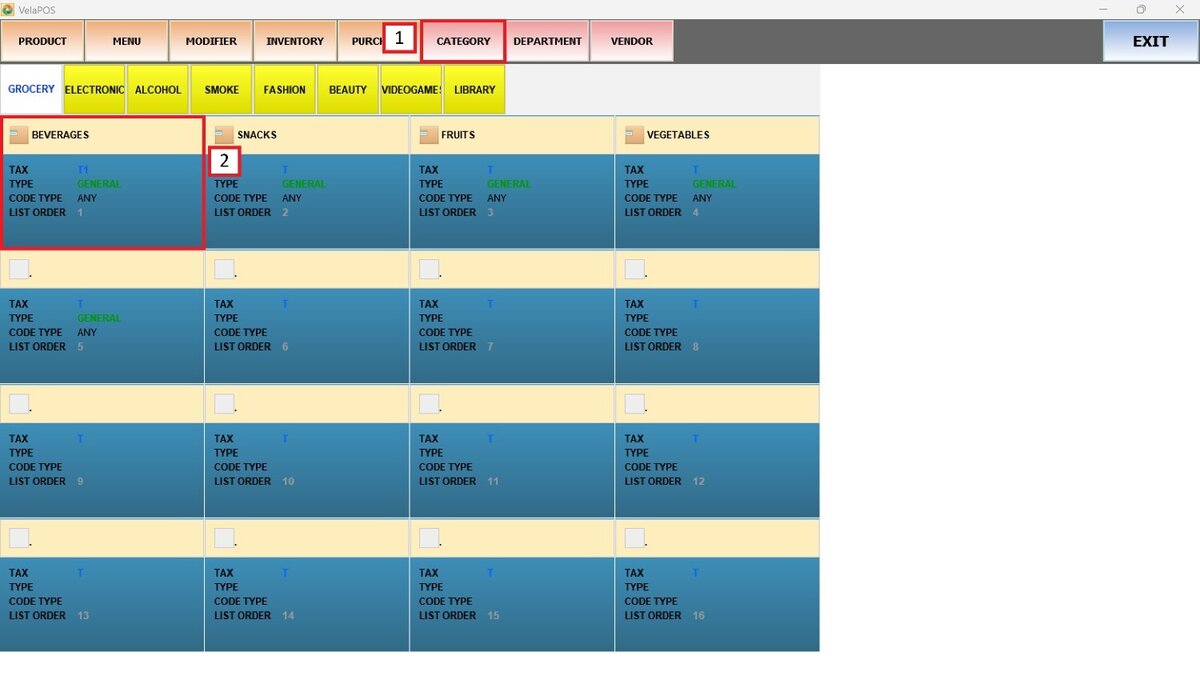
Press on CATEGORY and choose the one you want to configure.
Go to the MENU tab of the chosen category.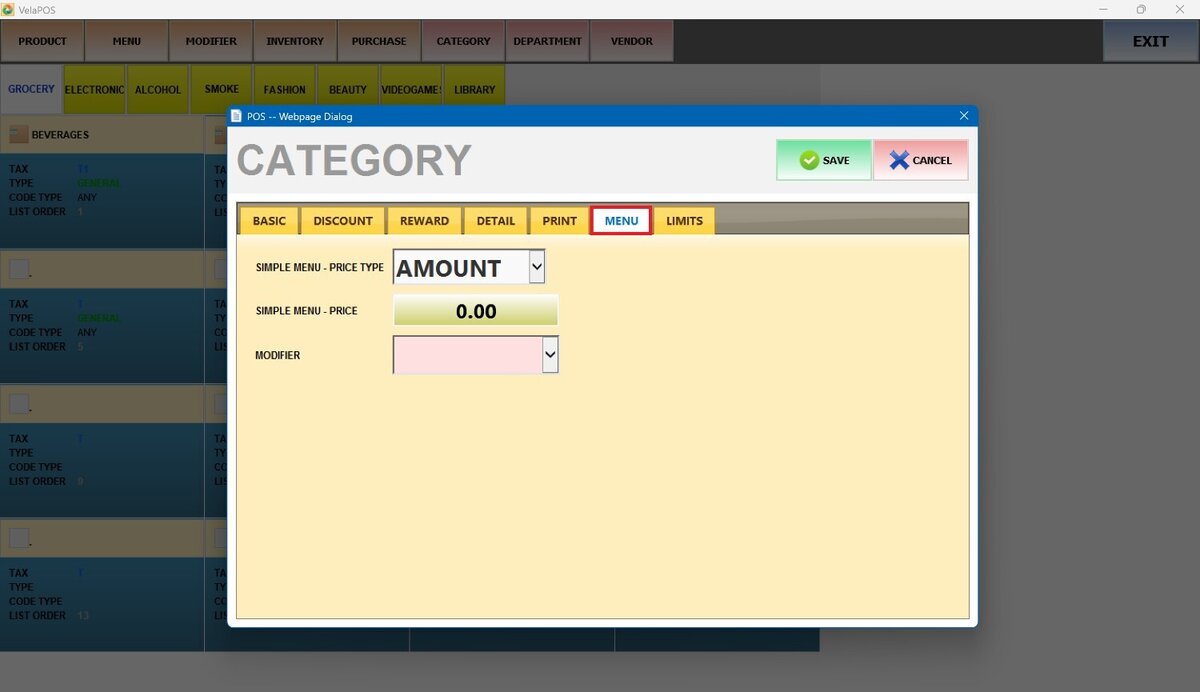
SIMPLE MENU-PRICE TYPE
This feature will apply only if the Sales Screen Layout is set as Simple Category.
Select from different options from the drop-down menu to assign a type of price to the category:
1. AMOUNT
Fixed price per item.
2. SINGLE
Standard unit price, used for individual items.
3. BY WEIGHT
Price based on weight.
4. BY QTY
Price varies depending on the quantity selected.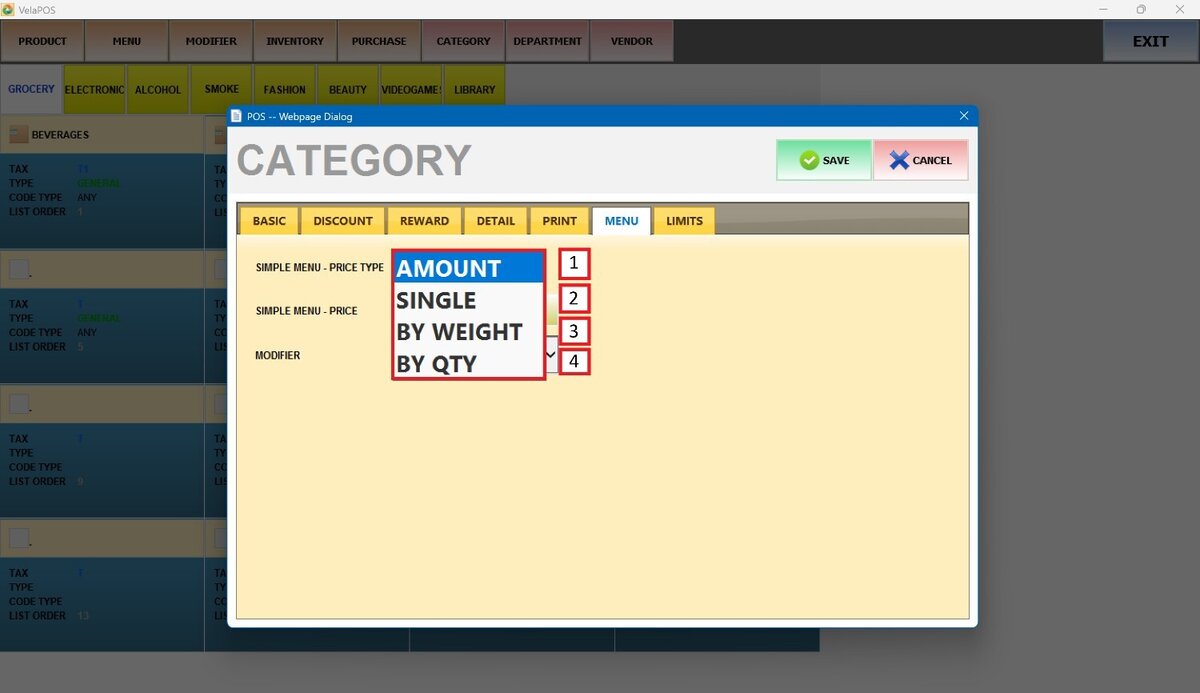
SIMPLE MENU-PRICE
Enter the base price of the category, according to the selected price type.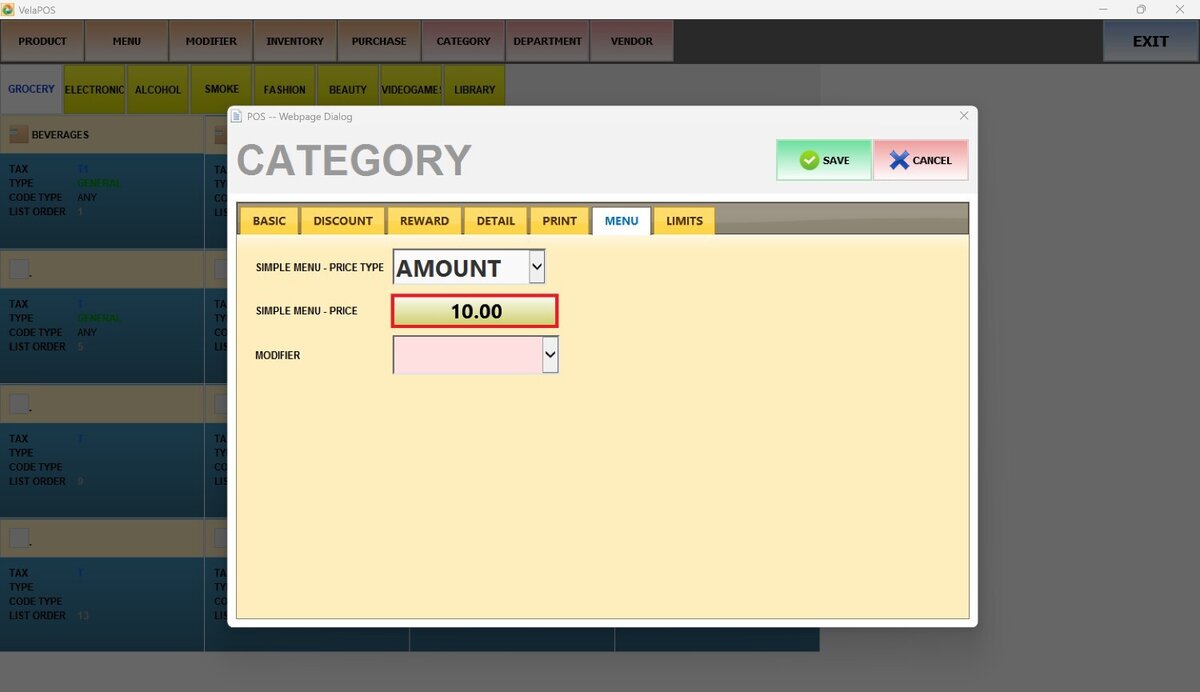
Result:
Press on the configured category.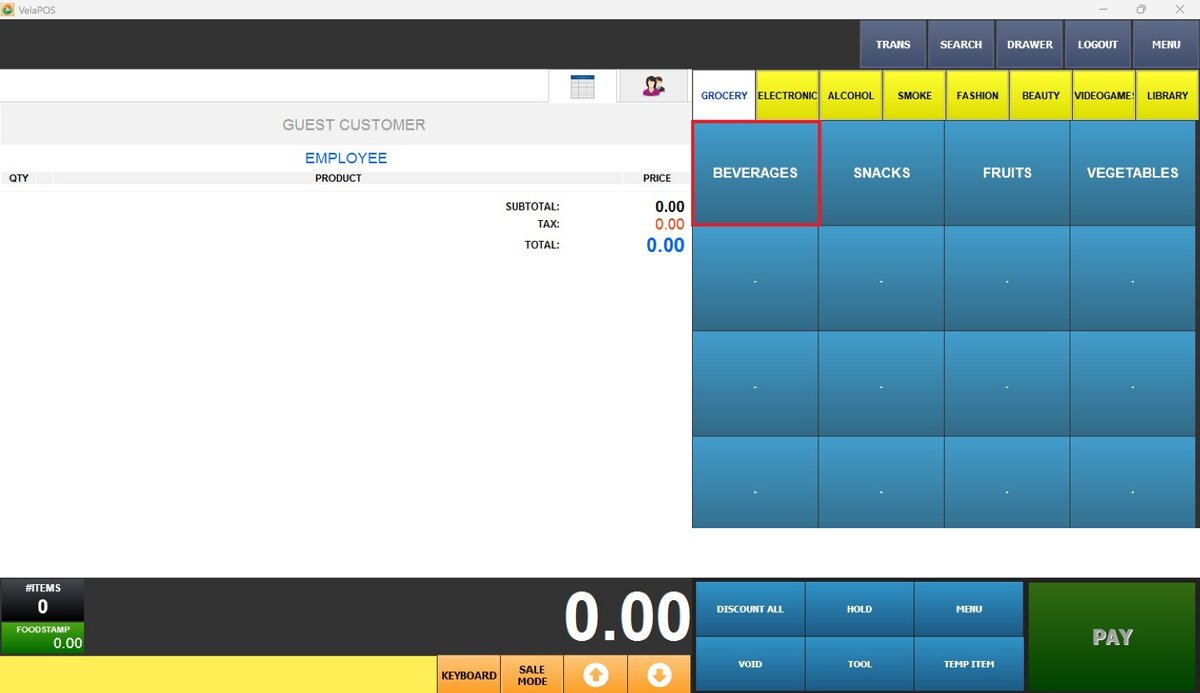
AMOUNT Result:
Enter the AMOUNT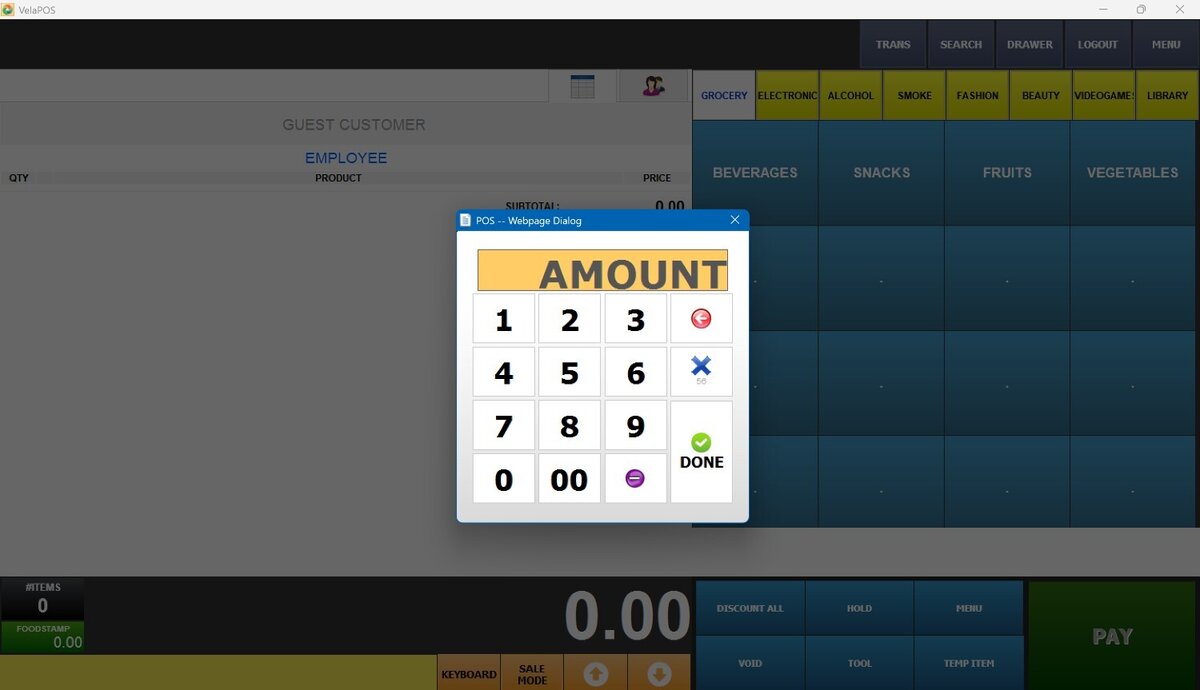
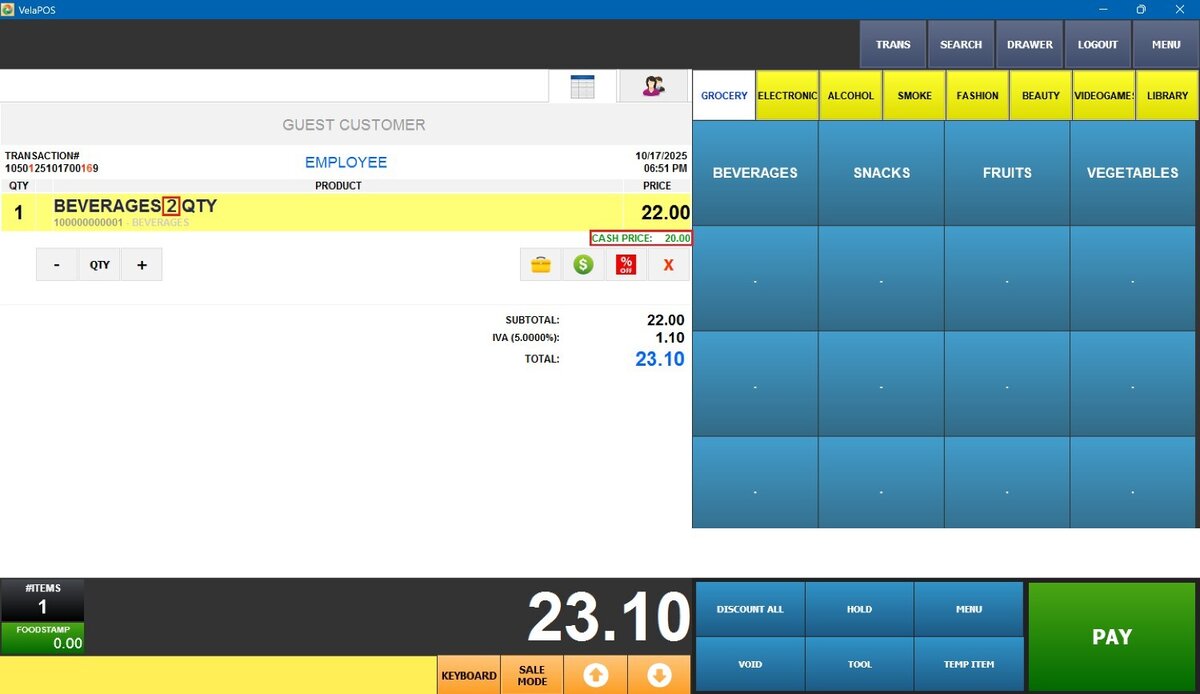
Once enter the fixed amount, you'll see it displayed next to the cash price.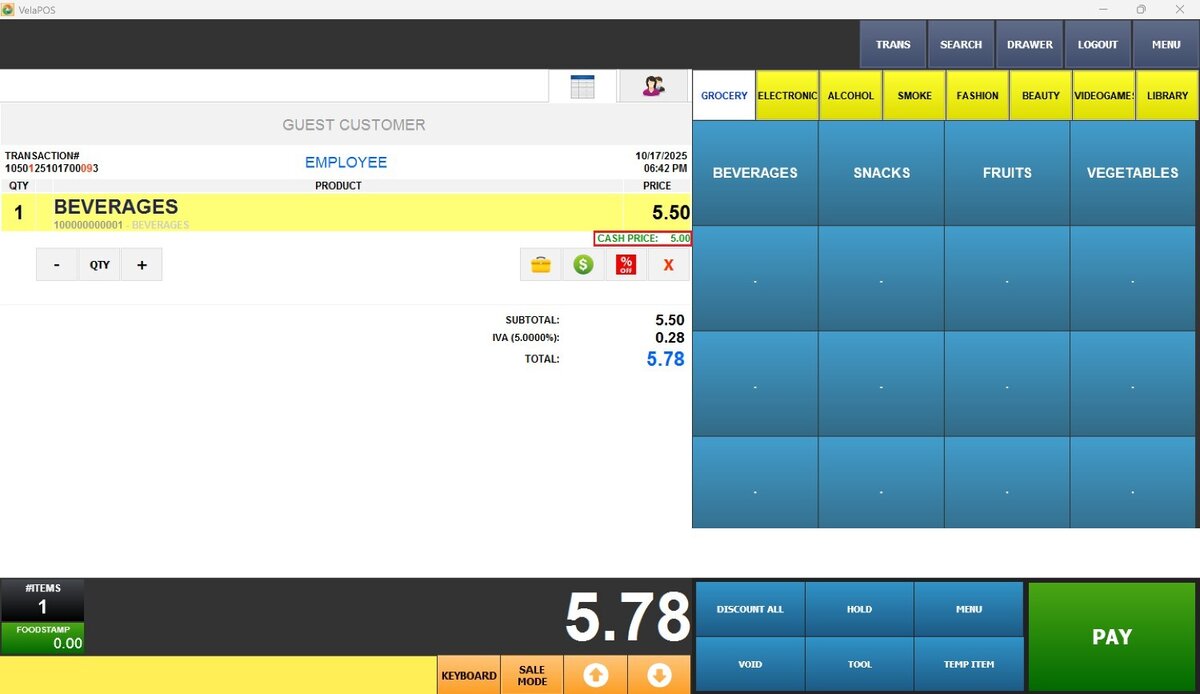
SINGLE Result:
Select the category and it will be rang up on the screen with the previously set price.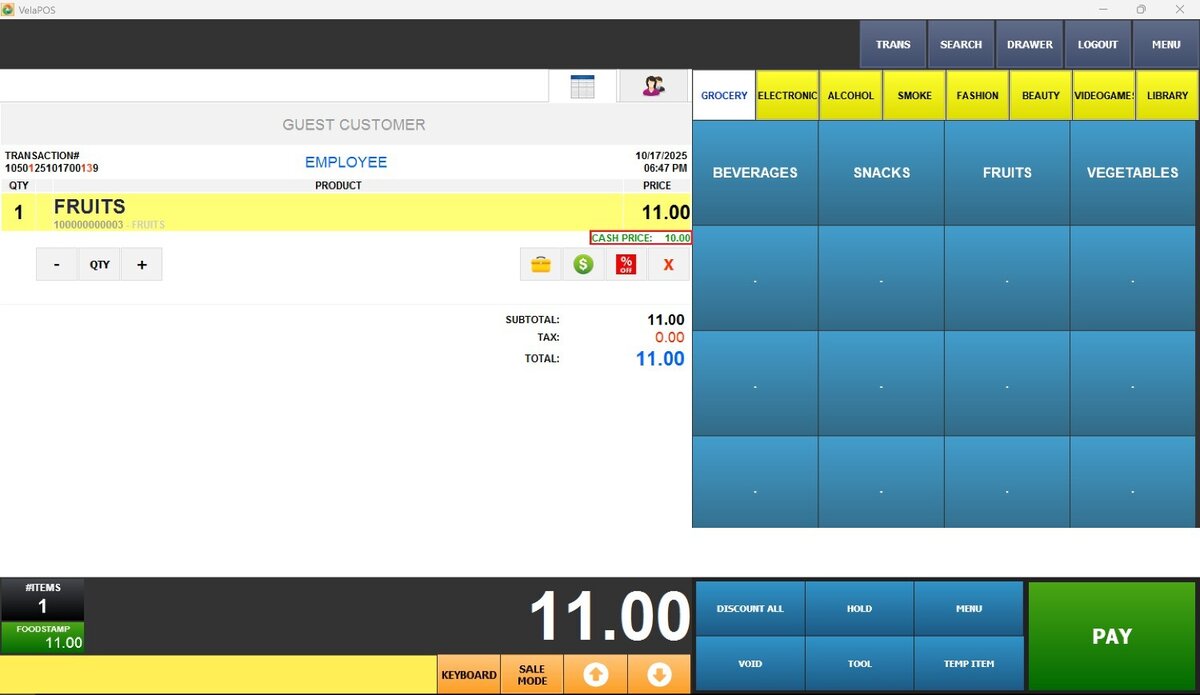
BY WEIGHT Result:
Enter the weight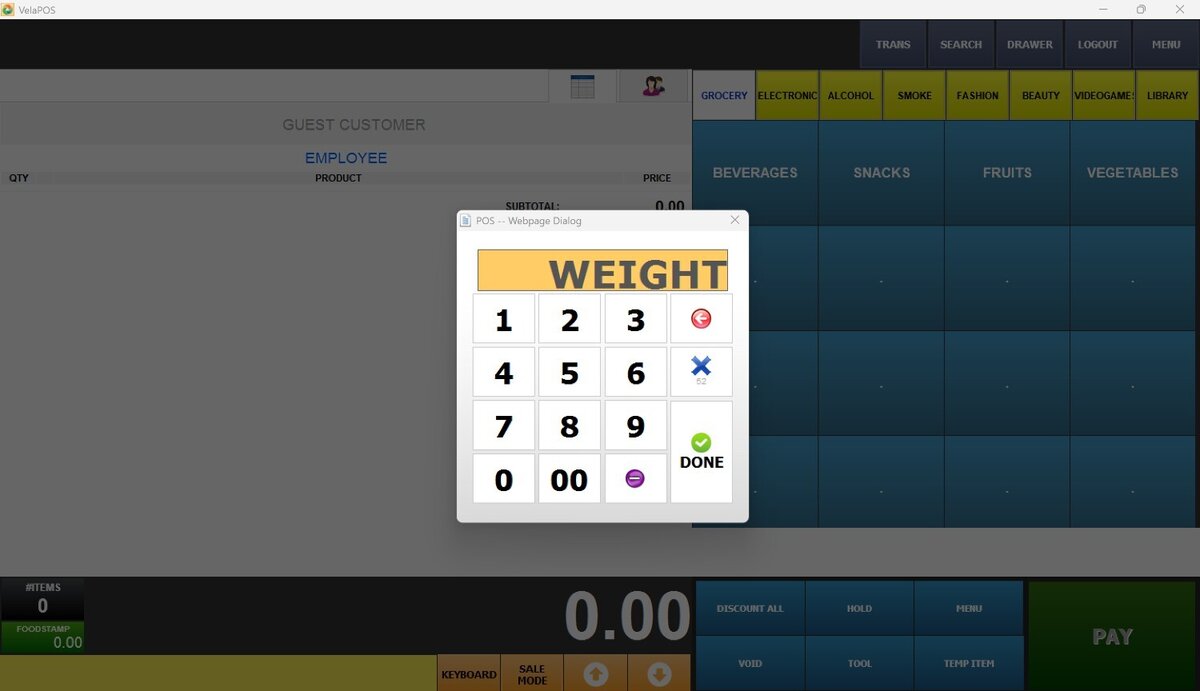
You'll see the calculated price by weight next to the cash price.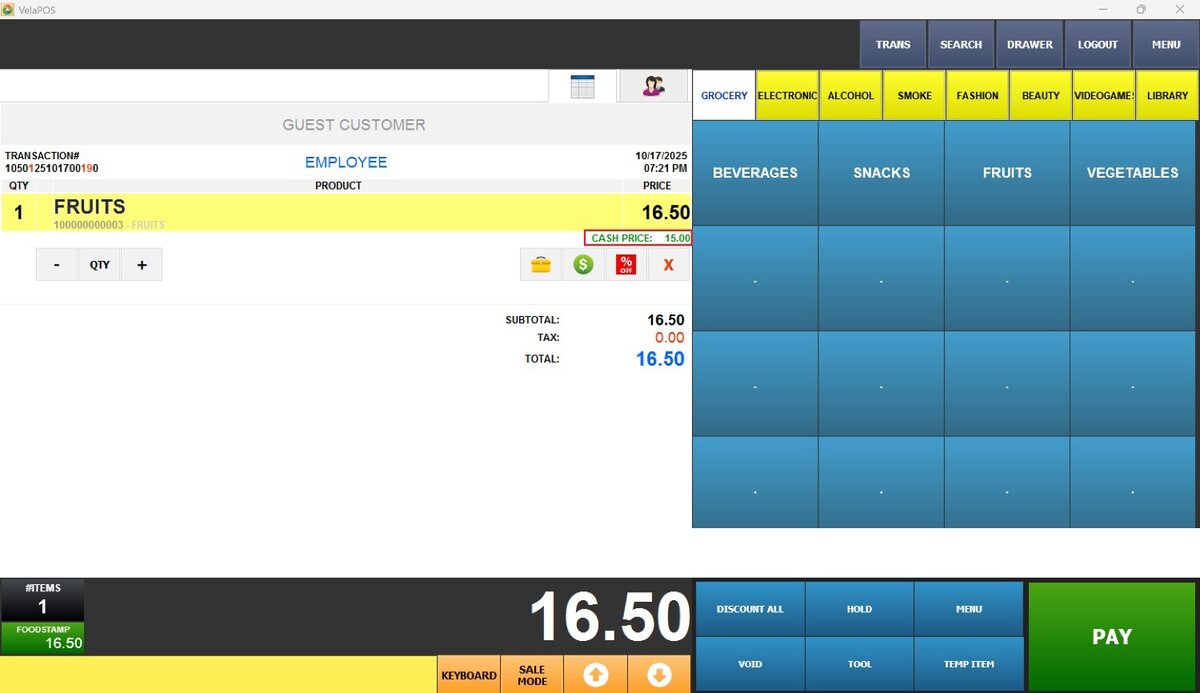
BY QTY Result:
Enter the desired quantity.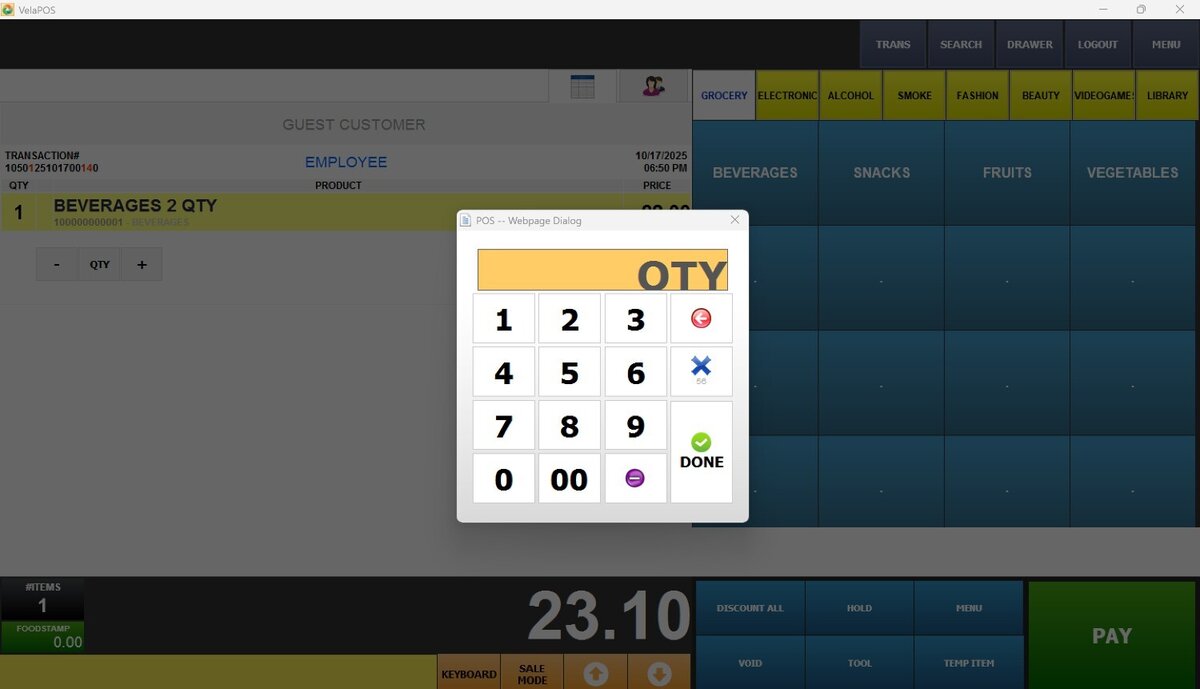
See the quantity entered next to QTY and the calculated price next to cash price.