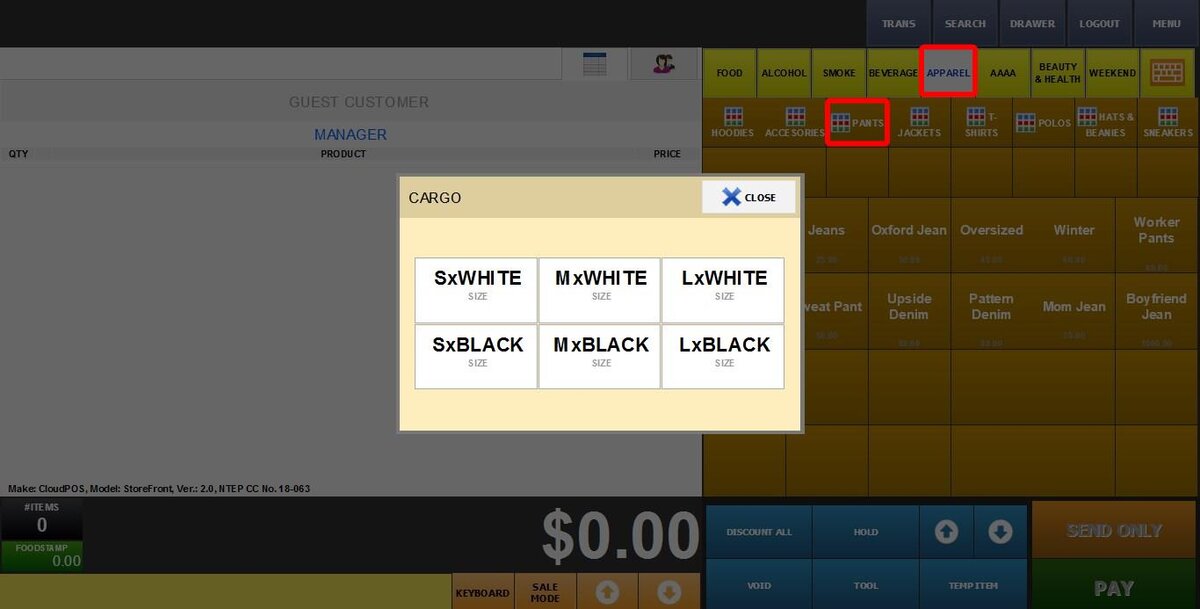
This feature allows you to quickly assign sizes (and colors/styles) to an entire apparel category at once, rather than setting them one by one.
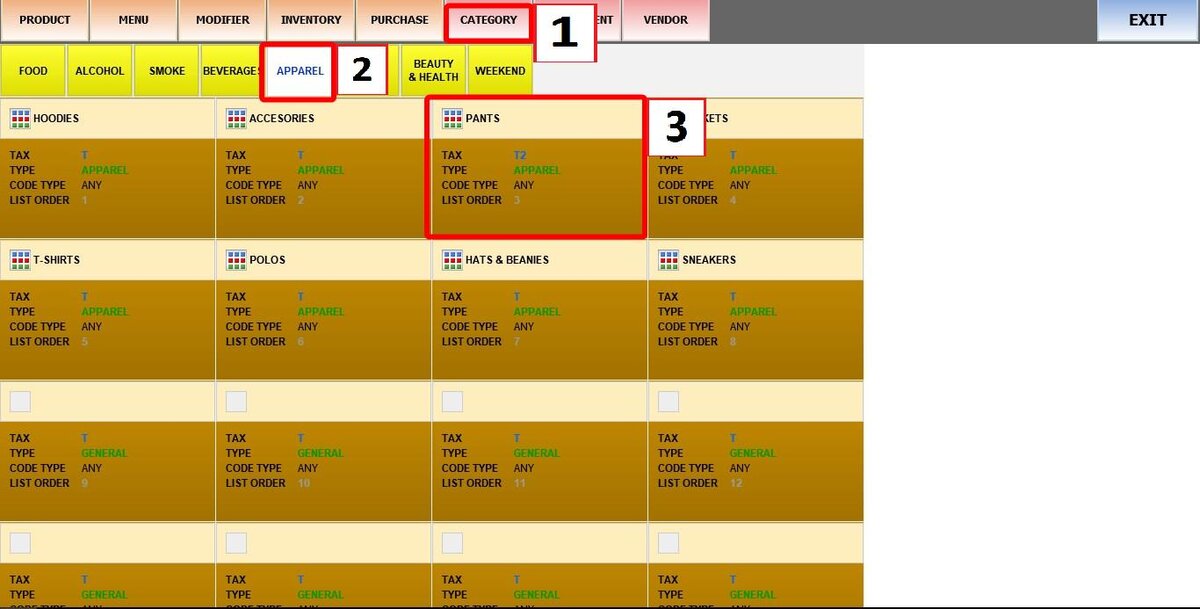
Main Screen > MENU > PRODUCTS > CATEGORY
Go to MENU, then select PRODUCTS.

Click CATEGORY, and select any apparel category (e.g., T-Shirts, Hats).
Click the SIZE tab.
Select a size template from the MATRIX dropdown menu.
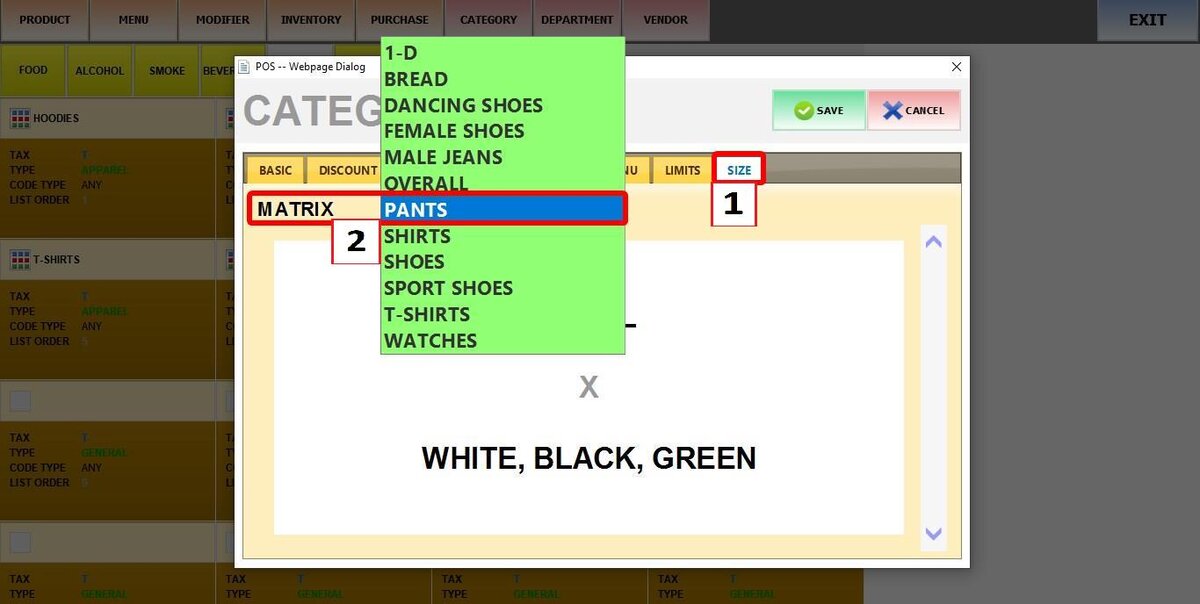
To create or edit these templates, see Apparel Sizes.
The selected template will appear in the preview.
Click SAVE.
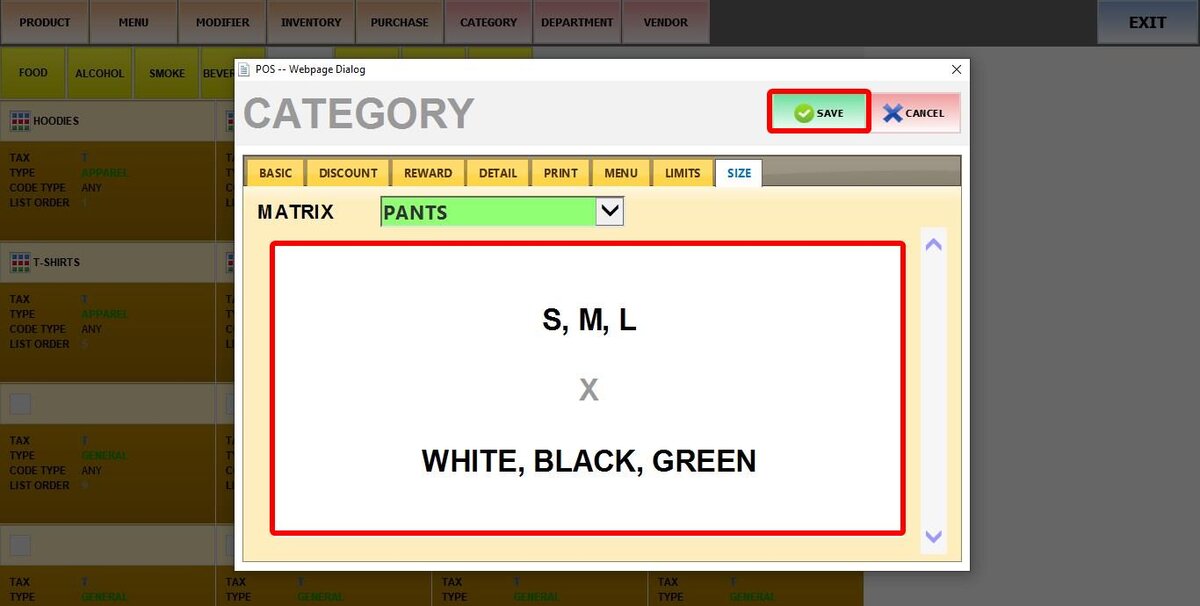
Result:
When you ring up any item from that category, a window will appear showing the available size options for the customer to choose from.