Product Coupon
This feature allows you to link a coupon directly to a specific product. When the coupon is scanned or applied to the sale, the associated item is automatically added for free.
MAIN SCREEN> NUMBER PAD> Sales Screen> Transaction in progress> Ring up the coupon
Ring-up the Coupon
You can ring up a Product Coupon in two different ways:
1. Scan the Coupon: Printed coupons include a barcode that can be scanned directly at the register.

2. Enter the Barcode Manually: Type the number shown below the barcode using the on-screen keyboard.
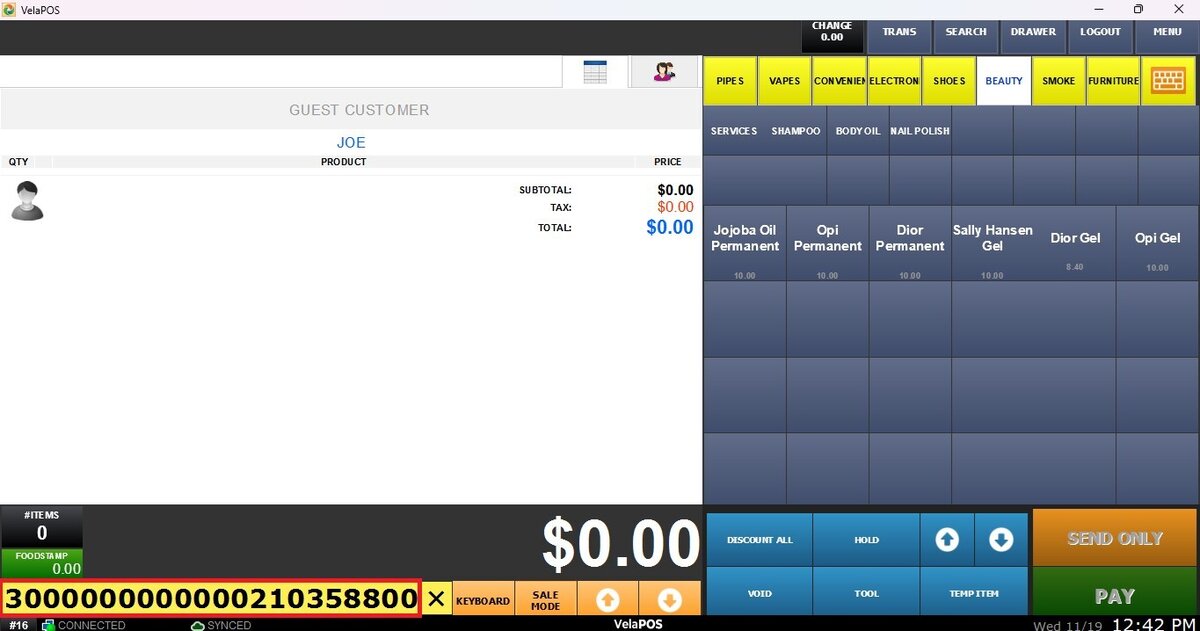
Using the coupon
After ringing up the coupon, a screen displaying the coupon details will appear. Review the information carefully, then click USE to apply it.
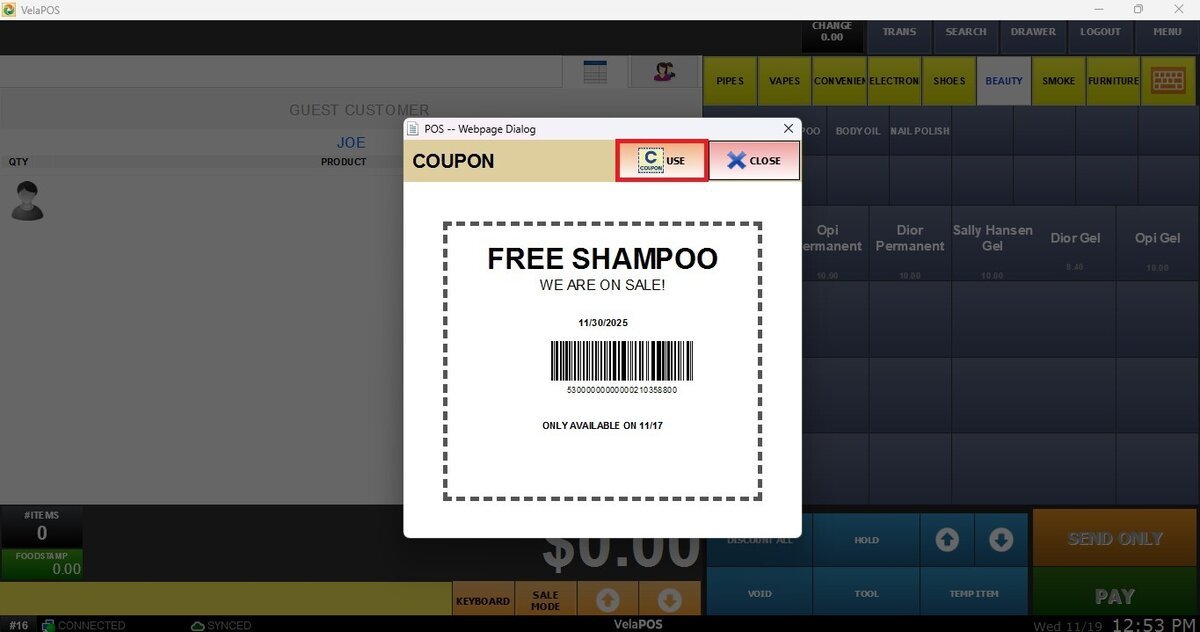
The product associated with this coupon will be automatically rung up at no charge. You will see both the coupon and the product displayed on the sales screen.

To complete the sale proceed with the transaction as usual.
See Product Coupon, to learn how to set up the coupon.