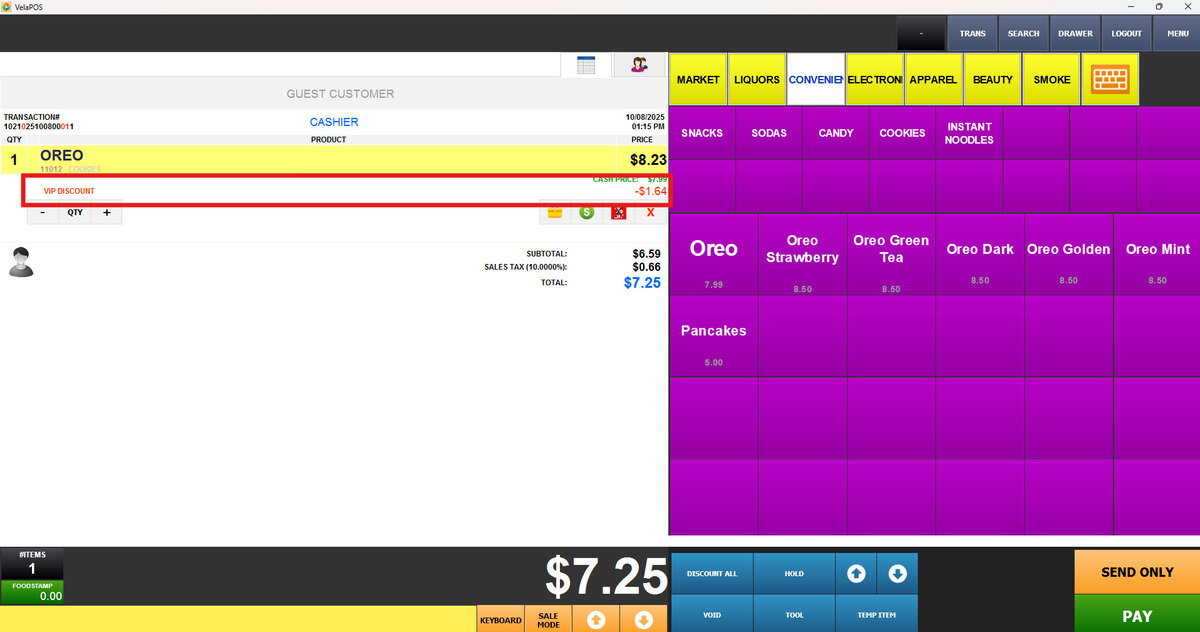
Predefined Discount
This discount allows you to apply a preset discount customized for a specific customer group.
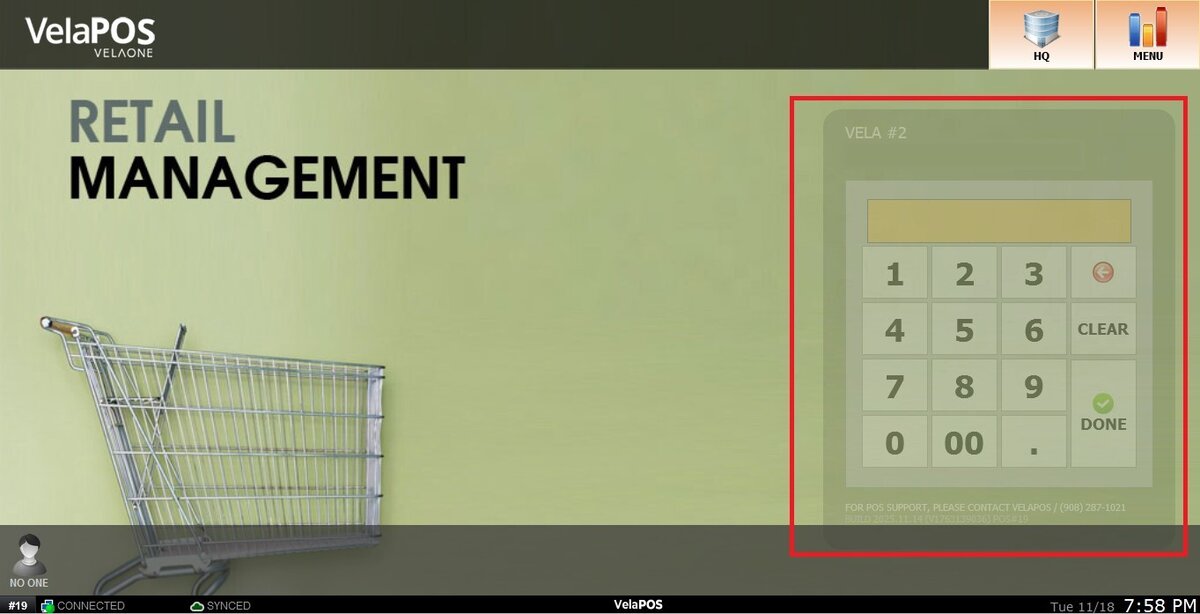
Main Screen> Number Pad> Sales Screen> Customer/Discount all or % icon below the item
Log in into the Sales Screen through the Number Pad.
Automatic discount
Press the customer icon and select between GRP CHNG or the magnifying glass icon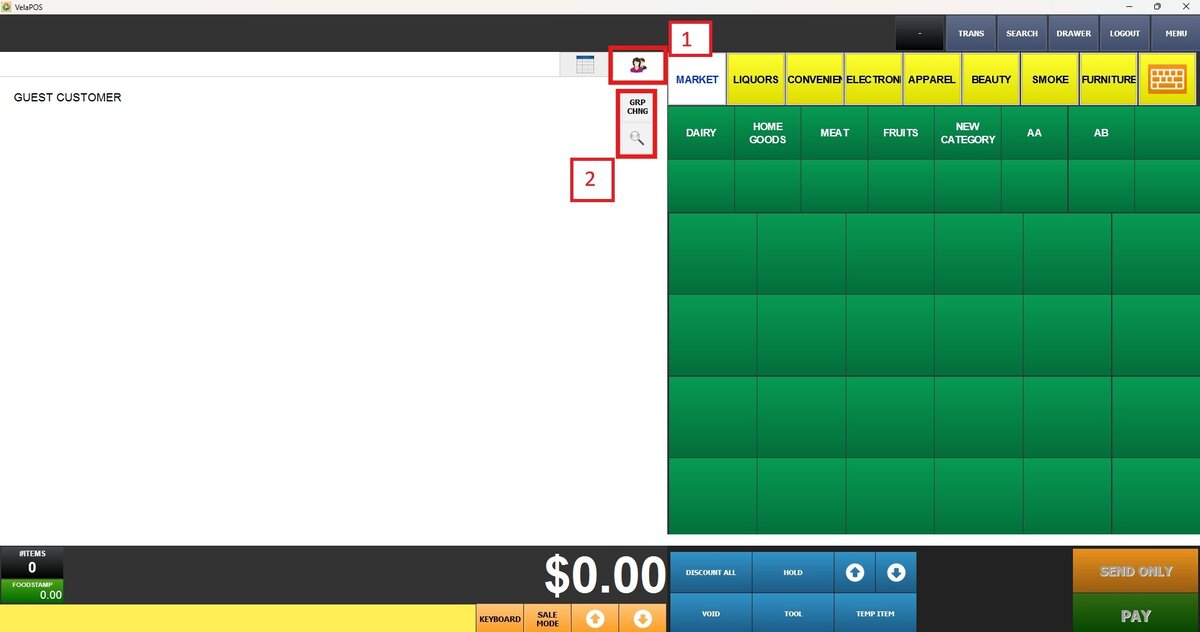
1. GROUP CHANGE:
Select the desired group from the pop up screen
2. Magnifying glass icon:
Select the desired customer and press SELECT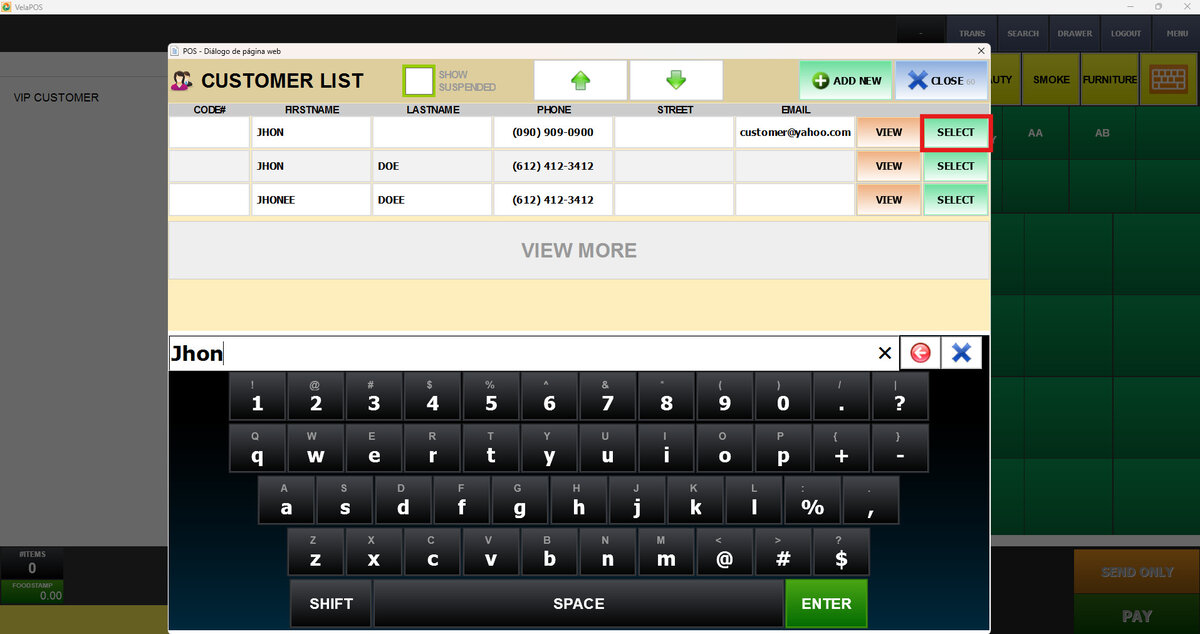
Hint: When you select the customer, the system automatically applies the discount
How to set an automatic discount, see Discount Settings.
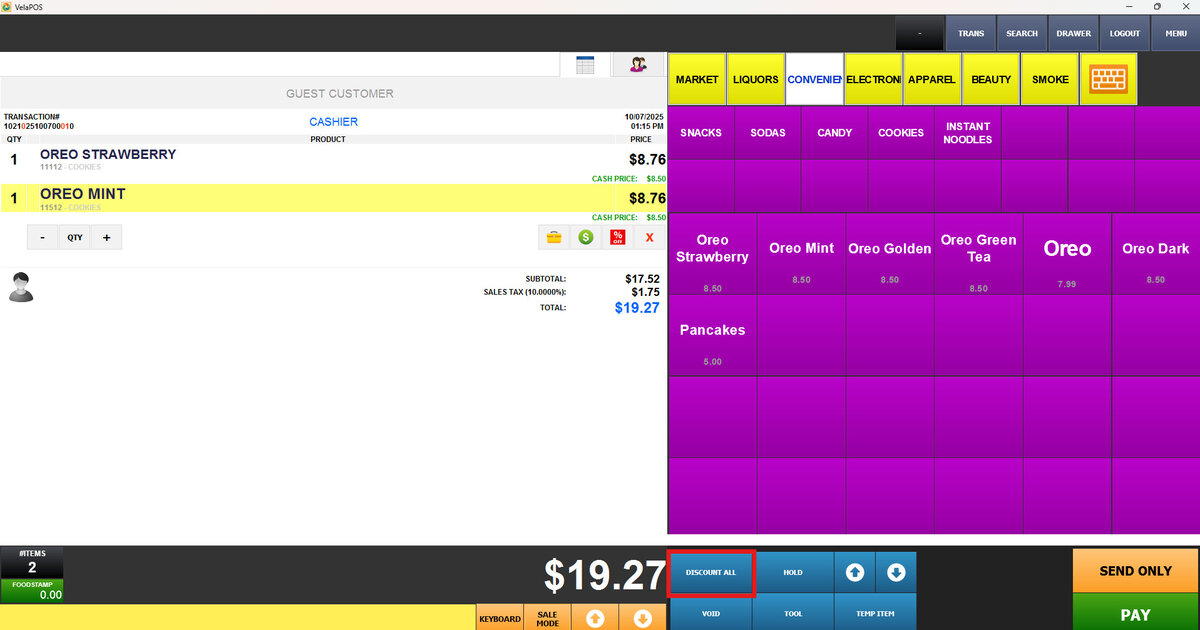
To apply predefined discounts to the entire order:
Press on DISCOUNT ALL
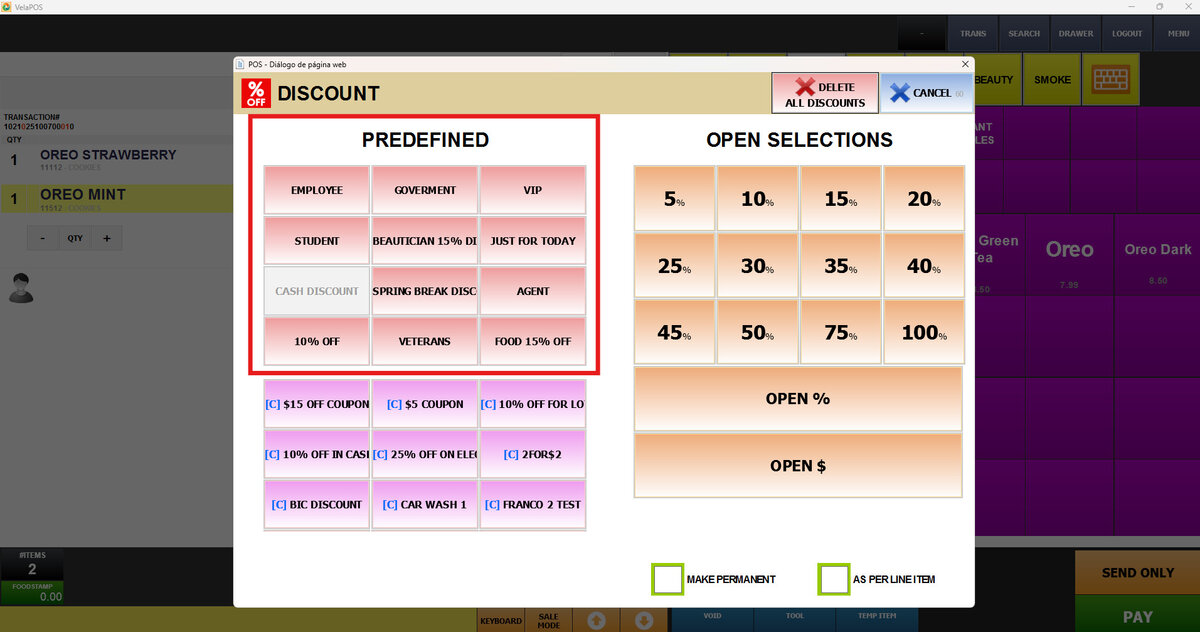
Select any group on the PREDEFINED list
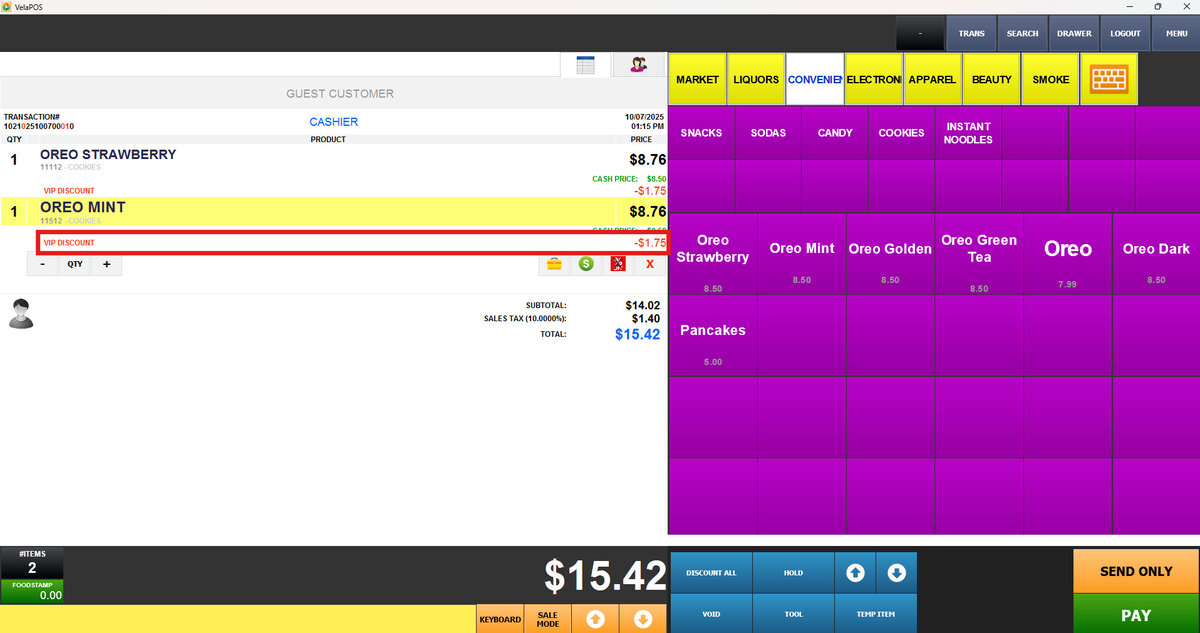
RESULT:
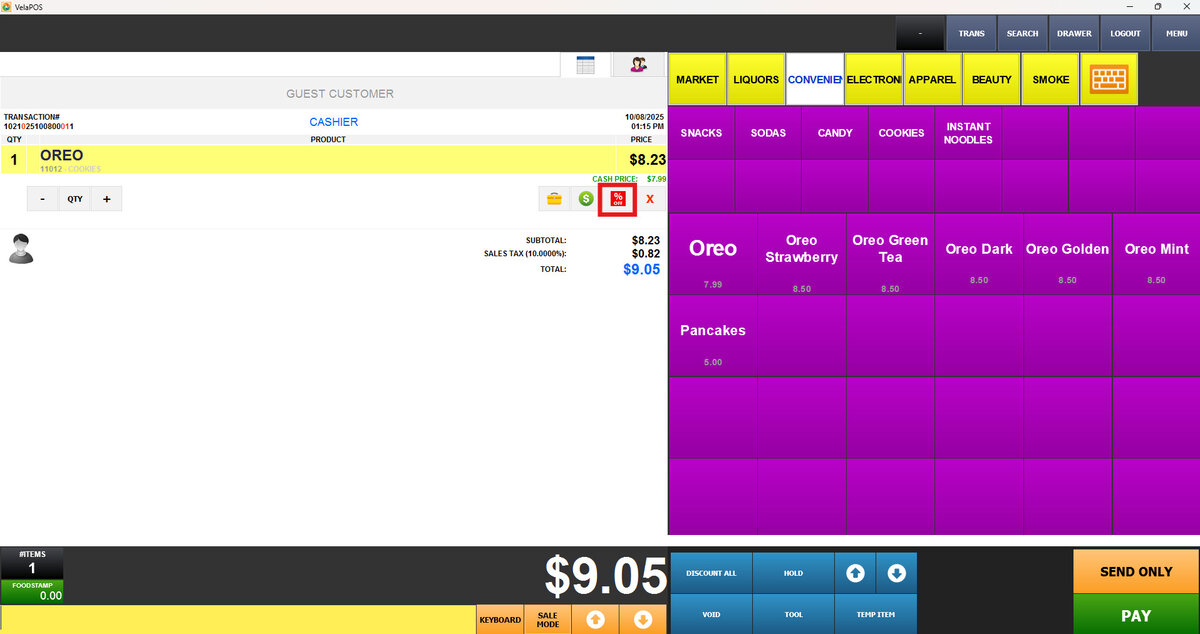
To apply predefined discounts to a specific item:
Press the discount button under the item
Select any group discount on the PREDEFINED list

RESULT: