Paying with Points
This guide explains how to process customers’ accumulated loyalty points as a payment method.
Main Screen> Number Pad> Sales Screen> Sale with rang up items> PAY> POINTS
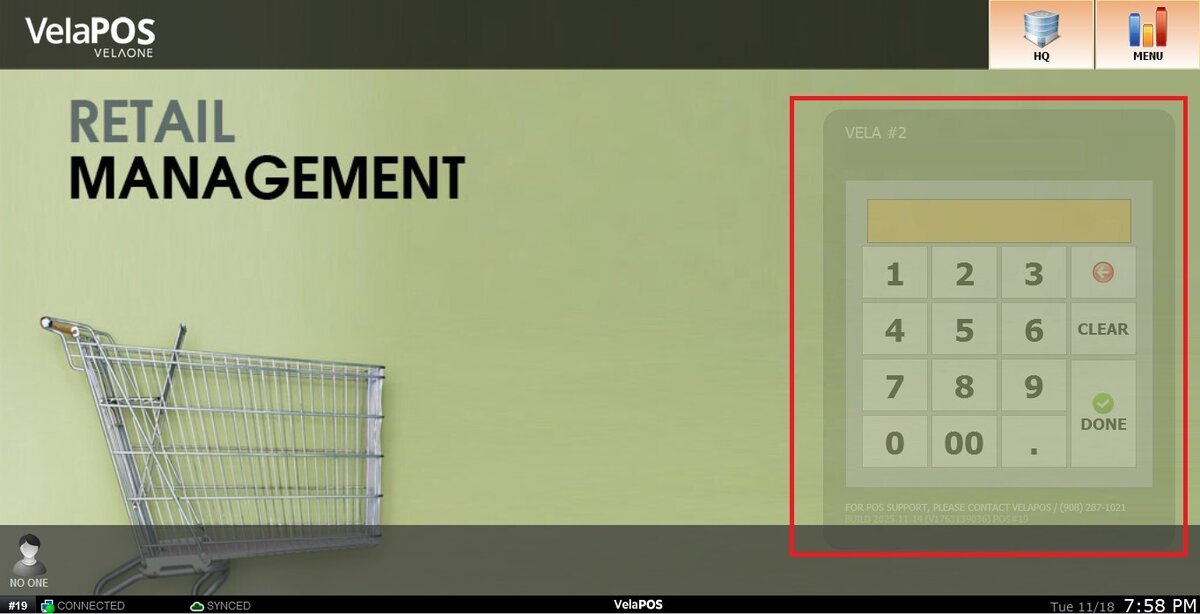
On the Main screen, click on the NUMBER PAD and input the assigned personal password to log in.
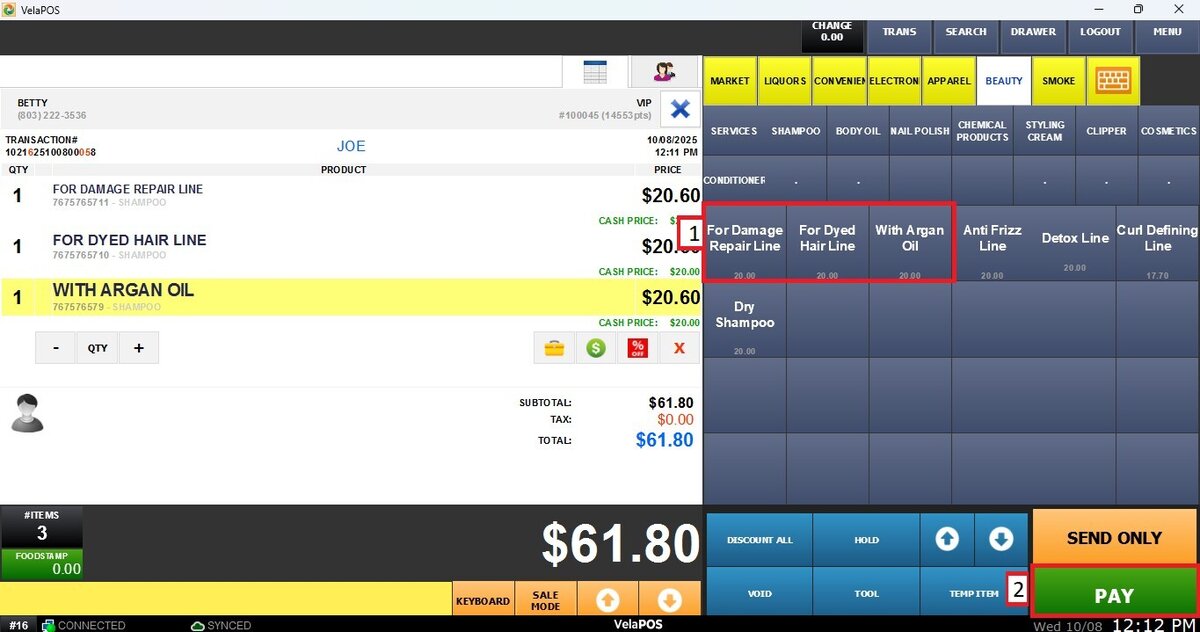
Ring up the items and press the PAY button.
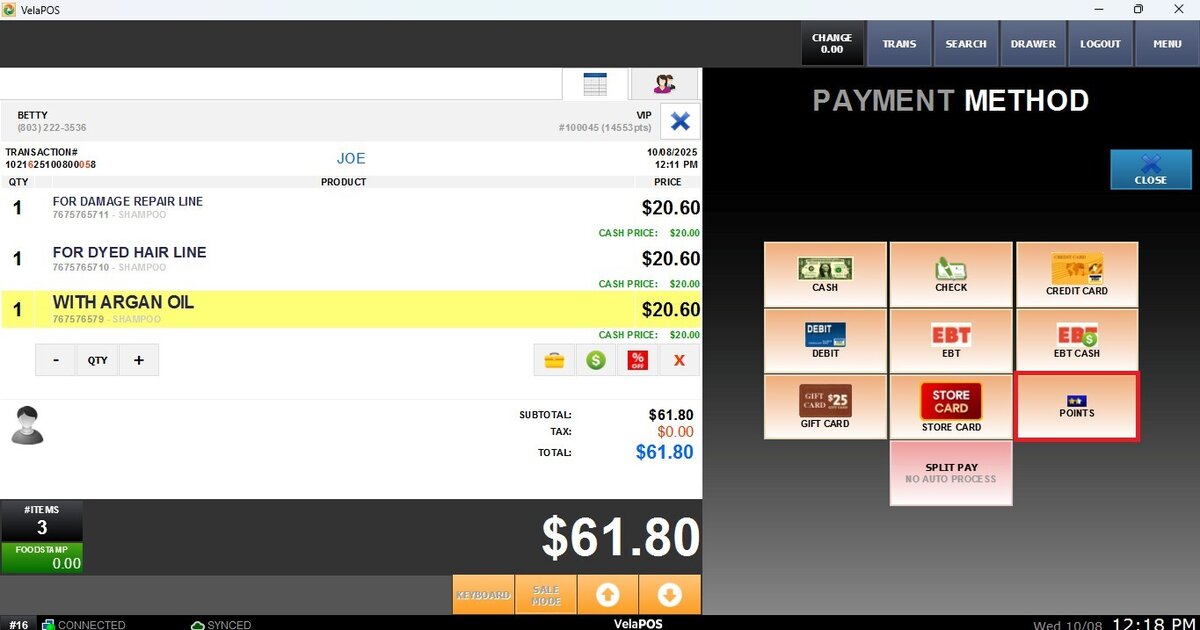
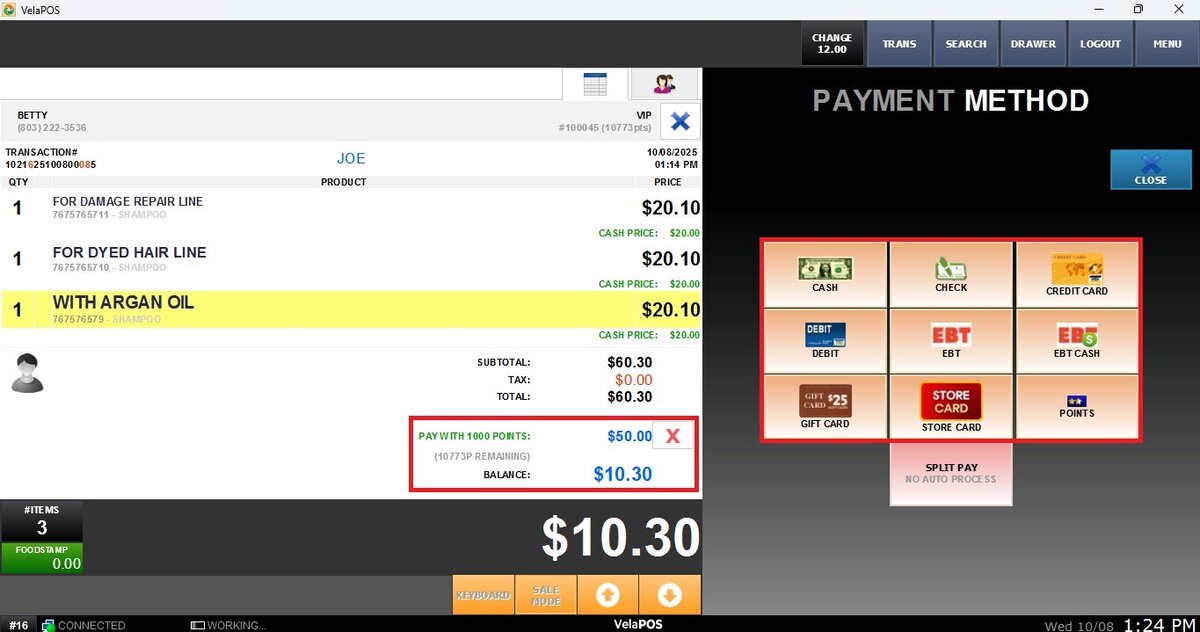
Select POINTS on the PAYMENT METHOD screen.
If customer information has not been entered, a window will pop up to search for the customer.

Set the usable points or usable value and press on PAY.
1. Balance: Indicates the total amount for the purchase
2. Total points: Shows the total points that the customer has
3. Total value: Converts the points into a dollar amount
4. Usable points: Shows the usable points on the purchase
5. Usable value: Displays the usable dollar amount on the purchase
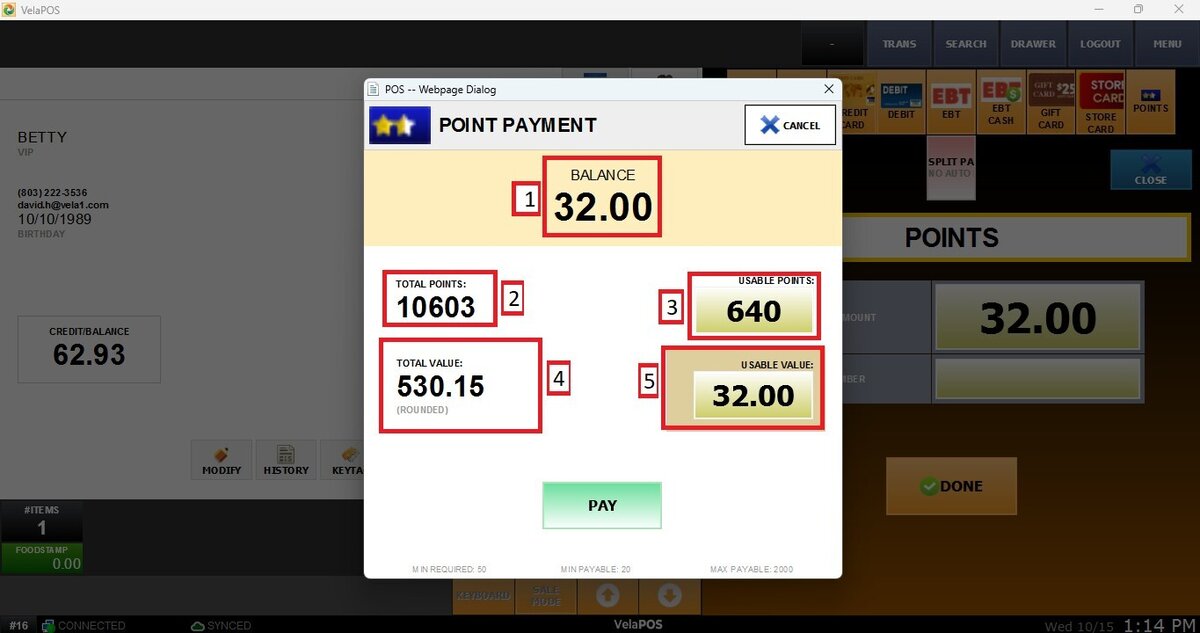
If the points do not cover the full balance, another payment method can be used to complete the transaction.
To learn how to set the Points as a payment method, consult the Points Tender guide.