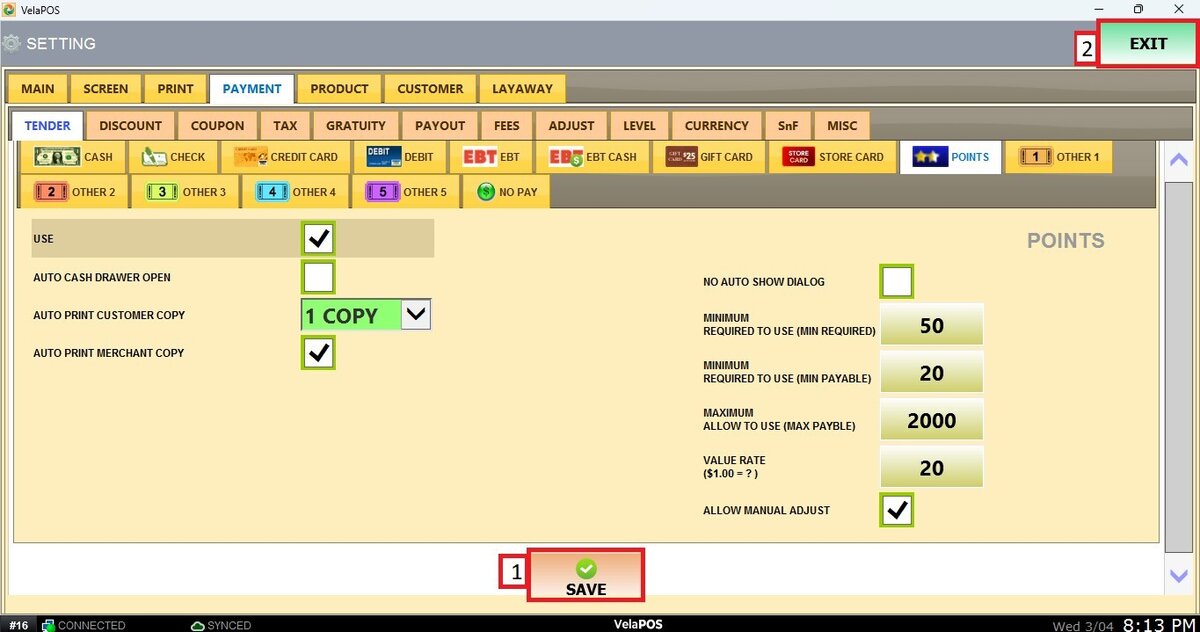
Points
This section allows you to configure how Tender Points payments are processed and managed within the system. Each option helps customize how loyalty points are applied during checkout. Once configured, Tender Points will be available as a tender option at the POS, allowing customers to redeem loyalty points as part of their payment.
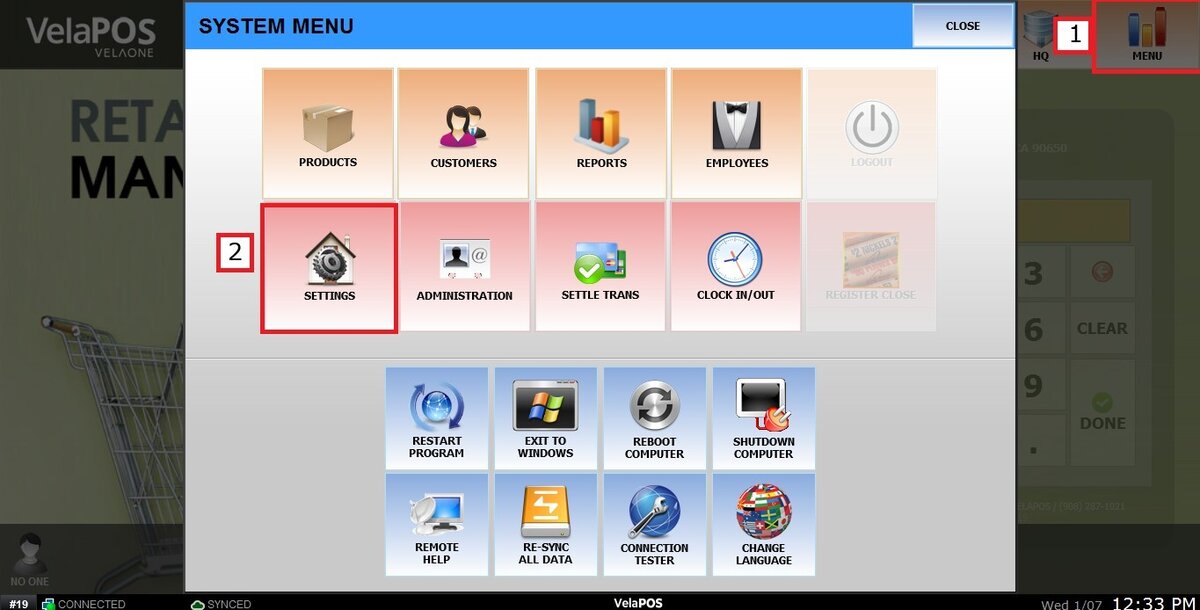
Main Screen> MENU> SETTINGS> PAYMENT> TENDER> POINTS
Go to MENU and press SETTINGS.
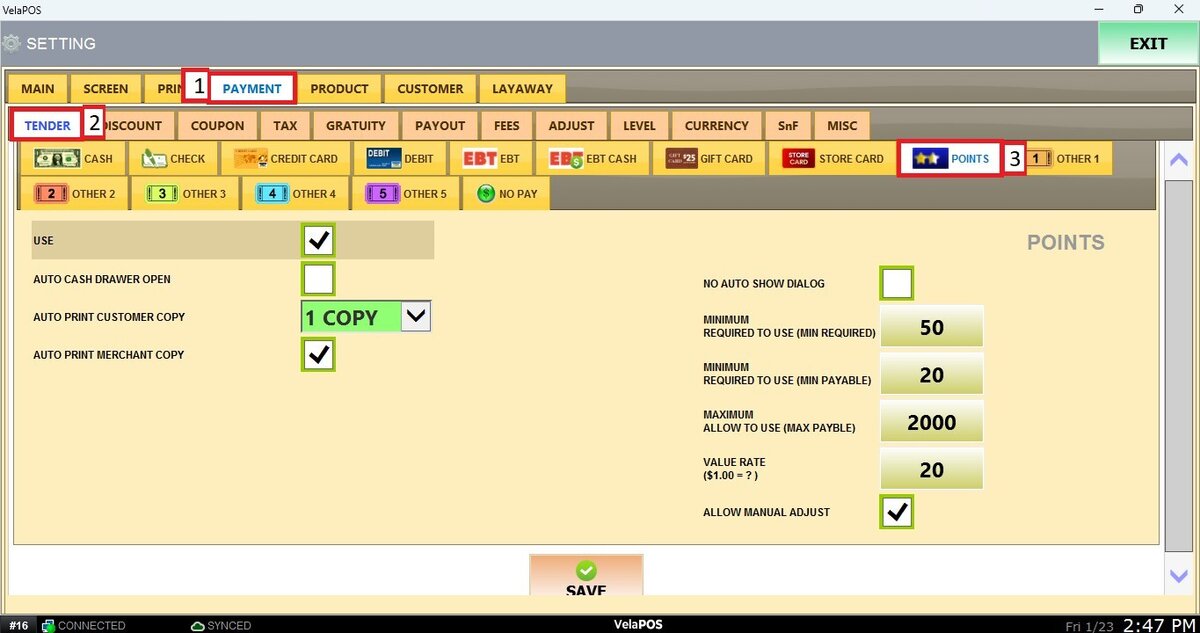
Go to the PAYMENT tab, click on TENDER and select POINTS.
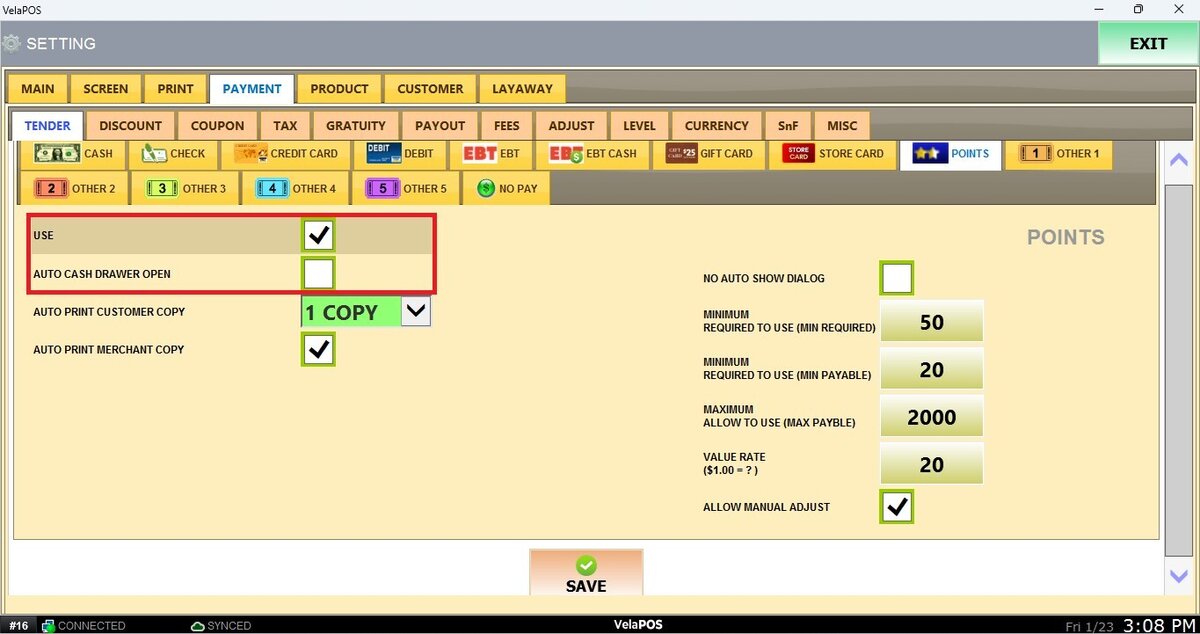
Check the boxes as desired for the following options:
USE: Enables or disables the Points as a payment method.
AUTO CASH DRAWER OPEN: Automatically opens the cash drawer after a point transaction is completed.
AUTO PRINT CUSTOMER COPY: Defines how many receipt copies will automatically print for the customer. You can select from “NO”, “1 COPY”, up to “5 COPIES”.
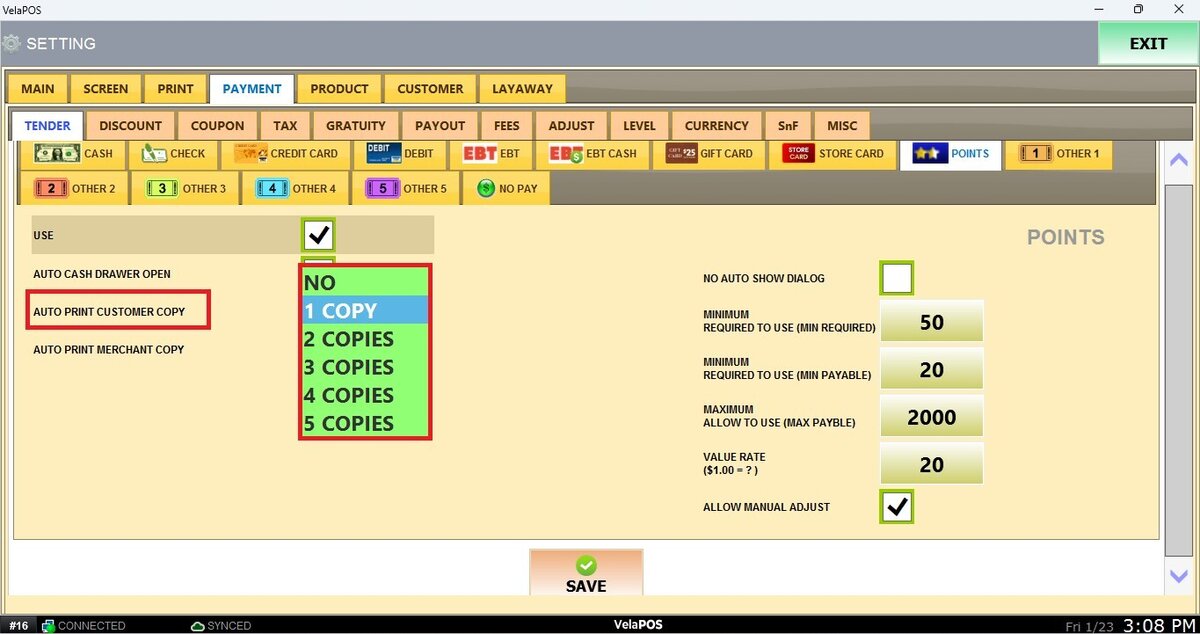
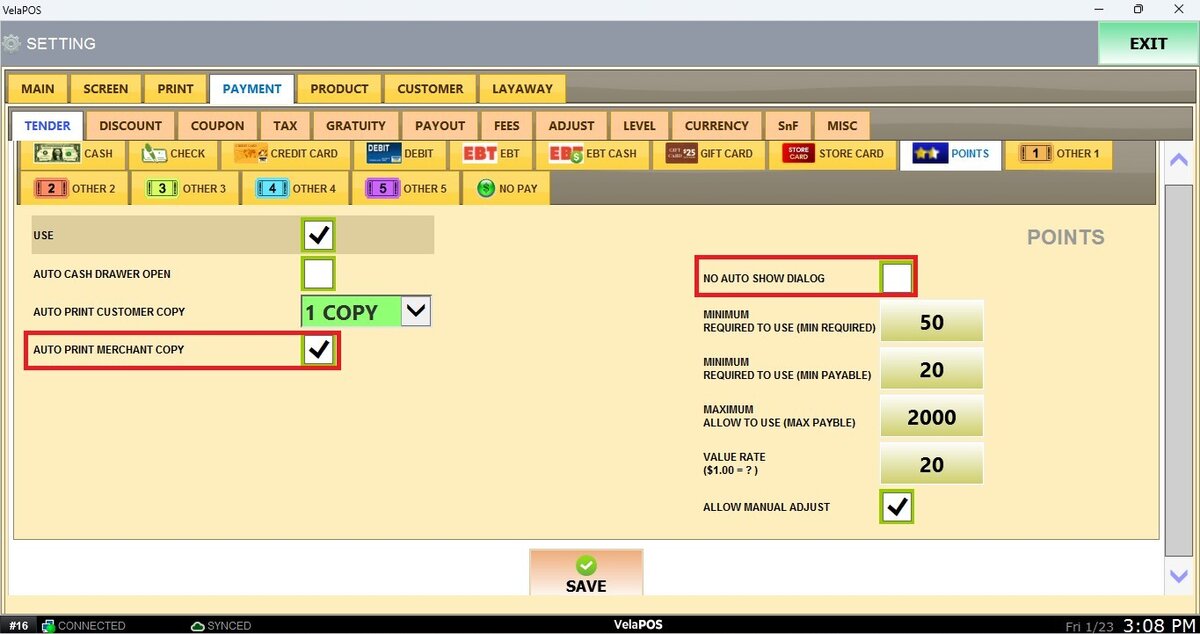
AUTO PRINT MERCHANT COPY: This option controls whether a merchant copy of the receipt will print automatically after a transaction.
NO AUTO SHOW DIALOG: When enabled, the system will not automatically display the customer search window before the Point transaction.
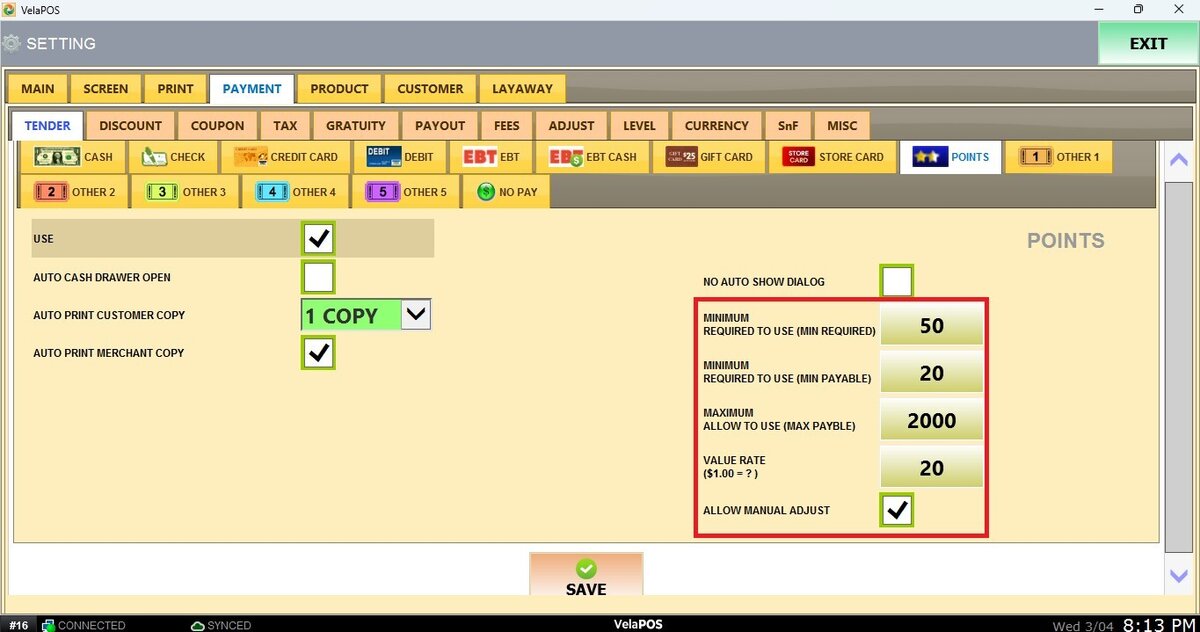
MINIMUM REQUIRED TO USE (MIN REQUIRED): Minimum number of points required in the customer’s account to be eligible to start using Tender Points.
MINIMUM REQUIRED TO USE (MIN PAYABLE): Minimum number of points that must be applied in a transaction. If the available points are below this value, Tender Points cannot be used.
MAXIMUM ALLOW TO USE (MAX PAYABLE): Maximum number of points that can be applied in a single transaction.
VALUE RATE ($1.00=?): Conversion rate that defines how many points are equivalent to one dollar.
ALLOW MANUAL ADJUST: Allows manual adjustment of the number of points applied from the sales screen, provided the employee has the required permissions.
Press on SAVE and RESTART PROGRAM to apply the changes.