How to Perform a Register Open

This feature allows you to record the initial cash amount at the beginning of the work shift. 

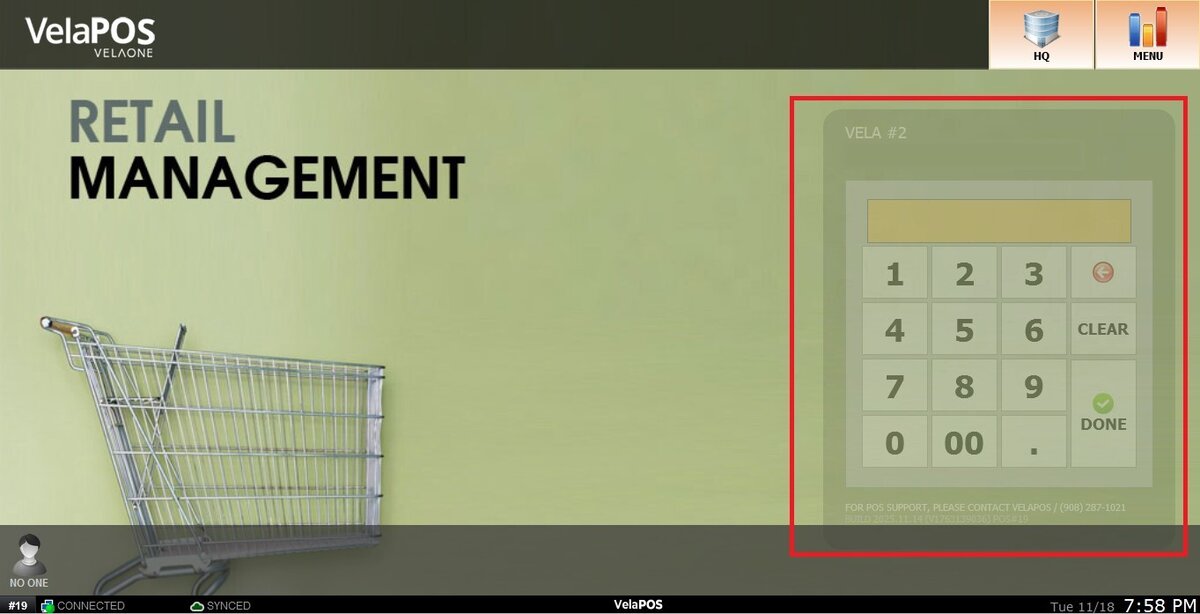
Main Screen> Number Pad> REGISTER OPEN 

Input your login password in the number pad to enter the REGISTER OPEN.

When you access the sales screen at the beginning of the shift, you will be directed to the REGISTER OPEN screen.

Hint: If you are not able to see the register open screen, it could be because it hasn't been closed or someone has performed the Register Open process before. Make sure to perform the Register Close

On the Register Open screen, there are two methods to enter your starting cash amount:

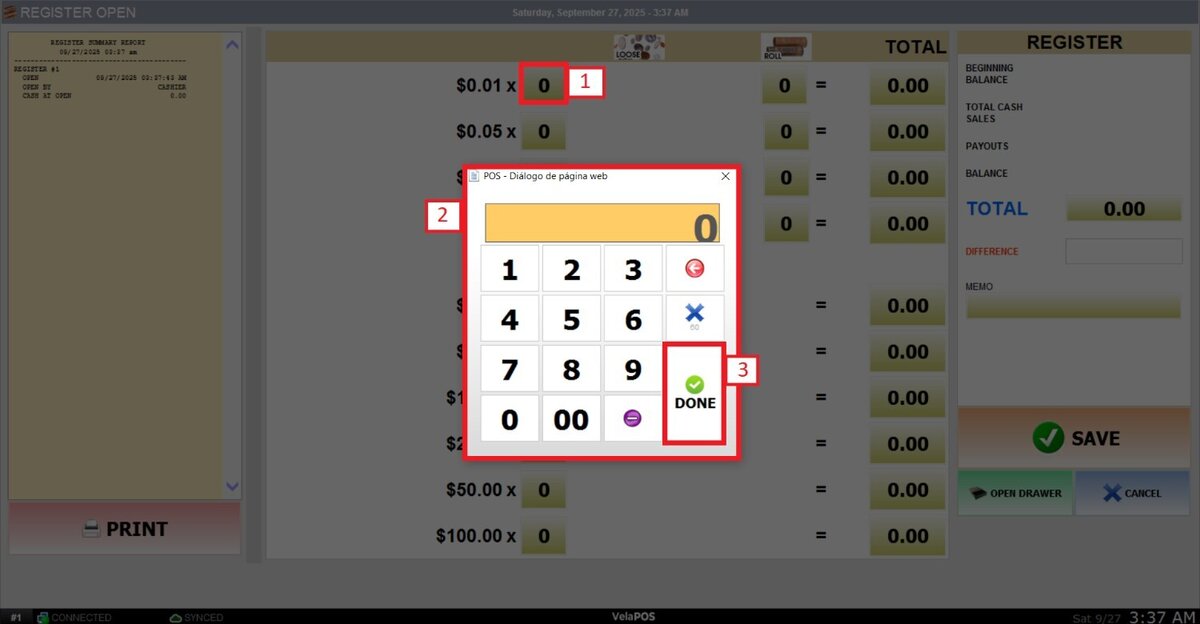
1. Enter the Individual Coins and Bills Manually.
Tap the box next to the corresponding amount and enter the number of bills and coins.

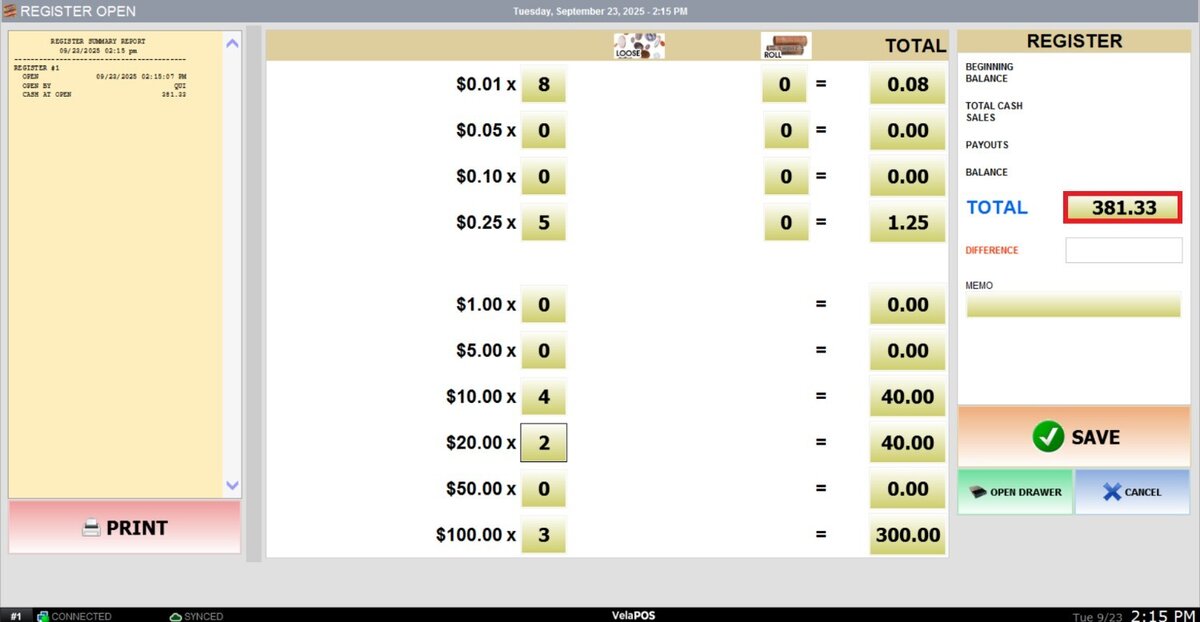
Result:

You can see the total cash amount next to the box TOTAL.

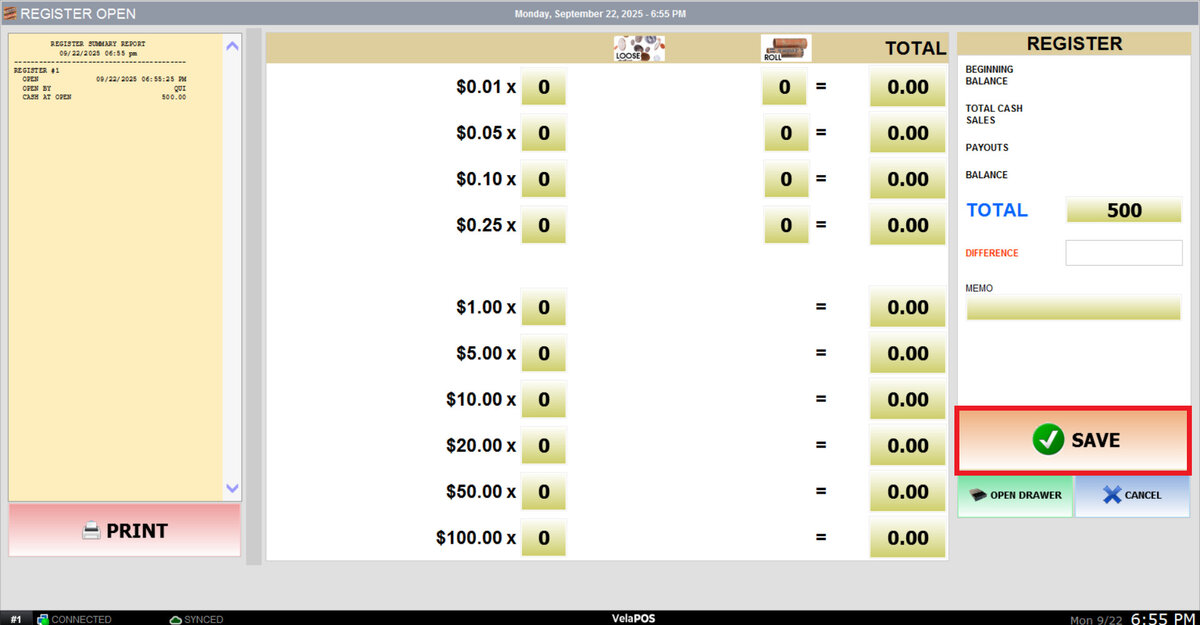
2. Input the Total Amount.

Press the box next to TOTAL and enter the total amount.
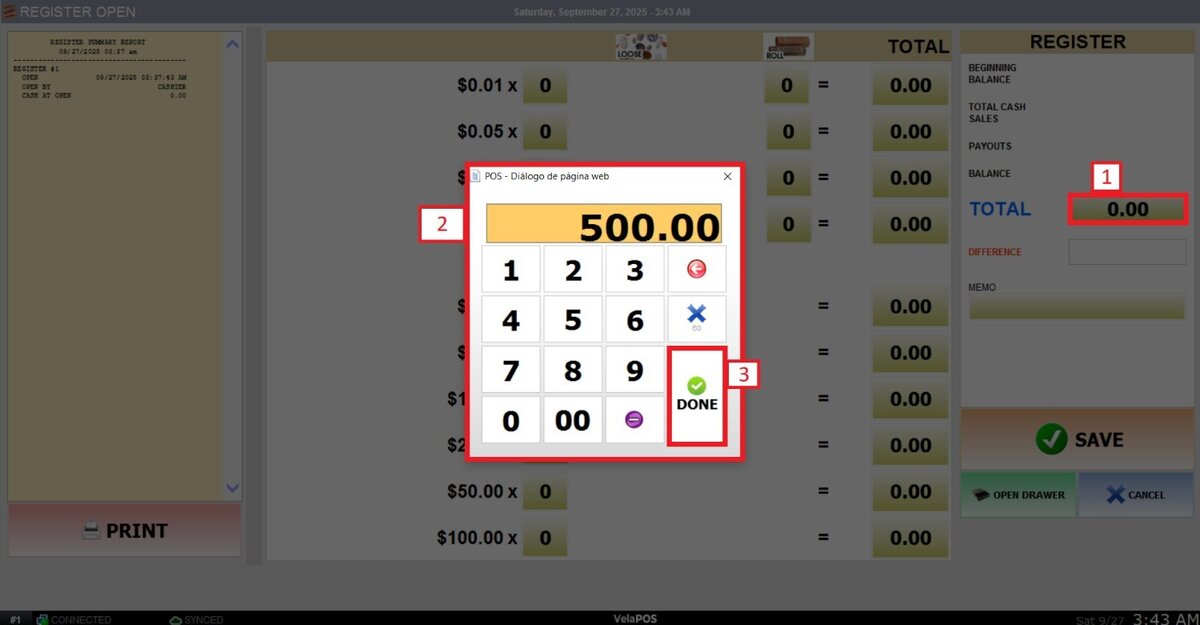
Hint: Check Register Open Cash Amount if the location uses a fixed opening amount. 

Press SAVE to end the register open process and go to the sales screen.