Web Browser
This option allows you to add quick access URLs that can be opened directly from the POS sales screen. Use this feature to provide fast access to frequently used websites, reporting tools, or internal platforms.
Main Screen>MENU> SETTINGS> MAIN> WEB
Go to MENU, then select SETTINGS.
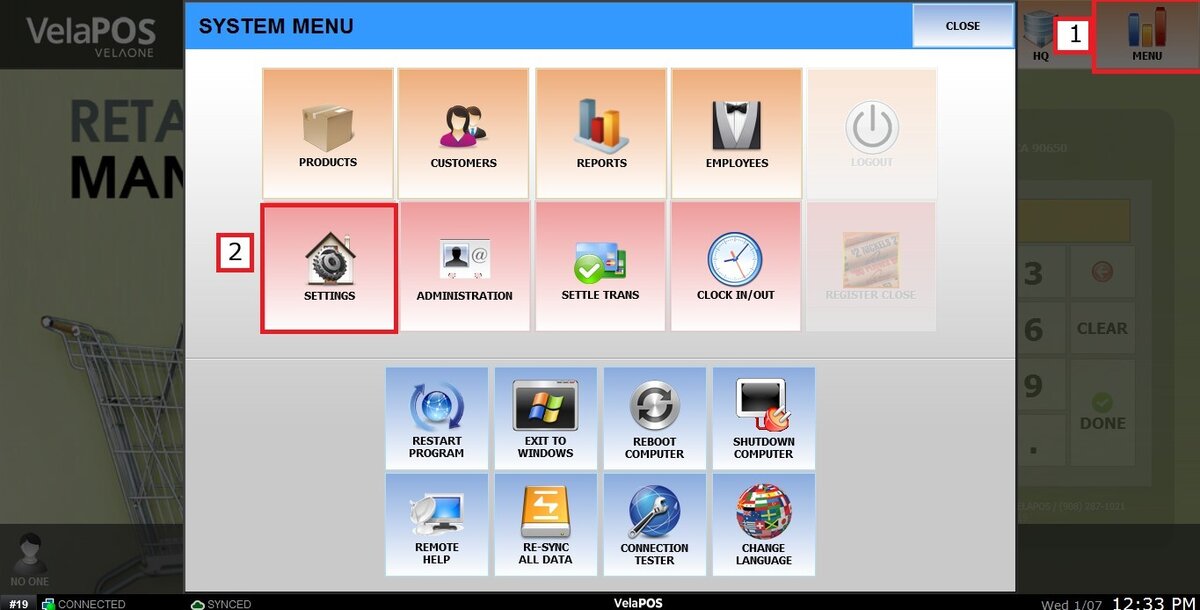
Go to the MAIN tab and select WEB.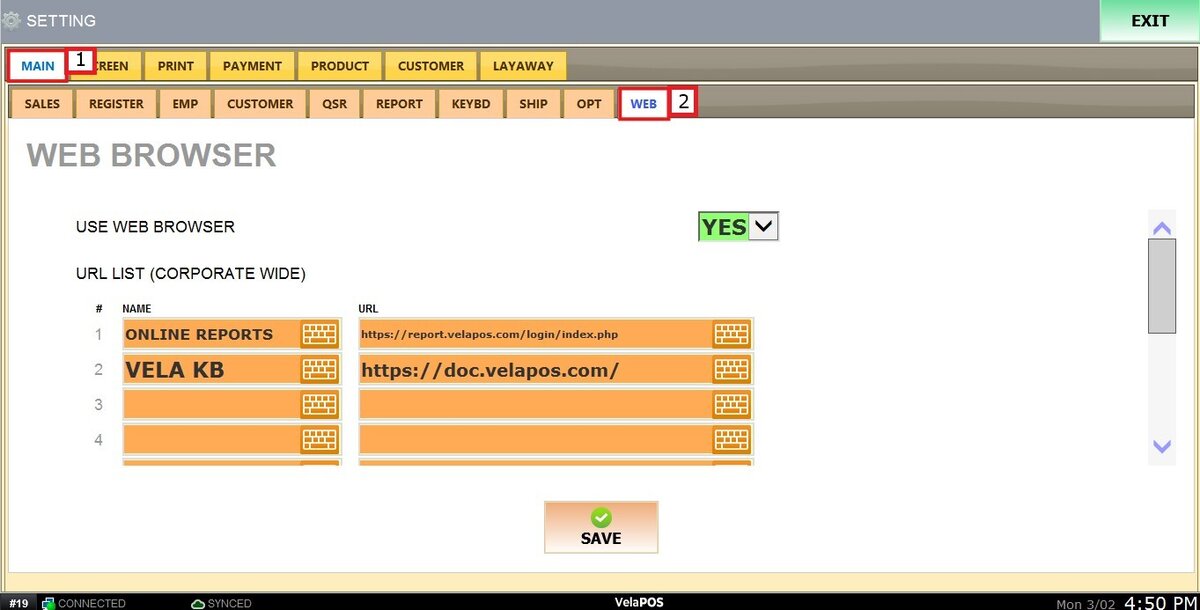
Locate the USE WEB BROWSER option and select YES.

You will see two sections for URL LIST:
CORPORATE WIDE
In this section, you can add up to 5 URLs. These links will appear as shortcuts on the POS Tools screen across all locations within the corporation.

STORE WIDE
In this section, you can add up to 5 URLs. These links will be accessible from the POS Tools on all POS stations within the specific store only.

After making all the changes click on SAVE and RESTART THE PROGRAM.

To learn how to use the Web Tool, refer to that section in the Other Tools guide.