Adjust
The Price Adjust allows you to define a percentage increase that will be automatically applied to transactions paid with a credit card.
Main Screen>MENU>SETTINGS>PAYMENT>ADJUST
Go to MENU and press SETTINGS.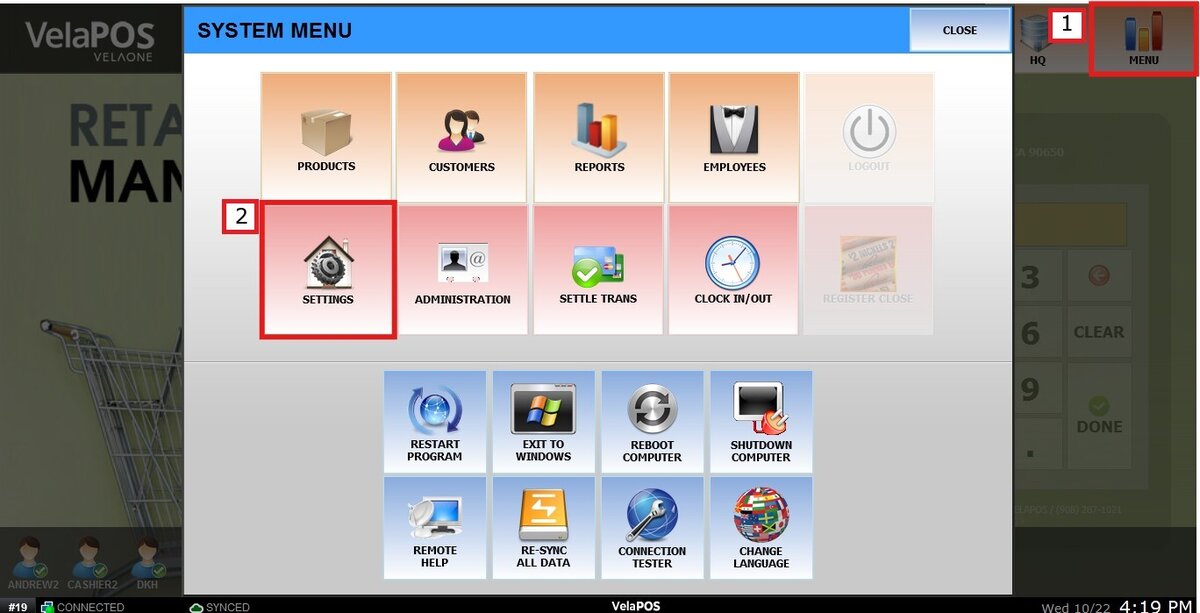
Go to the PAYMENT tab and click on ADJUST.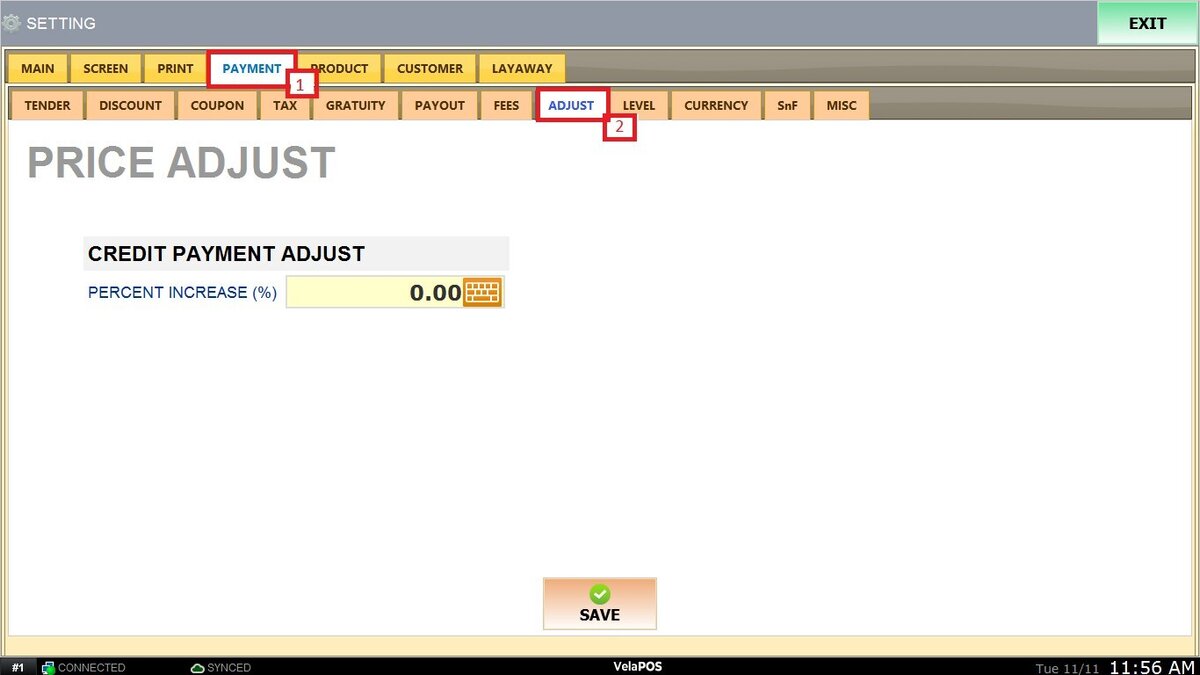
Enter the desired percentage in the PERCENT INCREASE (%) field. Click SAVE to apply the change and RESTART PROGRAM for the adjustment to take effect.
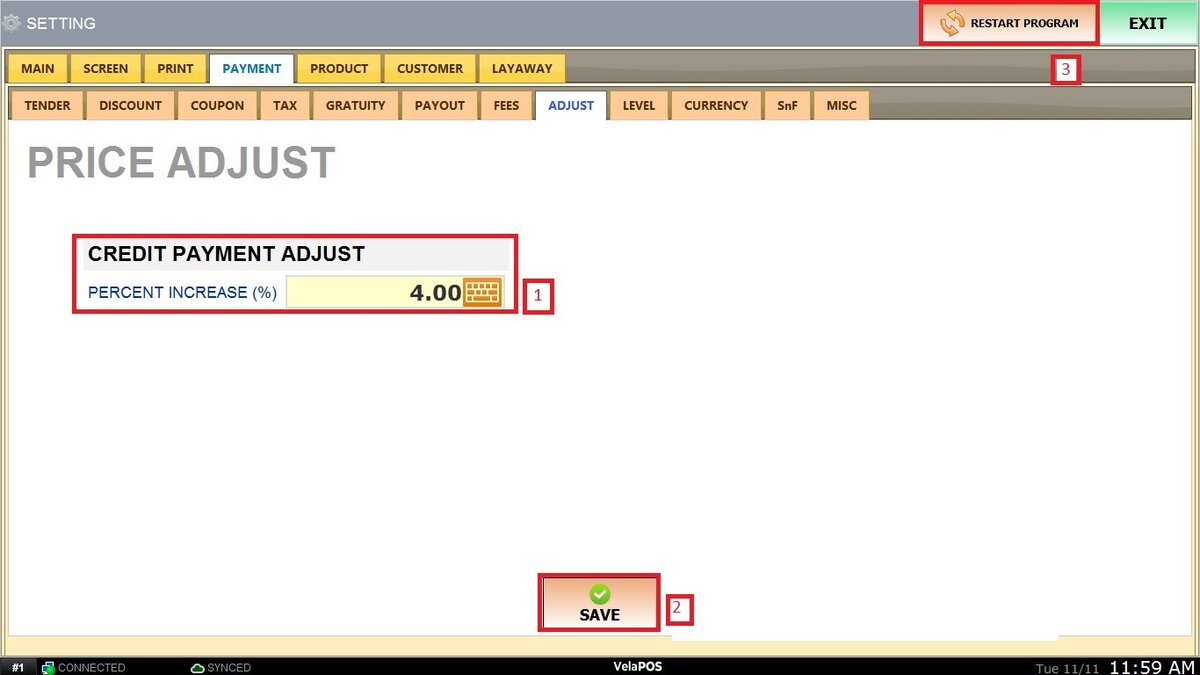
For example, if you set a 4% increase, the system will add that percentage to the total amount when a customer chooses to pay by credit card. This helps businesses offset processing fees or other costs associated with credit transactions.
Check out Dual Price guide to see how prices are displayed on the sales screen once the adjust is set up.