Level
This feature defines margin guides to apply different pricing or margin rules to each customer group, helping you customize your pricing strategy.
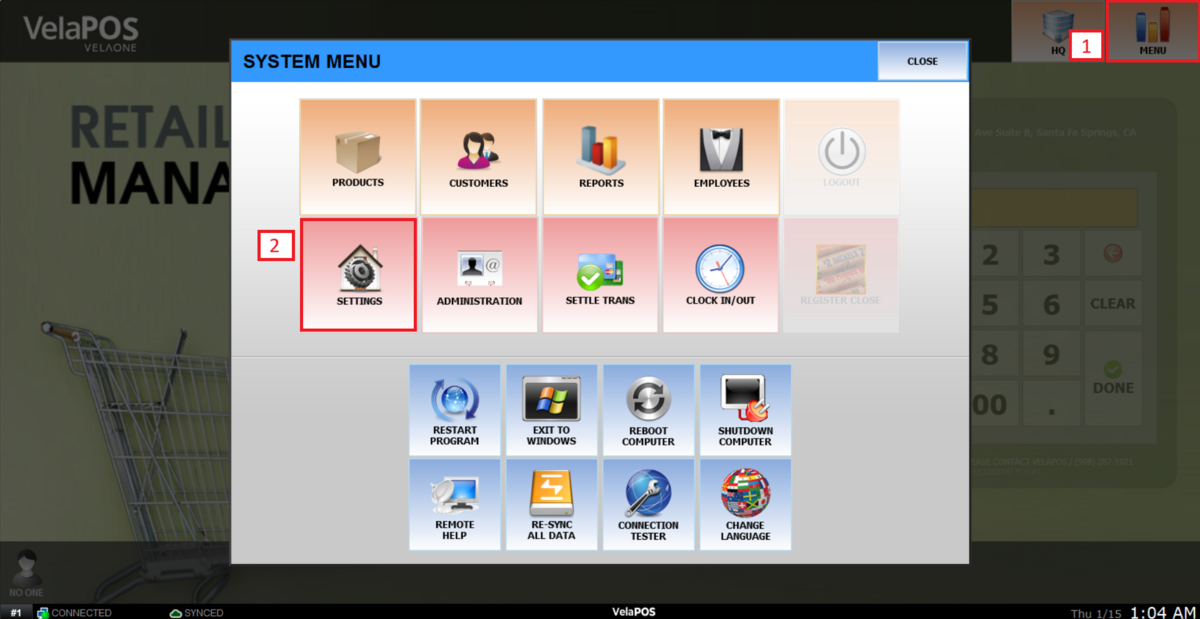
Main Screen> MENU > SETTINGS >PAYMENT > LEVEL.
Click on MENU, then select SETTINGS.
Select the PAYMENT tab and go to LEVEL.
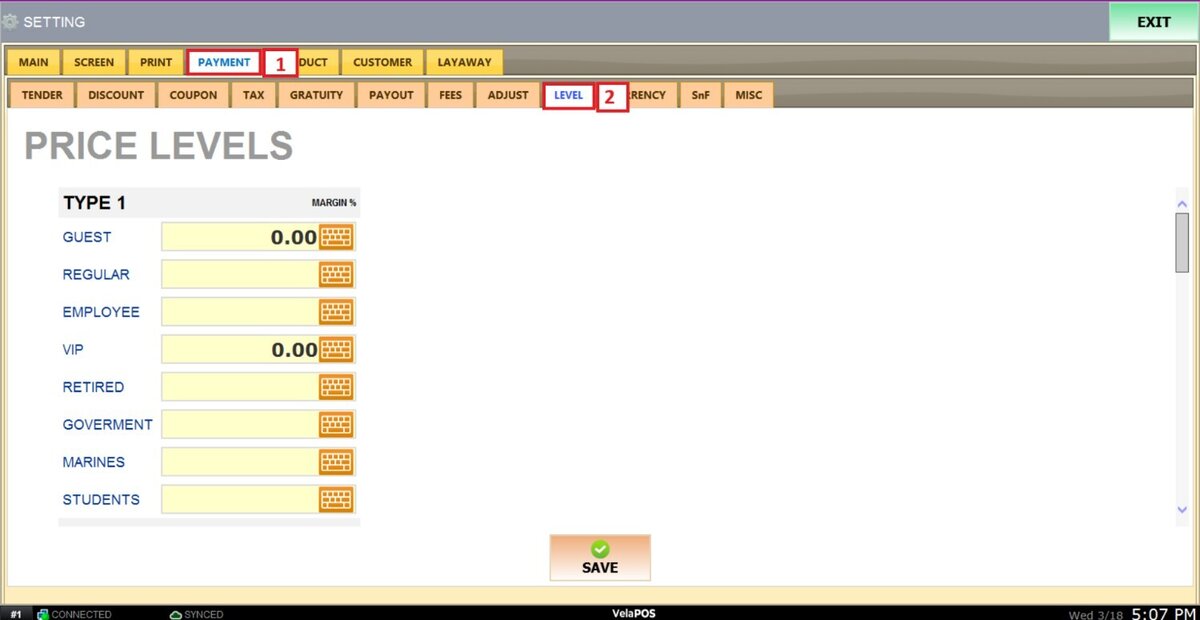
Under TYPE, a list of customer groups configured in the system will be displayed.

Note: Scroll down to add and configure up to five different guide types.
Press the blank field next to each group to enter the desired margin.

Once everything is set up, press on SAVE and RESTART PROGRAM.

Note: To learn how to configure product guides, refer to Product Price Level.