Cash
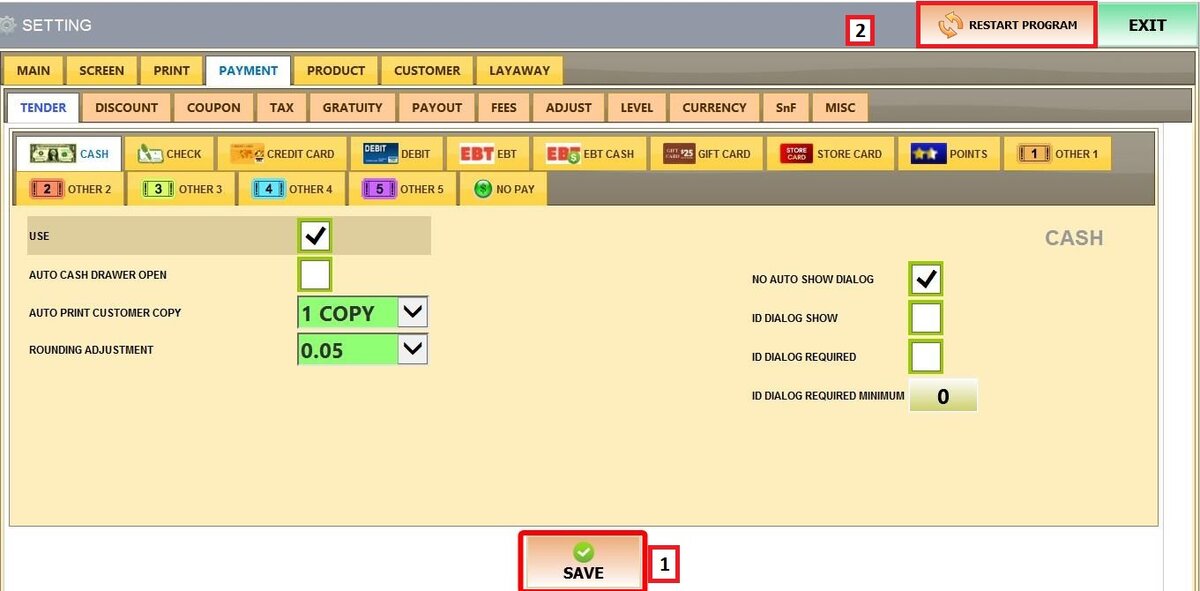
These settings control how cash transactions operate in the system, including cash drawer behavior, receipt printing, rounding adjustments, and ID requirements.
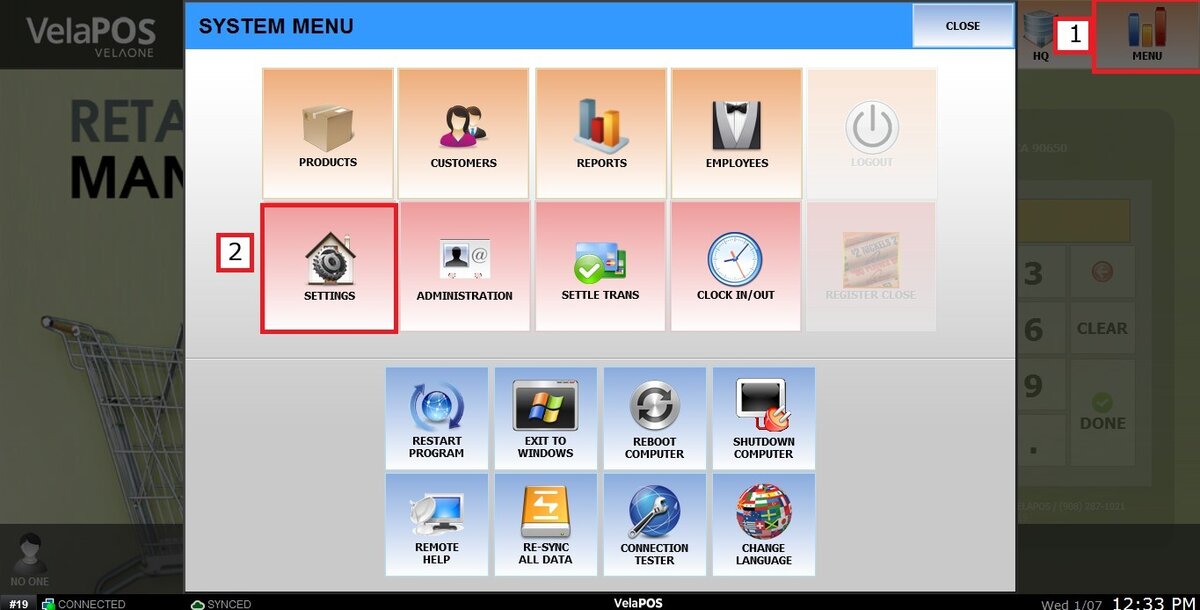
Main Screen > MENU > SETTINGS > PAYMENT > TENDER > CASH
Go to MENU then press SETTINGS
Under the PAYMENT tab, select TENDER, then click on CASH.

Refer to Paying with Cash to learn how this payment method is used to complete sales.
You will see different settings sections:
1. USE: Enables or disables cash as a payment method.
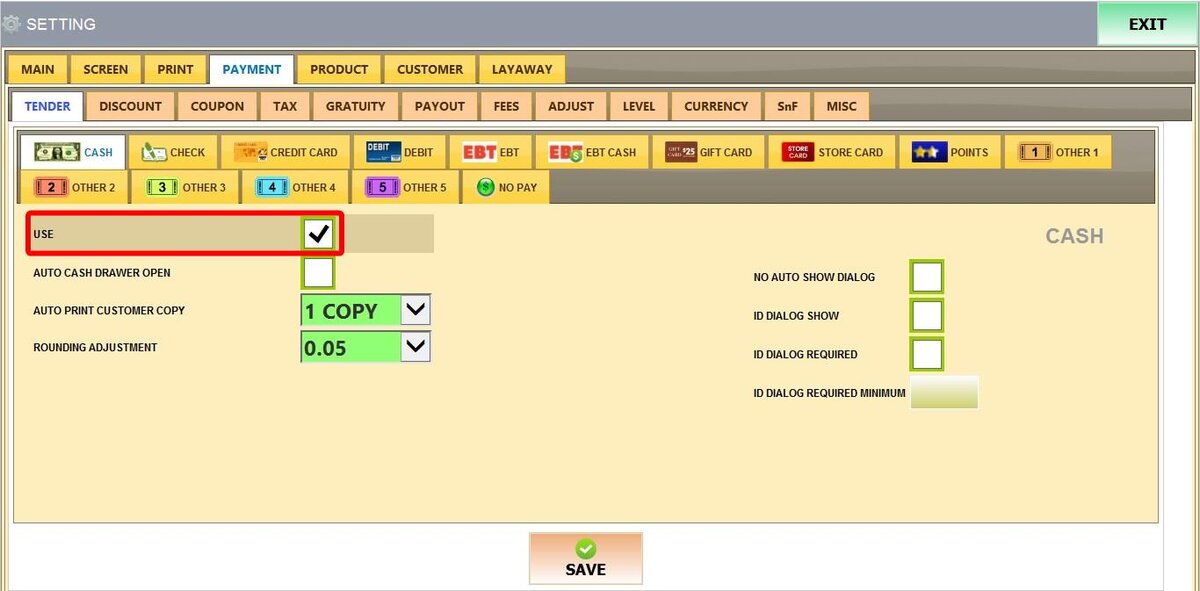
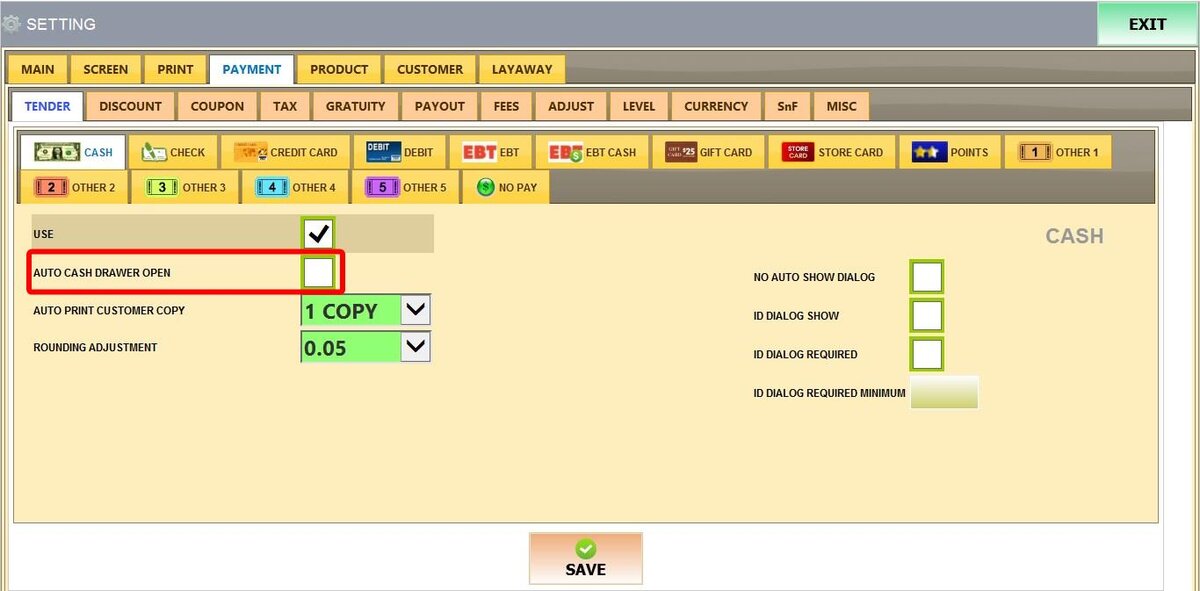
2. AUTO CASH DRAWER OPEN: Automatically opens the cash drawer when a cash payment is completed.
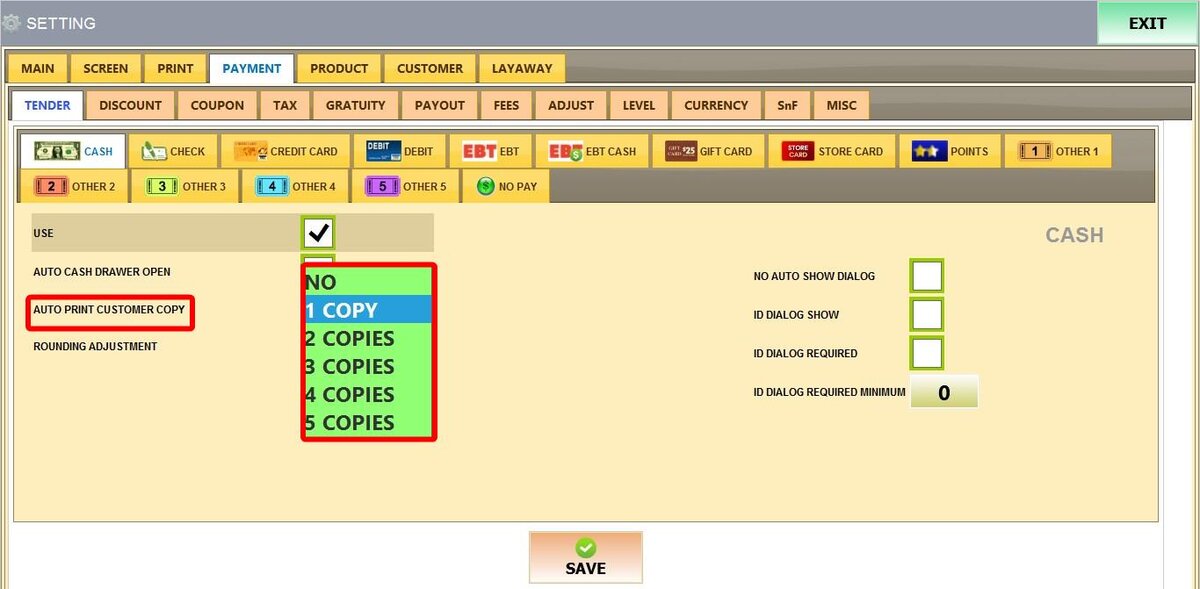
3. AUTO PRINT CUSTOMER COPY: Sets how many customer receipts print automatically after a cash transaction. Options range from NO (0 copies) up to 5 copies.
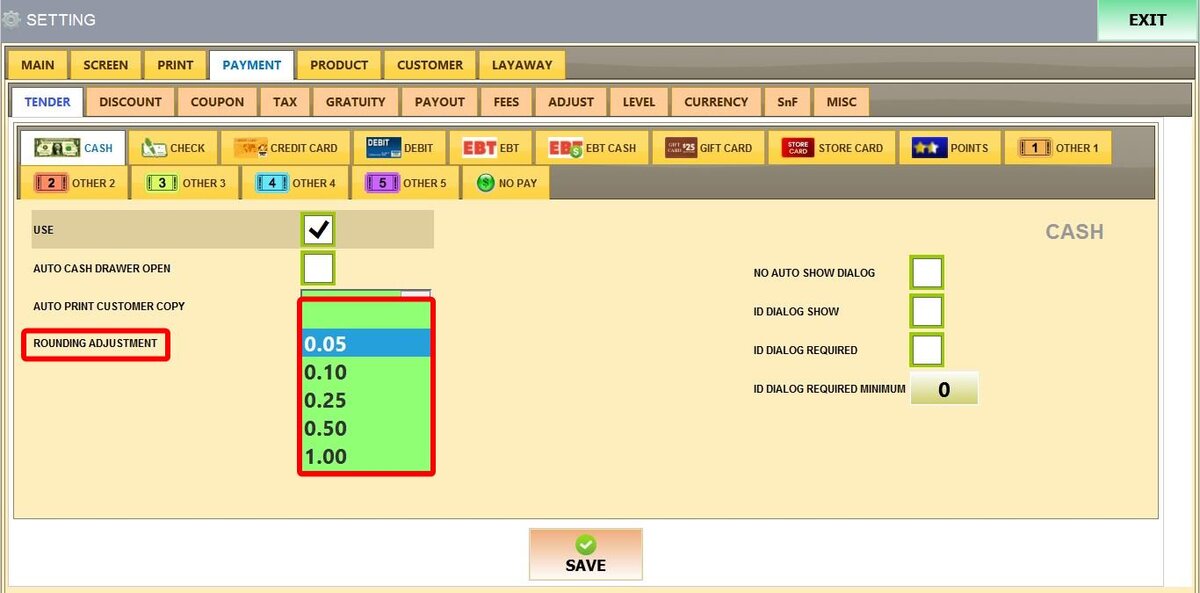
4. ROUNDING ADJUSTMENT: Automatically rounds cash transactions to the nearest selected increment. Available options: Blank (0), 0.05, 0.10, 0.25, 0.50, 1.00.
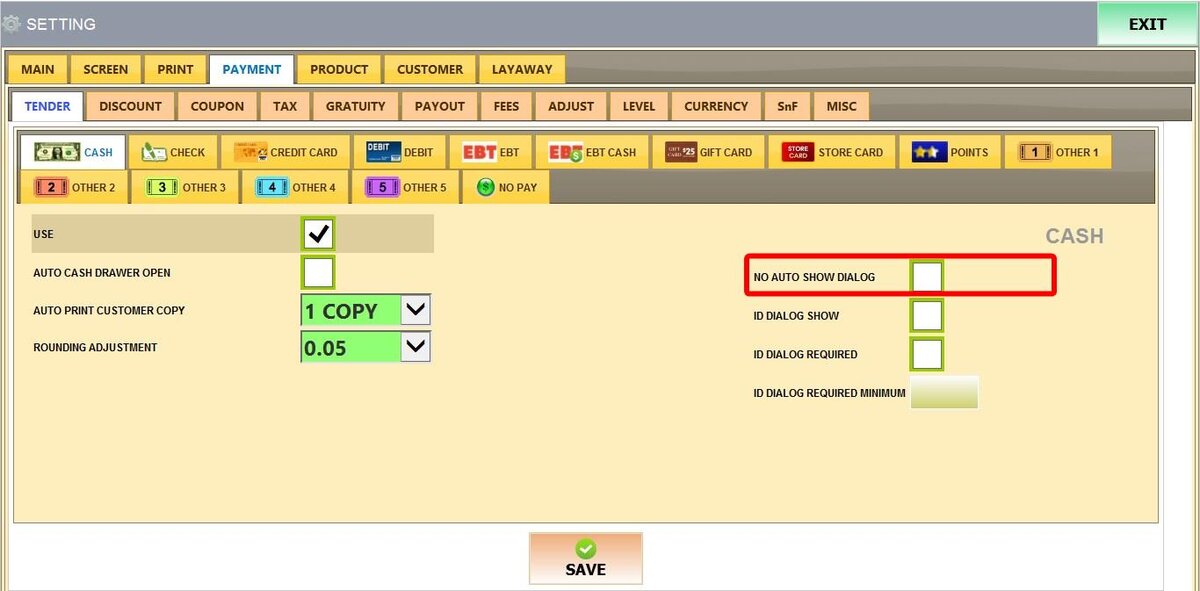
5. NO AUTO SHOW DIALOG: When enabled, the transaction completes using the exact amount due unless the amount is manually changed.
6. ID DIALOG SHOW: Prompts the cashier to enter a Customer ID when processing a cash payment.
7. ID DIALOG REQUIRED: Requires the cashier to enter a Customer ID to complete the cash payment.
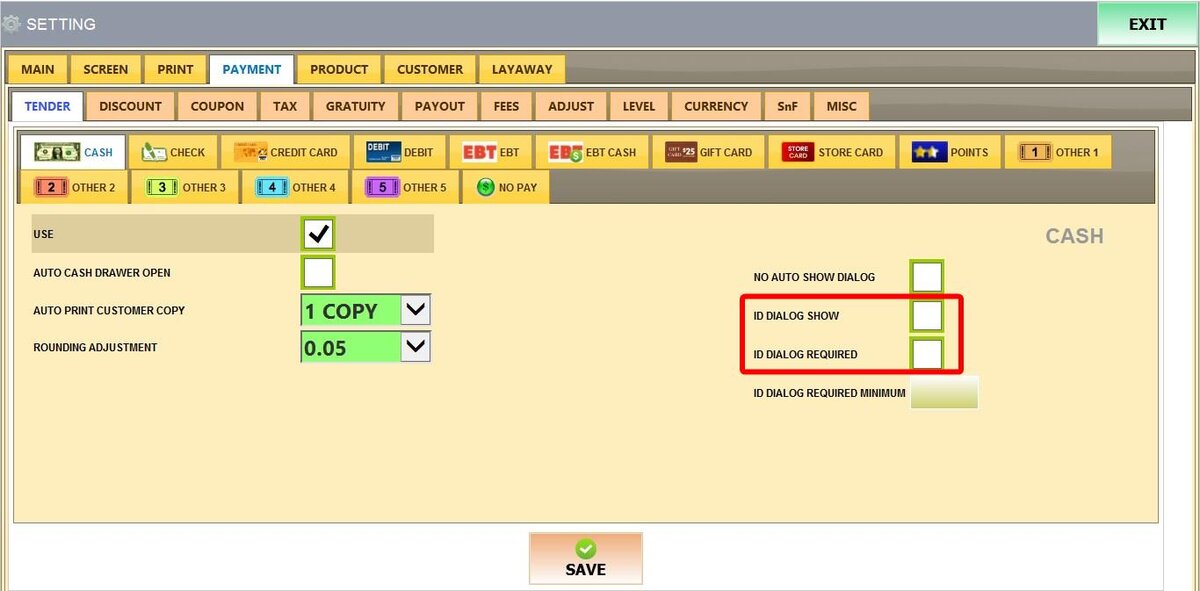
8. ID DIALOG REQUIRED MINIMUM: Requires a Customer ID only when the cash payment exceeds a specified amount. Enter the minimum transaction value that will trigger the ID requirement.

After making all the changes, click on SAVE and RESTART THE PROGRAM.