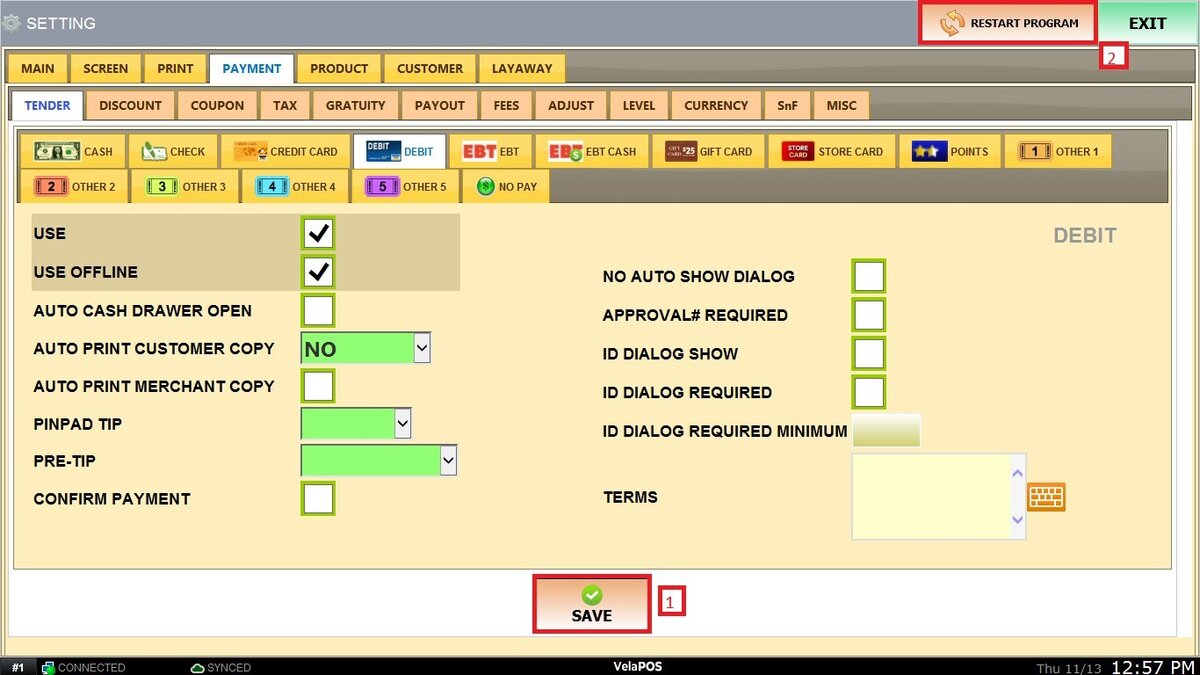
Debit
This section allows you to configure how debit card payments are processed and managed within the system.
Each option helps customize the payment flow, receipt printing, and PIN pad interaction to match your store’s operational needs.
Main Screen> MENU>SETTINGS> PAYMENT> TENDER> DEBIT
Go to MENU and select SETTINGS.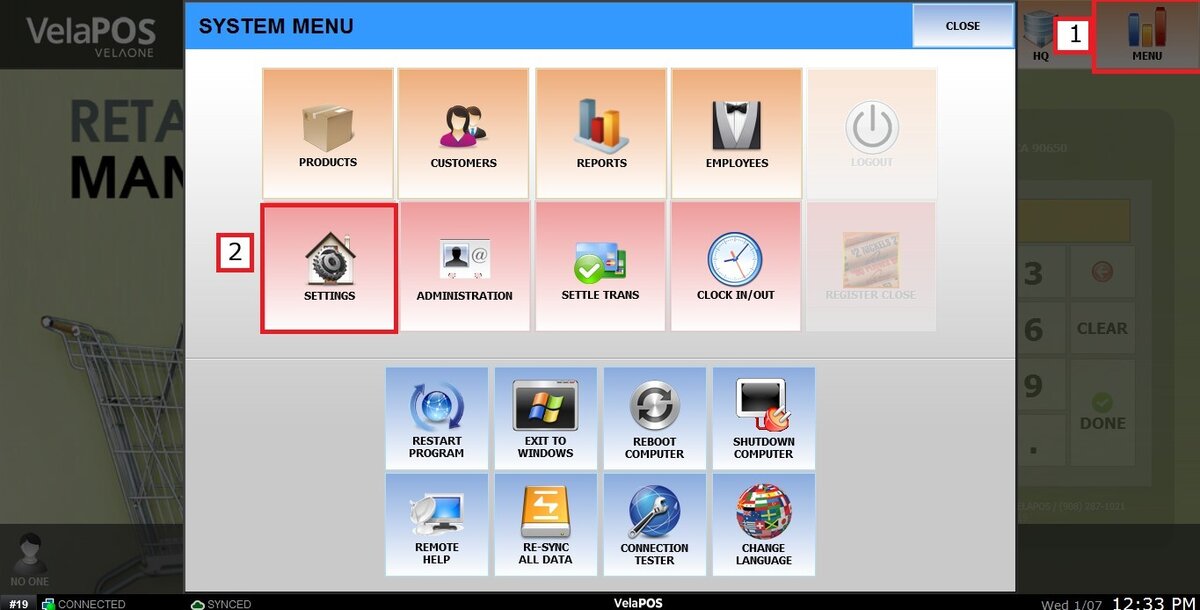
Go to the PAYMENT tab, click on TENDER and select DEBIT.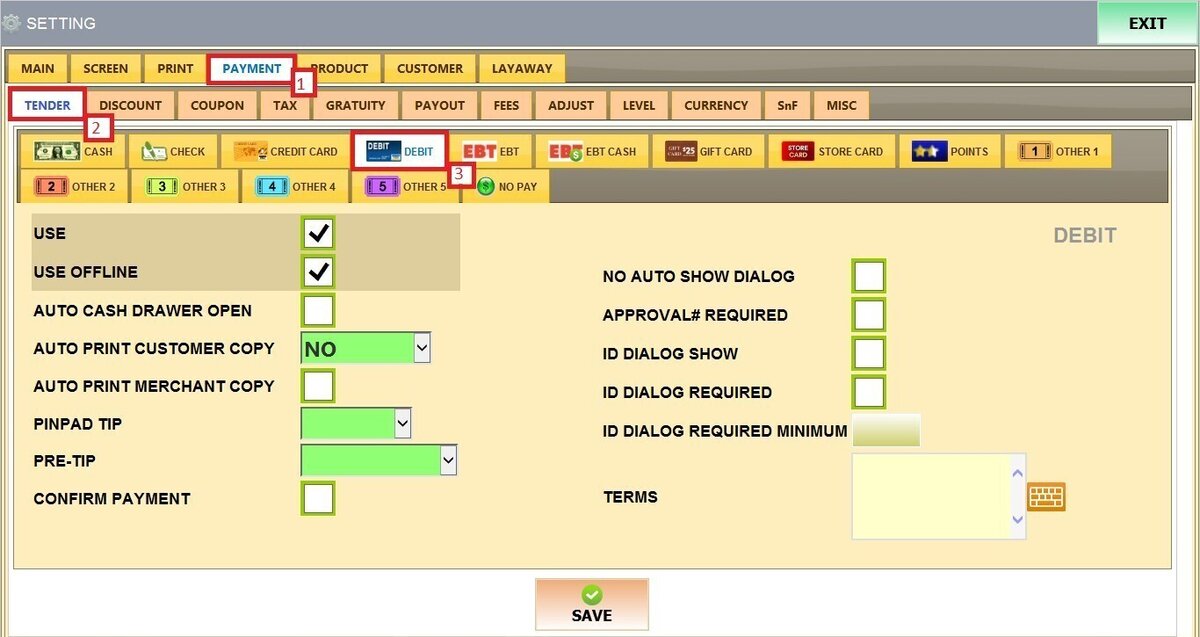
Refer to Paying with Debit Card to learn how this payment method is used to complete sales.
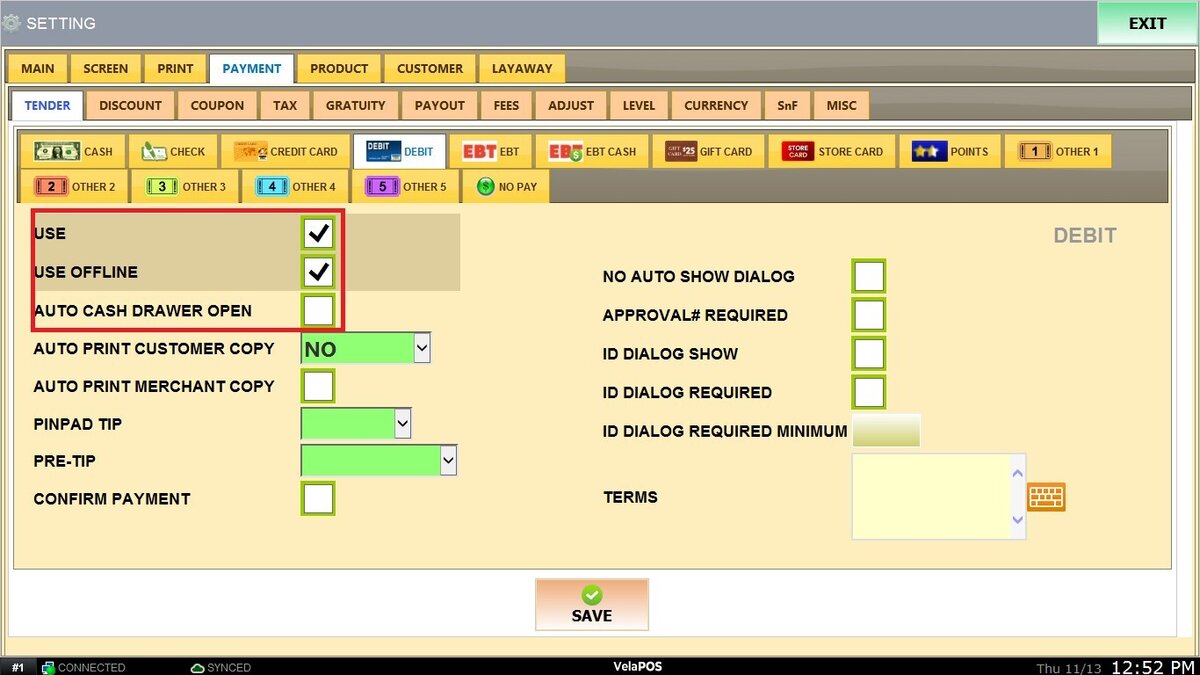
Check the boxes as desired for the following options:
USE: When checked enables the debit card as an accepted tender type.
USE OFFLINE: Allows debit transactions to be processed even if the POS temporarily loses connection.
AUTO CASH DRAWER OPEN: Automatically opens the cash drawer after a debit transaction is completed.
AUTO PRINT CUSTOMER COPY: Sets how many customer receipt copies print automatically.
Options range from NO copies to 1–5 copies.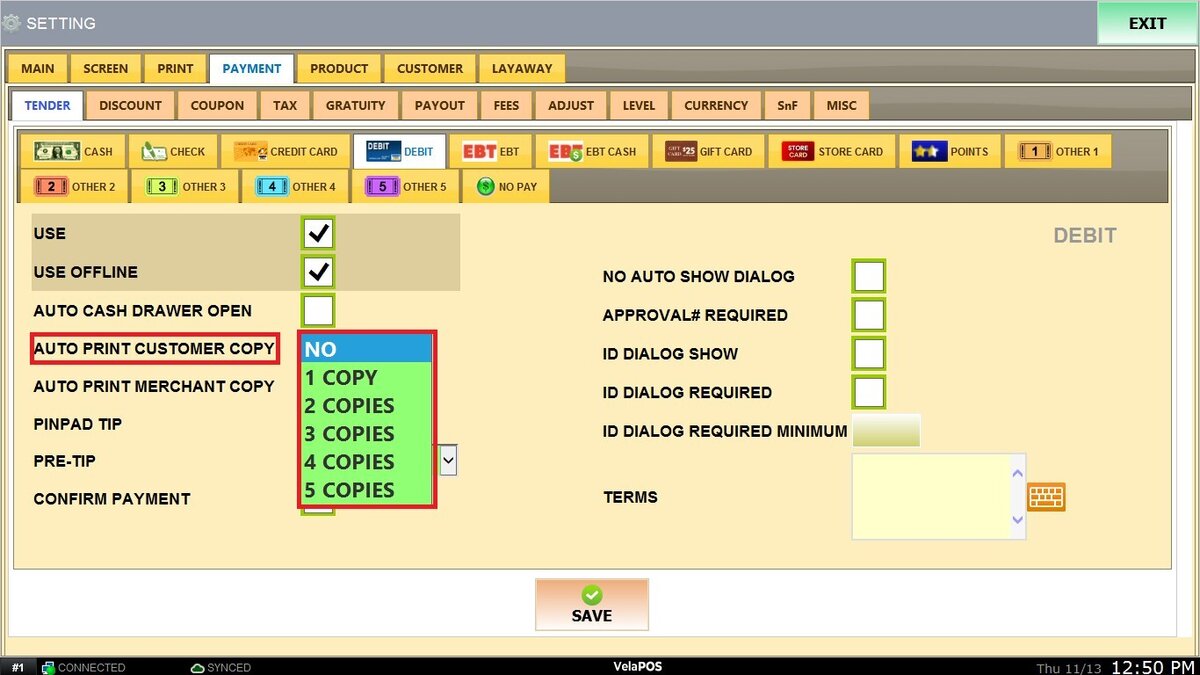
AUTO PRINT MERCHANT COPY: Determines whether a merchant receipt prints automatically after each transaction.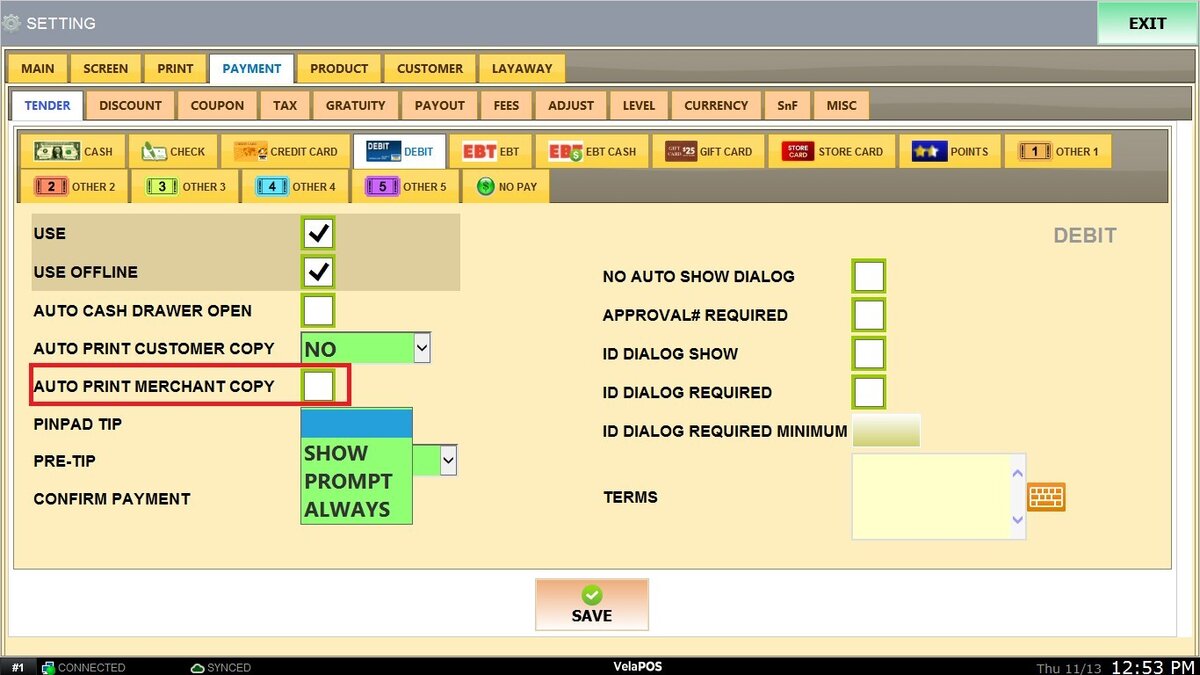
PINPAD TIP: Controls how tipping is presented on the PIN pad.
Options include:
1. SHOW: Displays the tip option on the PIN pad.
2. PROMPT: Asks the customer whether they want to add a tip.
3. ALWAYS: Automatically shows the tip option for every transaction.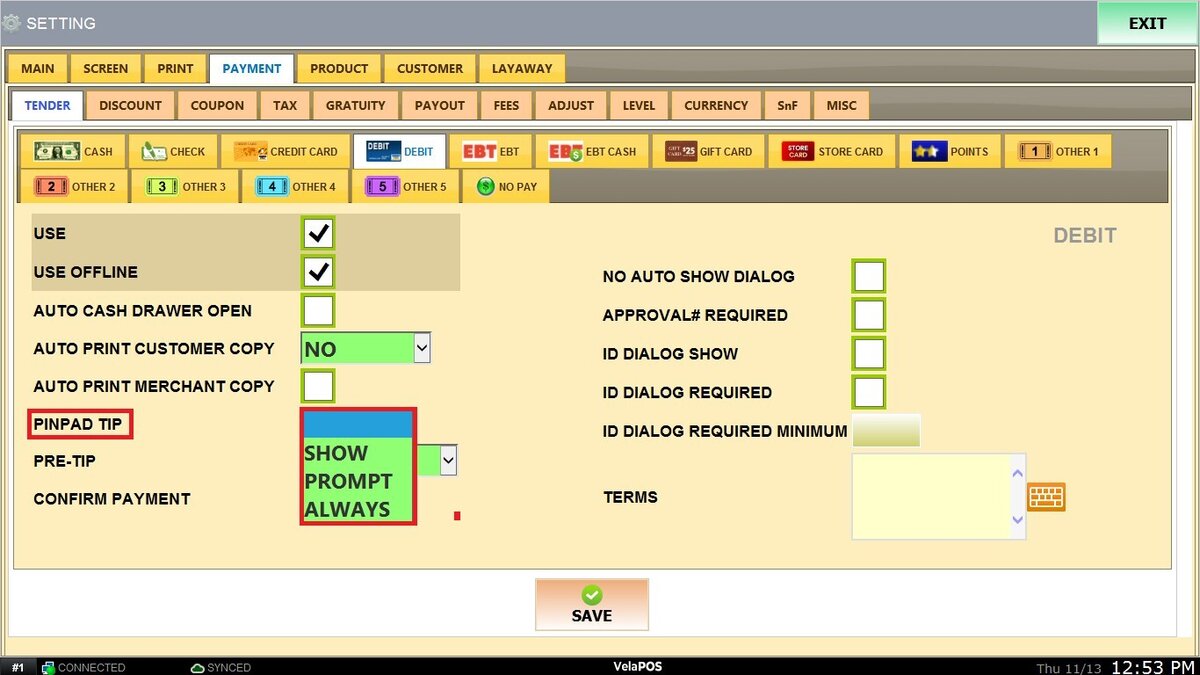
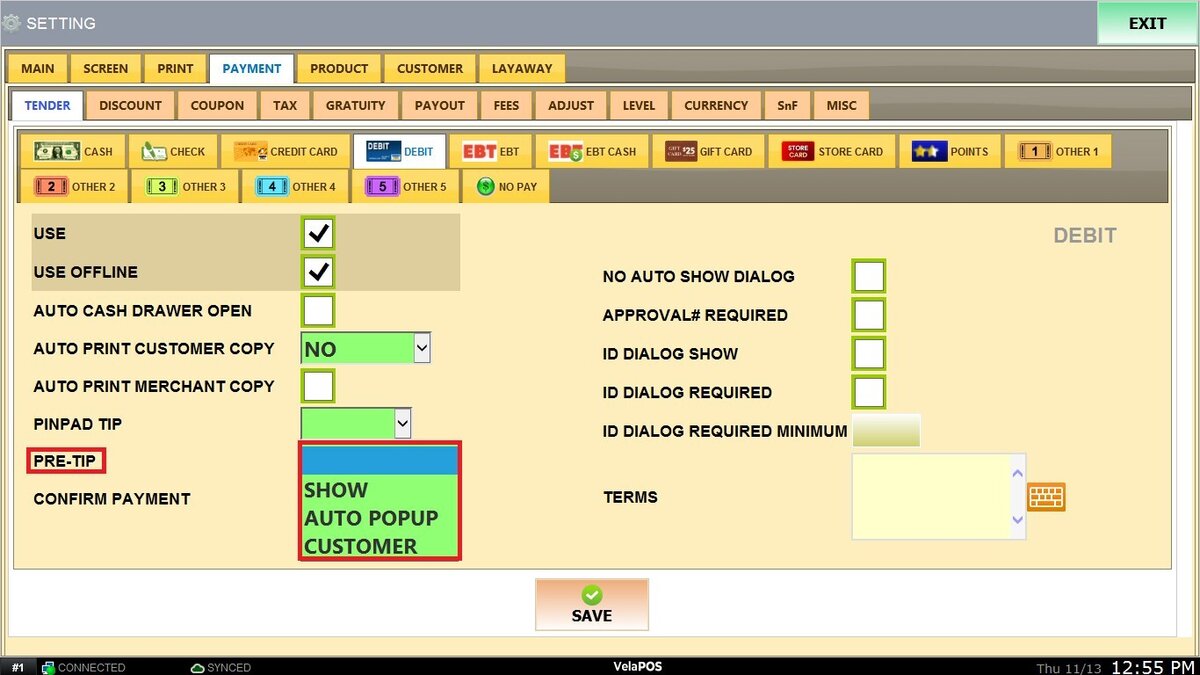
PRE-TIP: Defines whether tipping appears before the payment is finalized.
The available options are:
1. SHOW: Displays the tip screen before completion.
2. AUTO POP UP: Automatically opens the tip screen without cashier action.
3. CUSTOMER: Shows the tip option directly on the PIN pad for customer input.
CONFIRM PAYMENT: Requires manual confirmation on the POS screen before completing a debit transaction.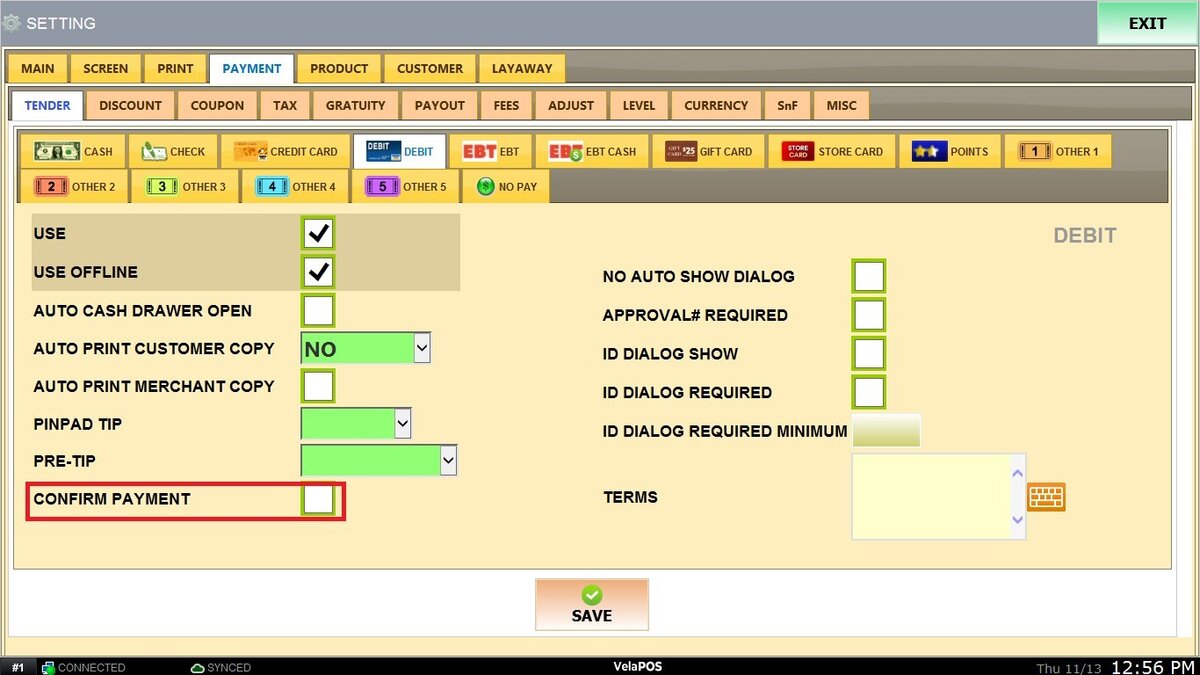
NO AUTO SHOW DIALOG: Prevents automatic display of approval or ID confirmation dialogs after card transactions
APPROVAL# REQUIRED: Requires an approval or authorization number before finalizing the transaction.
ID DIALOG SHOW/REQUIRED/REQUIRED MINIMUM: Controls ID verification prompts during transactions, including whether ID is optional, required, or required above a certain amount.
TERMS: Optional text field for adding specific terms, conditions, or notes related to debit transactions.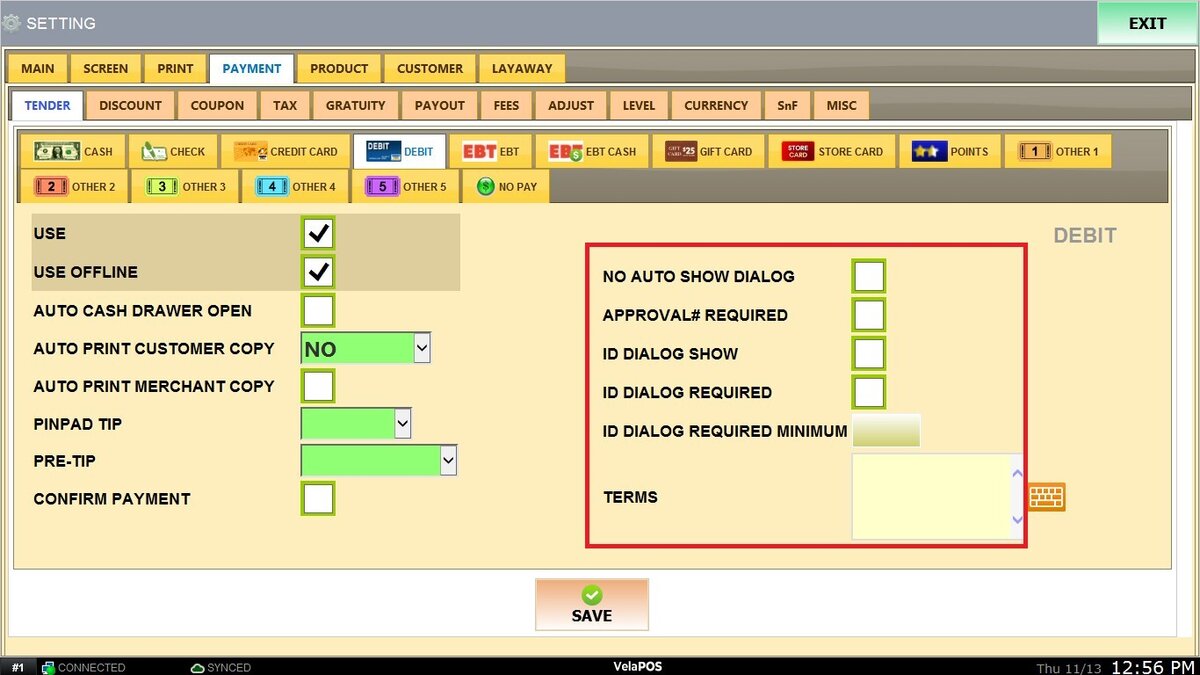
Click on SAVE and RESTART PROGRAM to apply all configured settings.