VelaPay Dealer Portal Set Up (Dealer & Agent Only)
This article explains how to configure VelaPay within the Vela Dealer Portal so the store and its terminals can process payments through VelaPay.
Log in to your Vela Dealer Portal.
Select the store where the VelaPay Manager has been added.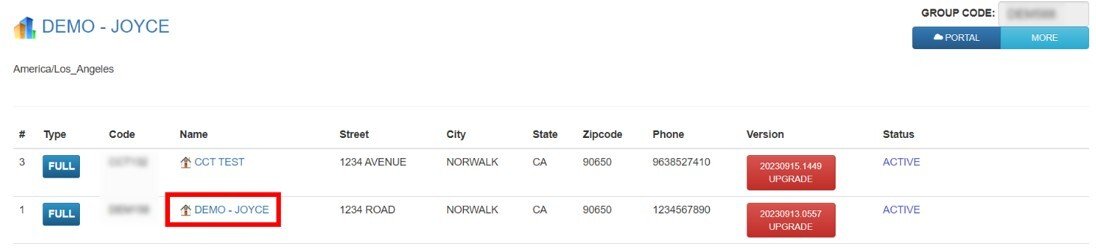
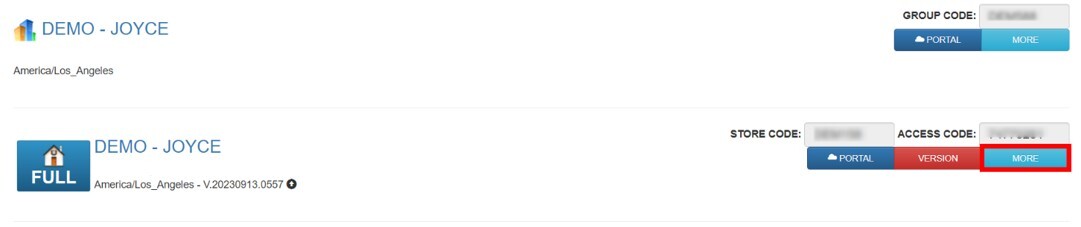
Press on MORE.
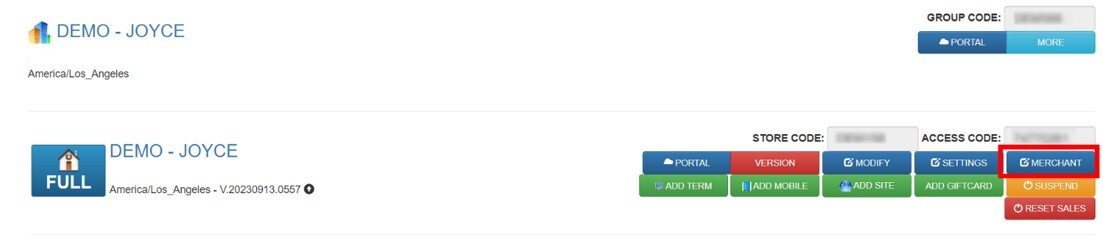
Select MERCHANT.
Change the PROCESSOR type to VELAPAY and press SAVE.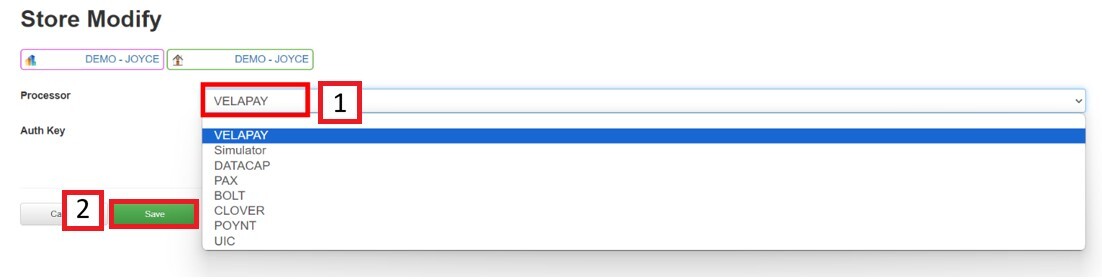
In the AUTH KEY field, enter the authorization key provided by Technical Support.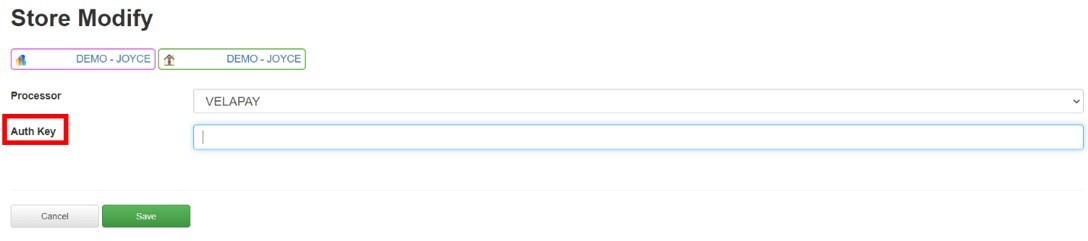
Hint: In the case of not having a key, follow the VelaPay Request process to obtain one.
Note: All Credit Card Terminals associated with this store must use the same processor selected on this page. As well as ensure the VelaPay app is installed on every terminal connected to the POS.