Email Notification
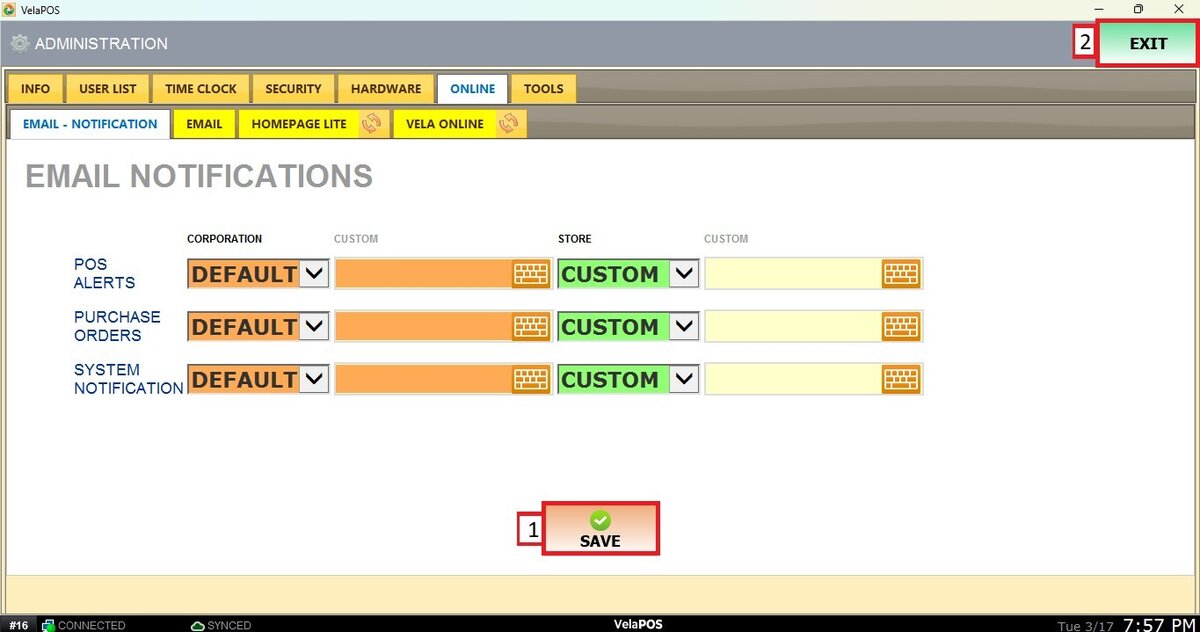
This feature allows you to configure the email addresses that will receive different system notifications, including system alerts, POS alerts, and Purchase Order notifications. This ensures that the right users are informed of important events and activities.
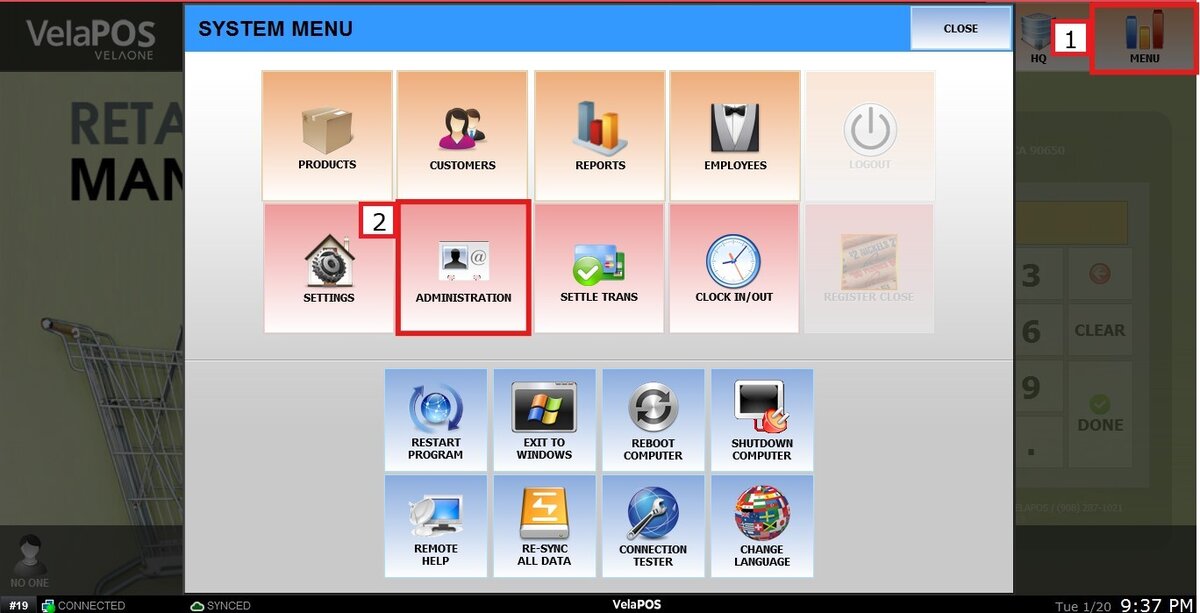
Main Screen> MENU> ADMINISTRATION> ONLINE> EMAIL NOTIFICATIONS
Go to MENU and press ADMINISTRATION.
Navigate to ONLINE and select EMAIL NOTIFICATION, enter the email addresses that should receive the notifications.
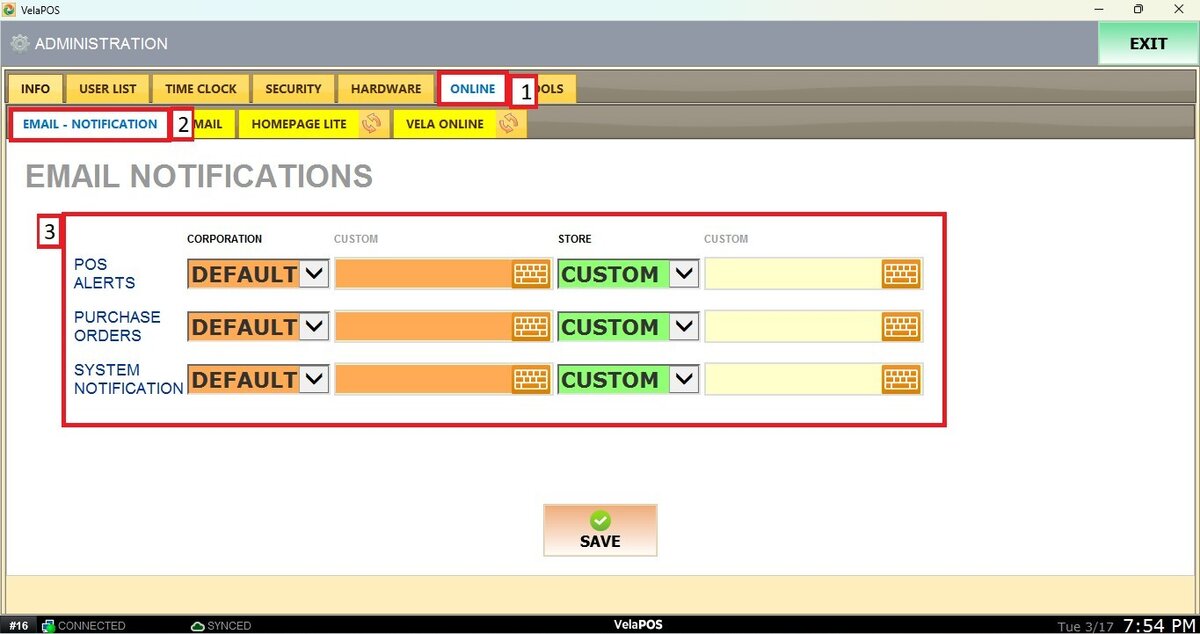
If CUSTOM is selected, the email address entered in the field will be the one that receives the notifications.
Press SAVE and RESTART PROGRAM to apply the changes.