Paying With Store Card
This guide explains how to process a Store Card payment in the system.
Main Screen> Number Pad> Sales Screen> Sale with rang up items> PAY> STORE CARD
On the Main screen, click on the NUMBER PAD and input the assigned personal password to log in.

Ring up the items and press the PAY button.

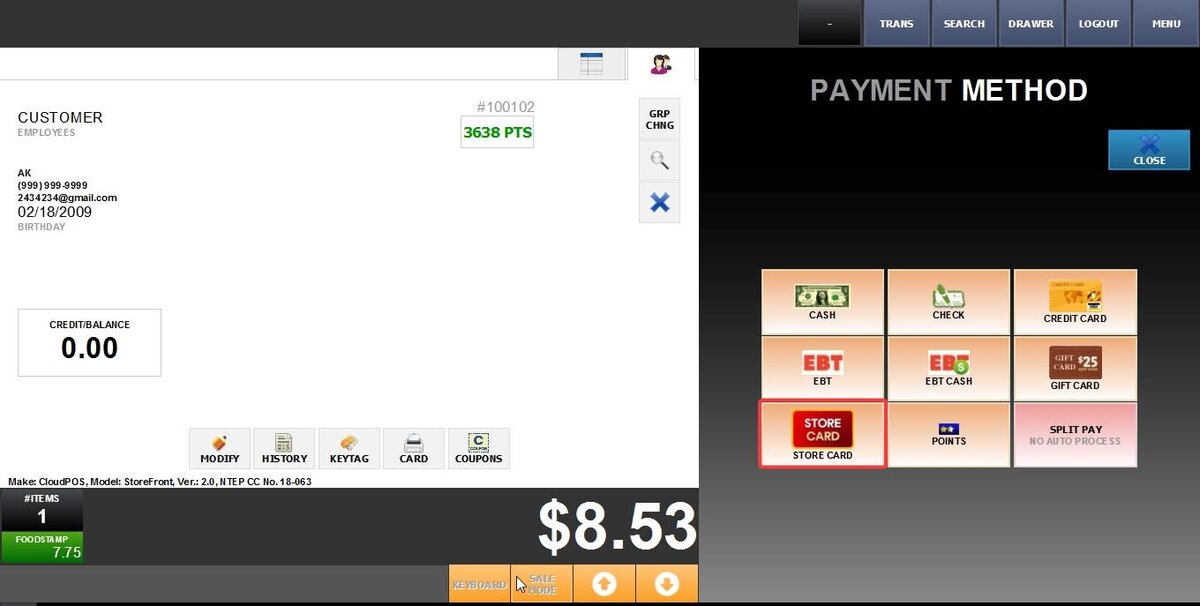
Select STORE CARD on the PAYMENT METHOD screen.
Input the payment amount and press PROCESS.
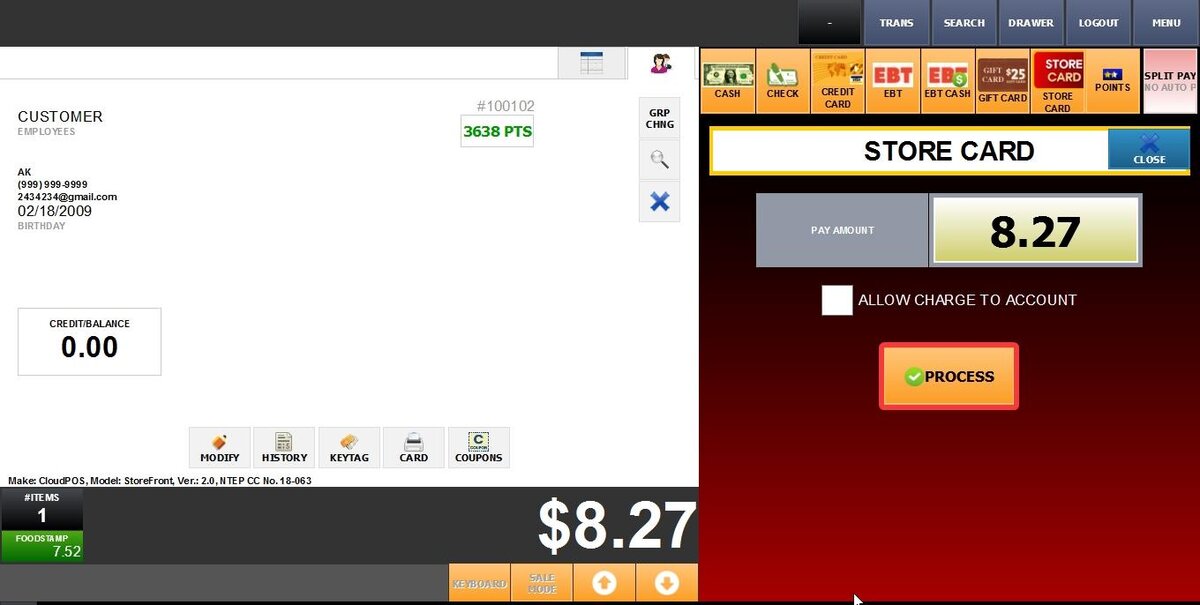
Note: The "Allow Charge to Account" checkbox enables the transaction to be billed directly to a customer's store account.
Scan or manually enter the store card number.

Follow the instructions on the PIN PAD to complete the transaction.
RESULT:

To learn how to set Store Card as a payment method, consult the Store Card Tender guide.