Minimun and Maximun Parlevel
The parlevel feature allows you to keep track of the stock of your items to know when you need to reorder and the amount needed.
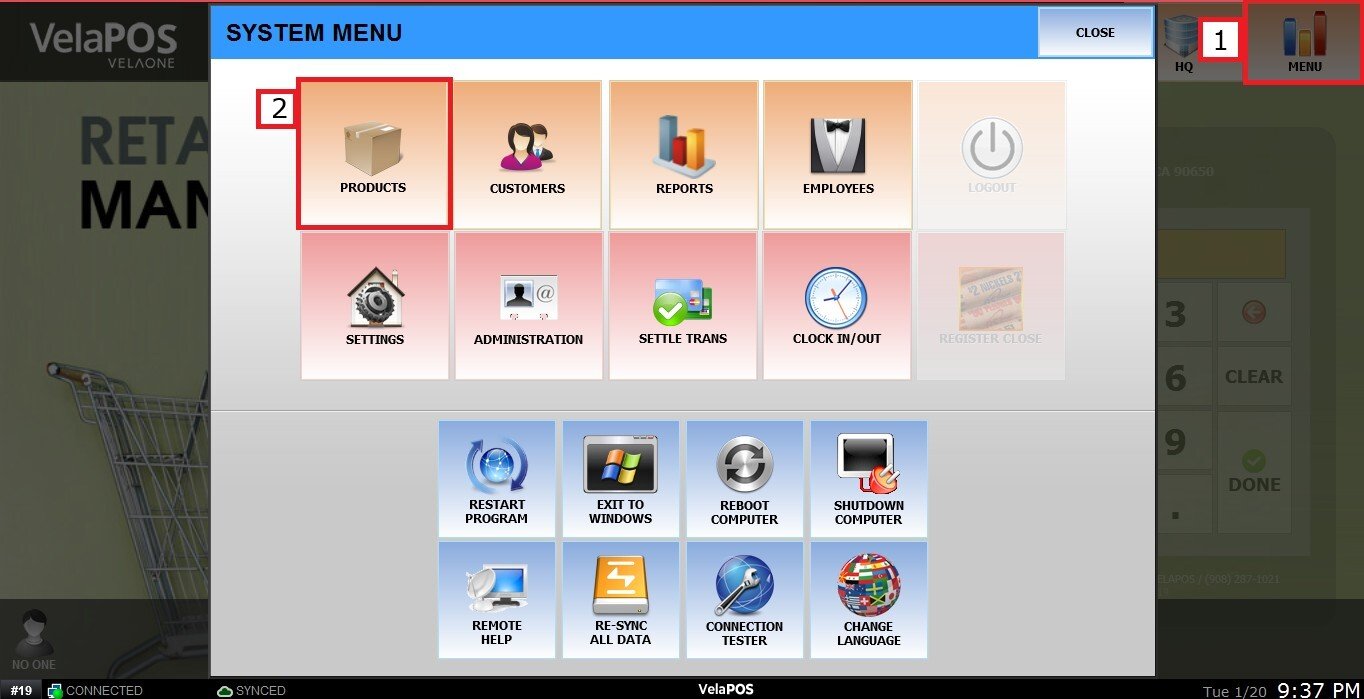
MENU > PRODUCTS> DETAIL> INVTR tab.
Go to MENU and PRODUCT.
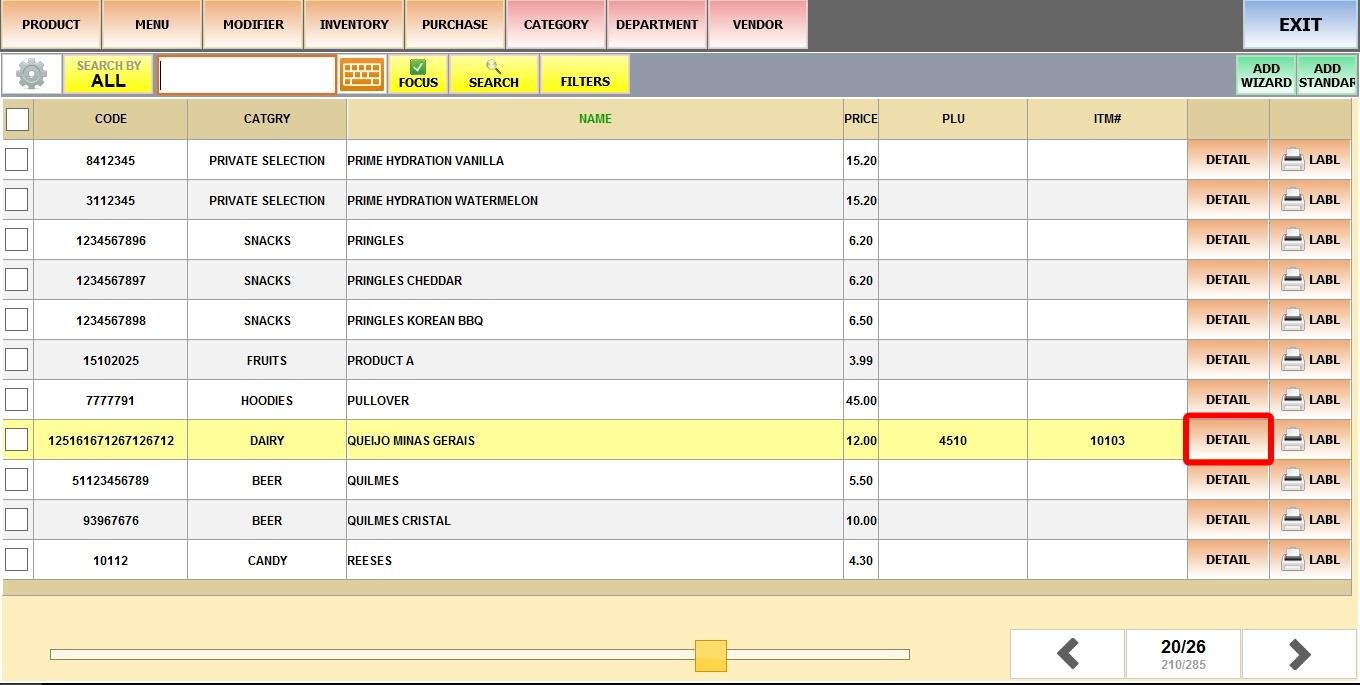
Find and select the desired product, then click on its DETAIL.
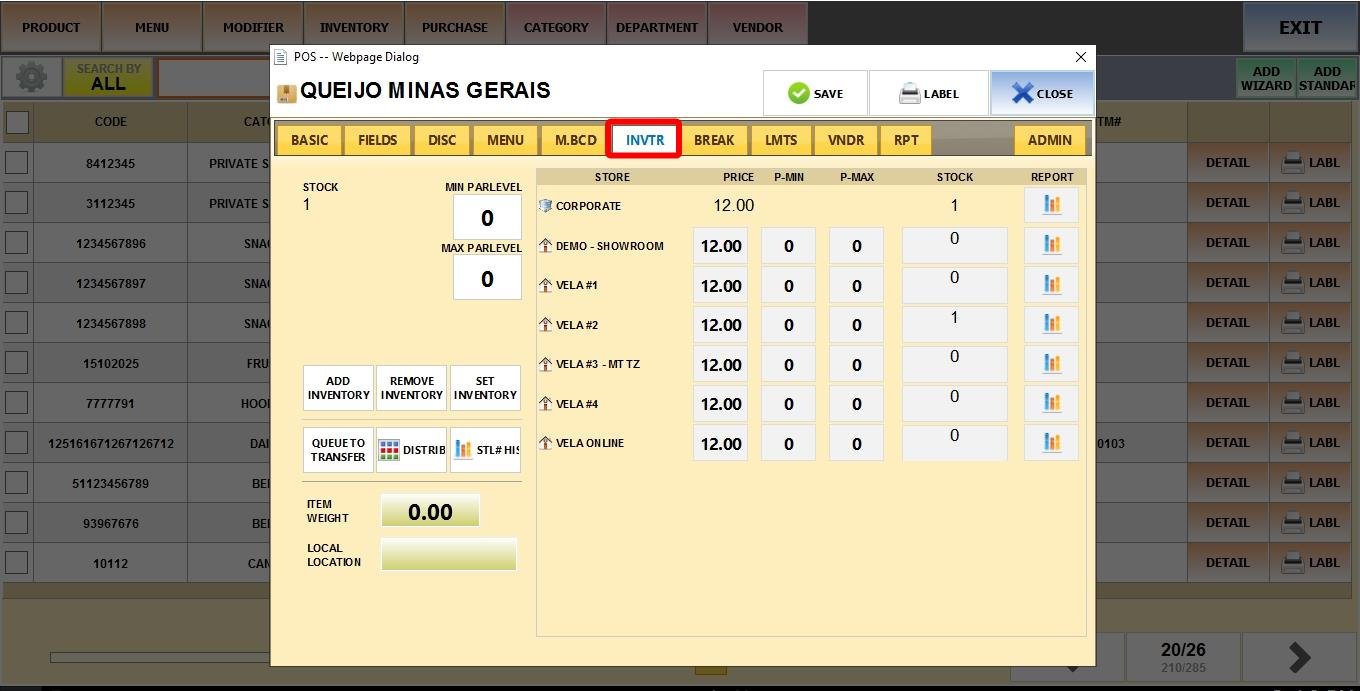
Go to the INVTR tab.
Click on the minimum or maximum box to fill out the value.
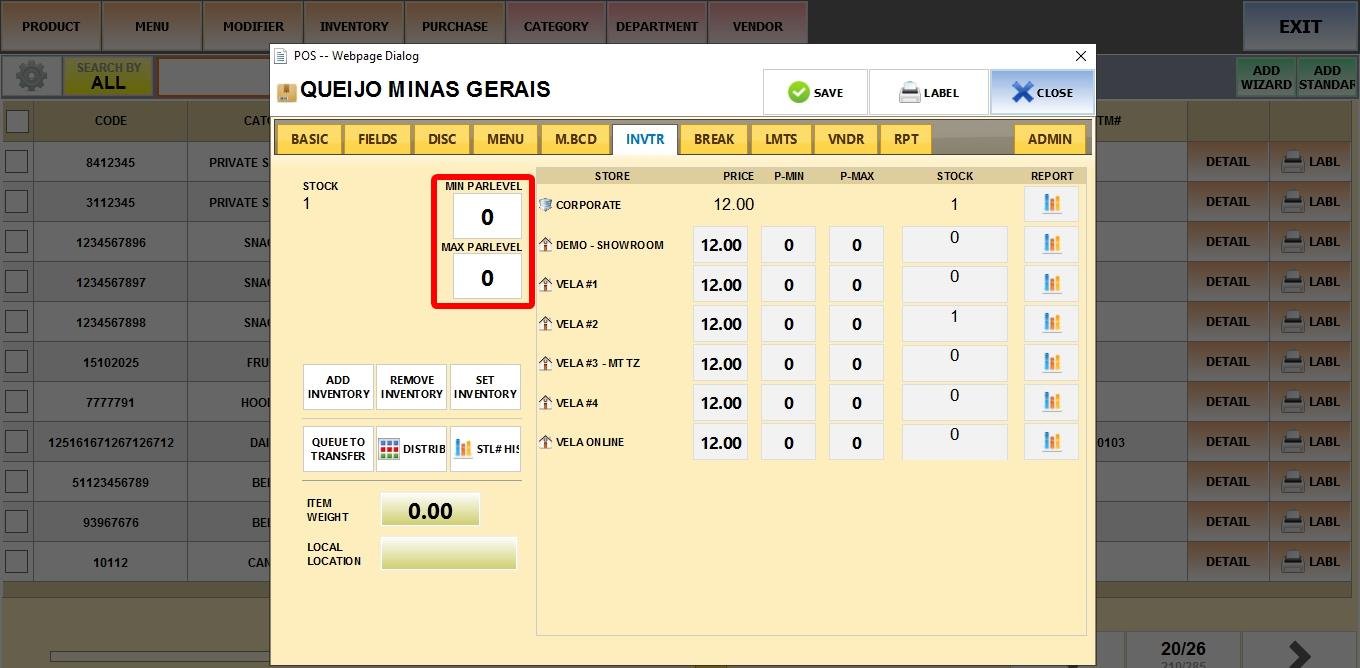
Minimum parlevel
When the item’s stock goes below the minimum parlevel, the product will be displayed on the low stock report.
Maximum parlevel
This is the total amount expected after restocking. When creating a Purchase order (PO), if you add an item from the low stock report to the order list by checking its box, the system will order the quantity needed in order to reach the maximum parlevel.