By Weight
The price is calculated by multiplying the item’s price per unit by its weight. The weight can be captured using an integrated scale or entered manually by the cashier.
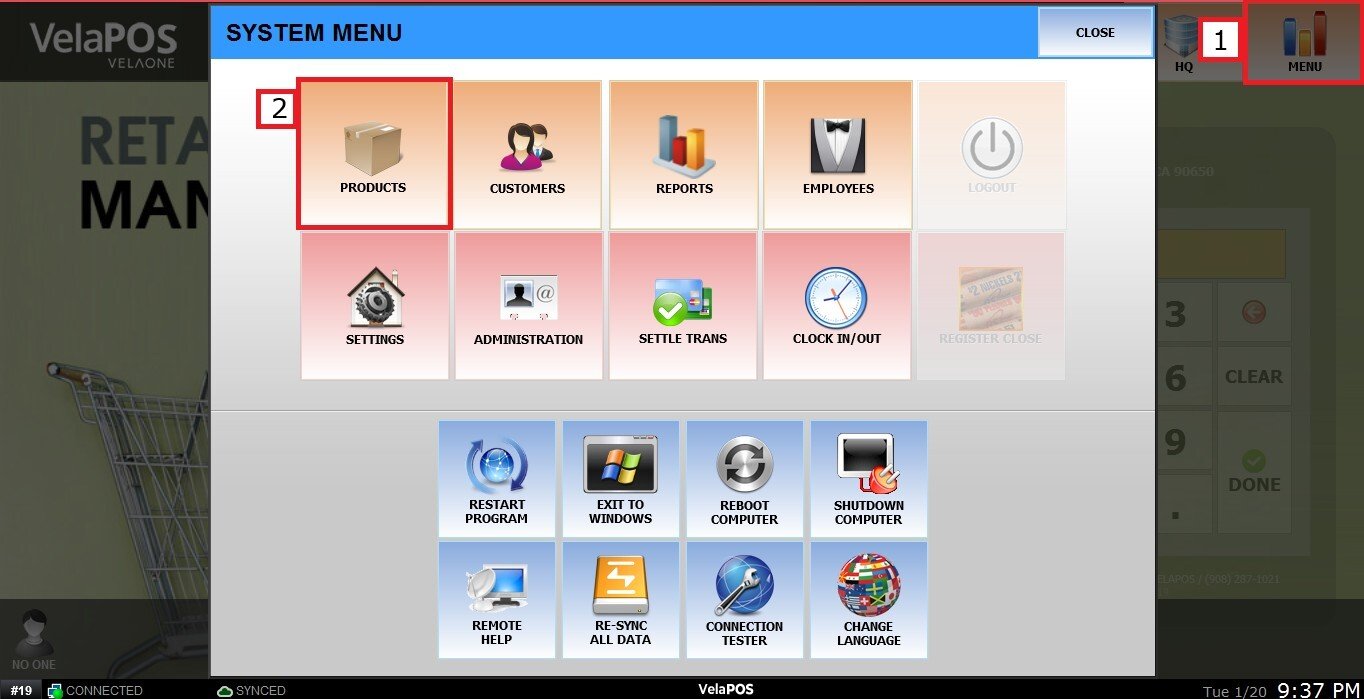
MENU > PRODUCTS> Select an Item> DETAIL> BASIC> PRICE TYPE.
Click on MENU, select PRODUCTS
Find the product, then click DETAIL.

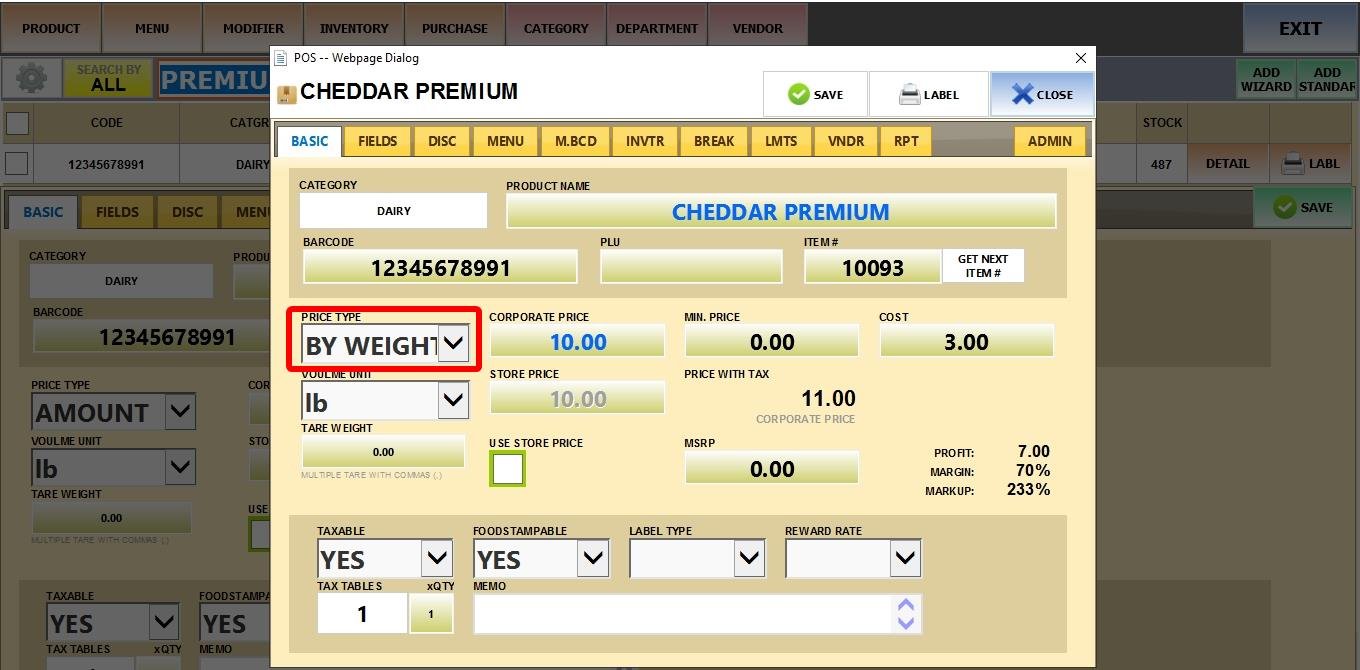
Click on PRICE TYPE and select BY WEIGHT.
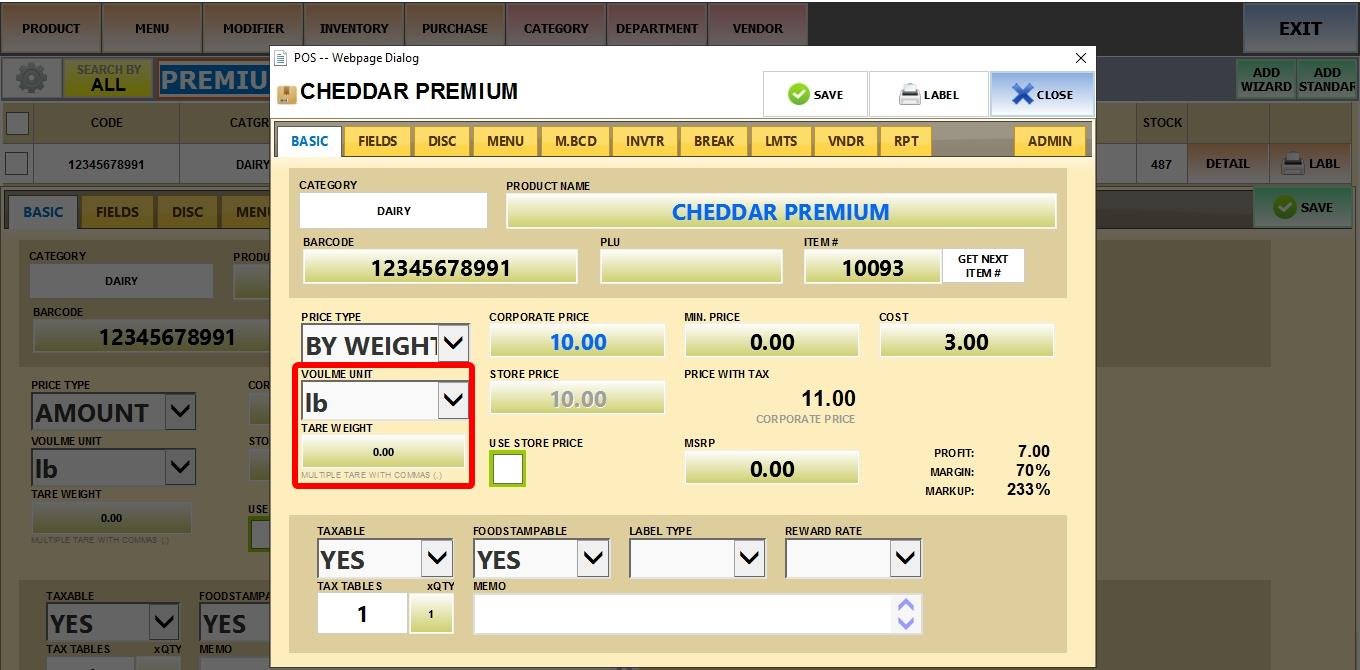
Then configure the following options:
1. VOLUME UNIT: Choose the unit of measure for this product (e.g., LBS, KG, OZ).
2. TARE WEIGHT: Enter the weight of the container or packaging to be subtracted from the total weight, ensuring the price is calculated only for the product itself.
Result
On the Sales Screen, once the product is weighed, the system automatically calculates the total price based on the weight and the unit price set.