Bundle
This option allows you to combine multiple products into a single item sold at one total price, while automatically deducting inventory for each component.
Ideal for combo deals, gift sets, or grouped sales.
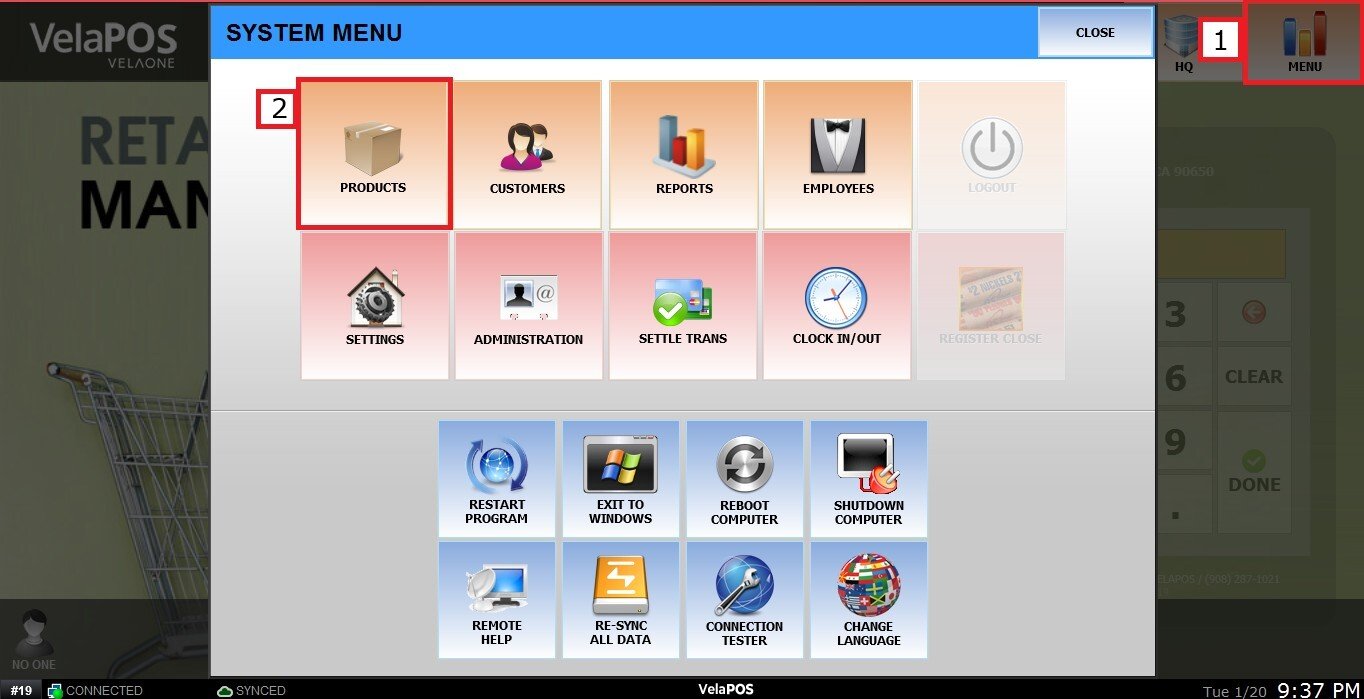
MENU > PRODUCTS> Select an Item> DETAIL> BASIC> PRICE TYPE.
Click on MENU, select PRODUCTS
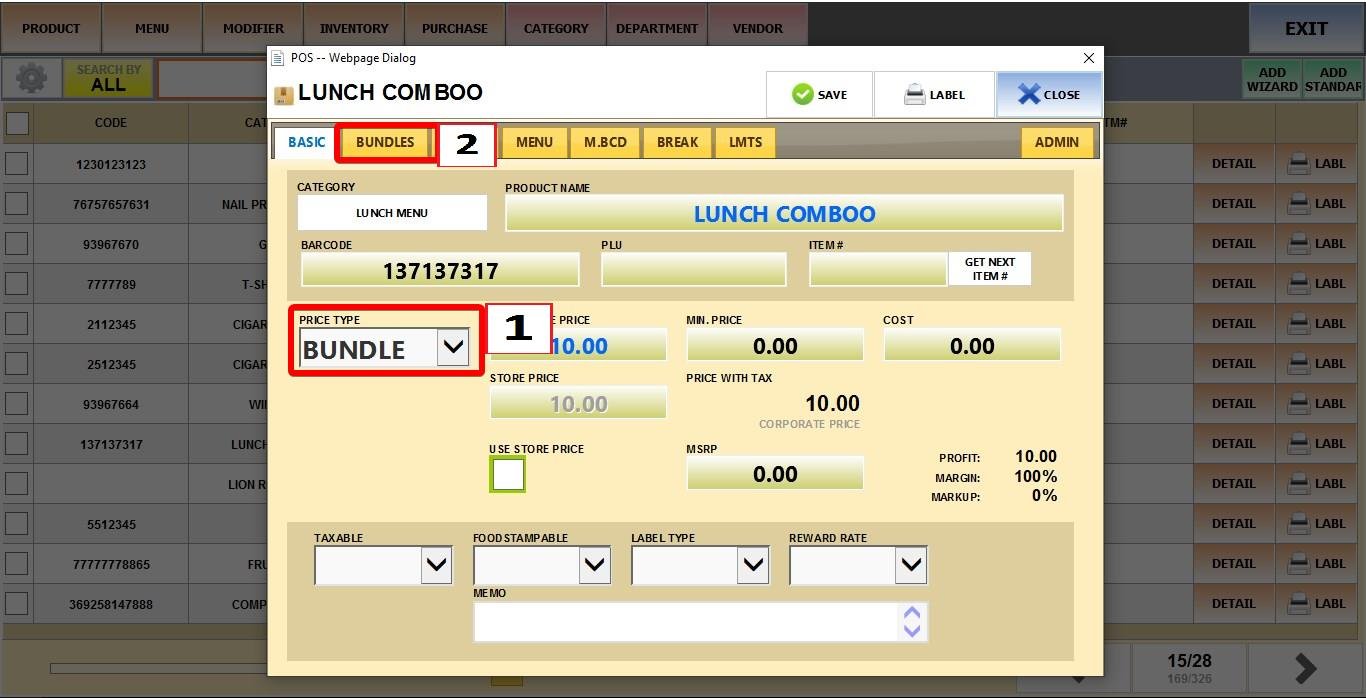
Find the product and click DETAIL.

Under PRICE TYPE, select BUNDLE, then open the BUNDLE tab.
Add Products to the Bundle
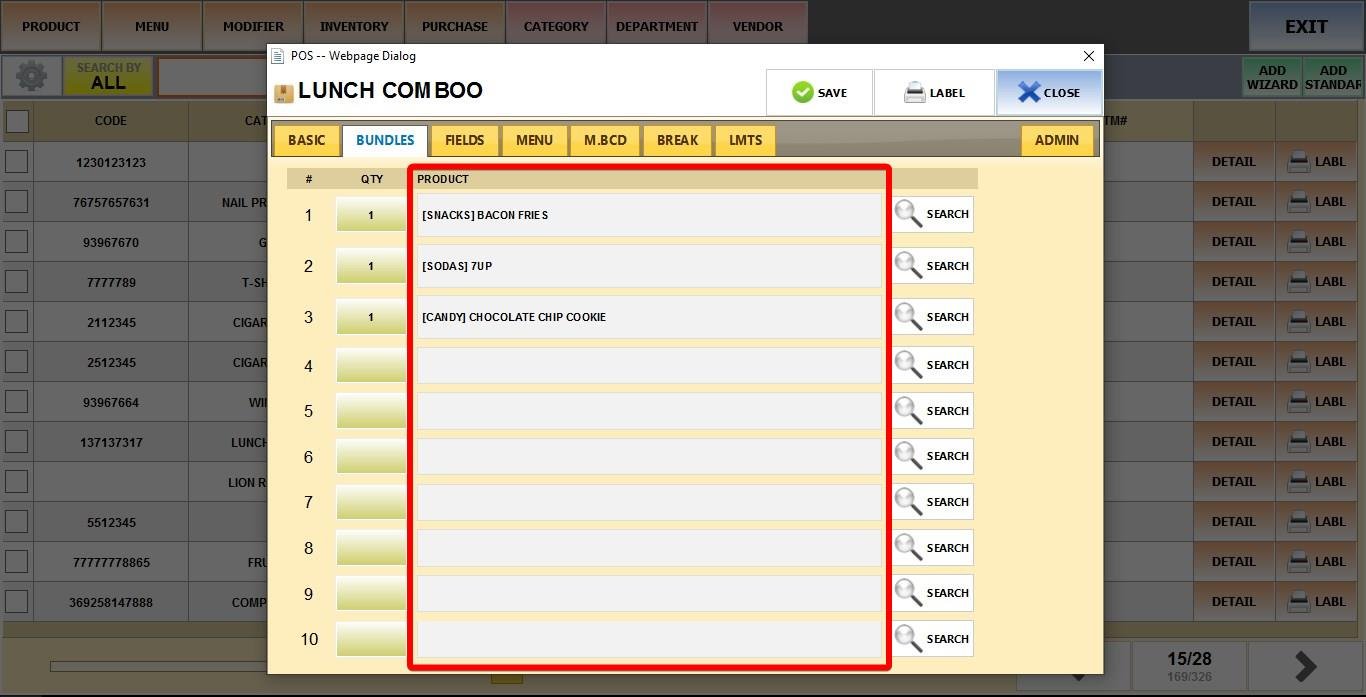
Specify quantity (QTY) of each item included in the bundle.
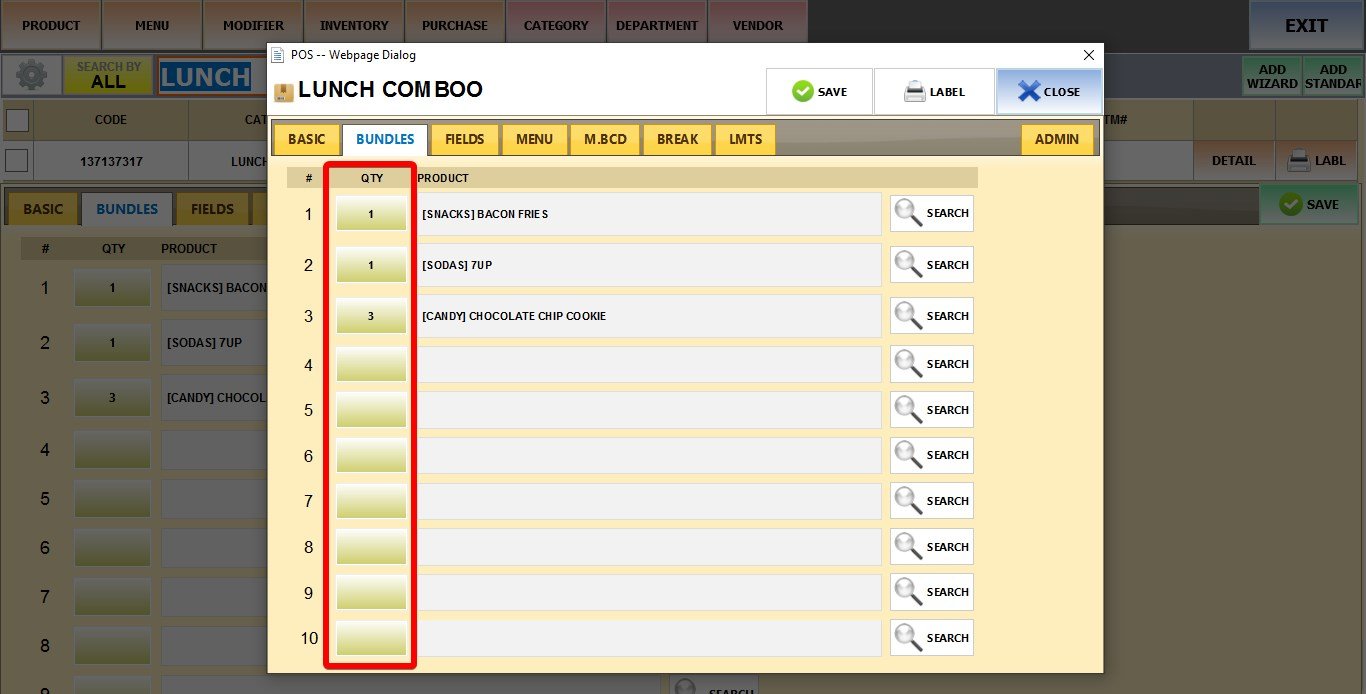
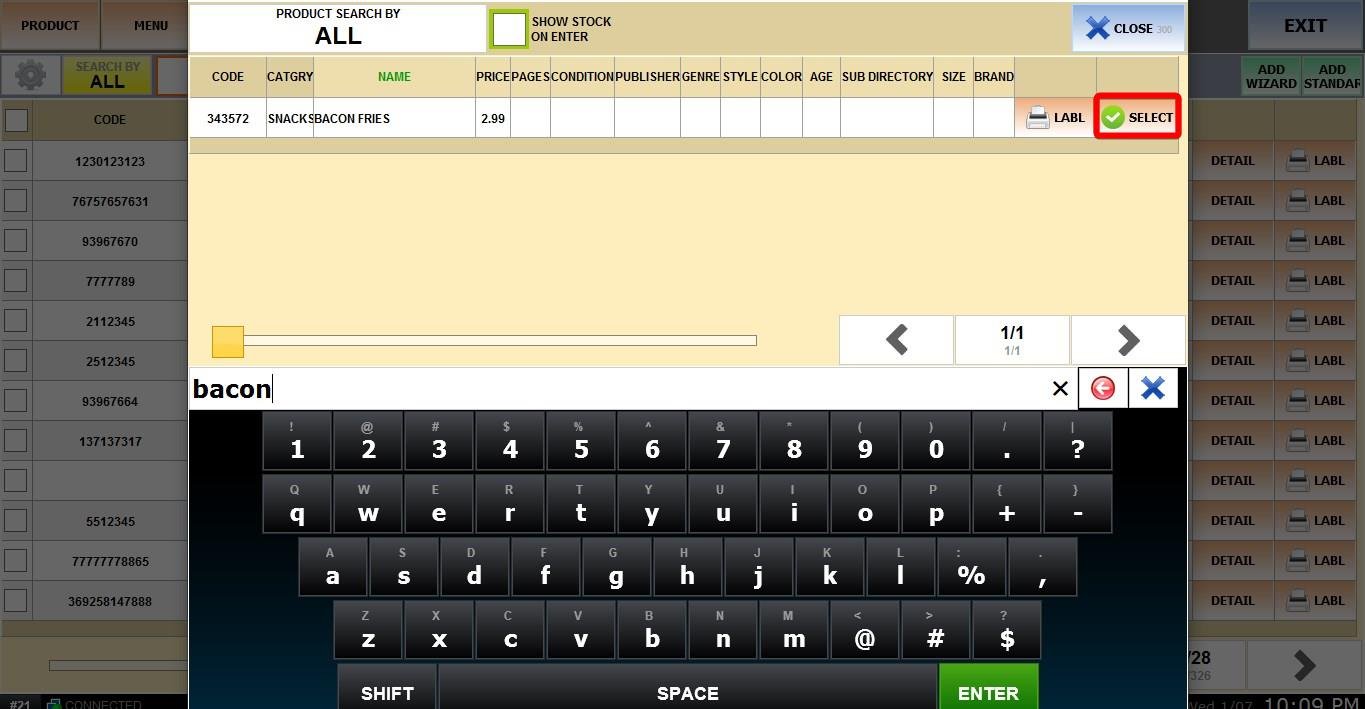
Click the Magnifying glass to open your product list

Find the desired item, and click SELECT.
The items you selected will be shown on PRODUCT.
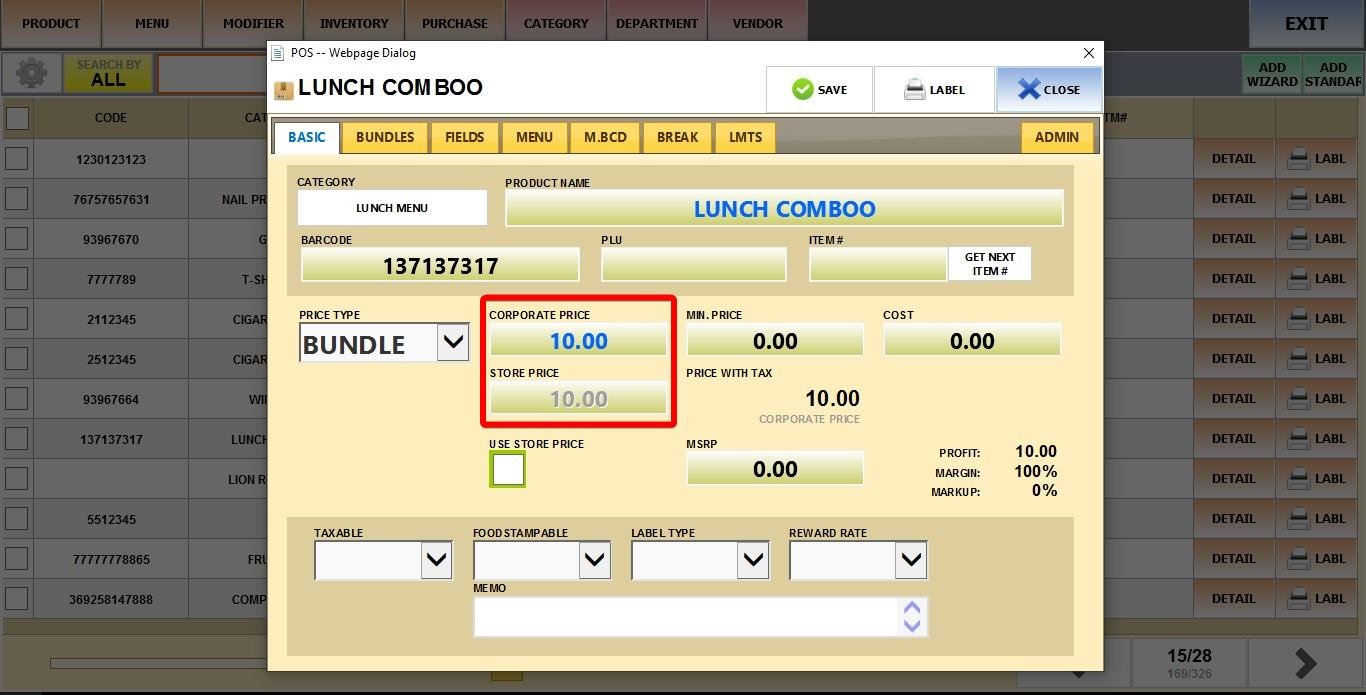
PRICE
Enter the total combined price for the bundle in the field.
Result
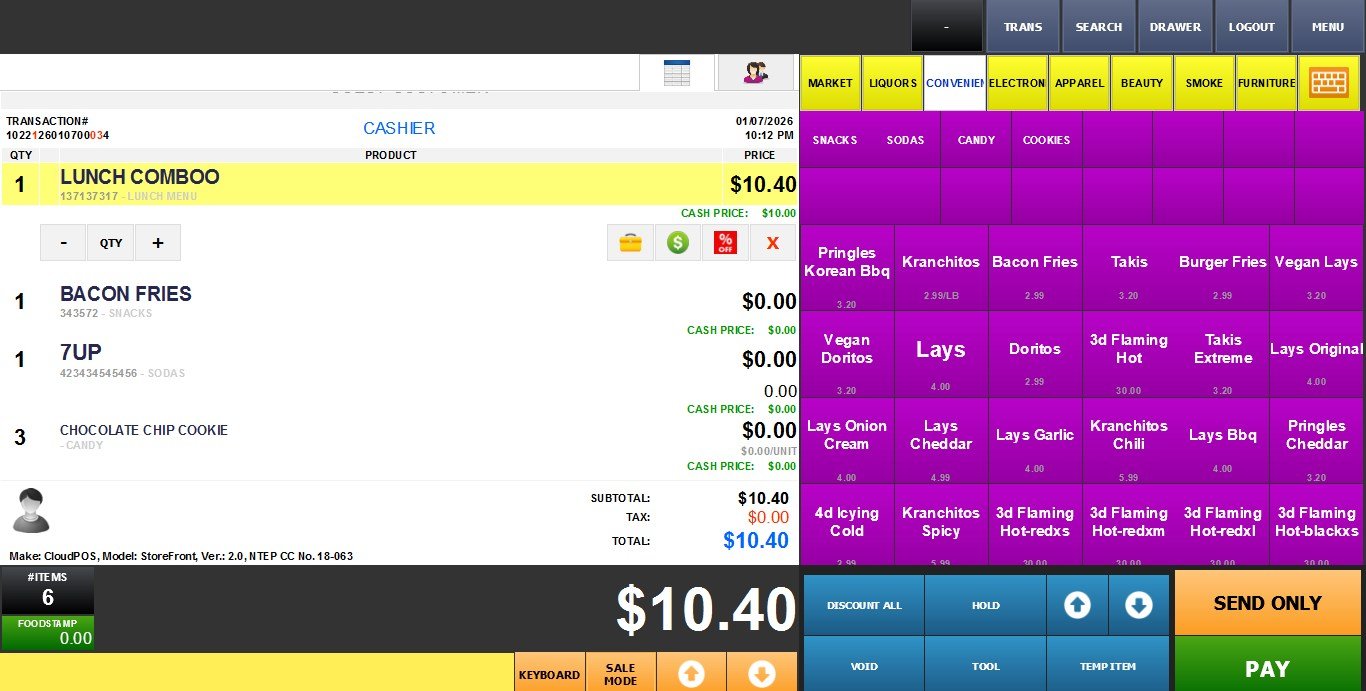
When the bundle is sold, all included products are automatically deducted from inventory, and the set price is applied.
Go to the Sales Screen and ring up the base product.