Single
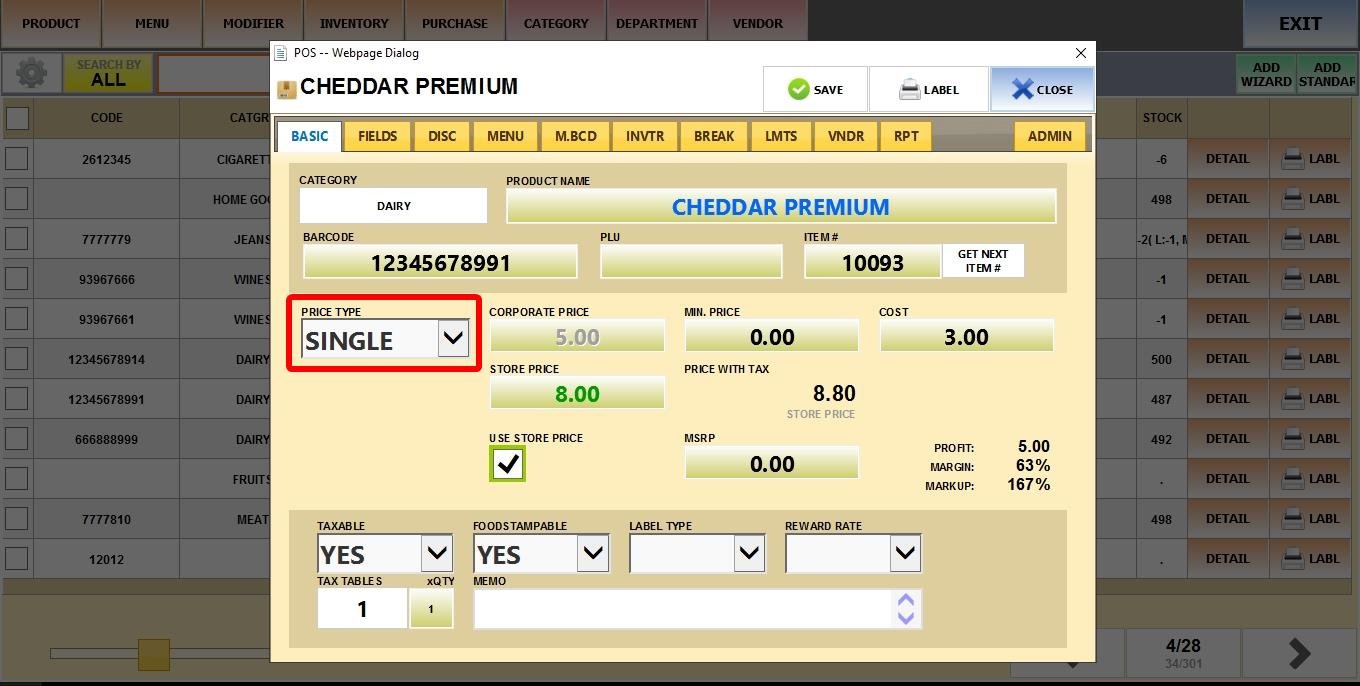
The standard setting where the item has one fixed price per unit. It is the default price type of any product.
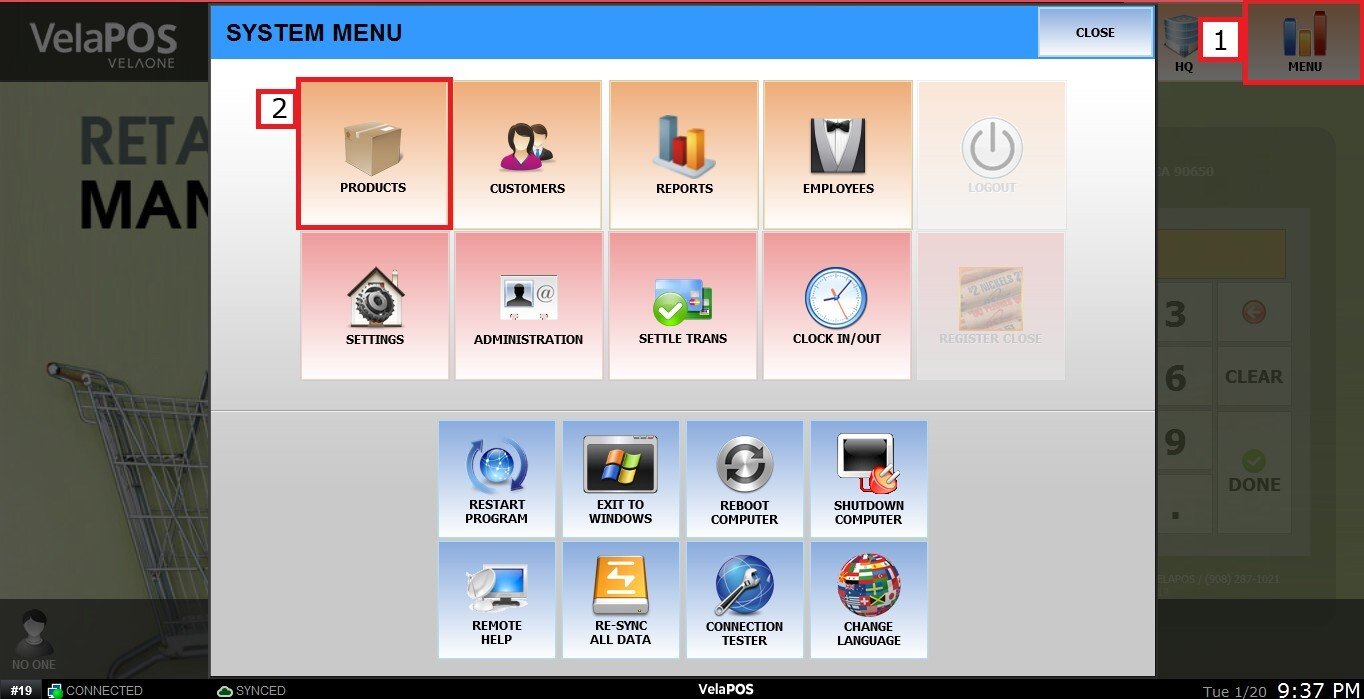
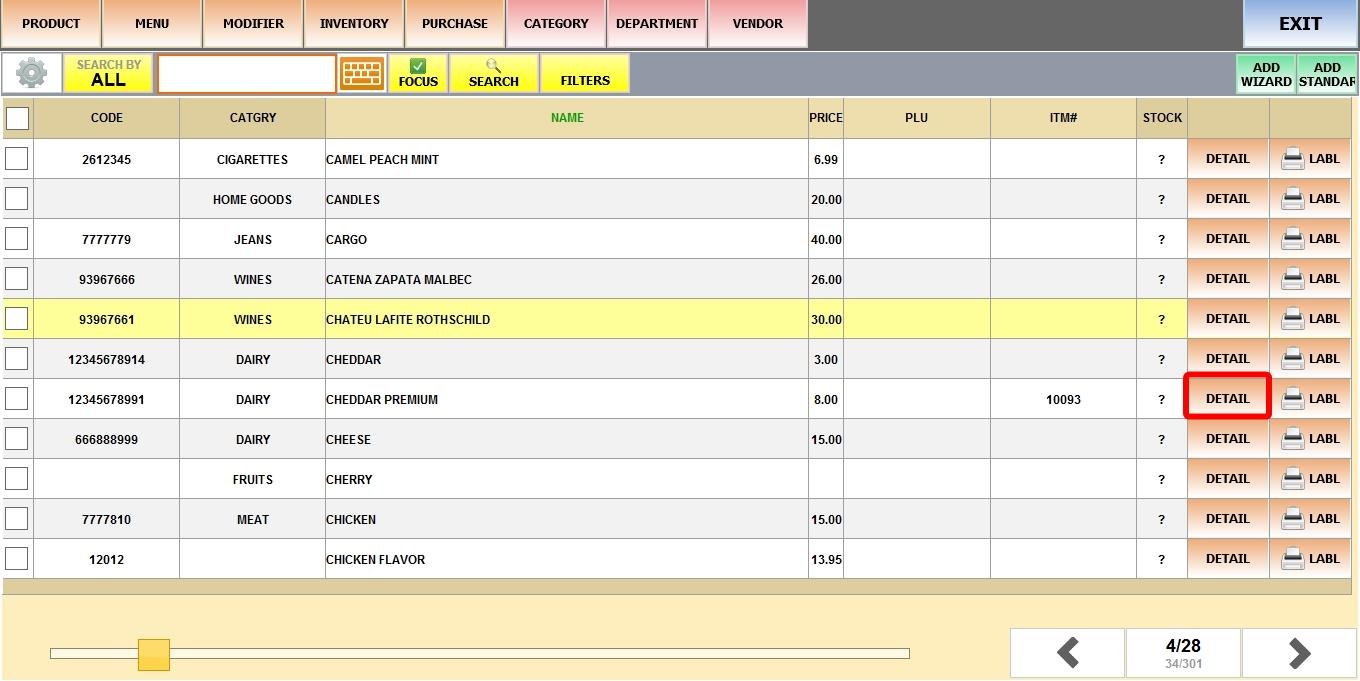
MENU > PRODUCTS> Select an Item> DETAIL> BASIC> PRICE TYPE.
Click on MENU, select PRODUCTS
Find a product and click DETAIL
Price type set to SINGLE
Result:
The product has one fixed price when ringing it up.
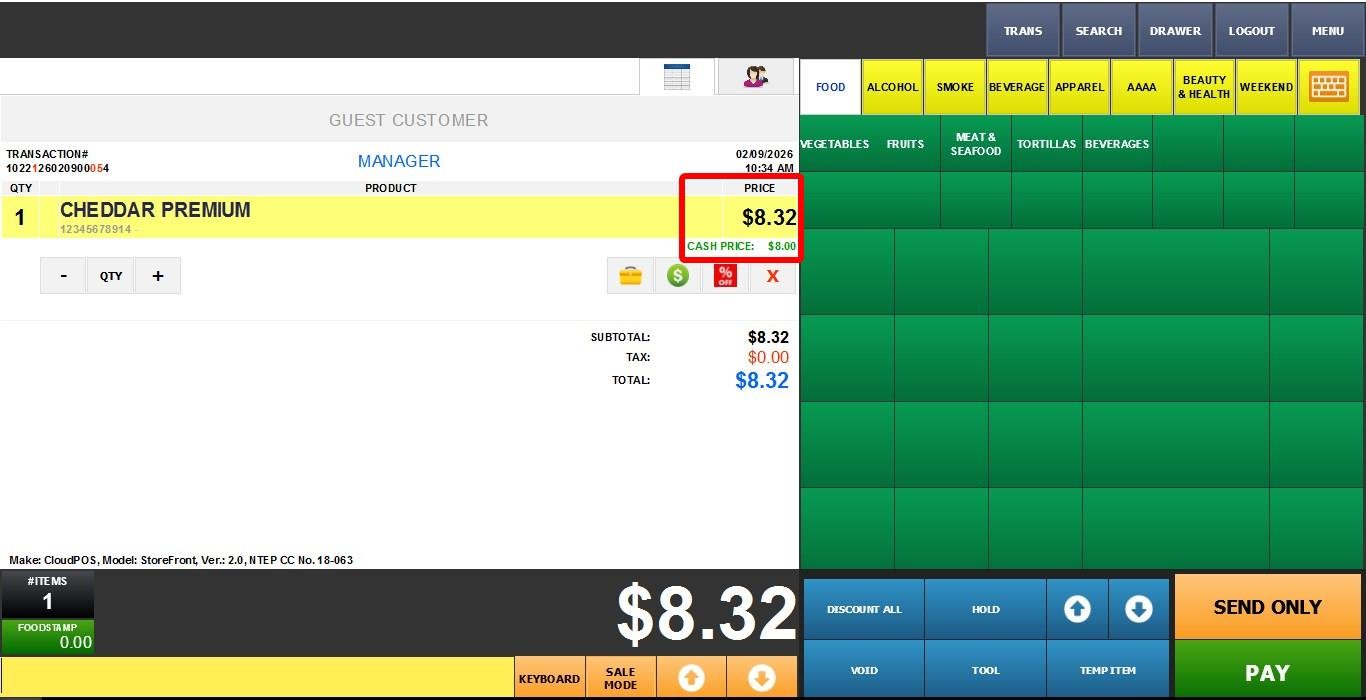
Hint: The Sales screen prices may appear higher than the product detail price due to the Credit Payment Adjust feature. The SINGLE price type is shown as the Cash Price.