Id Check, Age Check
These features allow you to configure category settings that control how the system verifies customer eligibility and authorizes the sale of age-restricted items.
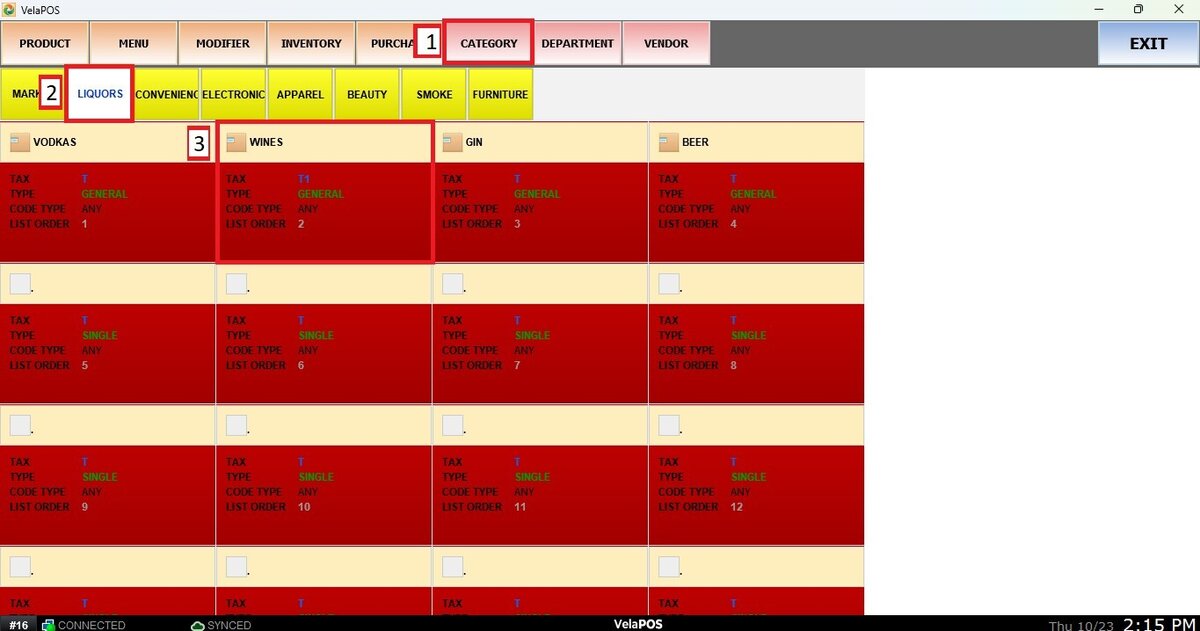
Menu>PRODUCT>CATEGORY>Select a category> DETAIL.
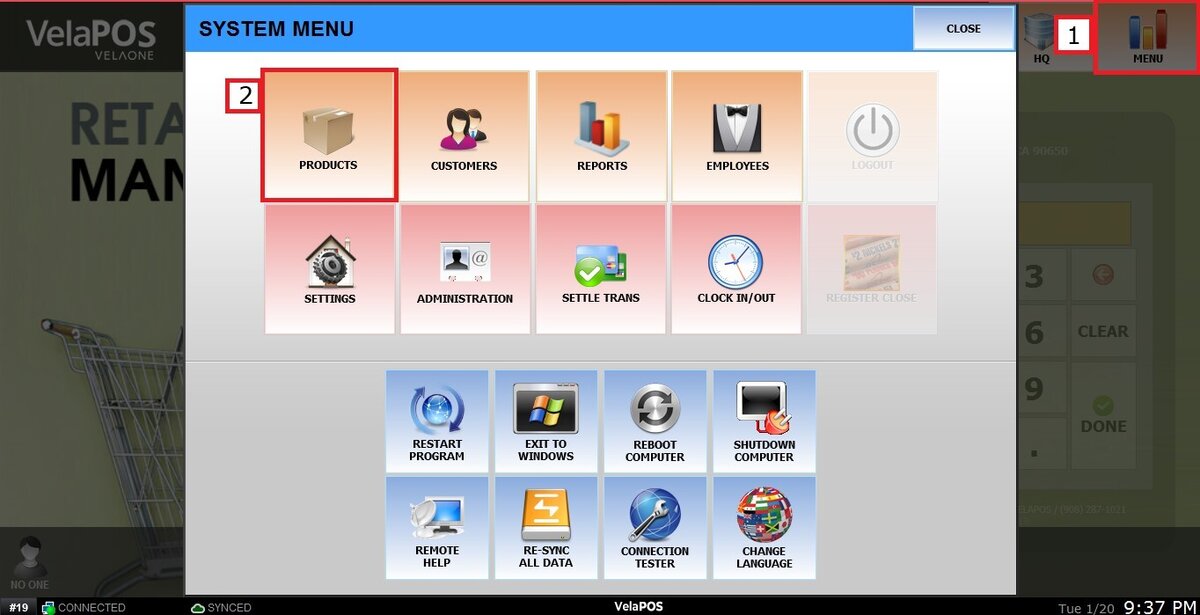
Click on MENU, then select PRODUCTS.
Select the department, choose the category you want to configure
At the end of the DETAIL section, you will find the ID CHECK and AGE CHECK options.
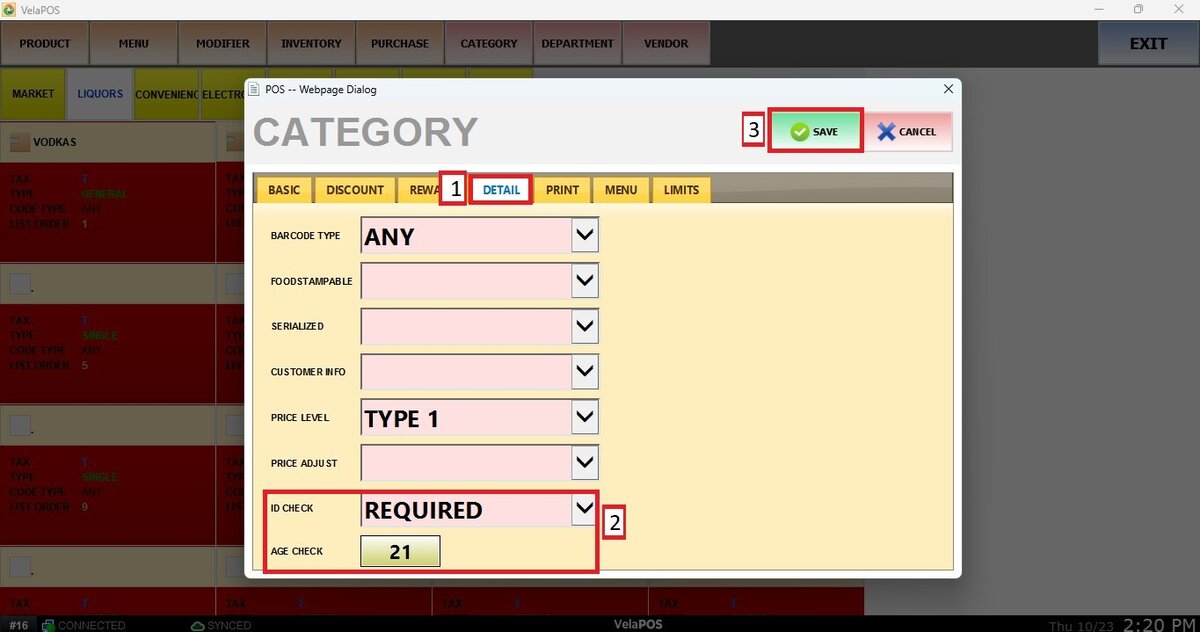
ID CHECK
If set to REQUIRED, the system will prompt for customer ID verification when processing items in this category.
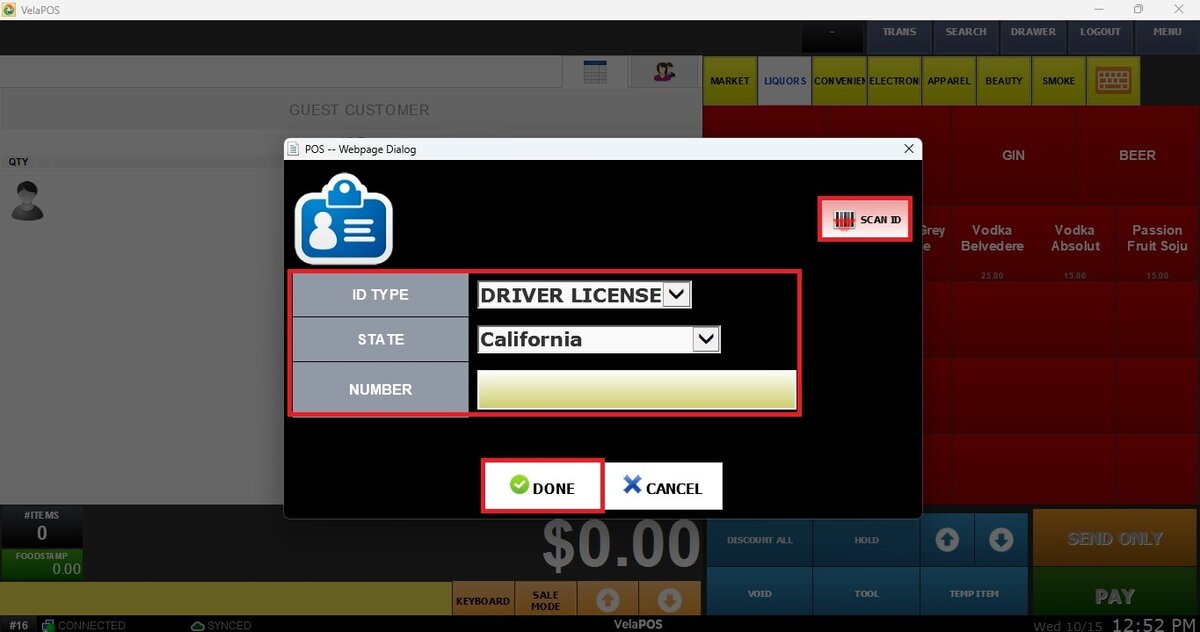
HINT: You can either scan the customer’s ID or enter the information manually.
AGE CHECK
You will need to input the required minimum age. This defines the age that must be verified on the customer’s ID to complete the purchase of items in this category.
Do not forget to press SAVE to apply these configurations.
You can also enable Age Check Method options such as Confirm Only or Birthday Required. For instructions on how to configure these, refer to Customer Basic Settings.
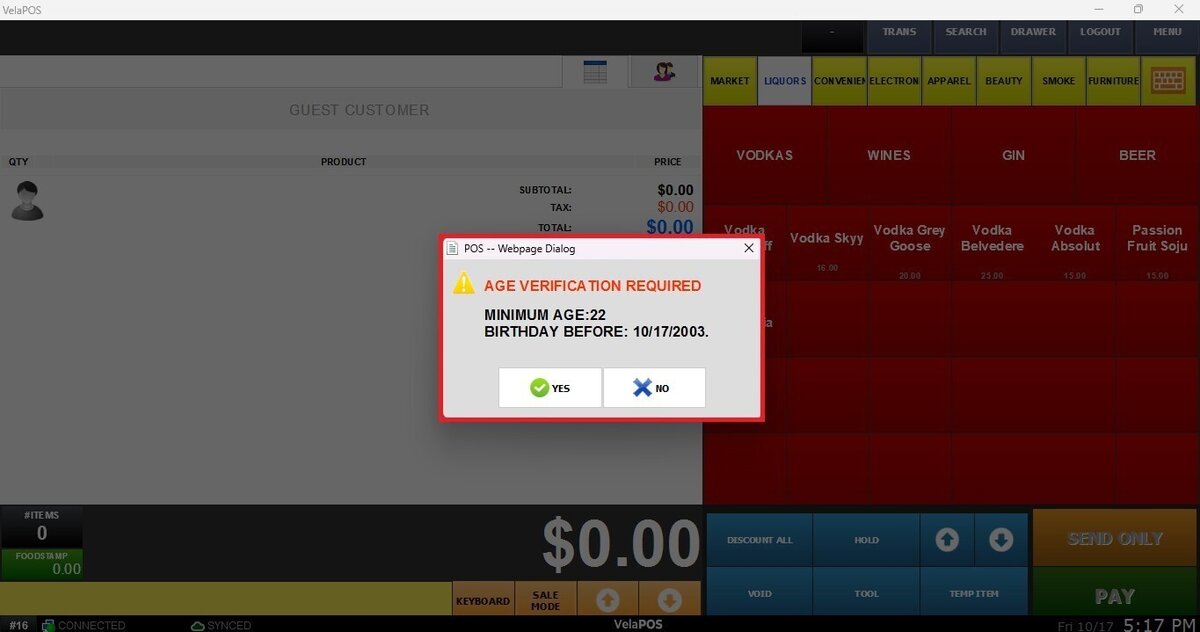
Confirm Only
A confirmation window will pop up where you can press YES or NO.
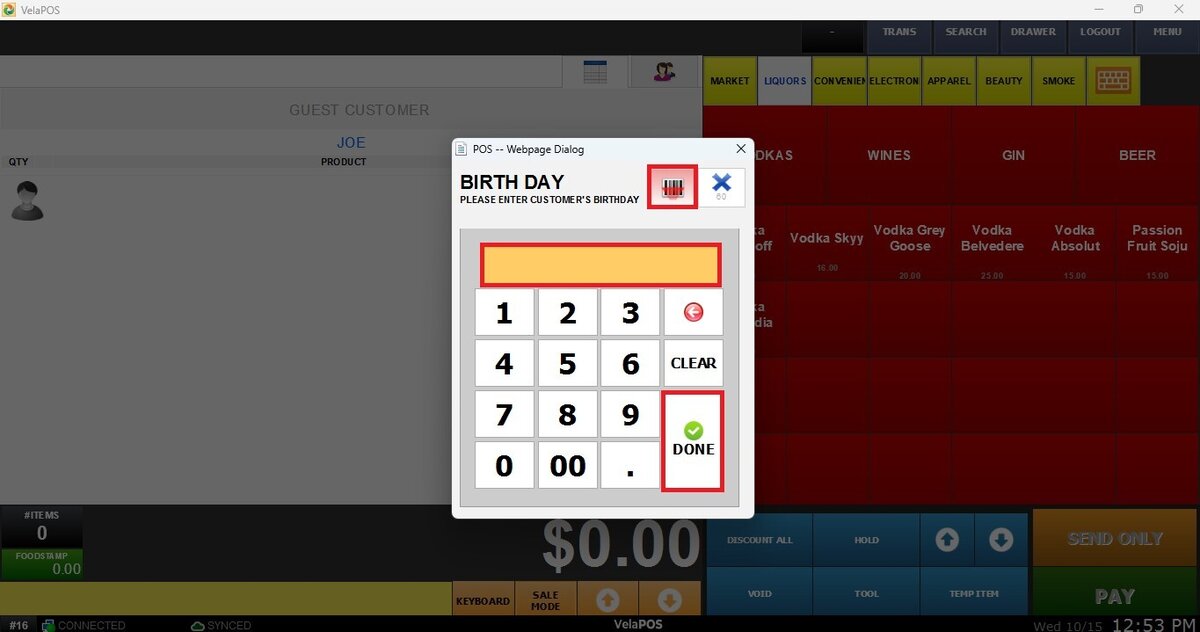
Birthday Required
A pop-up window will require entering or scanning the customer’s date of birth to automatically validate the age.
Result:
You will see the items you ring up on the sales screen, along with the customer’s information as shown below.
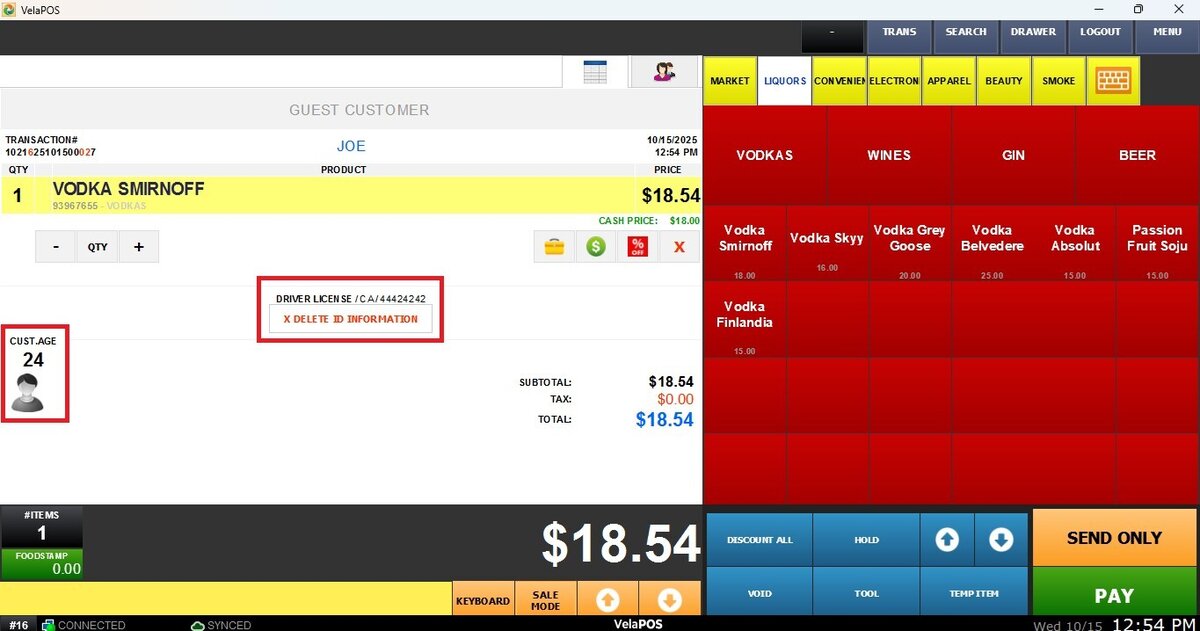
NOTE: The customer’s information, including ID or age details, will not be stored in the system.