Group
This feature automatically generates multiple unique product variations from a single base product. It’s useful for items that come in different types, sizes, or flavors.
MENU > PRODUCTS> Select an Item> DETAIL> BASIC> PRICE TYPE.
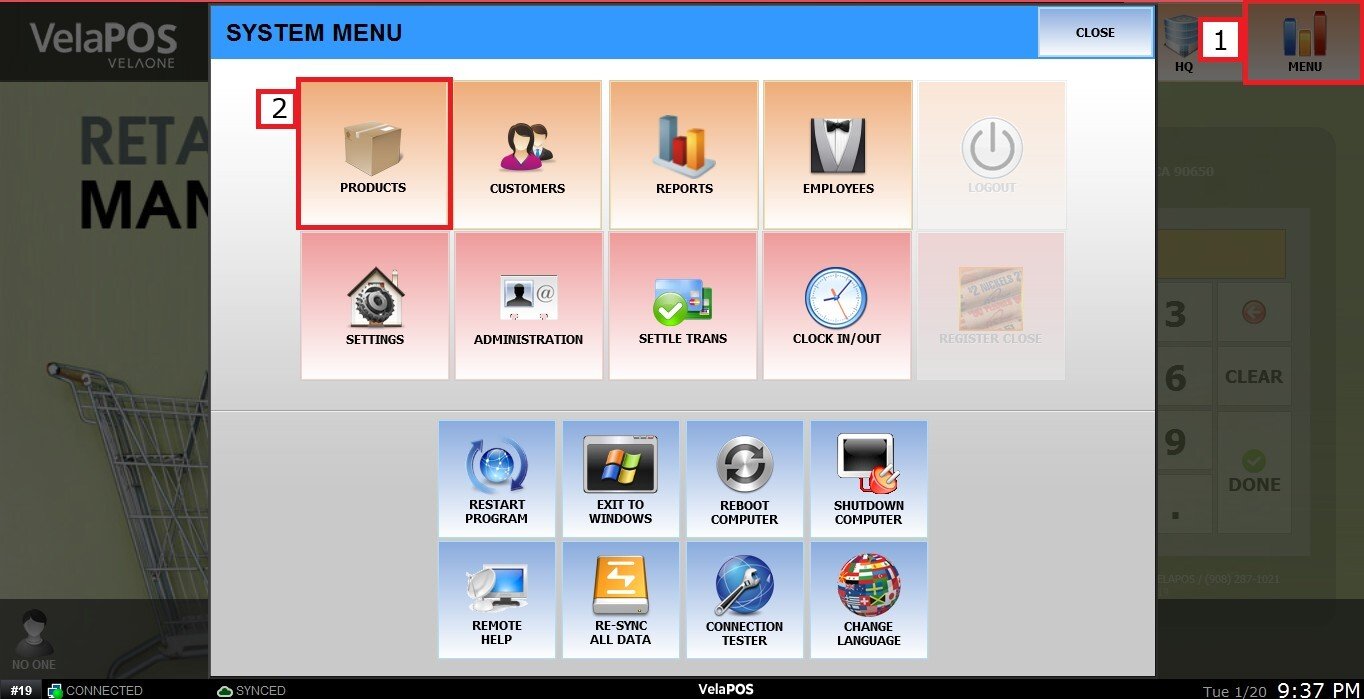
Click on MENU, then select PRODUCTS
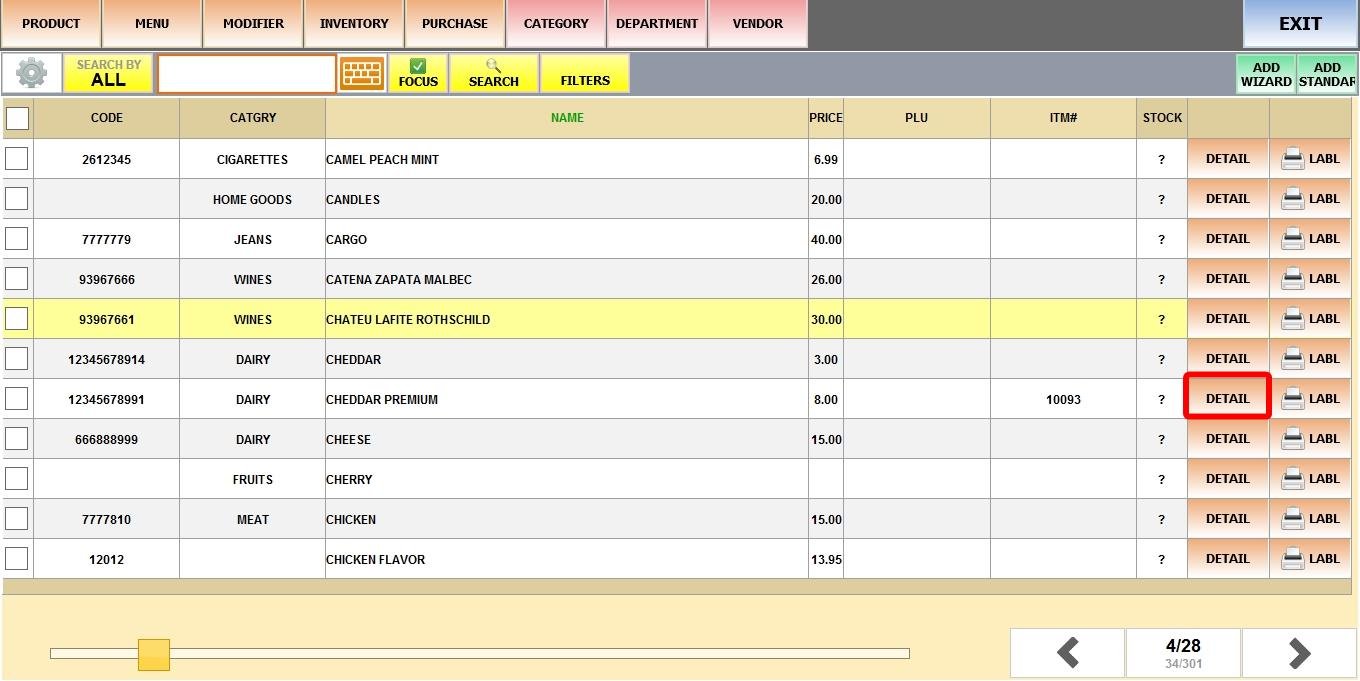
Find the product, then click DETAIL.
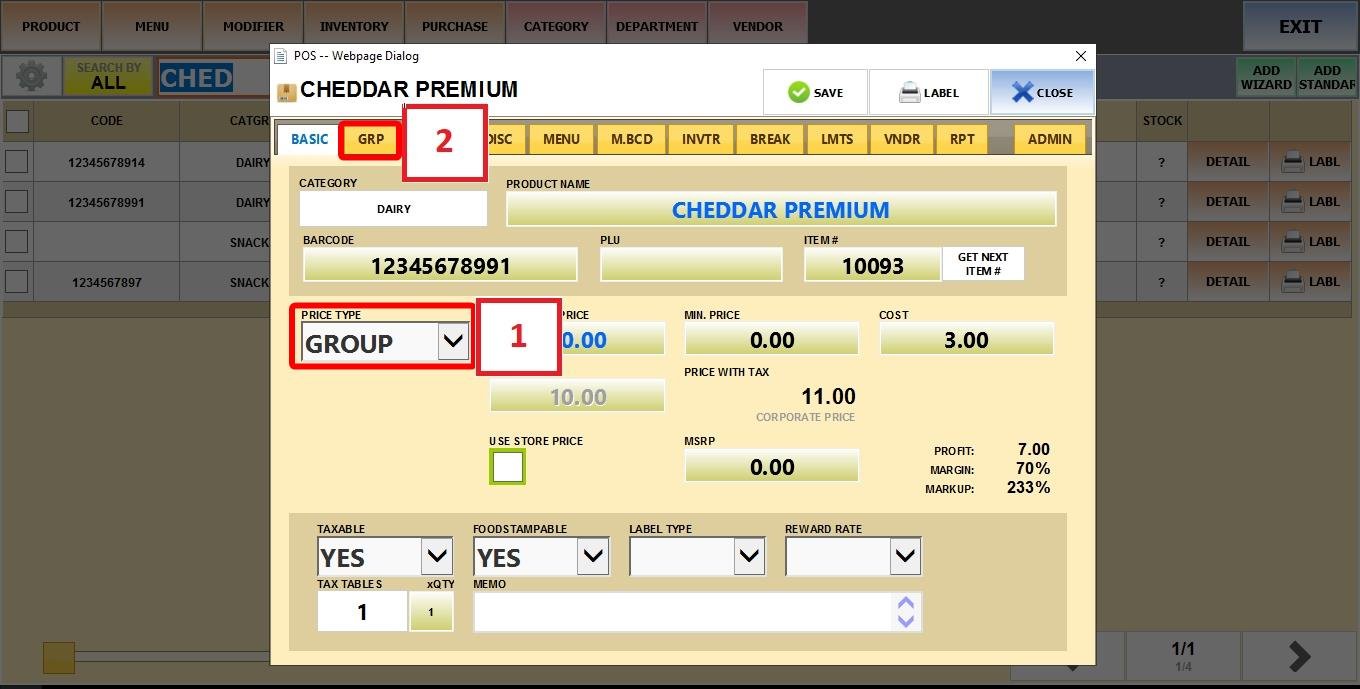
Set GROUP as the Price Type, then open the GRP tab.
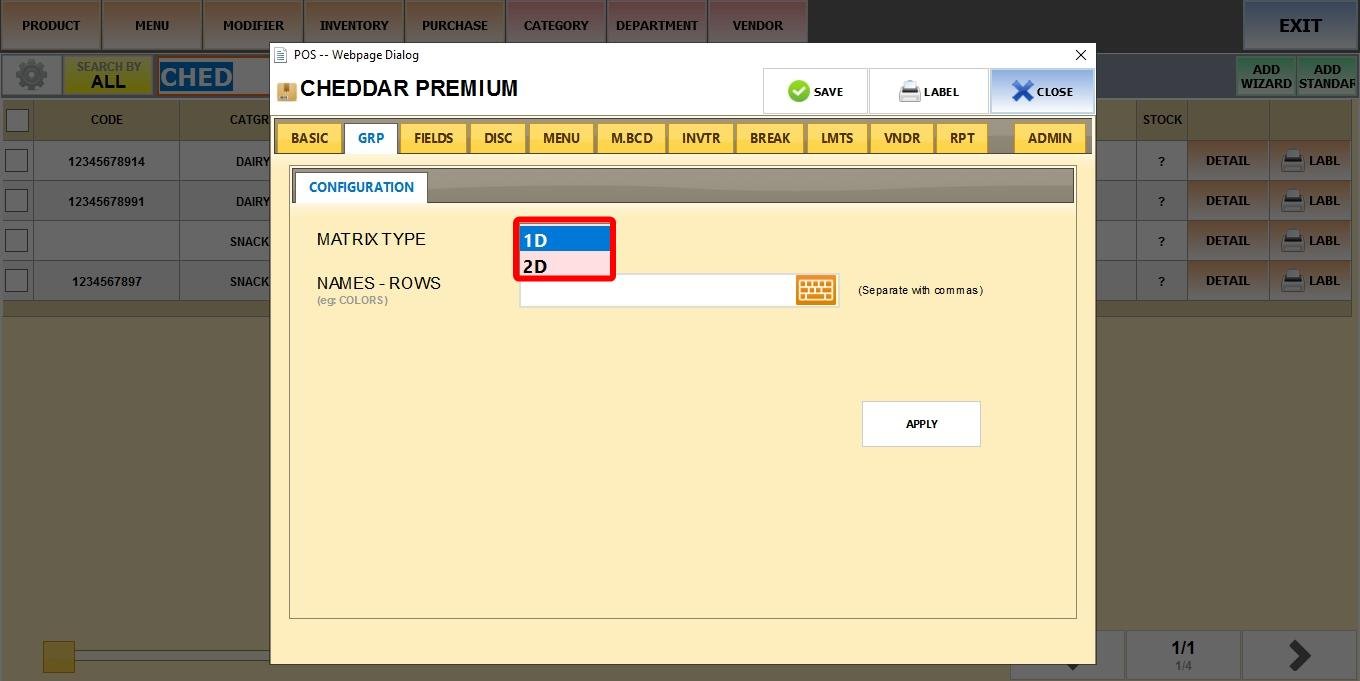
GRP Tab Fields:
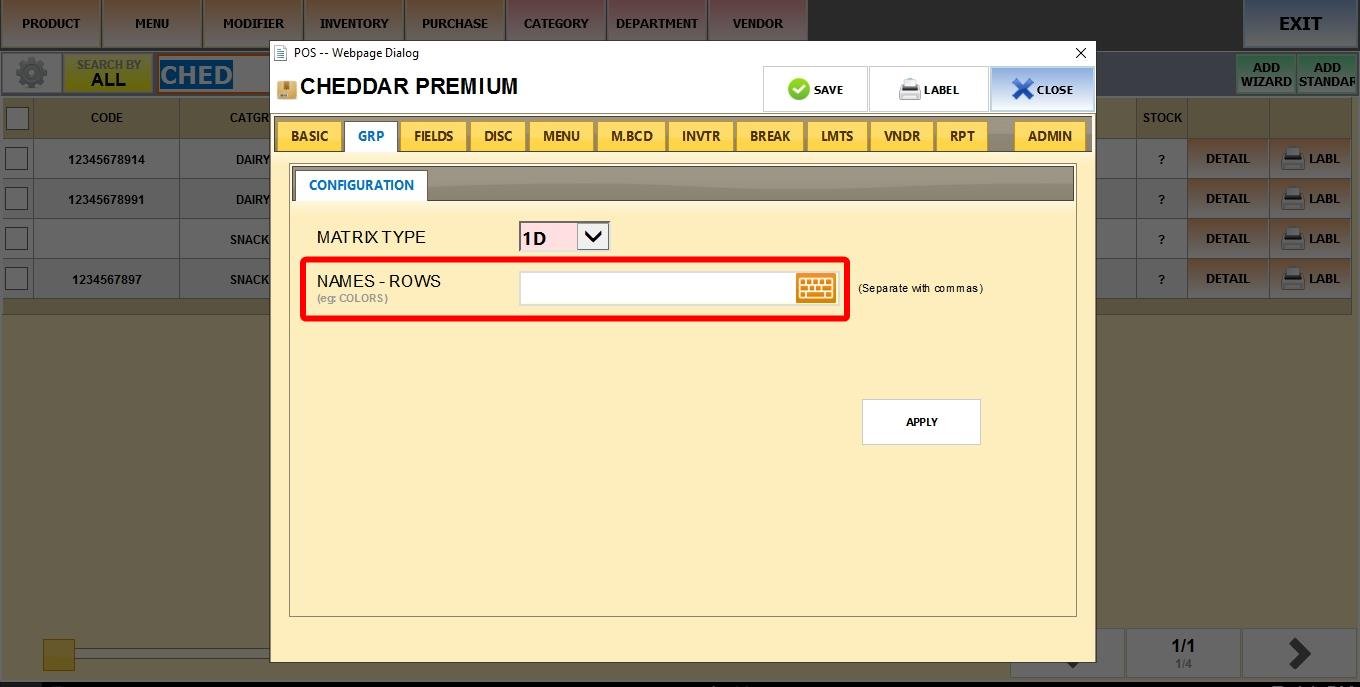
MATRIX TYPE
Defines how the variations will be created.
1. 1D: Generates variations from one list of options (e.g., flavors or colors).
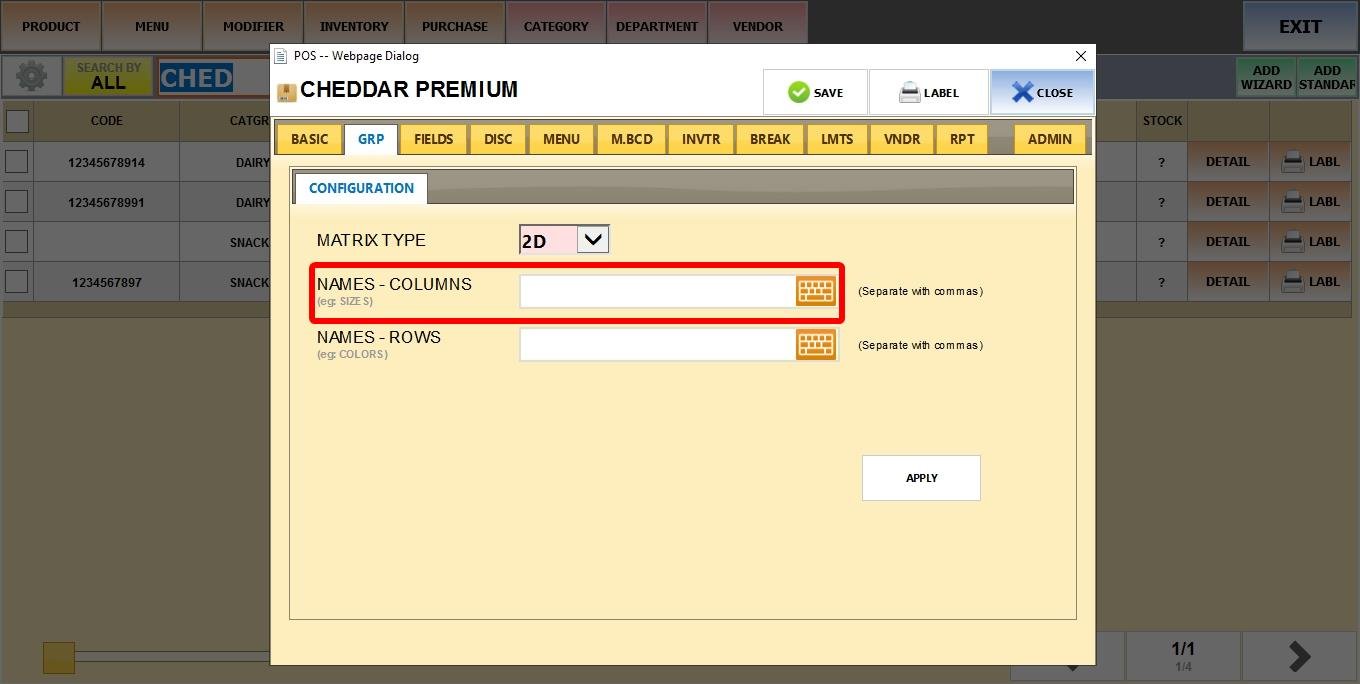
2. 2D: Generates variations from two lists. (e.g., Size: Small/Medium/Large + Flavor: Vanilla/Chocolate/Strawberry.)
NAMES - ROWS
Used to define the first set of options (flavors, colors, etc.).
Enter multiple values separated by commas.
NAMES - COLUMNS
Only available if you selected 2D as the Matrix Type.
Defines the second set of variation options (sizes, styles, etc.).
Enter multiple values separated by commas.
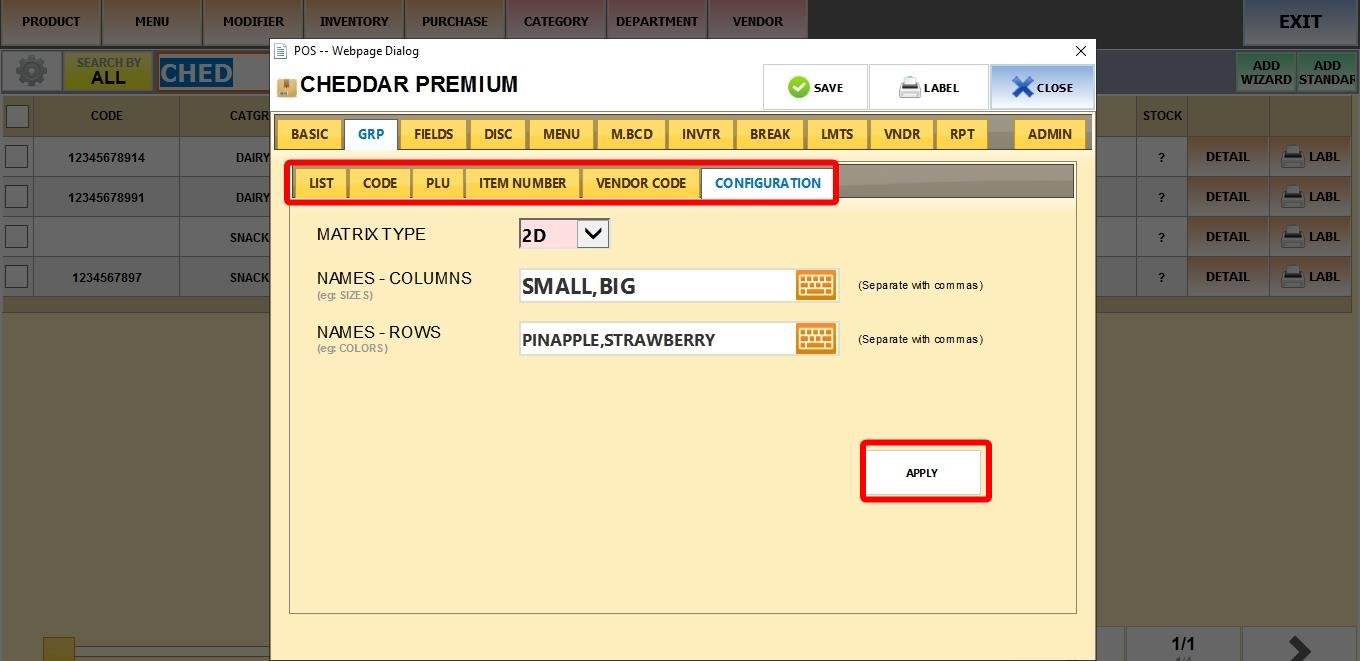
After configuring Matrix Type, Rows, and (if needed) Columns, click APPLY.
The system will automatically generate the group products in your Product List, and on the Sales Screen if the base product was already set to be displayed there.
Hint: Additional optional tabs: List, Code, PLU, Item Number, and Vendor Code will appear for further customization.
Generated Group Products
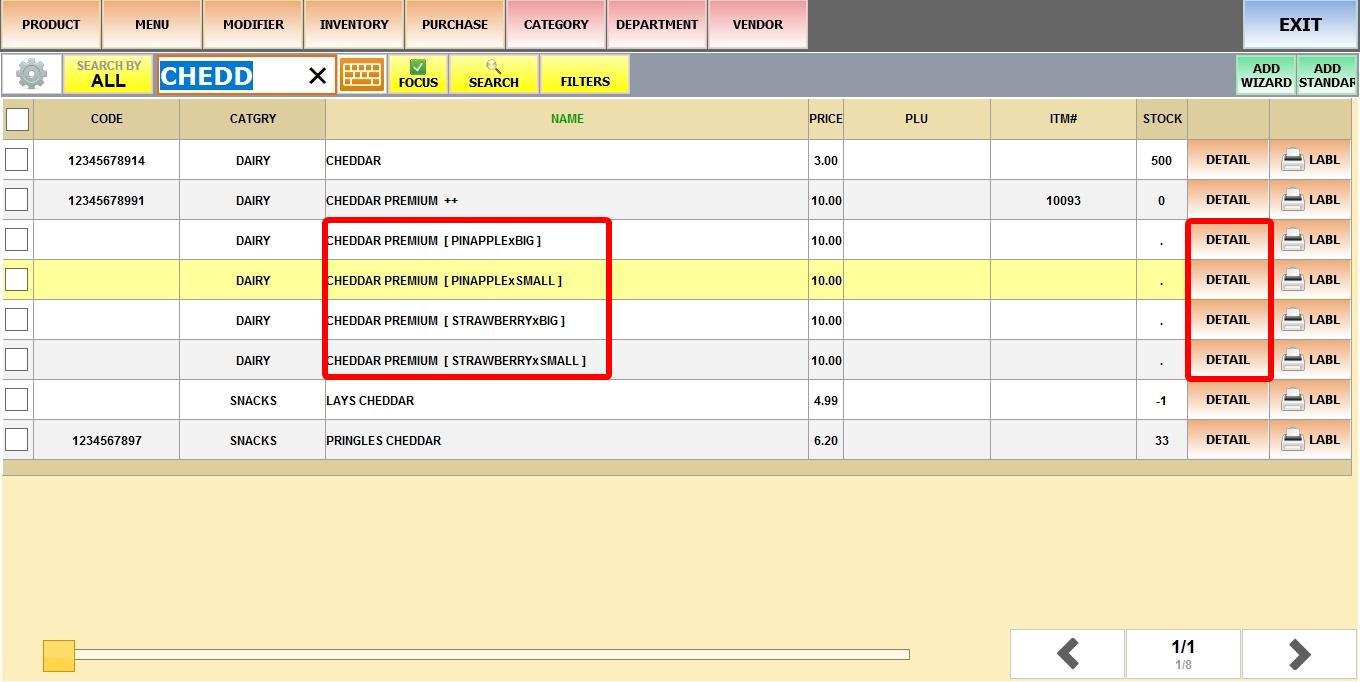
The Base Product will now show two plus symbols (++) at the end of its name.
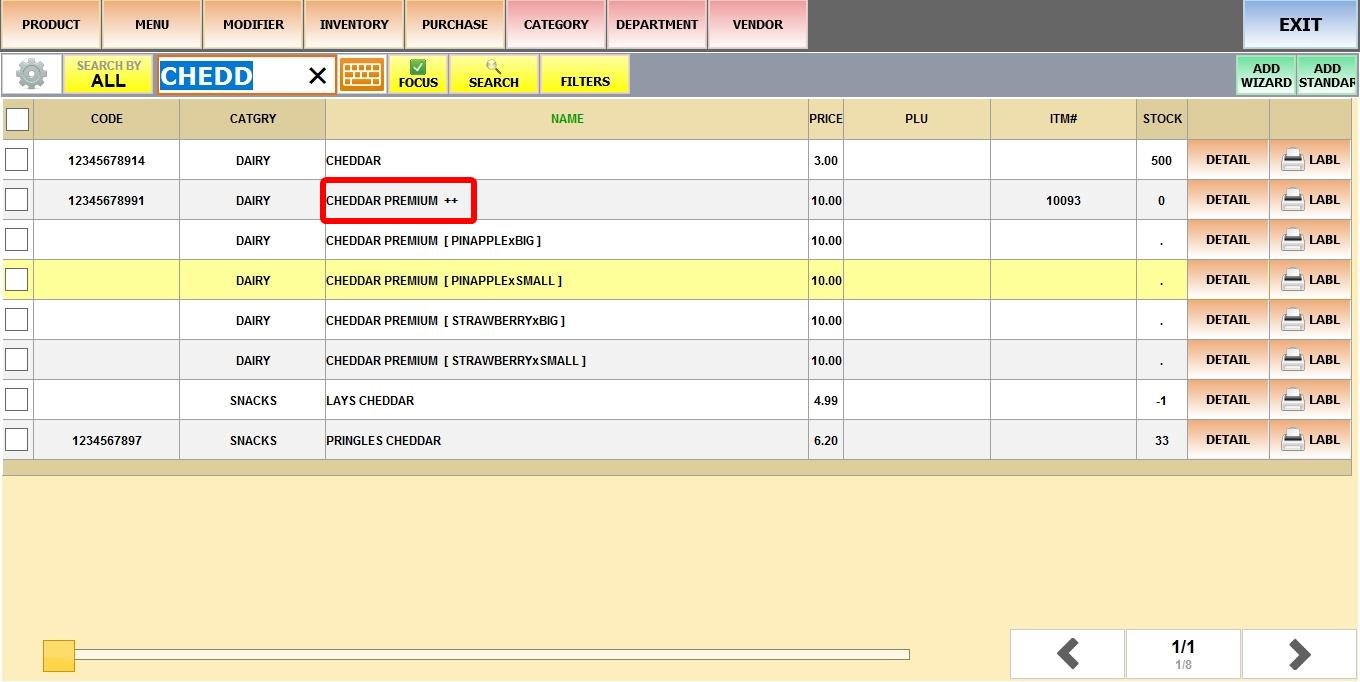
Each generated variation will appear as an individual item.
Click DETAIL on any of the generated group products
You'll see a button labeled OPEN MASTER, which takes you to the base product’s detail screen.
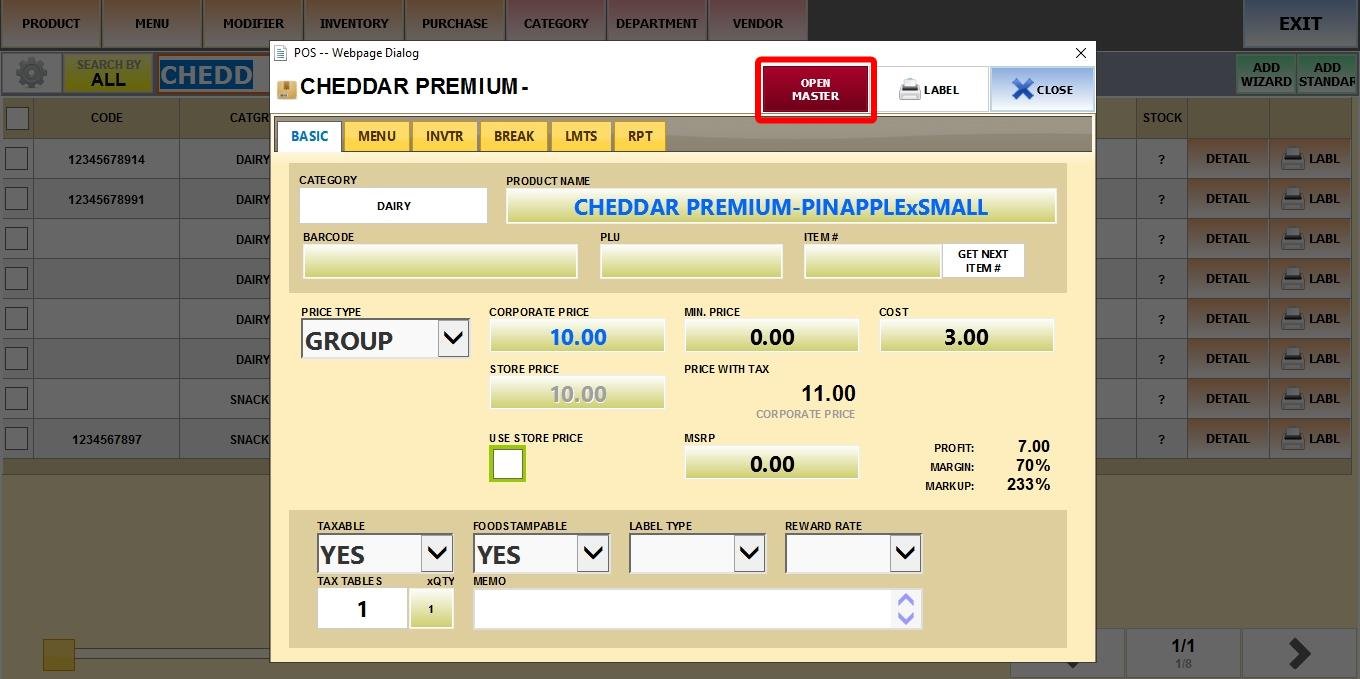
Hint: All generated variations inherit the base product’s price and can't be changed unless you change the base product's price.
Result:
Visit the Sales Screen to verify that the correct variations and pricing are active. Keep in mind that the base product cannot be rung up, it only exists to manage and apply changes to its generated variations.