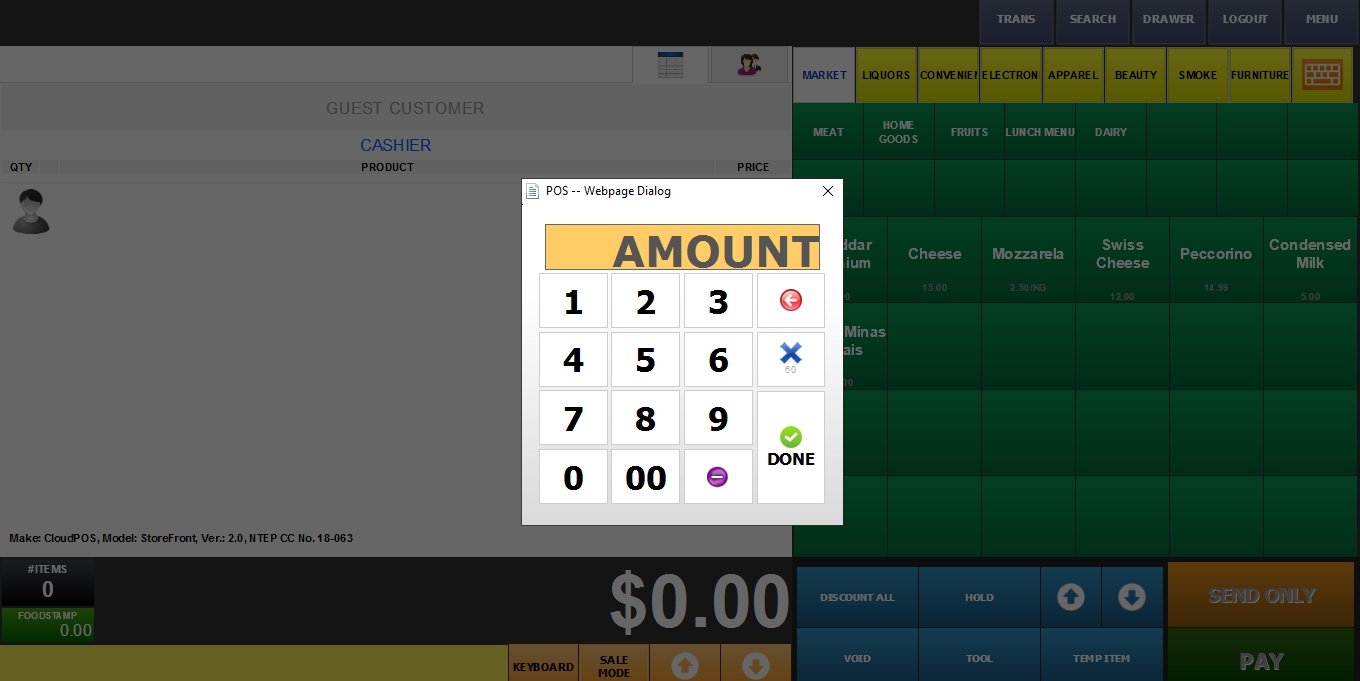
Amount
This feature allows the customer to choose how much they want to spend, and the system automatically calculates the corresponding weight based on the item’s price.
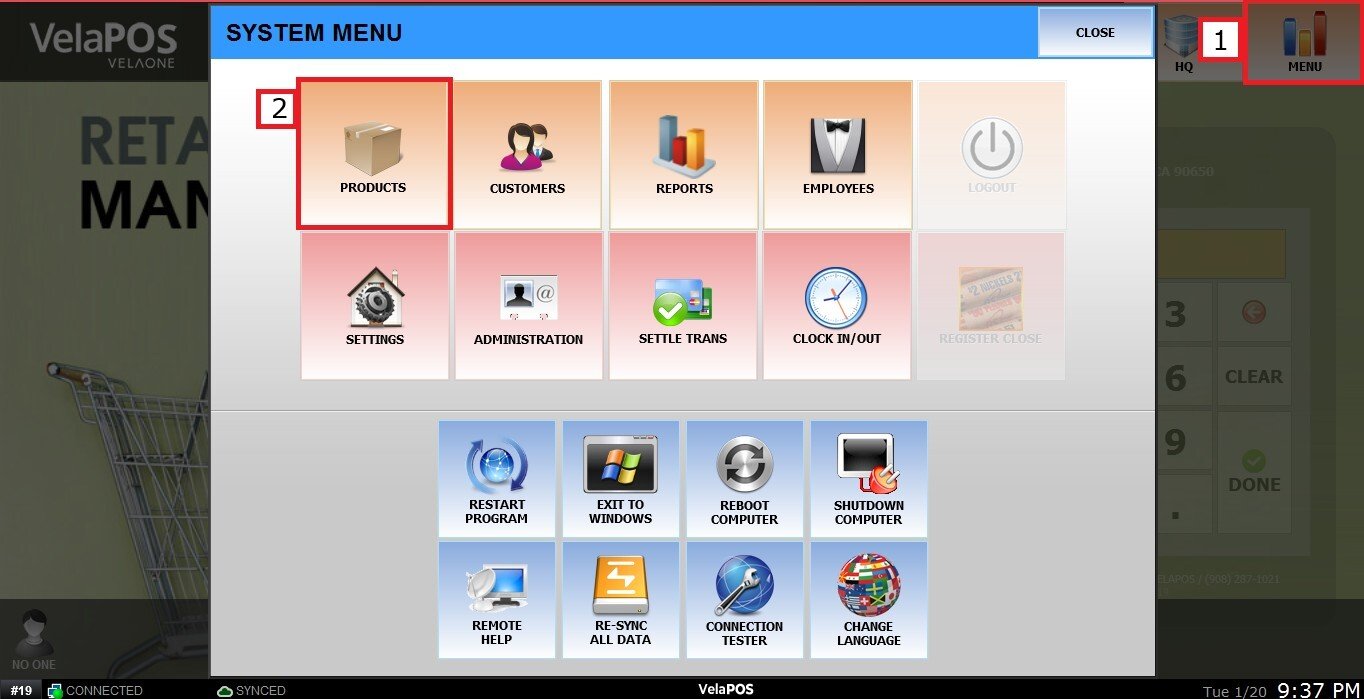
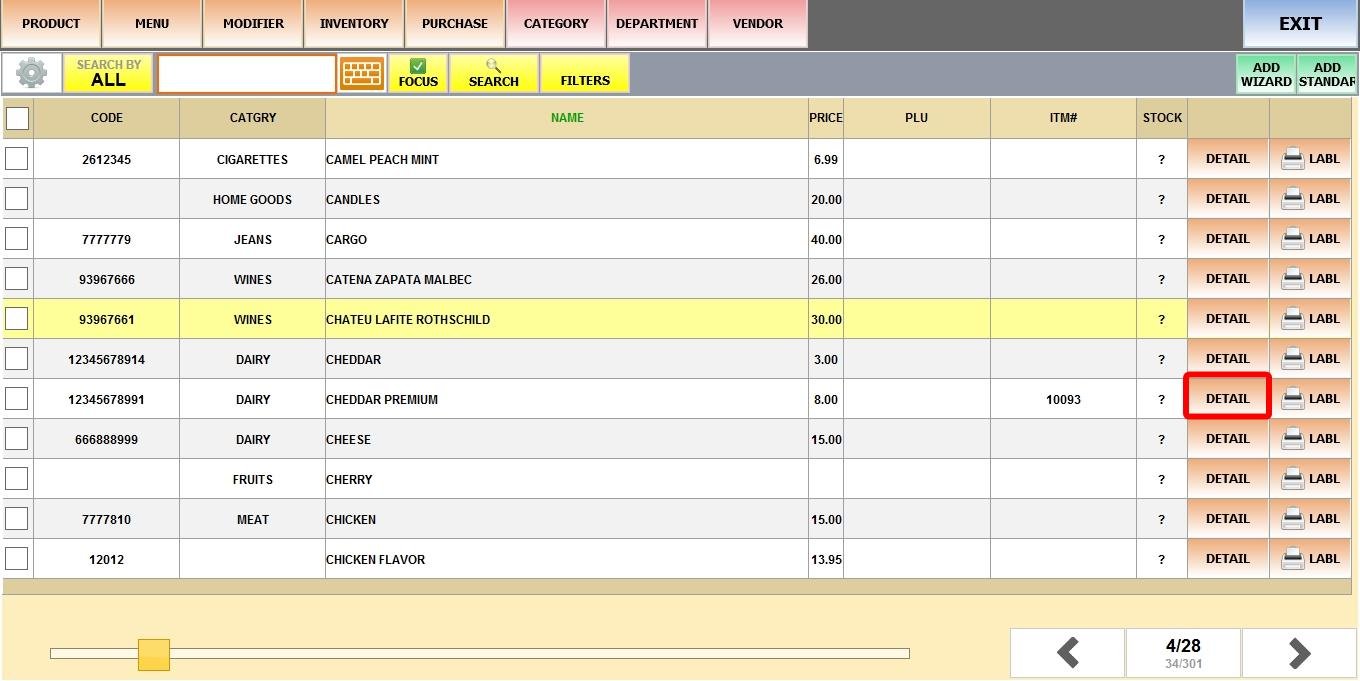
MENU > PRODUCTS> Select an Item> DETAIL> BASIC> PRICE TYPE.
Click on MENU, select PRODUCTS.
Find the product, then click DETAIL.
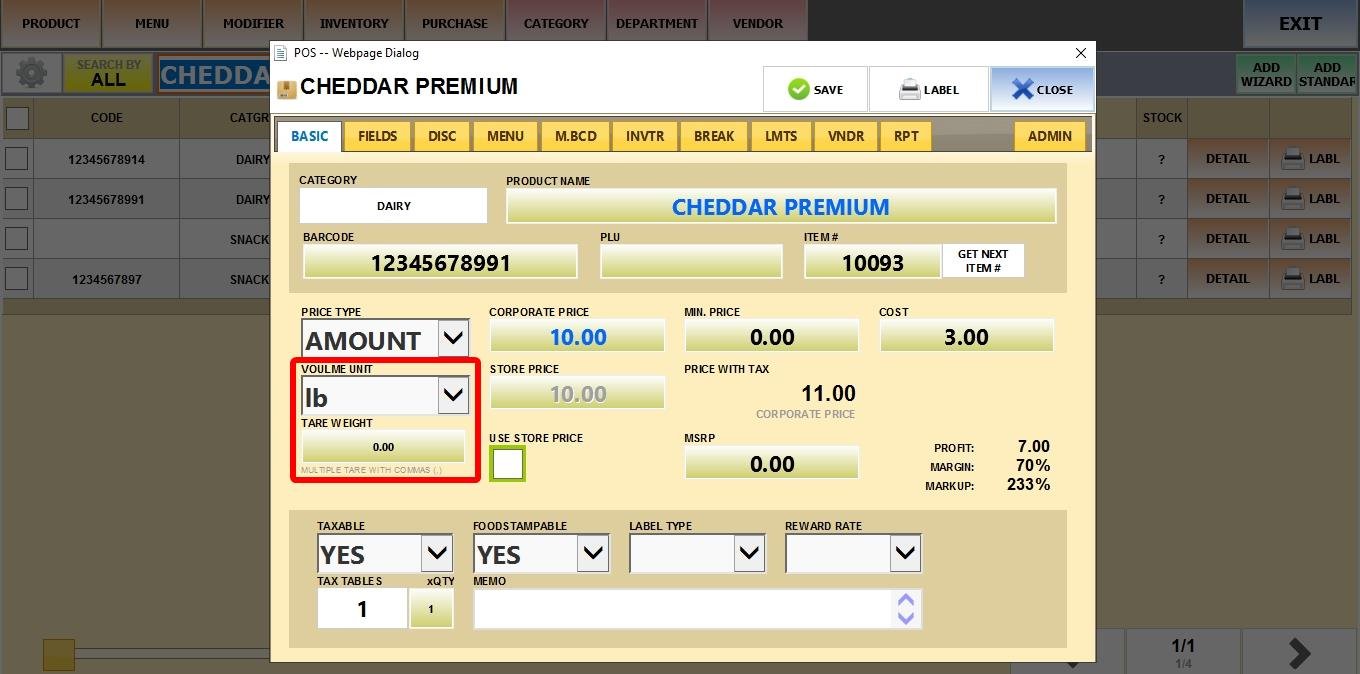
Under Basic, click on PRICE TYPE and select AMOUNT. Input the unit price for that volume.
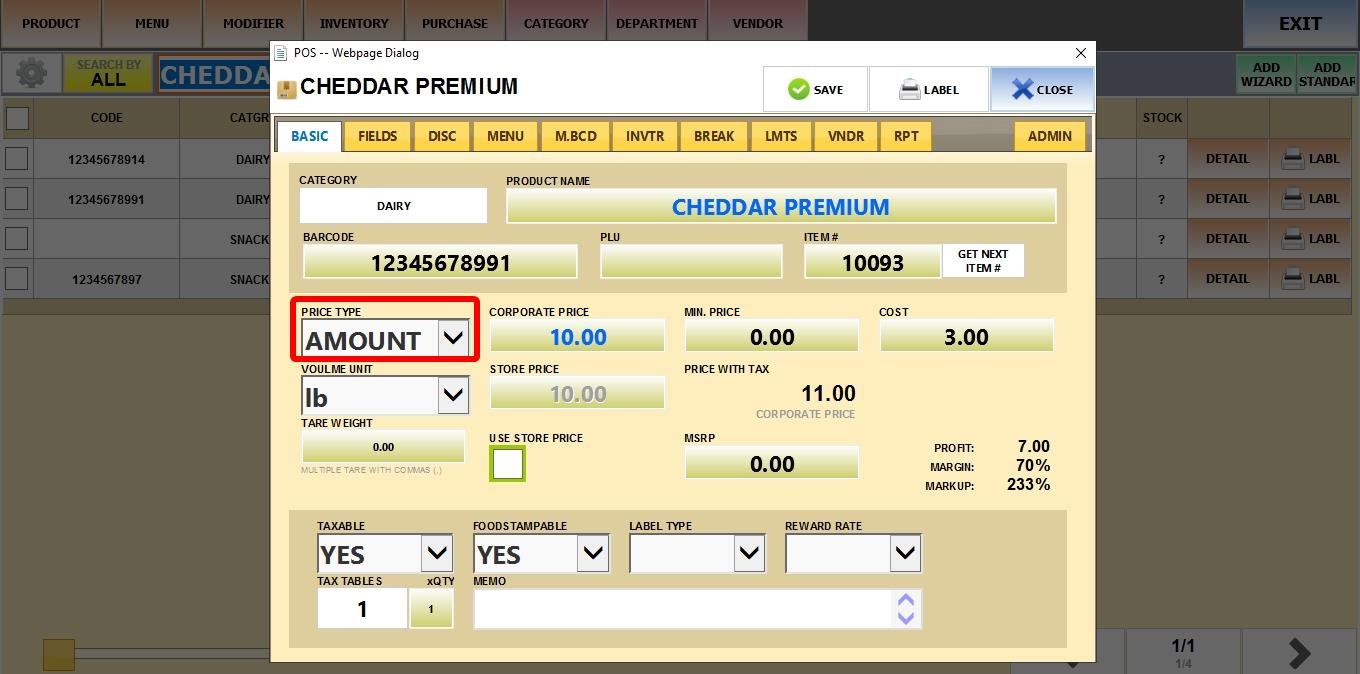
You can also set:
1. VOLUME UNIT: Specify the unit of measurement for the product (e.g., OZ, KG, LBS).
2. TARE WEIGHT: Enter the weight of the container or packaging to be automatically subtracted from the total, ensuring only the product’s net weight is charged.
Result
On the Sales Screen, the cashier will be prompted to enter the sale amount during checkout. If the weight was set, the system will display the price per weight unit as a reference.