Restoring an Employee
This guide explains how to restore a previously terminated employee profile, allowing the user to regain access and maintain their original data.
Main Screen> MENU> EMPLOYEES> EMPLOYEE LIST
On the Main Screen, go to MENU and press EMPLOYEES.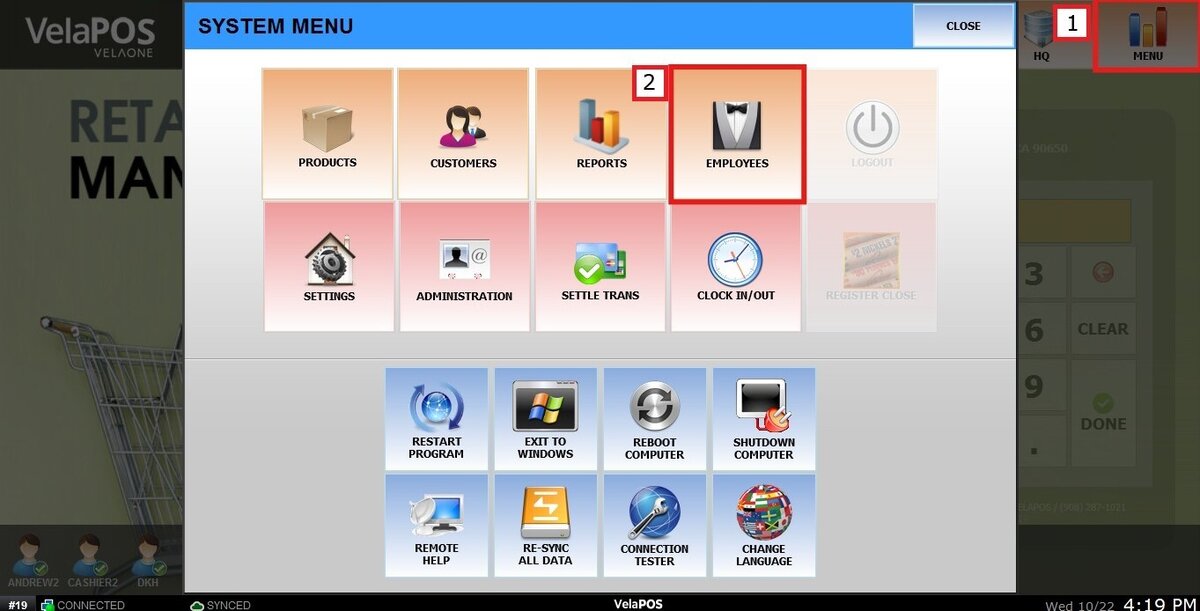
On the EMPLOYEE LIST, press on TERMINATED to view the employee's profiles that have been terminated previously. 
Select the employee's profile and press RESTORE to reactivate the profile.
A pop-up confirmation screen will appear.
Press YES to continue.
Result:
The employee will be restored to the ALL tab, where the full list of available employees is displayed.
See Terminate an Employee to learn how to inactivate an employee profile.