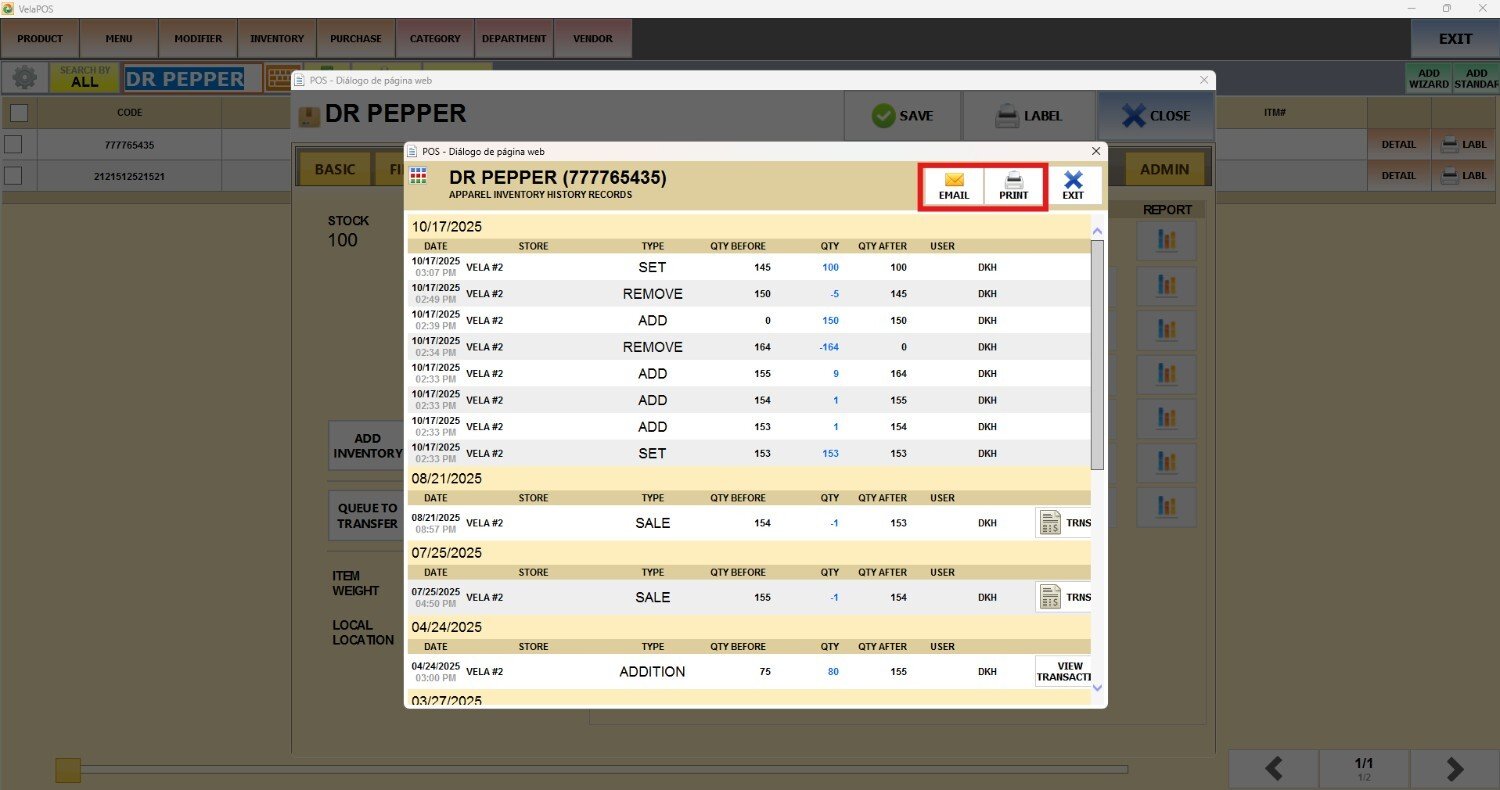
Inventory History
This function provides a detailed view of all actions performed on a product’s inventory.
Main Screen> MENU> PRODUCTS> Product's DETAIL> INVTR
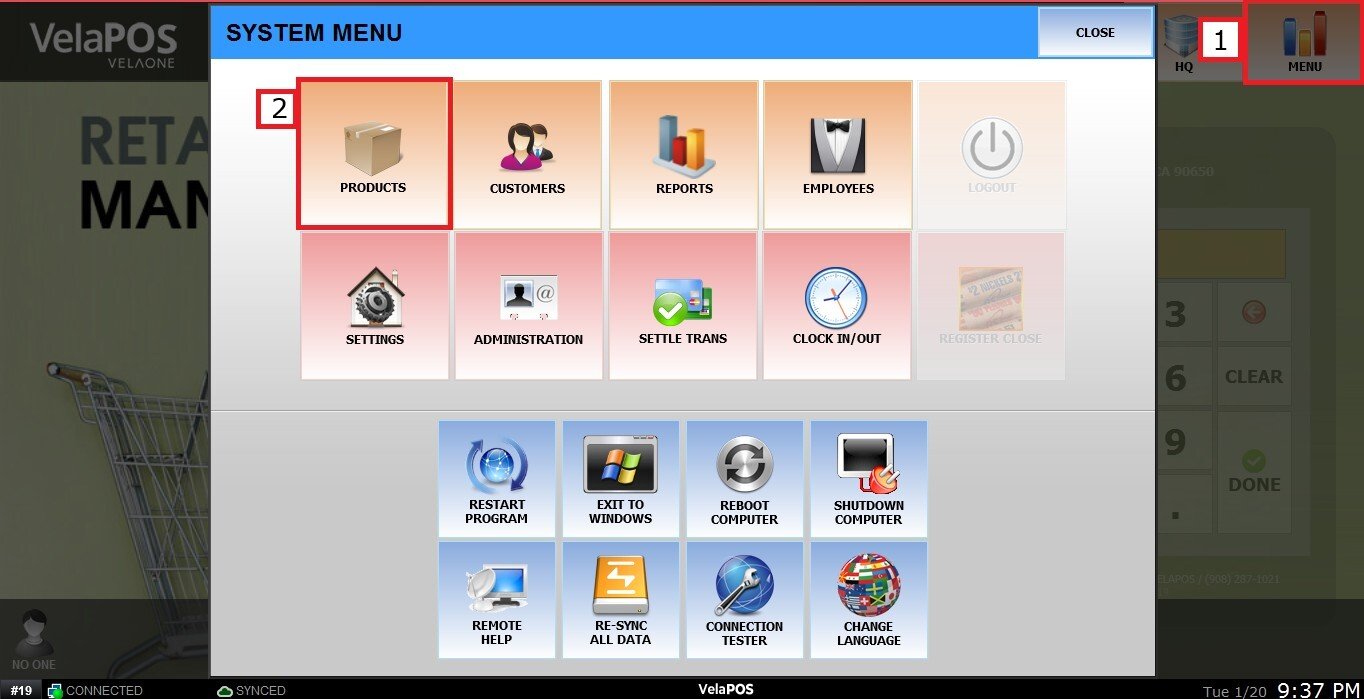
On the Main Screen, go to MENU and PRODUCTS.
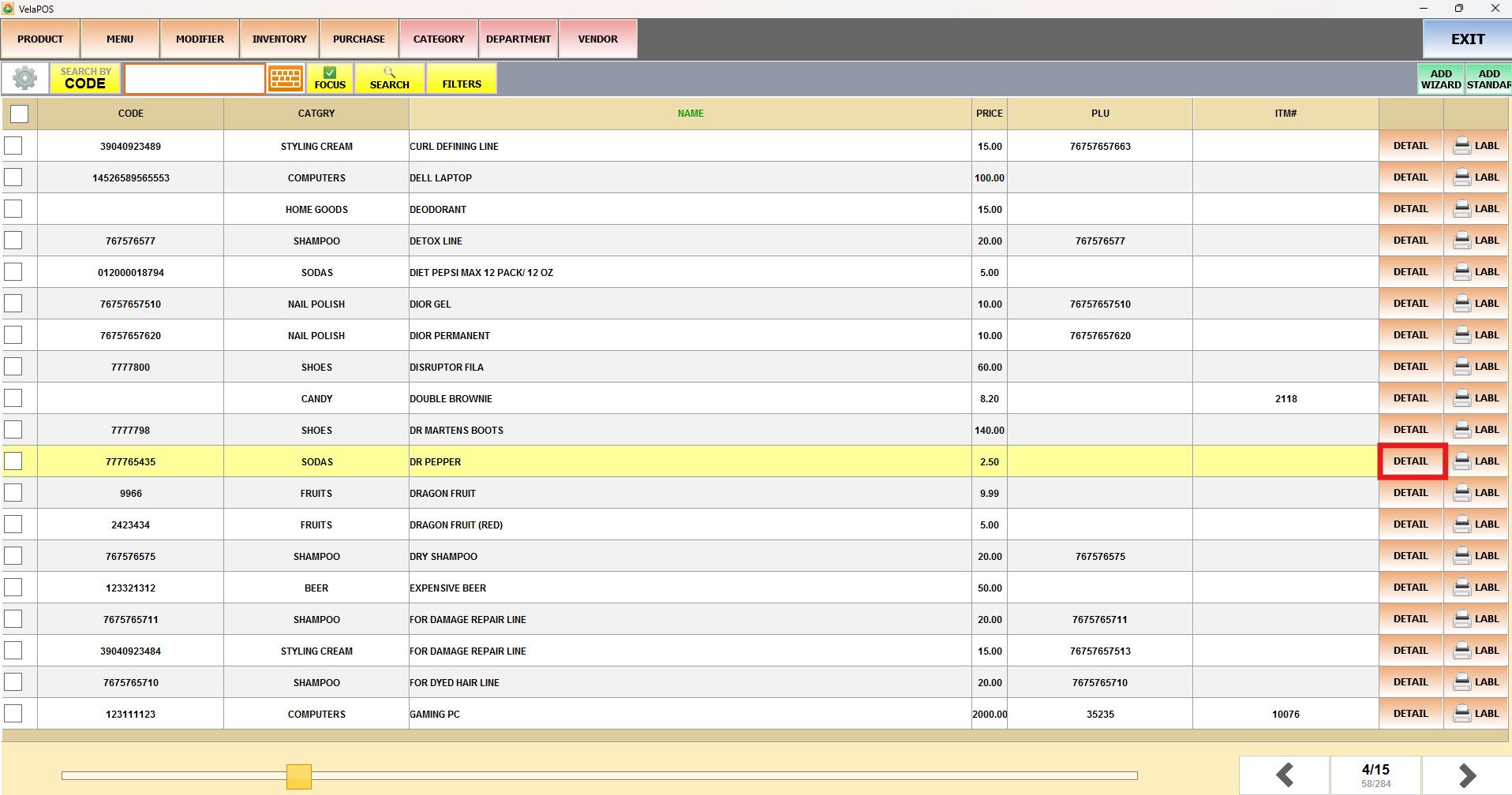
In the PRODUCT section, press on the product DETAIL.
Press on INVTR.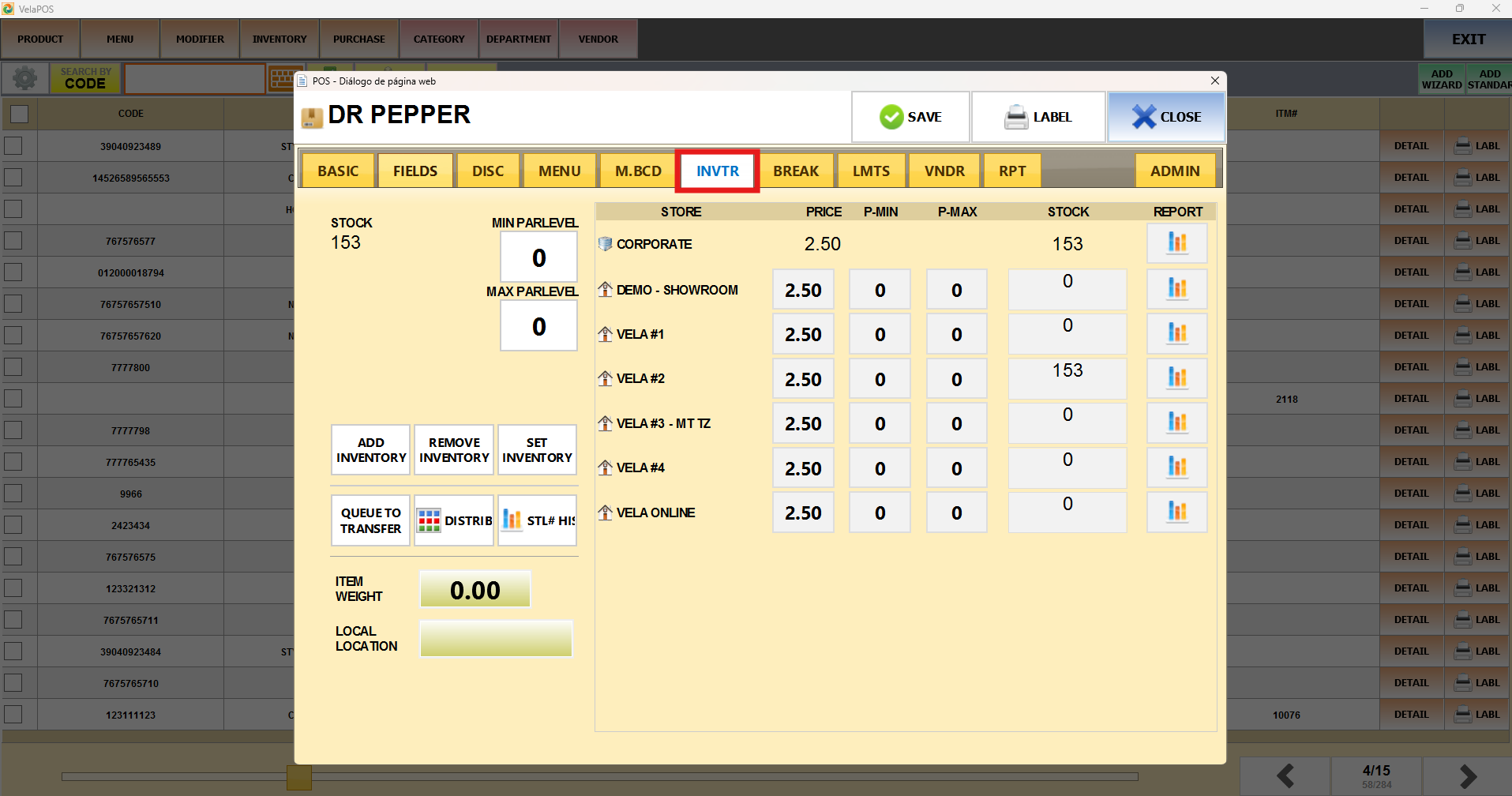
Press on STL# HISTORY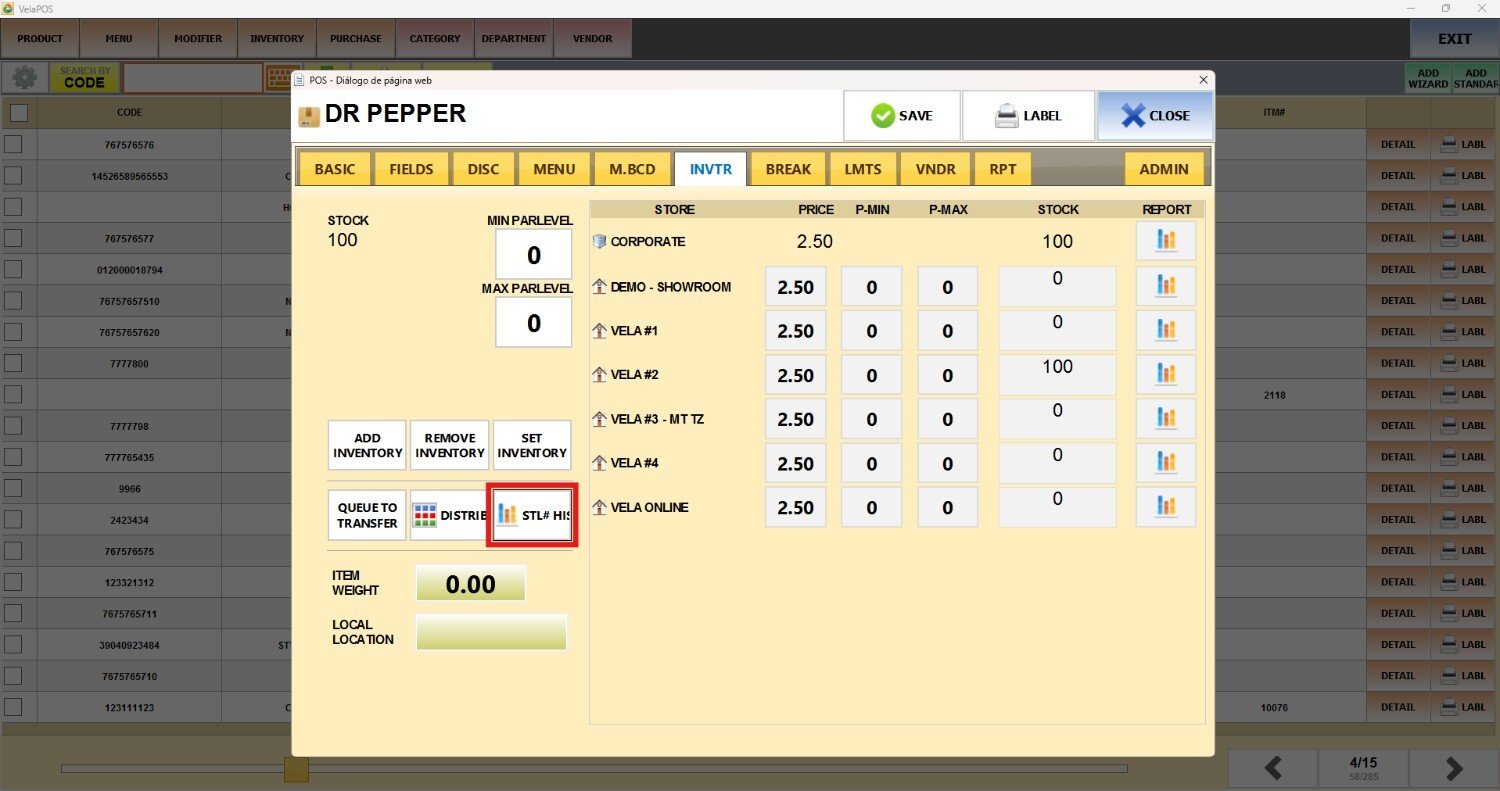
In the HISTORY screen, you can consult the following details:
1. DATE: The system shows the action and its corresponding date. When several actions take place in a single day, they are organized beneath the primary date header.
2. STORE: If you have multiple locations, the system will show the specific store where the inventory change was made.
3. TYPE: The system displays the type of action performed on the product, such as SET, REMOVE, ADD, SALE, or ADDITION.
4. QTY BEFORE/ QTY/ QTY AFTER: The system shows the product’s quantity before the action, the amount used or adjusted during that action, and the final quantity after it.
5. USER: The system indicates which employee performed the action.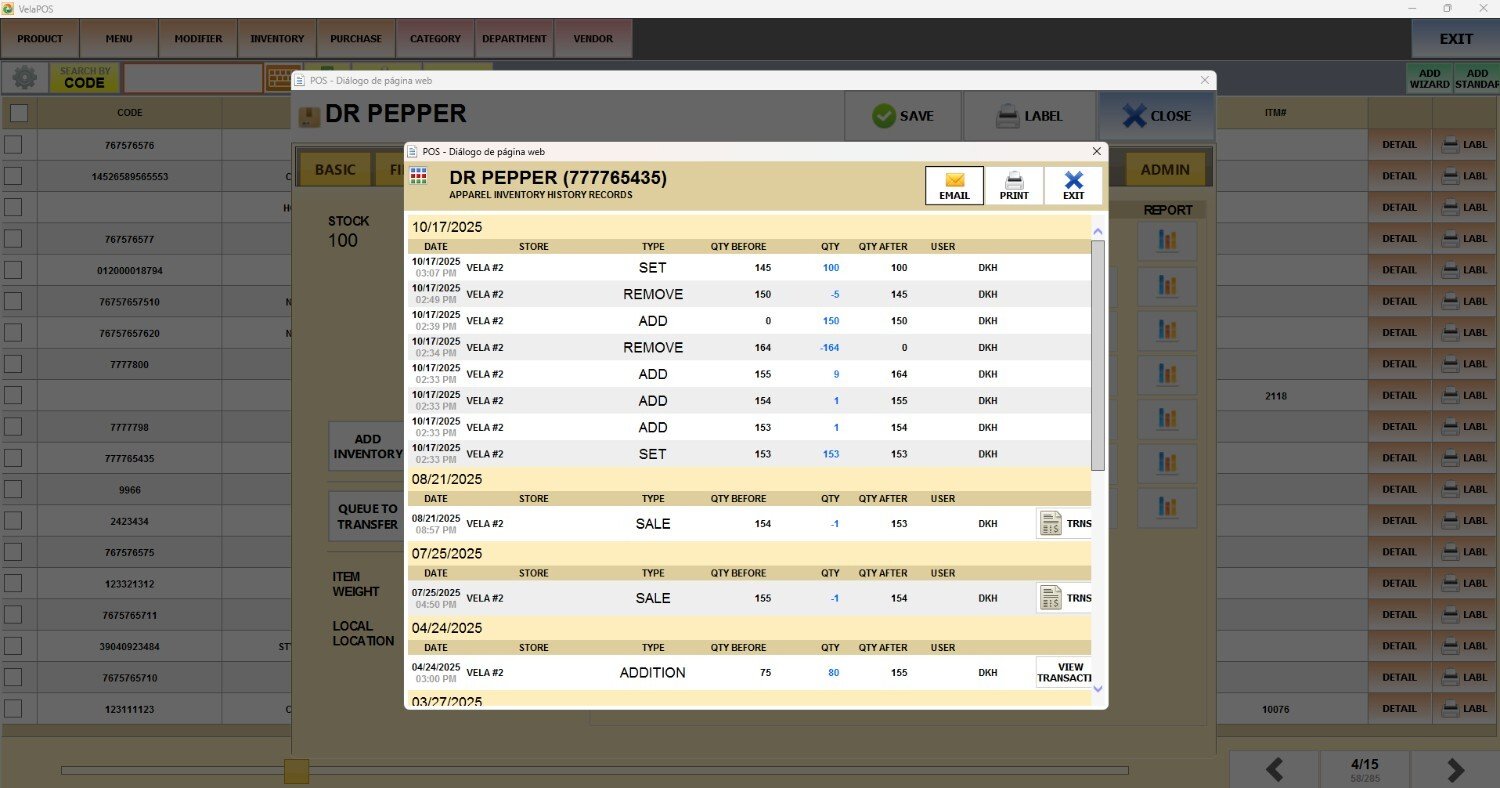
You can PRINT or EMAIL the inventory history.