Point Tools
This feature allows customers to apply their points as a discount on a purchase.
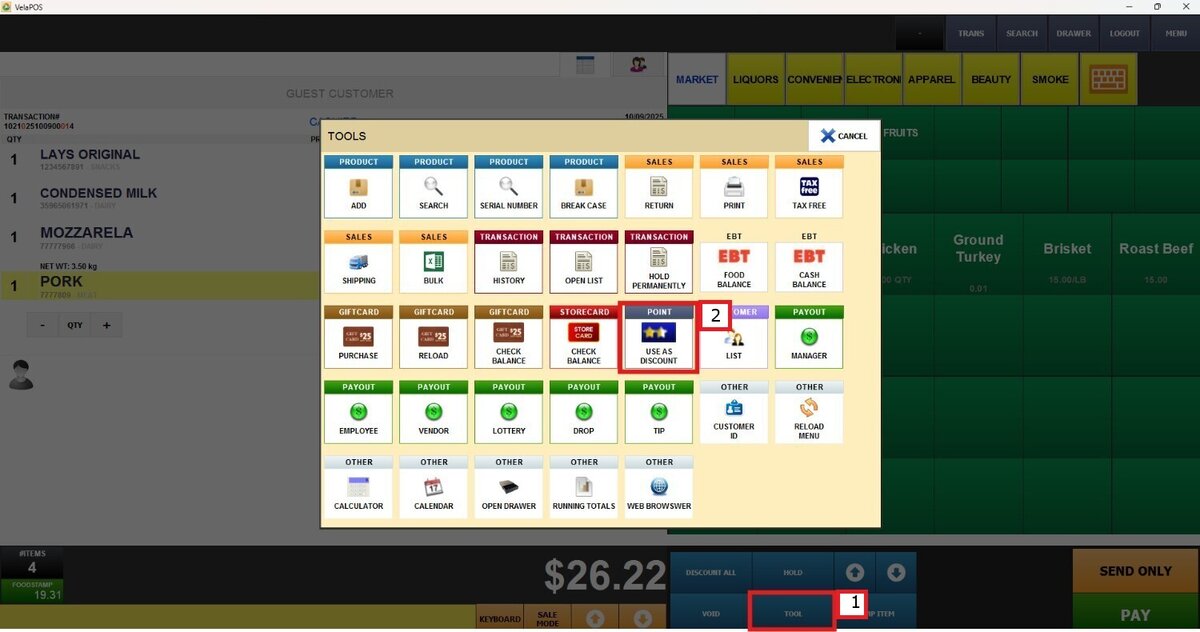
Main Screen> Number Pad> Sales screen > TOOL> USE AS DISCOUNT
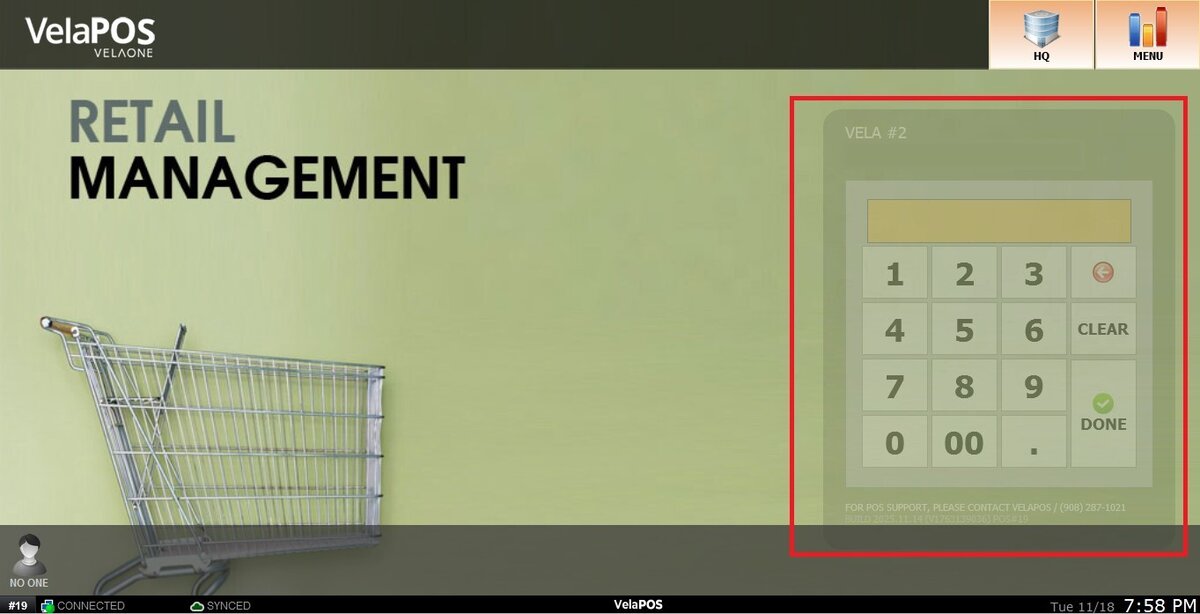
On the Main screen, click on the NUMBER PAD and input the assigned personal password.
Click on TOOL, then select USE AS DISCOUNT
Set the usable points or usable value and press on DISCOUNT
1. Balance: Indicates the total amount for the purchase.
2. Total points: Shows the total points that the customer has.
3. Total value: Converts the points into a dollar amount.
4. Usable points: Shows the usable points on the purchase.
5. Usable value: Displays the usable dollar amount on the purchase.
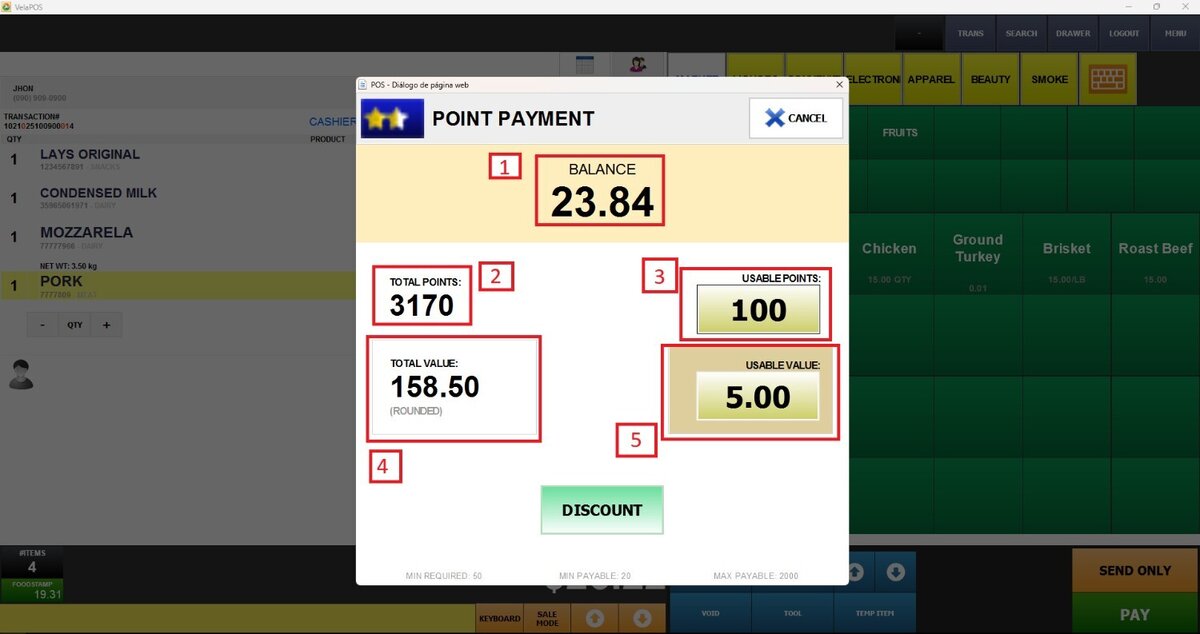
Hint: You can set the maximum points that the customer can use, and the system automatically calculates them on the purchase
If customer information has not been entered, a window will pop up to search for the customer.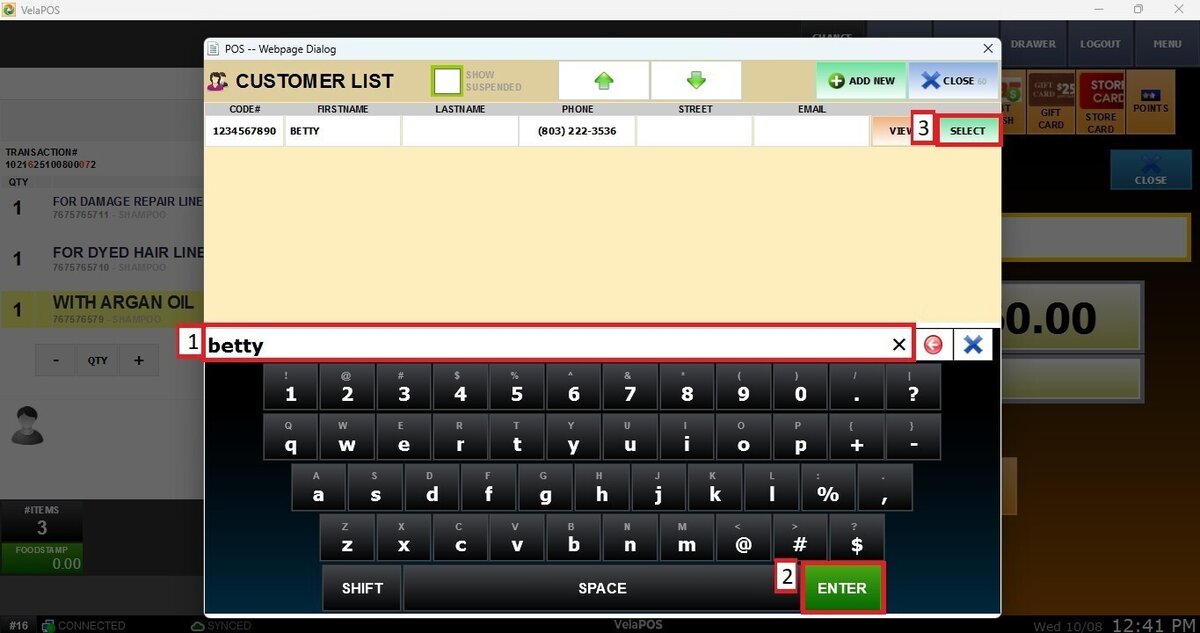
Result:
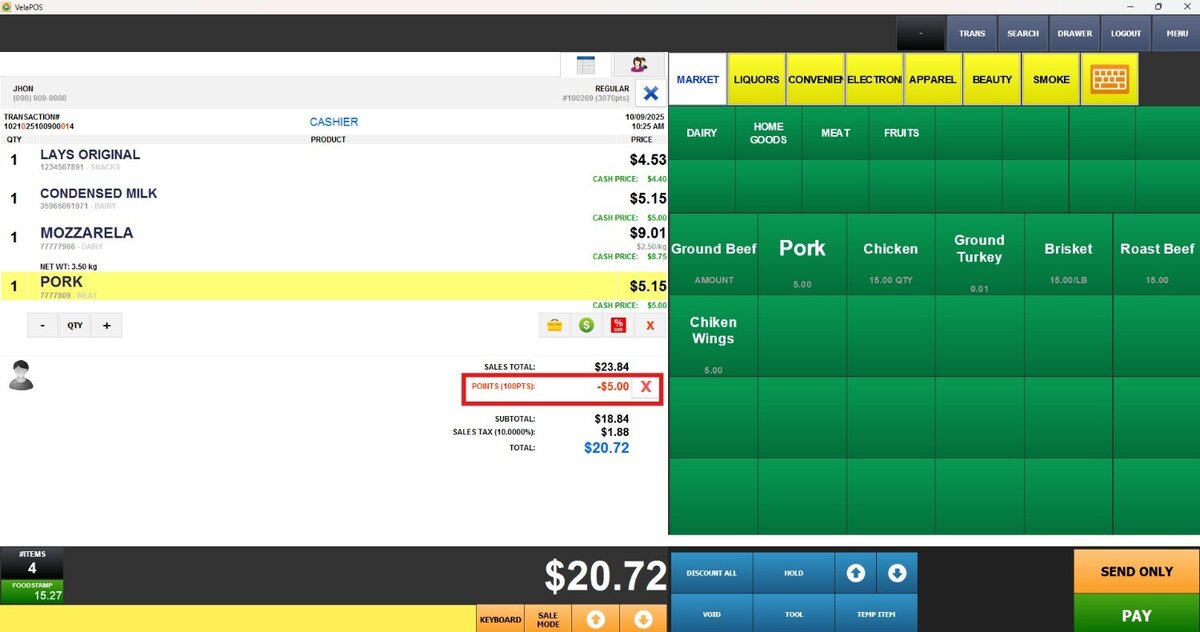
Hint: Check the points used under the SALES TOTAL.