Sales Assistance
This setting controls how Sales Assistance appears during a sale. Sales Assistance tracks and assigns who assisted with a sale and can be used for reporting, accountability, or commission purposes, depending on the business setup.
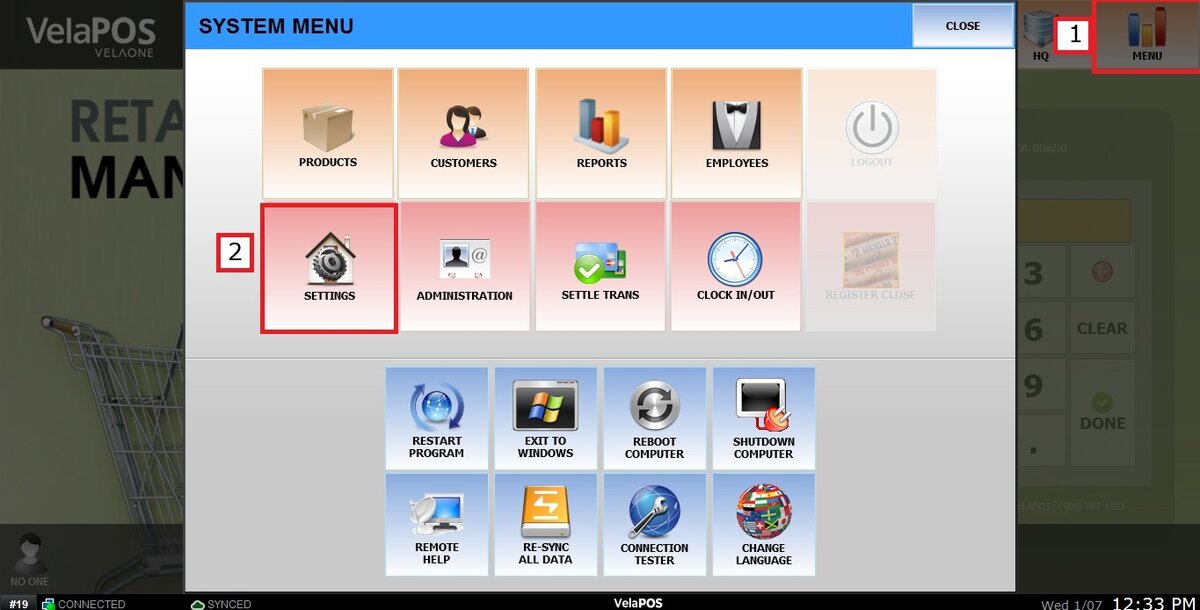
Main Screen > MENU > SETTINGS > MAIN > SALES > SALES ASSISTANCE
Go to MENU and press SETTINGS.
From the MAIN tab and then SALES, scroll down until SALES ASSISTANCE.
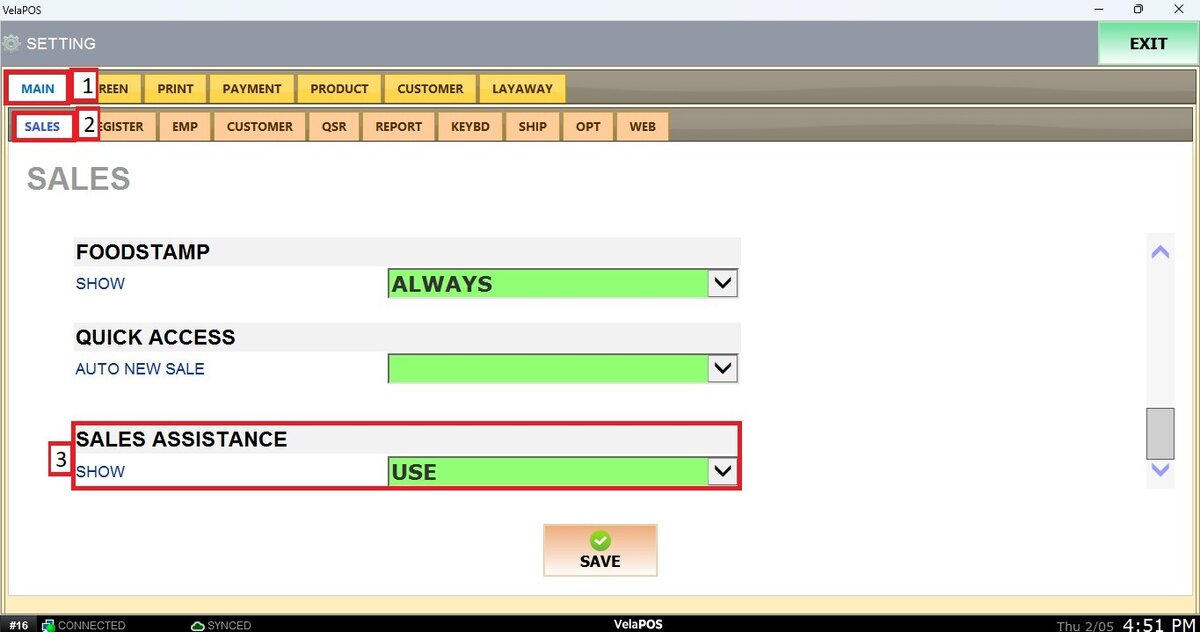
Open the drop-down menu and select how you want Sales Assistance to appear on the Sales Screen.
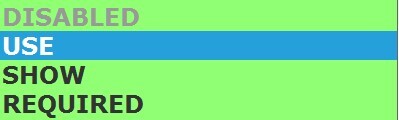
DISABLED: Not used and does not appear.
USE: Available but optional during the sale.
SHOW: Displayed in the drop-down menu but not mandatory.
REQUIRED: Must be selected before completing the sale.
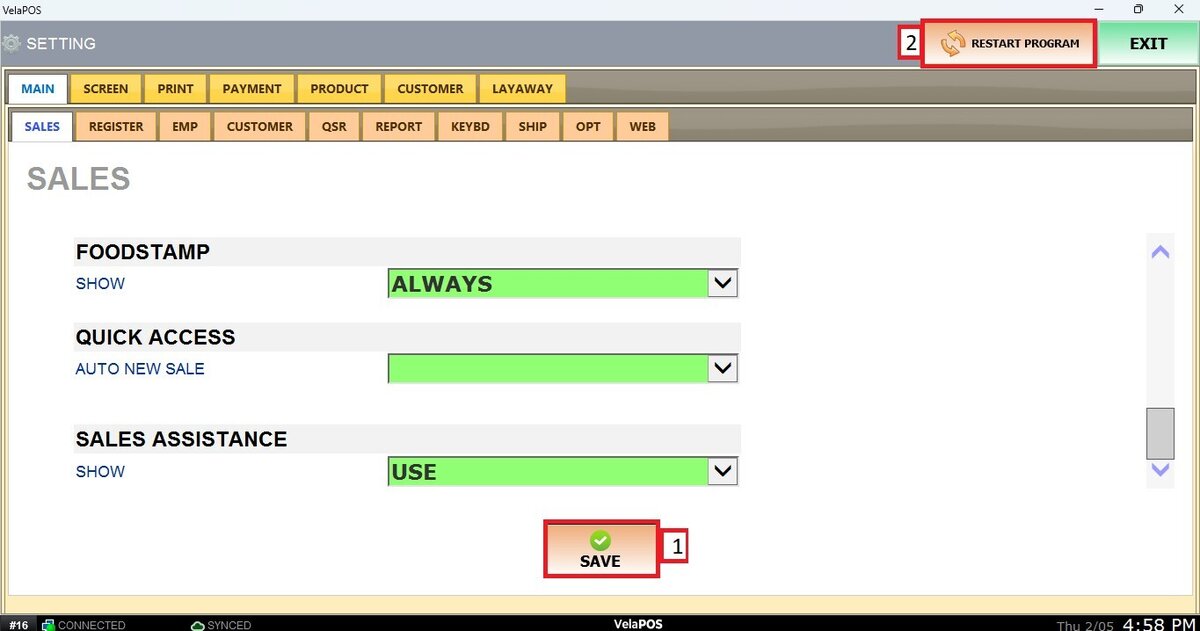
Once selected, press on SAVE and RESTART PROGRAM to apply the changes.
Results:
If the feature is enabled, the Sales Assistance icon will be visible on the Sales screen, as shown in the image below.
