VelaPay Users
This article explains how to use the VelaPay Users page to add, modify, and remove user accounts.
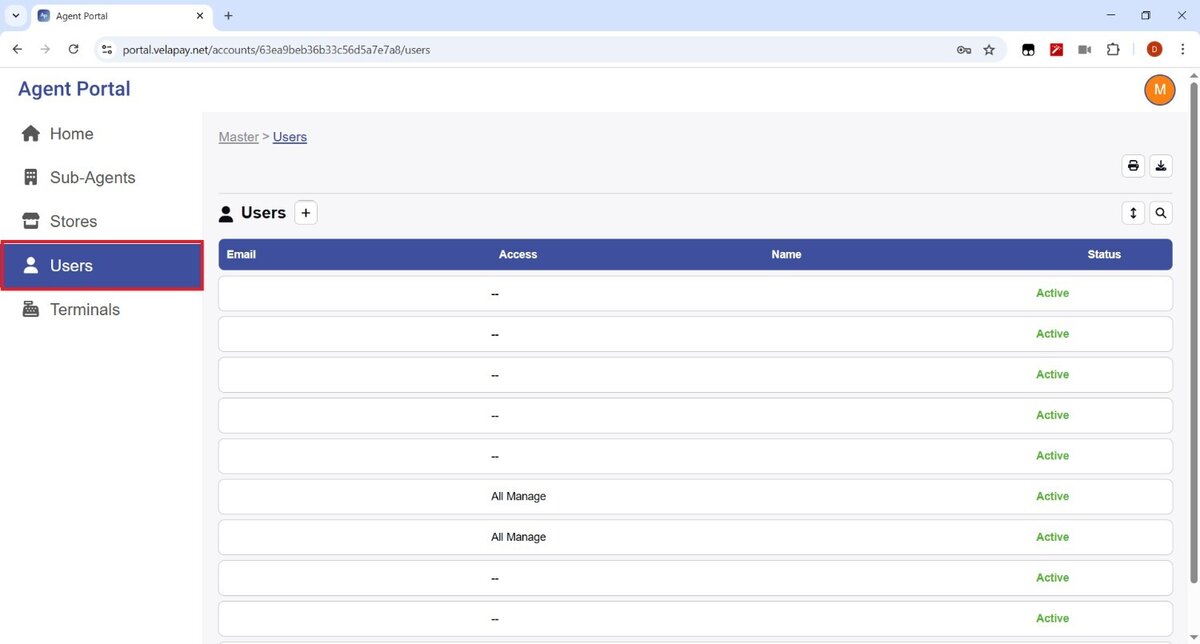
From the Side Menu, select the USERS section.
Add a New User
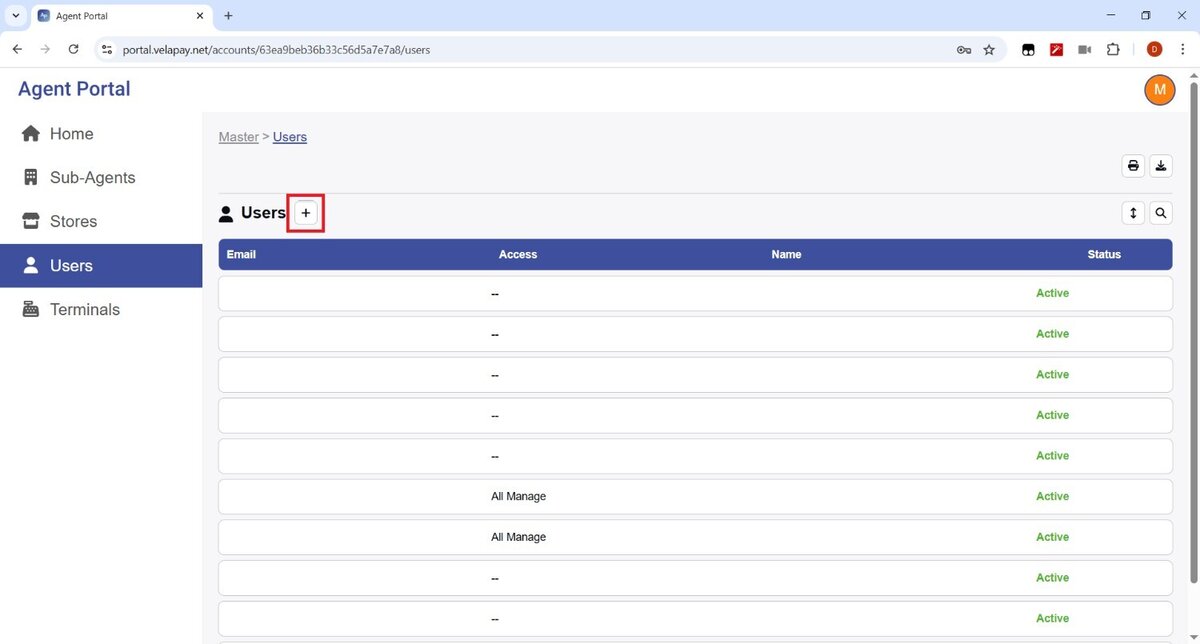
To create a new user, click the + button next to USER.
You will be prompted with a screen to complete the necessary user information: EMAIL, STATUS, and choose the ACCESS levels you want to assign. Once the information is completed, click SAVE.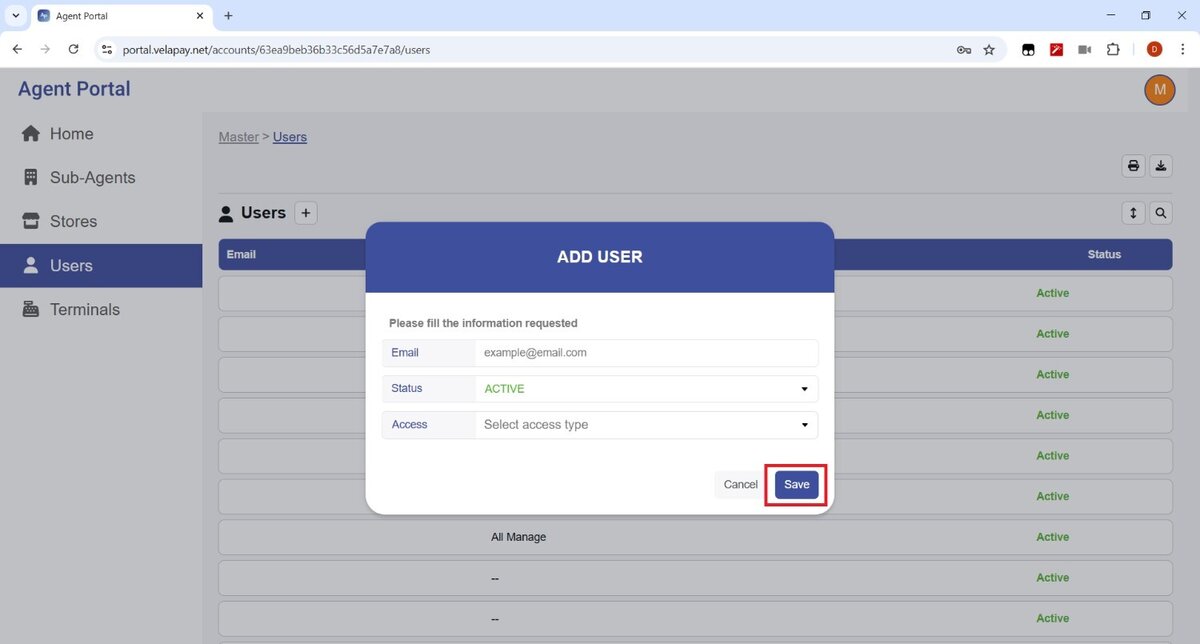
Modify a User
To edit an existing user, select the email of the user you want to modify.
In the USER VIEW window, select the PENCIL ICON to modify the user.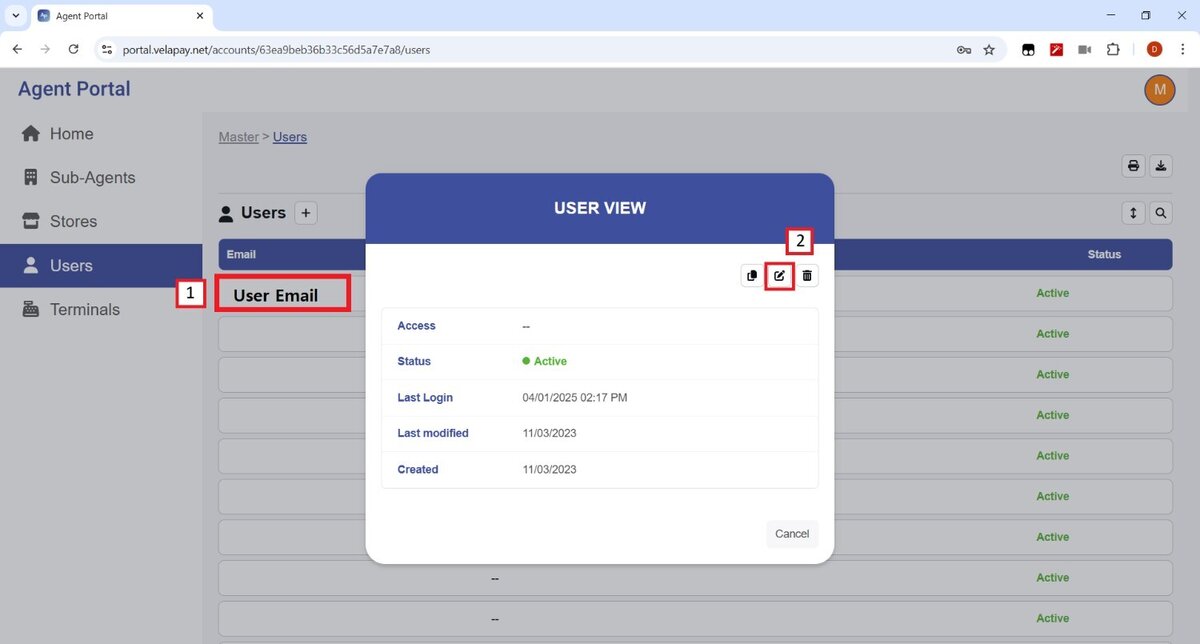
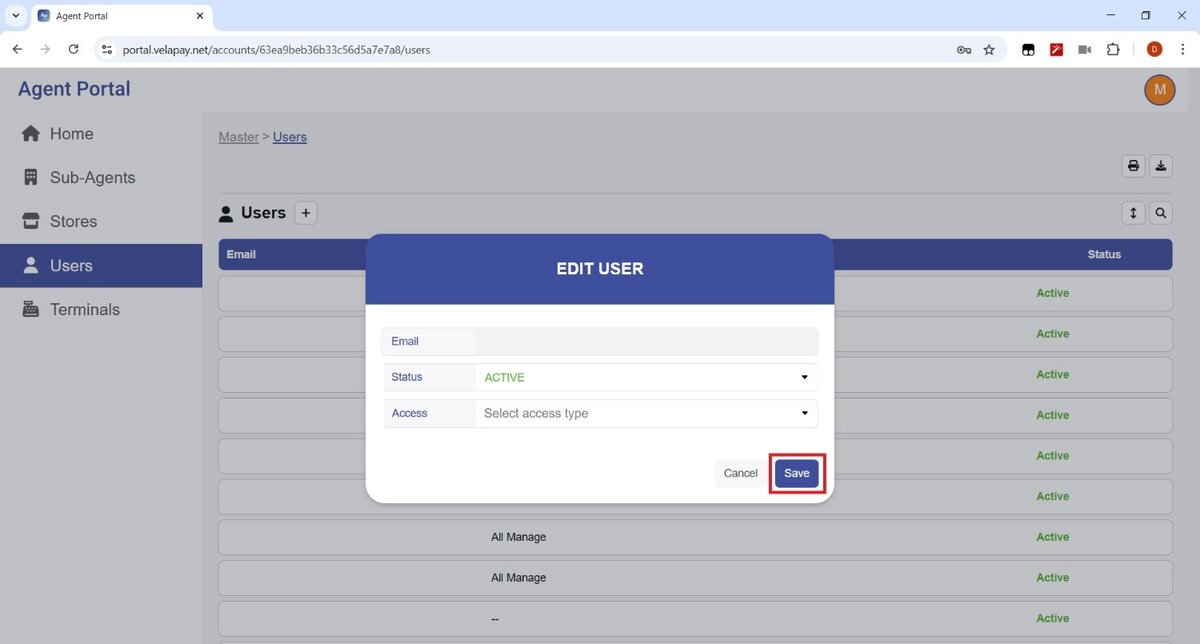
Once in the EDIT USER screen, you can update the user’s status and access levels.
Don't forget to press SAVE for the changes to apply.
Remove a User
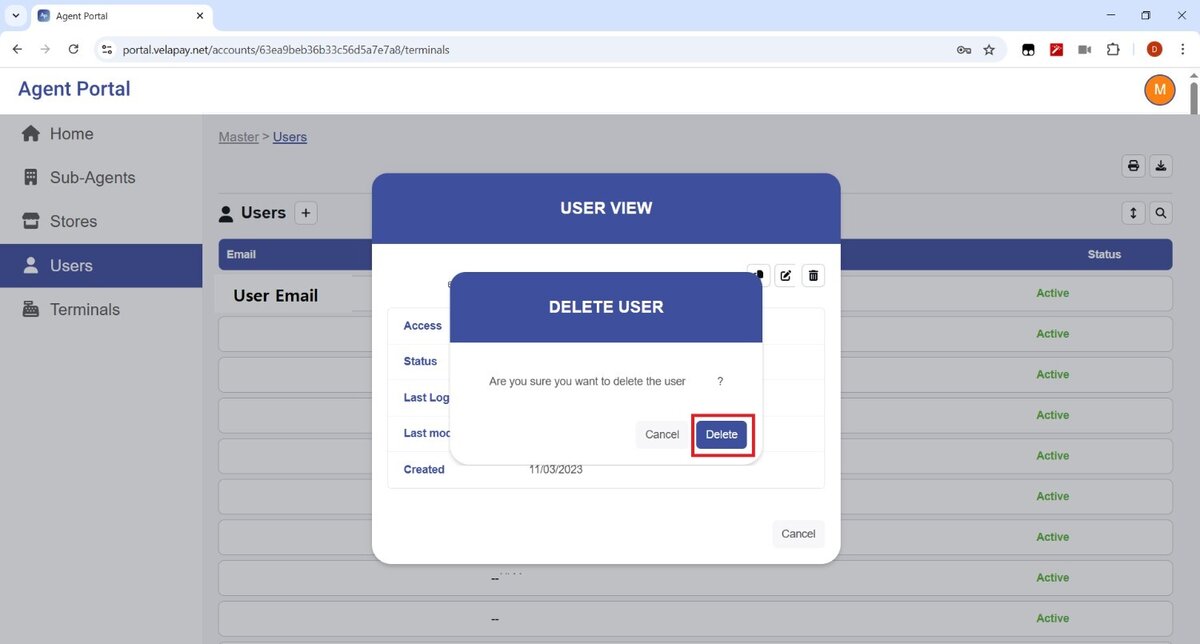
To delete a user, select the email of the user you want to remove.
In the USER VIEW window, select the TRASH BIN icon.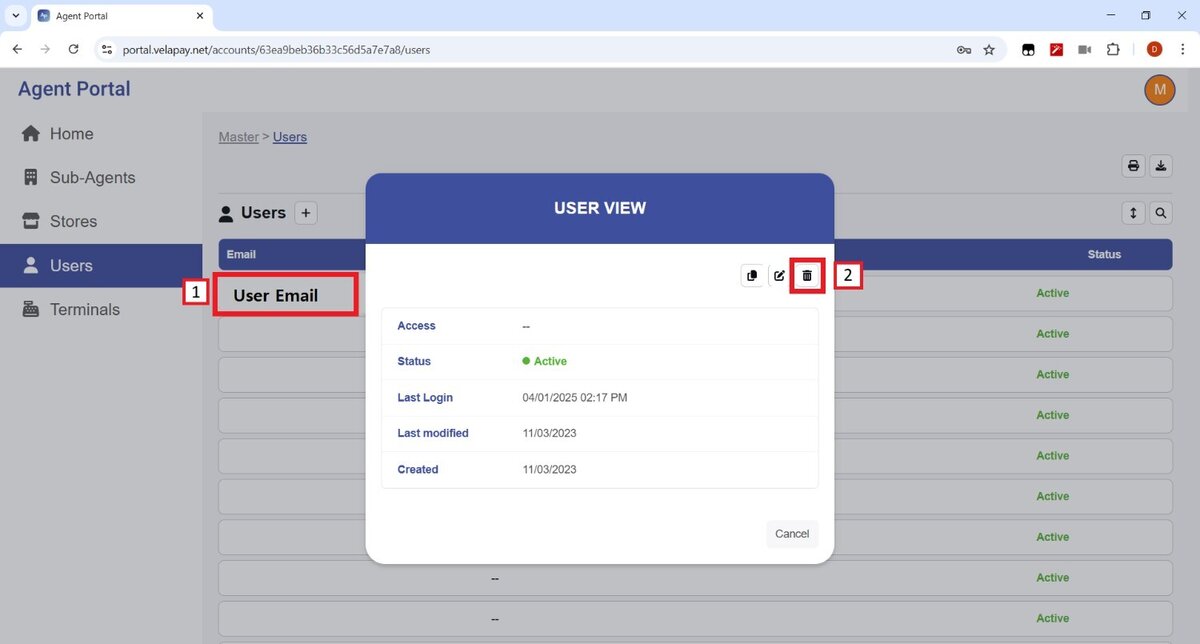
It'll prompt a confirmation window; click on DELETE to complete the removal.