Coupon
This price type automatically assings a predefined coupon to a customer’s account during a sale.
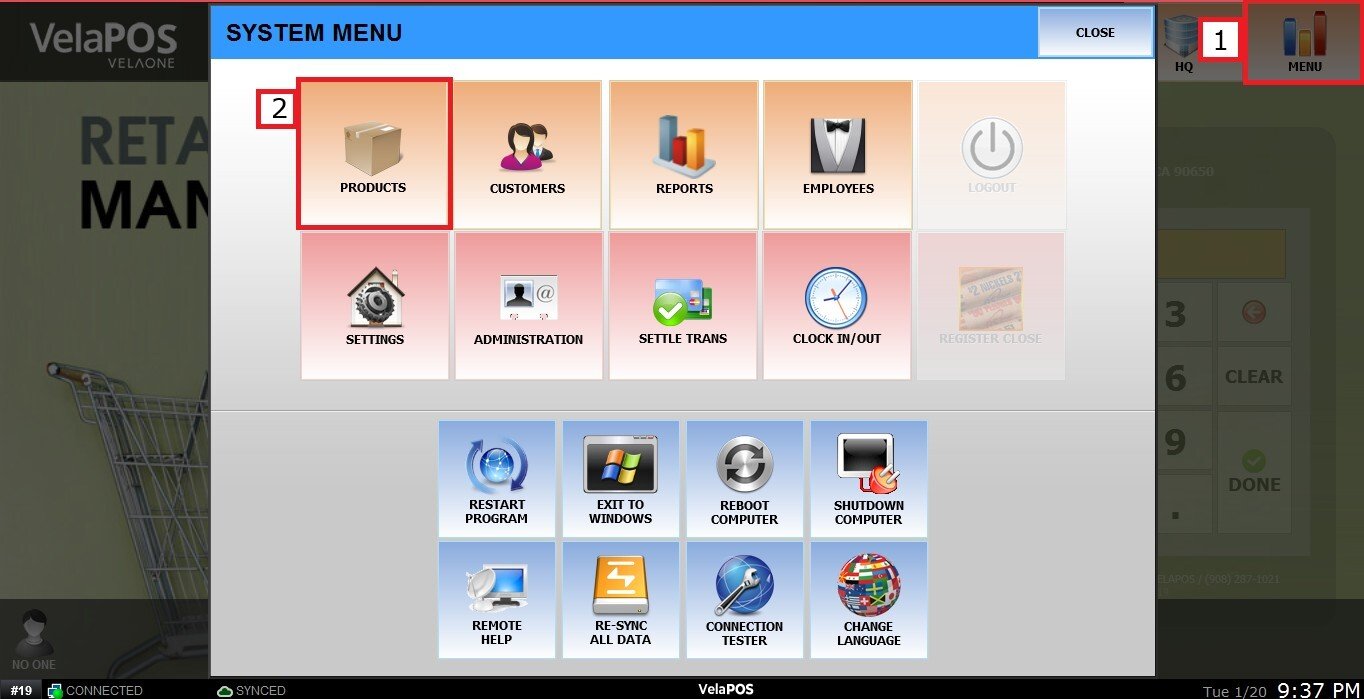
MENU > PRODUCTS> Select an Item> DETAIL> BASIC> PRICE TYPE.
Click on MENU, then select PRODUCTS.
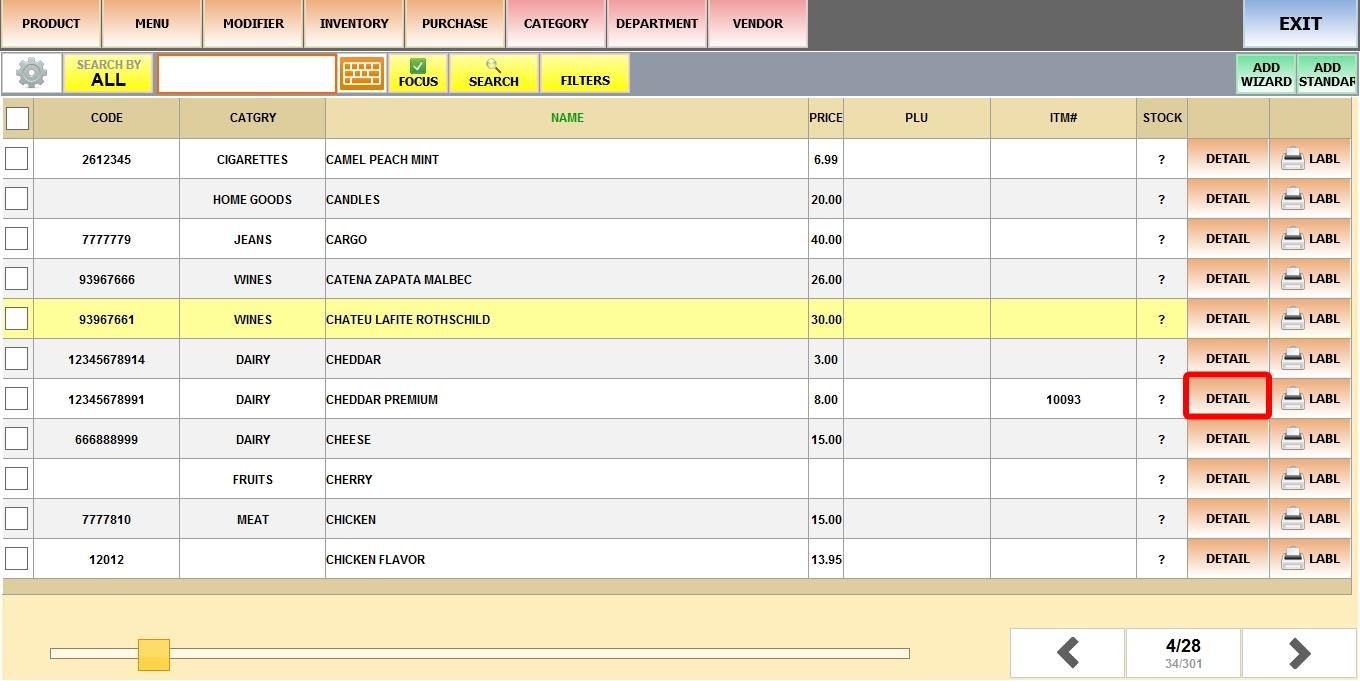
Find the product and click DETAIL.
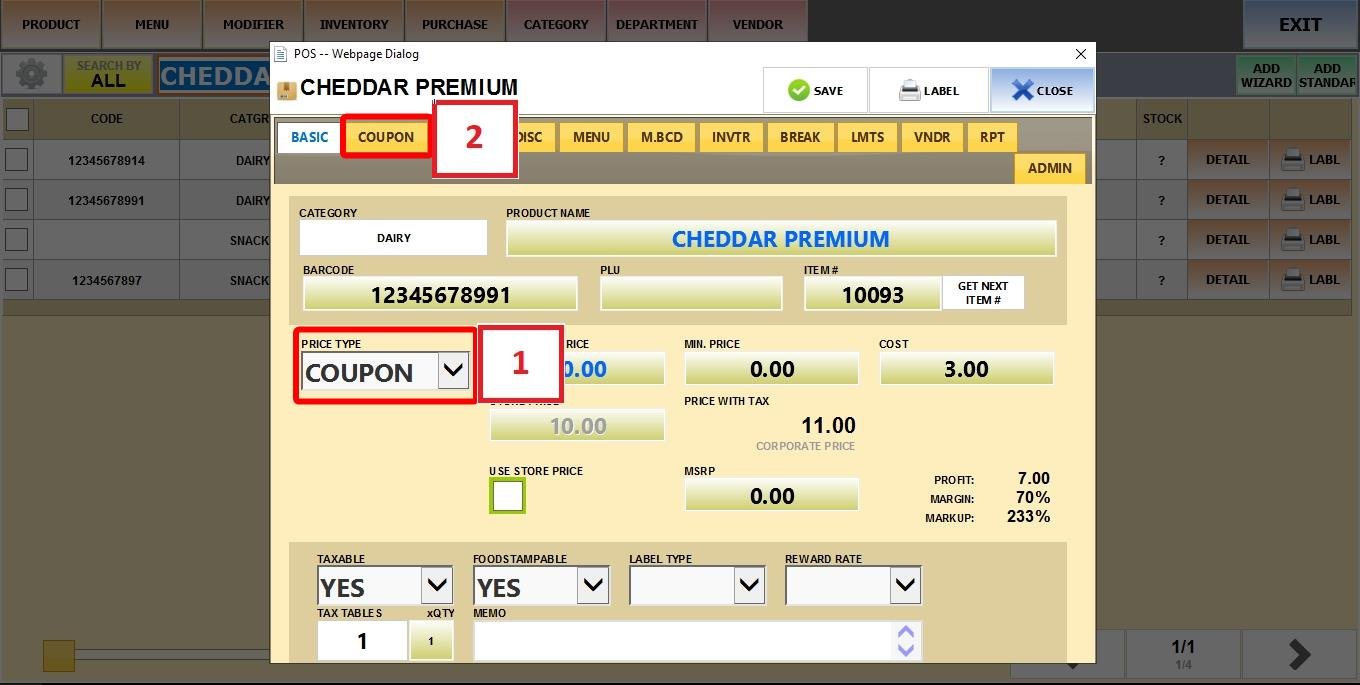
Set Price Type to COUPON, then open the COUPON tab.
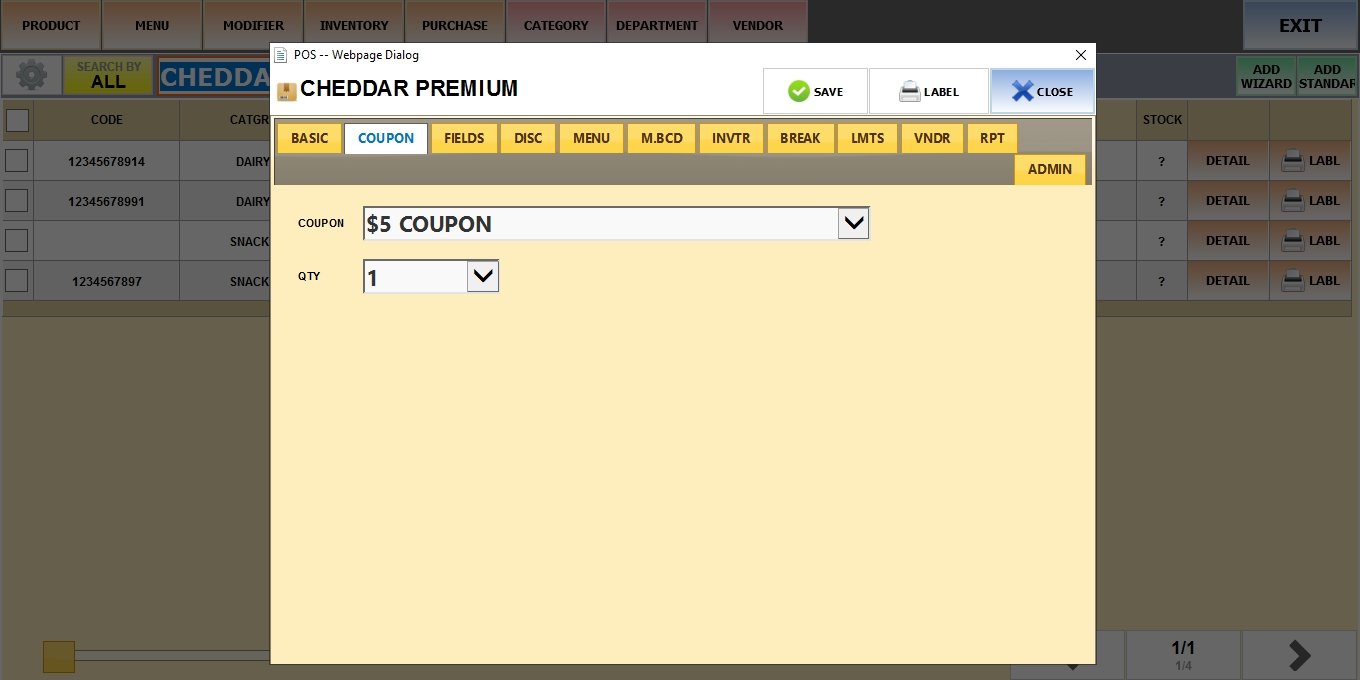
In this section, you have two settings:
1. COUPON: Select a coupon from the existing list.
Hint: To create a new coupon, see the Setting Coupons
2. QTY: Set the number of coupons that will be issued to the customer (from 1 to 50).
Result:
On the Sales Screen, ring up the product to trigger the feature.
You’ll be prompted to select a customer. Choose the customer and click SELECT.
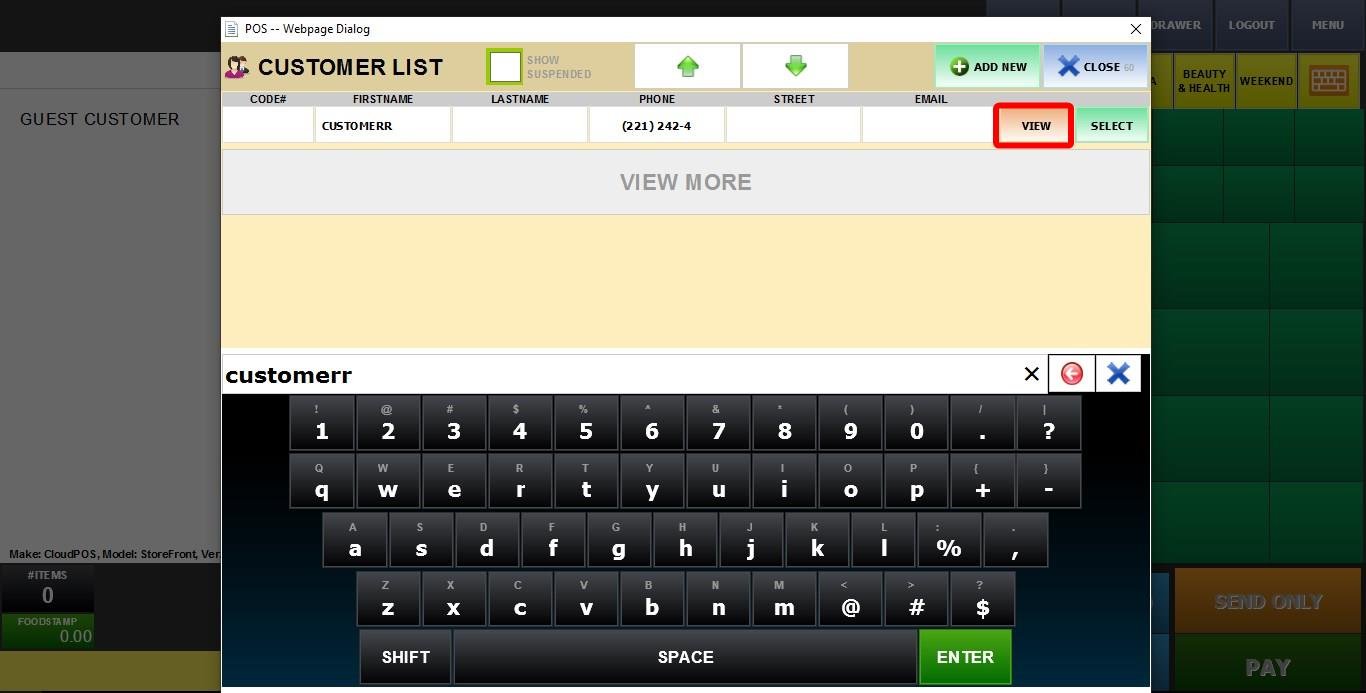
Next ring up any items the customer wants.
Next go to pay and the coupon will be added to the customer account.
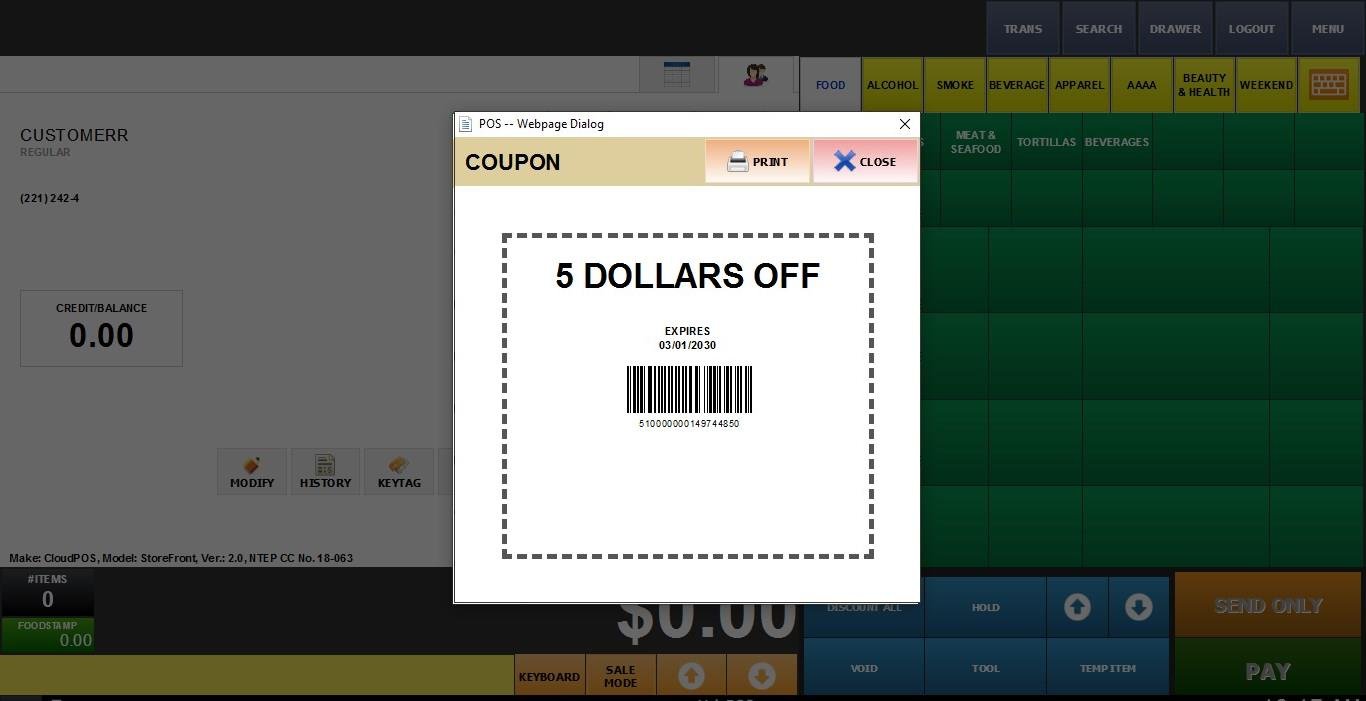
Check the Selecting a Customer section in Use a Loyalty Coupon for detailed instructions on how to too see and use the coupon.