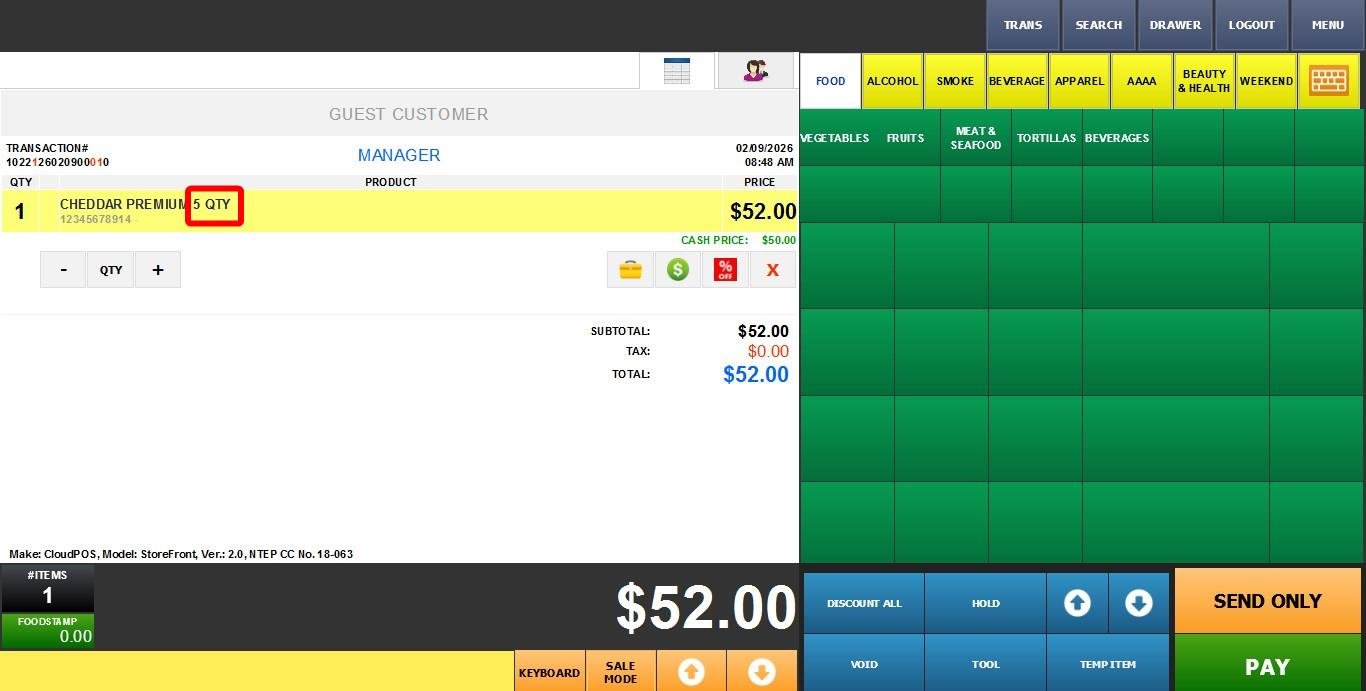
By QTY
The pricing type applied a fixed price to a specific quantity, such as a case, bundle, or dozen. The price is fixed for that set quantity.
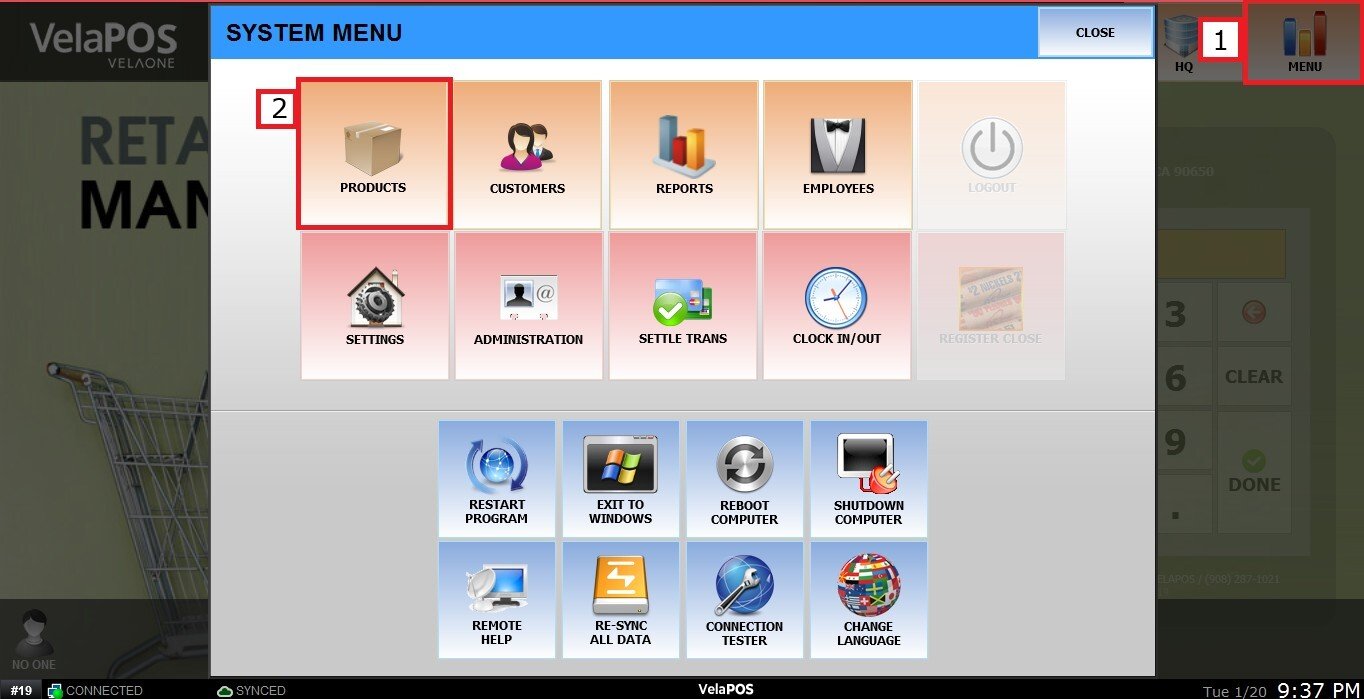
MENU > PRODUCTS> Select an Item> DETAIL> BASIC> PRICE TYPE.
Click on MENU, select PRODUCTS
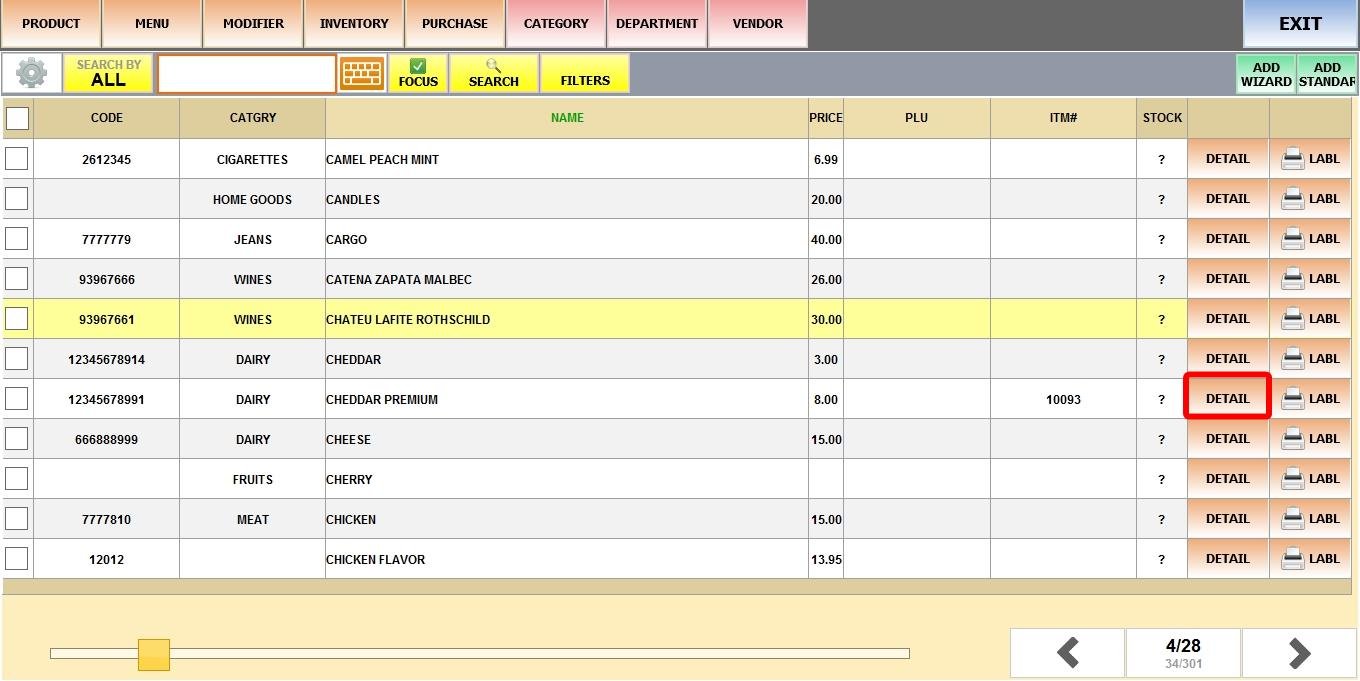
Find the product, then select DETAIL.
Under PRICE TYPE, select BY QTY.
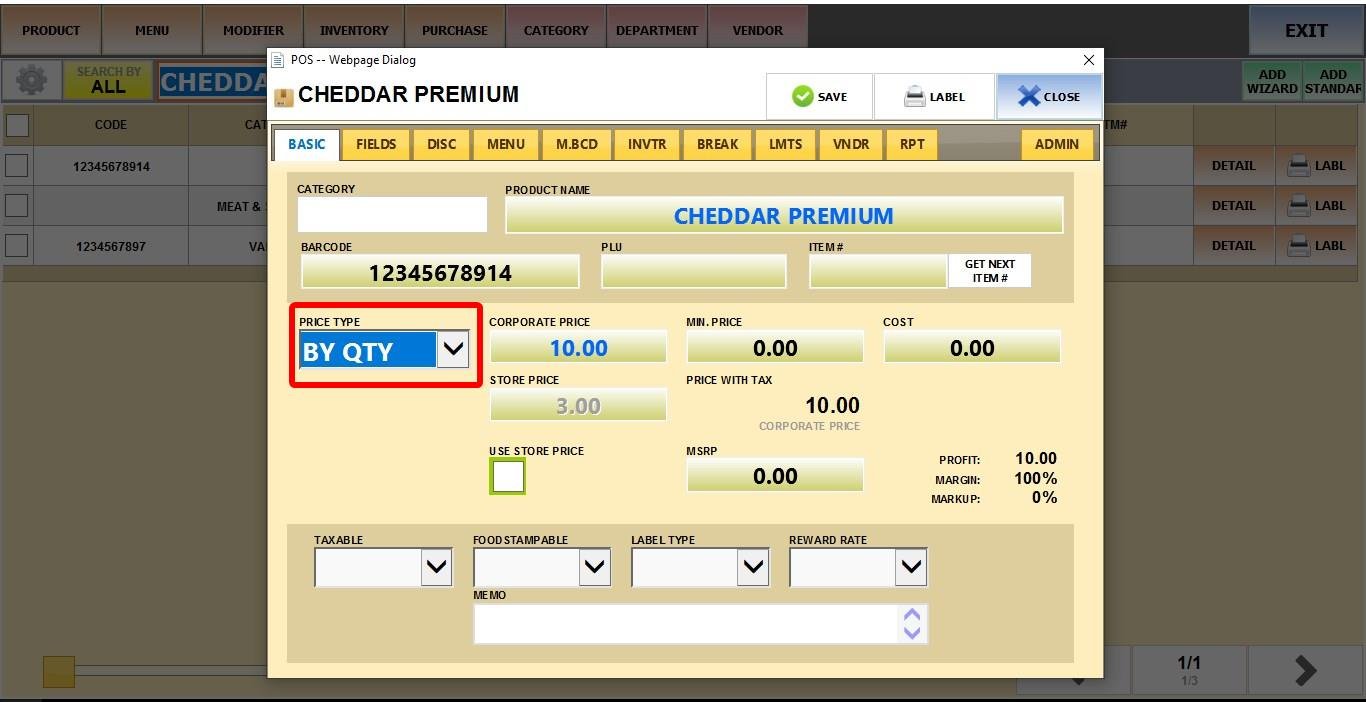
In the PRICE field, enter the total fixed price for the defined quantity.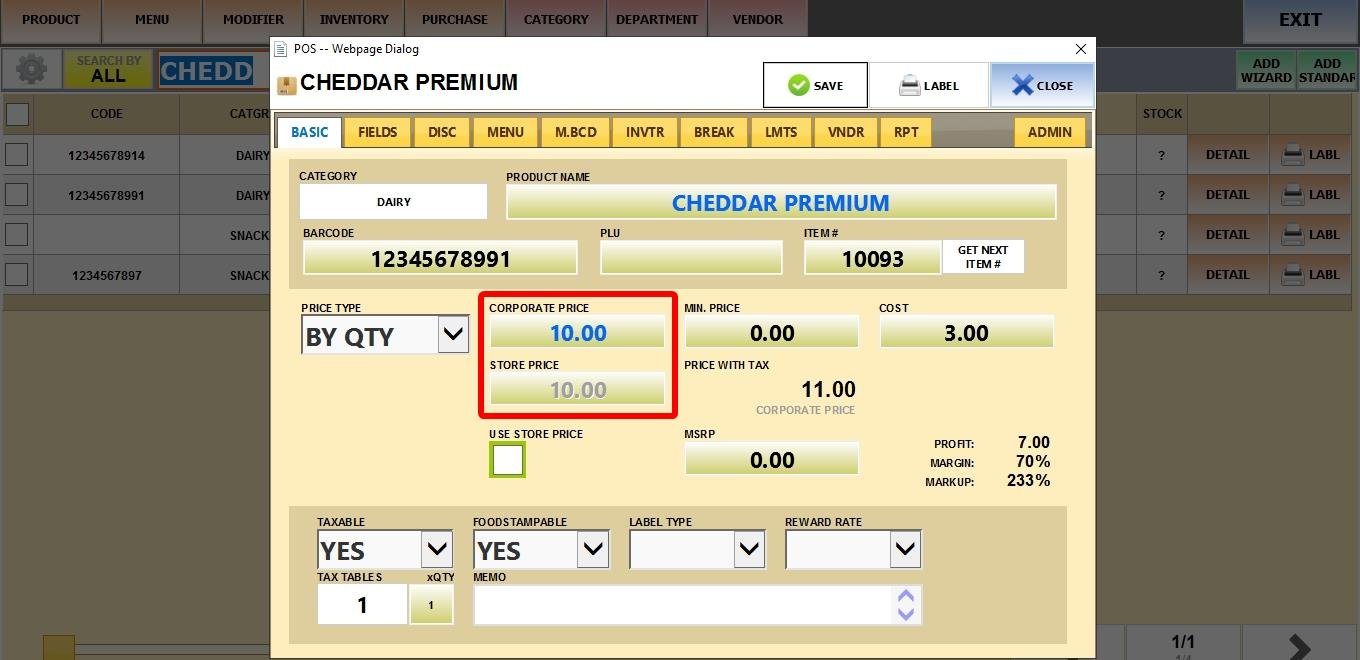
Result
When you ring up the product on the Sales Screen, the fixed pricing will automatically apply for that quantity.